Updated: September 25, 2026
Just recently, I encountered a weird issue, for the first time in my computing life. I plugged a charged into a laptop, one Slimbook Executive to be more precise. The machine pinged, indicating it was now under socket power. The system tray icon changed accordingly. But when I expanded the power applet, it read: "Not Charging". This status stayed for a while, and then, the device began charging. A few minutes later, the problem happened again. Rinse and repeat.
As I didn't like this scenario, I decided to try to figure out what gives behind the scenes. I began a series of experiments. I decided to try additional chargers, to disconnect any USB-powered peripherals, to try charging under different ambient conditions, like say temperature. I discovered lots of interesting bits and pieces, which explain the phenomenon. Is it a problem, you ask? Well, it is and it isn't. Let's commence.
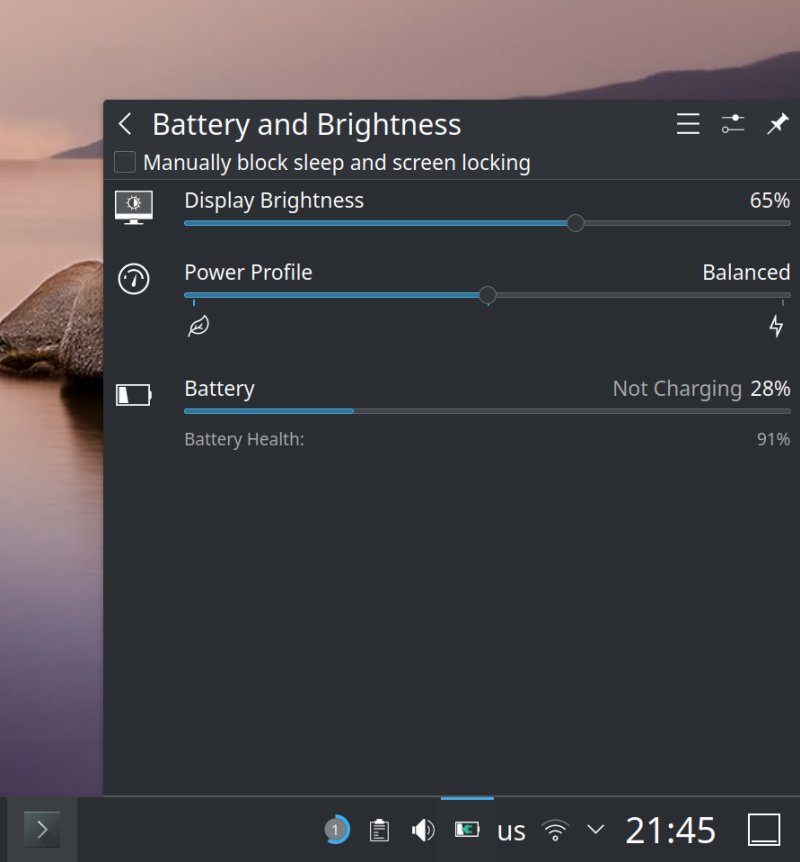
Problem in more detail
Ok, since there are multiple scenarios that can result in this "not charging" problem, I will go into detail for each one. Moreover, the aforementioned Slimbook runs Linux (Kubuntu 24.04). Therefore, some of the commands and tools shown here will not be necessarily applicable to Windows or macOS users. But the principle remains the same.
Now, to see what gives, there are several tools that can help:
- The upower utility, which lets you enumerate your power devices, including your battery.
- The acpi tool, which lets you check temperatures.
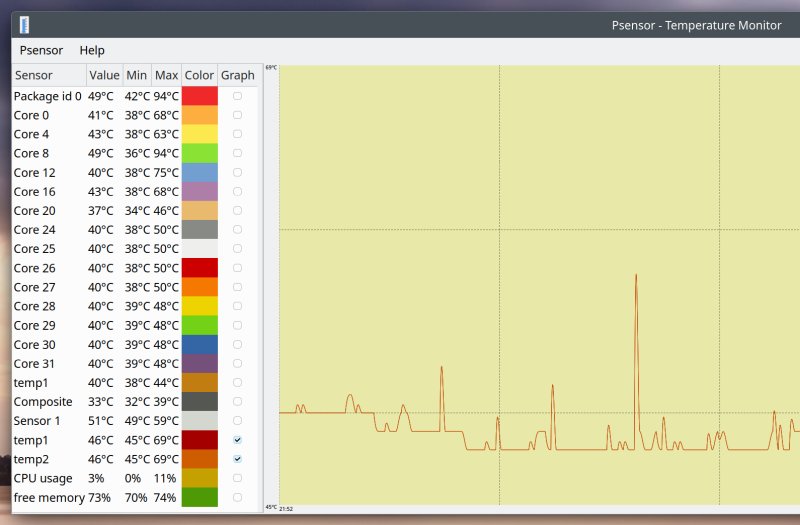
- The psensor tool, which lets you check temperatures for all available sensors, and show you time-based graphs.
If these utilities are not installed on your system, you can install them from the relevant (Linux) repositories. For Ubuntu (and associated flavors), sudo apt install acpi psensor will do. Upower should be there by default, but then, you get the idea.
I enumerated my devices (including the battery), and then, checked what gives:
upower --enumerate
To wit:
upower -i /org/freedesktop/UPower/devices/battery_BAT0
The output looks something like:
upower -i /org/freedesktop/UPower/devices/battery_BAT0
native-path: BAT0
vendor: OEM
model: standard
serial: 00001
power supply: yes
...
percentage: 51%
capacity: 90,625%
technology: lithium-ion
icon-name: 'battery-good-charging-symbolic'
History (charge):
1787429126 51,000 charging
History (rate):
1787429216 0,000 pending-charge
1787429186 7,895 charging
1787429156 7,368 charging
It will show you your last three to five charging samples, 30 seconds apart, including the wattage draw and charge state, as well as your total charge, battery health, and more. In the example above, from the bottom of the text output and reading up, my laptop was charging very slowly at only 7-8Wh, which means, it would need roughly 8-9 hours to charge fully to its rather capacity of about 90 Wh. And then, at one point, it was in the pending-charge state, which is exactly the "not charging" status you may see in the system tray. This means connected to the power line, but not drawing any juice.
So, the only question is, why? What scenarios would lead to this? And in turn, are these potentially dangerous scenarios that would require a battery replacement, power charger replacement, power dock replacement, or who knows what else?
Scenario 1: Hardware problems
Not the easiest to debug if you don't have any spare gear, and it requires time to analyze. The broken components can be:
- Power cord - which I eliminated in my testing.
- Power charger - which I replaced and eliminated from the equation.
- Power dock - this does not seem to be broken or faulty, as after I resolved the issue (later on), the laptop completed a number of full, normal charging cycles.
- Battery - the unit did slightly deteriorate in its three years of life and now holds only 91% of its original charge, but that should not be an issue, and as you will see very soon, it is not the reason for the problem. Furthermore, the actual battery, regardless of the available capacity, is not faulty, either.
Scenario 2: System drivers
This could be the case, at least since I've not noticed the issue before. A fresh kernel update may have introduced some change in the power management or battery modules, which results in a different behavior. At the very least, you get more accurate notifications. Alternatively, the Linux driver is now more optimized and works more correctly, which means better power and battery control.
I have not fully ruled this out, but again, it is not a problem, as you will see shortly.
Scenario 3: External USB-powered devices
This seems like a likely culprit. While I was using my machine, I had an external DVD player connected. It's a relatively new device, with a USB-C connector and a single cable. In the past, most external devices of this nature needed two ports to power up.
With this device connected, there's a lot of power draw. Most of the time, with the player plugged in use, my laptop seems unable to charge at a rate faster than 10Wh at best. It is quite possible the system has a clever mechanism to send power directly to the connected peripherals rather than drain the battery. But, as I said, most of the time, not always. The external power draw complicates things, but it is not the main culprit.
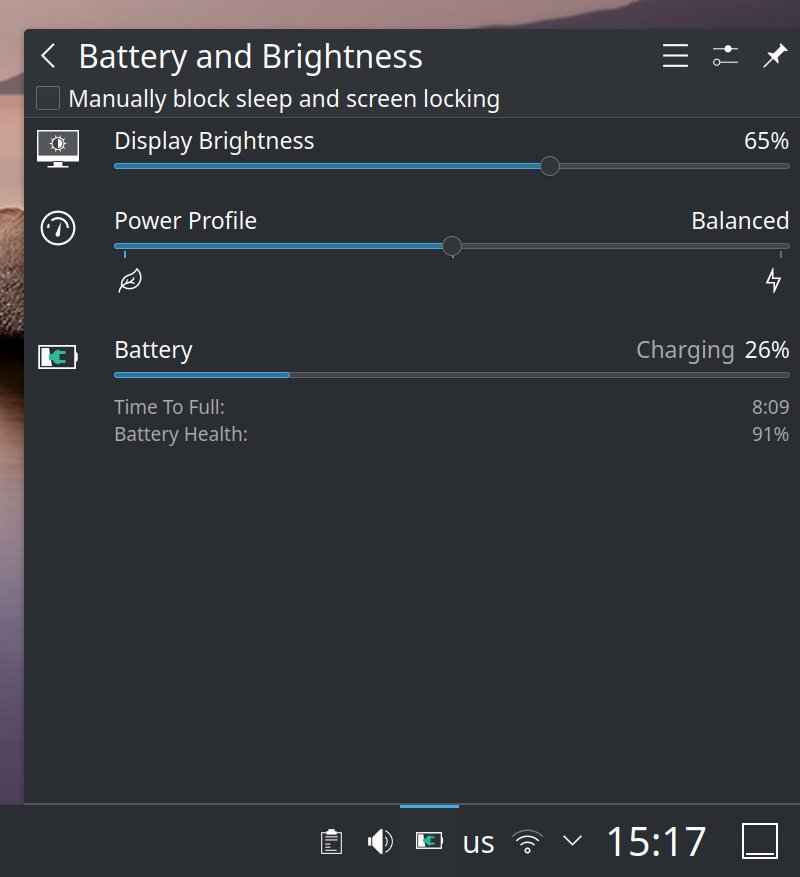
Scenario 4: Temperature
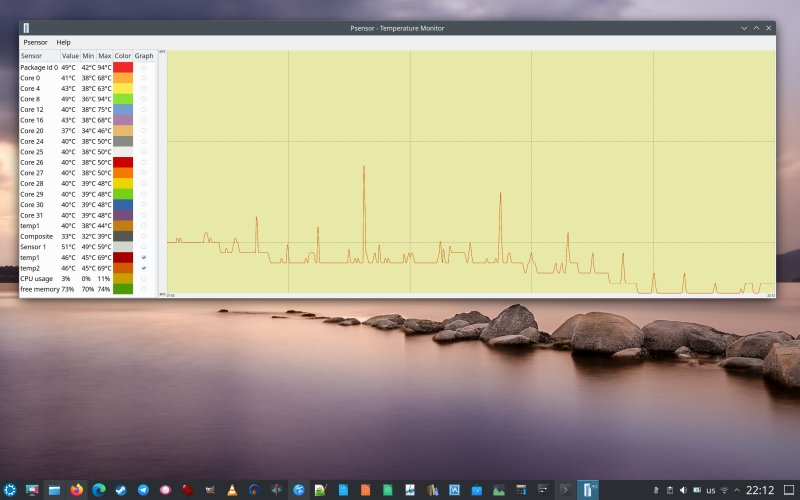
And this turns out to be the smoking gun! While trying to figure out what's happening, I ran both acpi and psensor quite a bit, to see what sort of readings the machine returns. Inadvertently, I discovered the battery driver limits. Namely:
- The laptop's battery will not charge if the temperature exceeds 55 degrees (Celsius). It will slow-charge occasionally, depending on the temperature curve. If it exceeds about 50 degrees, the laptop may slow down the charge to reduce the heating (as heat is bad for Li-ion batteries). In general, and you may have noticed this, most devices will fast-charge early on and then slow down as the battery load gets into higher percentages.
- The system will throttle the CPU if the battery temperature exceeds 75 degrees while discharging.
And so I began my testing, any which way, including controling the ambient temperature. I tested the laptop's behavior across the 20-30 degrees room temperature setting, and this definitely affected the base point and how much freedom I had vis-a-vis charging before the laptop's pending-charge limit would kick in. Effectively:
- My laptop seems "smart" enough to try to protect the battery, mostly based on temperature.
- The laptop will also modulate charging based on total power draw by connected peripherals.
- The charger's rating does not seem to affect the outcome, as there's a hard draw limit.
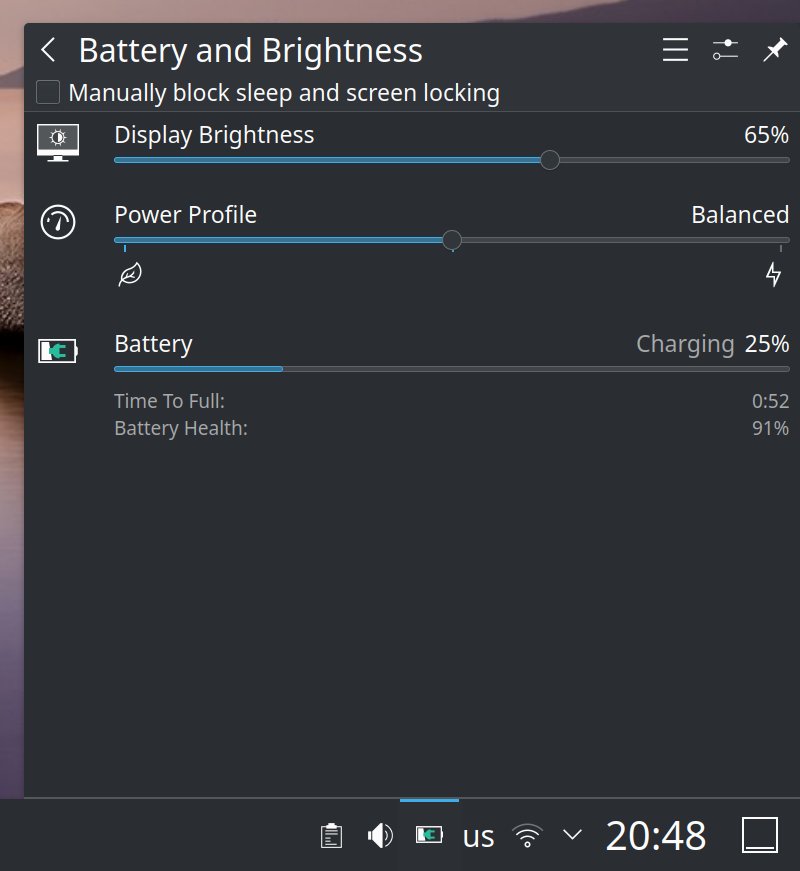
The laptop is charging fast when cold and idle.
Here's an example of a charging history:
History (charge):
1787663882 27,000 charging
1787663822 26,000 charging
History (rate):
1787663882 78,422 charging
1787663822 8,158 charging
1787663792 77,369 charging
When the draw dropped from 77-78 Wh (which means the laptop gets charged in about an hour) to only about a tenth of that, the battery's temperature spiked from 52 to 54 degrees.
acpi -t
Thermal 0: active, 54.0 degrees C
Thermal 1: ok, 54.0 degrees C
Conclusion
There you go. My findings. Long story short, it seems that temperature is the primary reason for if and when your laptop will charge its battery, even if connected. The unit's firmware and power driver seems clever enough to prevent overheating or early degradation of the cells, and it will even direct juice directly to peripherals to reduce the load on the battery. Then, apparently, for three years, either I never hit the battery's thermal limits or new drivers now actually allow me to see what happens behind the scenes.
With temperature accounted for, my charger, old or new one, seem quite all right. There seems to be no issue with the battery, either, as it does not exhibit abnormal temperatures during idle scenarios. Now, it is possible that the whole thing could work better - power management, power states, fans, whatnot. But all other things behind equal, including resting my hands on the case and feeling the heat from underneath, I can say that newer Linux kernels (recently) seem to have improved thermal management, and there's less fan noise. Then again, perhaps those fans ought to spin more and vacate the excess heat, which could explain why the battery charging looks somewhat odd now, at first glance.
If you have a Linux machine and you experience intermittent charging not-charging "issue" in normal everyday situations, i.e., not when your machine has 95% battery or capacity or such, but the midrange,20-80%, then I would suggest you examine the temperatures, first and foremost. It is possible your battery is simply too hot, and to protect it, the system is gating the charge. Furthermore, if the battery drains normally, you don't experience weird stutters, and it charges normally when the machine is cold and idle, then you're most likely fine. As always, with any powered device, you need to be careful and vigilant, but the pending charge issue doesn't sound so sinister right now. In all likelihood, it's perfectly fine. Thus, our problem is more the question of how you make sure your work temperatures are always nice and cozy. Here you may discover various limitations in your device design, including case size, passive and active cooling, and such. Take care.
Cheers.