Updated: May 1, 2026
It has been a while since I last did a proper distro review. But the occasion warrants it. Canonical has released its latest LTS. What makes the April 2026 edition that much more meaningful or important is that, for the first time ever, Ubuntu no longer uses nor can it use the X11 desktop, due to its Gnome 50 dependency. You have to use Wayland. But the same limitation does not extend to the community flavors, even though Kubuntu also decided to default to the "new" and less capable "successor". But the X11 desktop is in the repos.
Well, as a heavy Kubuntu user, I couldn't just ignore this release. After all, I have a mix of 22.04 and 24.04 systems, physical and virtual, including my Slimbook Titan used for gaming, and the Executive, used for casual everyday stuff. With the pro patching enabled, these two ought to be good for quite a while longer, but I want to be ready for the future. Y'know, X11, Wayland, Nvidia, gaming, all the critical stuff. Thus, this new LTS represents a pivotal point. It's going to be the last X11-capable Kubuntu LTS, and so I want to see what gives. Besides, I also want to see whether this LTS is good in its own right, Wayland notwithstanding, considering that 24.04 was quite disappointing. Anyway. Let us commence.
Live session, installation
I'm sort of going to breeze through these initial steps. Test rig: my 2019 IdeaPad 5, with AMD processor and integrated graphics and a small NVMe drive. Still, it should handle everything except serious gaming and such. I booted the live image, did some basic checks, and then set about installing the distro into a dual-boot setup alongside the resident Windows 11 failure.
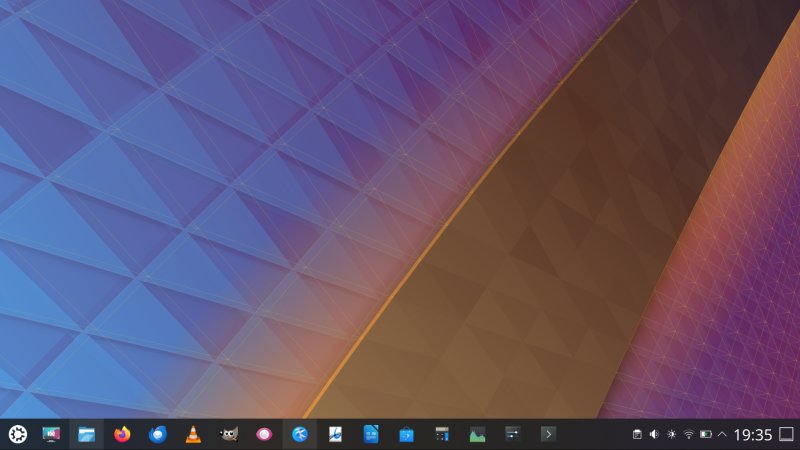
When you boot into the distro, you're presented with a Try or Install menu. Feels very 2004. The colors are just so old school. The default wallpaper is super bland. Again, 2007 era or so. The desktop performance is reasonable. I was also able to scale the session without any issues.
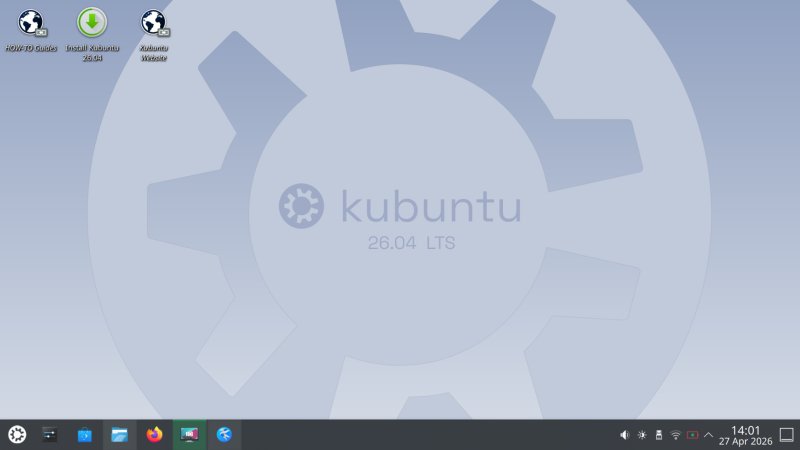
The Calamares installer remains annoying. It will "alert" you if you try to install on battery, plus it always scans for that one module when launched. Then, of course, there's the EFI size warning, another absolute nonsense. So far so not good, as these are old and pointless issues.
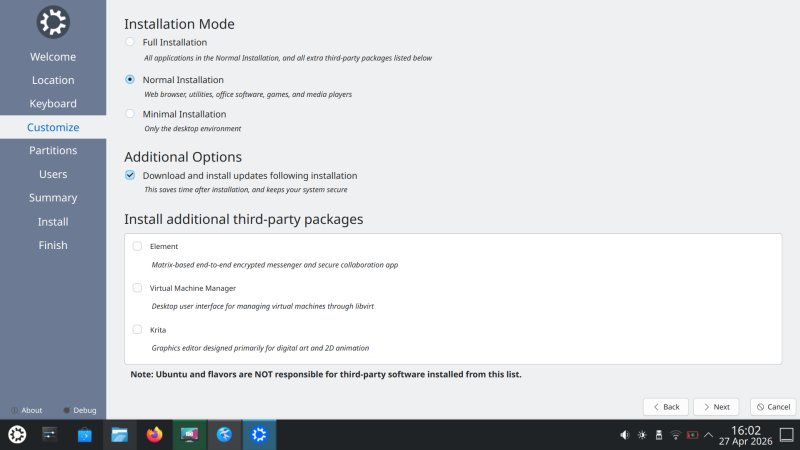
Kubuntu offers some extra packages, but you get a big fat warning that no team is responsible for these. What? Why offer these, then? Extra padding? Why only three packages?
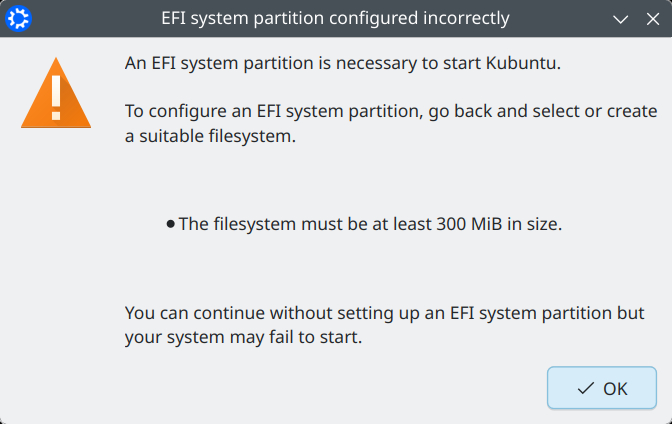
No, it must not be. It works great with 256 MiB.
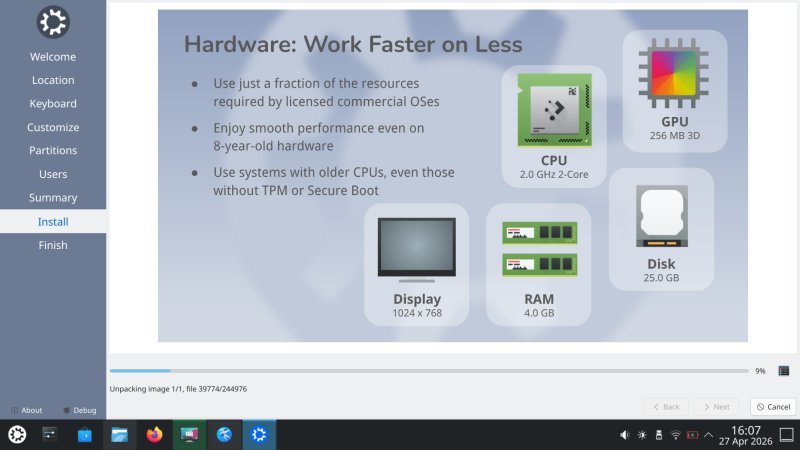
On the bright side, the installation image roll is actually nice! Properly designed, and doesn't feel like a badly upscaled LibreOffice slide deck. The setup completed in about 15 minutes total, which isn't too bad considering my experience with many other distros on this machine, over the course of its lifetime. MX Linux still leads, though.
The most important thing ...
Okay, once the installation was done, and once I logged in, my first order of business: X11. This is what really matters. So I opened the terminal window and ran the magic command:
sudo apt install plasma-session-x11
I then logged out, and logged into the X11 session. Everything works. Good. I then set about tweaking things, including the usual stuff - scaling, font color, Breeze Classic window decorations. I also disabled Wobbly windows, as they feel totally unnecessary, disconnected from the KDE experience, and a throwback to the Compiz era without any of the relevance. Plus, it also feels like a cheap gimmick, an imitation of what macOS does, but once again, without the necessary context. Gnome also does this, so it's definitely a new fad, much like blue color and dark theme were/are. Anyway.
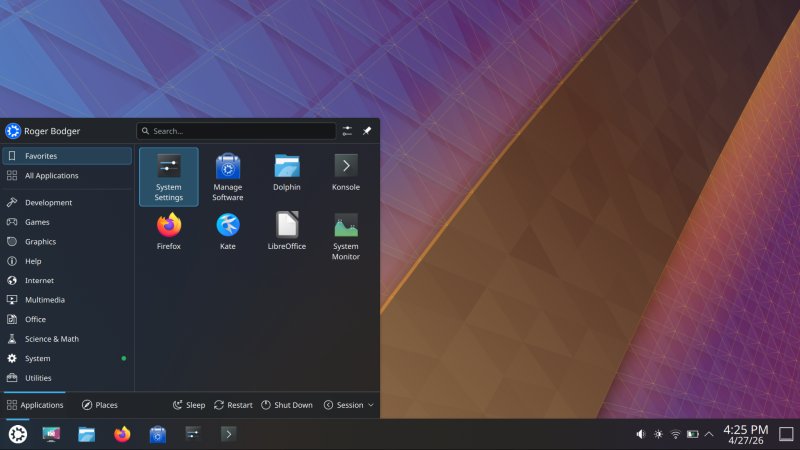
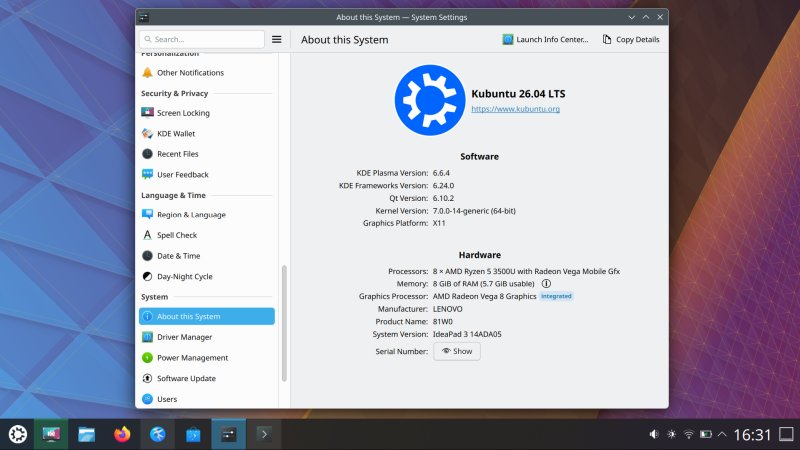
I spent some time testing, and I'm happy. Good. This means I won't need to think or worry about Wayland until at least 2031, and most likely even until 2036. Of course, I need to do a lot more testing with Nvidia drivers and games, but so far so good. The Kubuntu team does not officially support X11 in Kubuntu anymore, but that shouldn't bother you, because you get packages from Ubuntu repositories, and the same way this isn't an issue with say Kubuntu 22.04, it won't be an issue here. Besides, the other non-Gnome desktop still use and default to X11, as they should, and since they are official flavors, we're good.
And now that I'm calm, we can also talk about Wayland.
Wayland session
I noticed a lot of good things, and some bad things, too. First, performance. Remember my big benchmark from a year ago? That still stands to some degree. One, the KDE team has significantly improved the Wayland functionality. Two, this doesn't necessarily help you if your specific use case isn't covered. More soon. Three, without having done any detailed measurements yet, the Wayland session feels a bit more sluggish than the X11 one. Just a tiny bit, but it's there. Notably:
- With the totally meaningless wobbly windows effect on, the min/max action is atrociously slow under Wayland, less so in X11, which also, as a bonus, lets you disable compositing. This can give quite a bit of performance boost on old systems.
- That said, the overall Wayland performance, on its own, wasn't that bad on this elderly machine. Kubuntu 26.04 was very fast, and with the kernel 7.0, there was minimal heating or fan noise. Quite all right. So it's not that the Wayland session sucks. It's simply slightly less responsive than the X11. What makes this result sad is the fact the KDE team decided to default to Wayland, even though it still lacks in various critical areas. That's the big tragedy. The forced mediocrity of software.
I couldn't log out of the X11 session and then into Wayland. I mean, you could, but then, you get no panel. Everything else works, but no panel. The only way to get a fully functional Wayland session is if you set SDDM to boot into it. Going from Wayland to X11 works just fine.
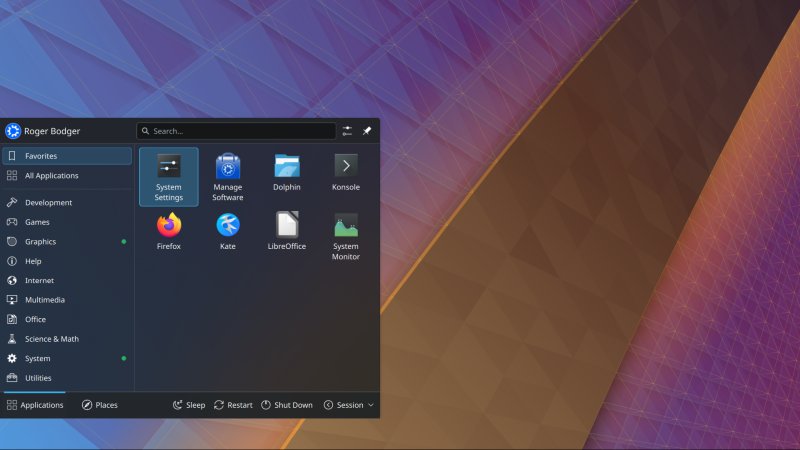
I decided to try a bunch of common programs, to see how well they behave under Wayland. I had decent results, including the DOSBox emulator as well as WINE-based Windows programs. This is good, but the real proof is going to be in the complicated use cases and gaming, which I intend to test in the coming months. As I always said, I have no ideological beef with Wayland, all I care about is usability, backward compatibility and quality, and if these ain't available, I be grumpin'.
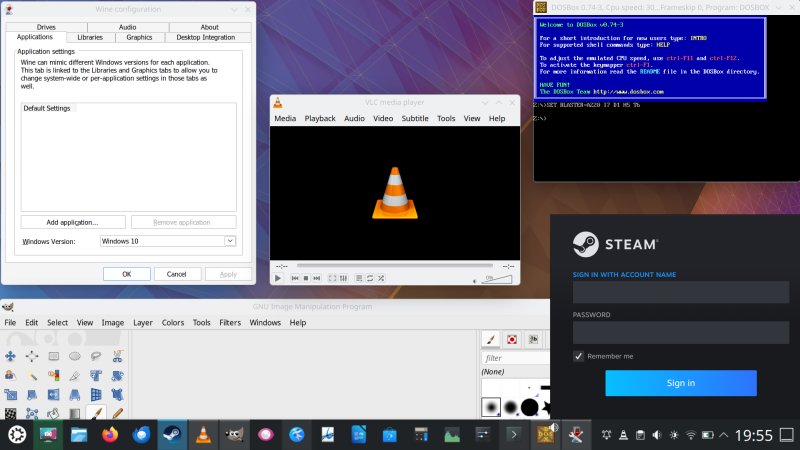
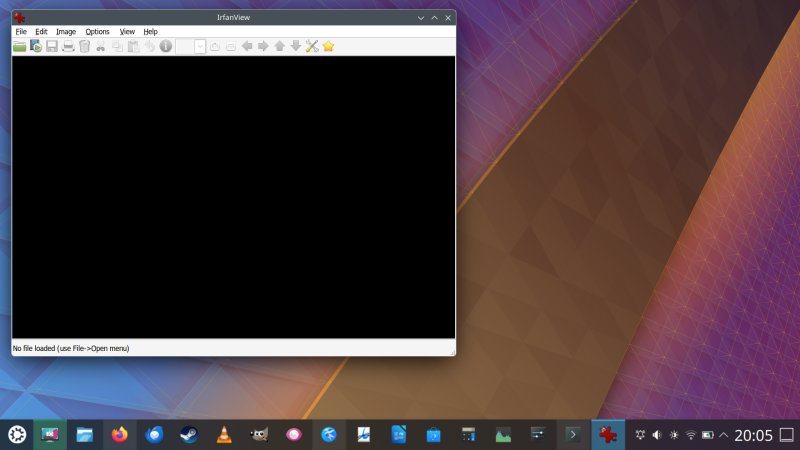
The thing is, Wayland is LESS capable than X11. This is a given. For example, with a bunch of programs open, each with their own specific position, which is something you may definitely want if you use the solid Plasma session restore functionality, then, when you log in again, you want your apps to be where you left them. Well, in Wayland, all the programs get bunched in the center. This is 2026, LTS. This is bad. Before and after:
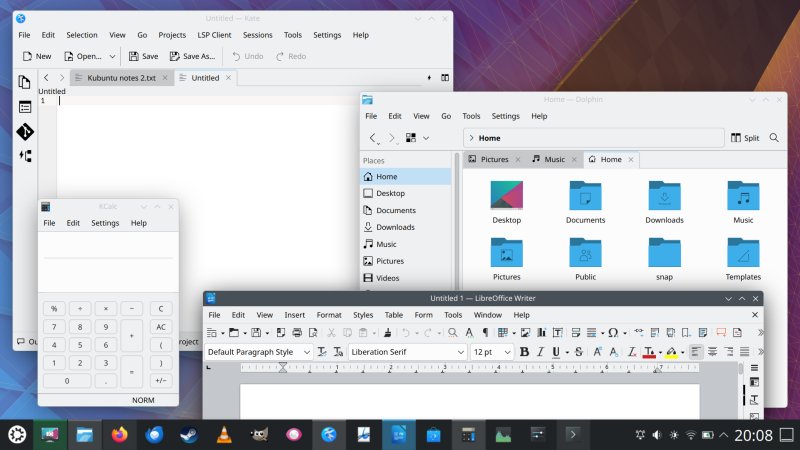
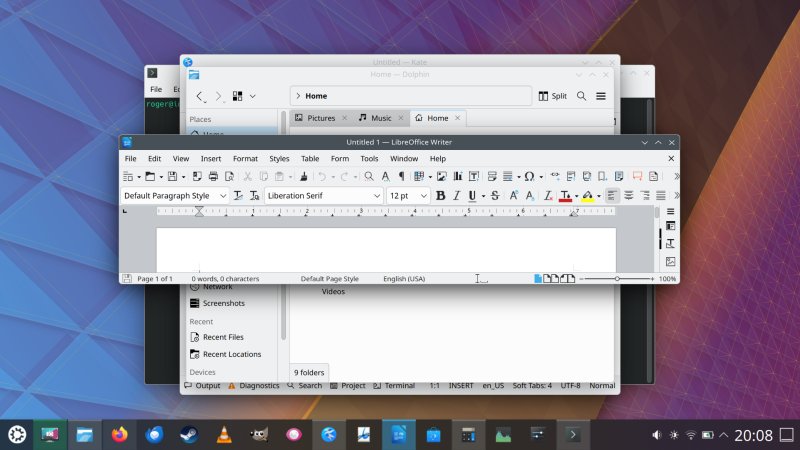
Not only does this look bad and amateurish and sad, even the window sizes were changed. And in Firefox, no tab was restored, so technically, I lost my browsing session, too. This does not happen in X11. For that matter, even in Kubuntu 18.04, I had excellent session restore, browser session restore, all of it. Sure, it ain't perfect, and some programs don't cooperate nicely with Plasma. But X11 results are a thousands times better than what you get in the "new" default. And I won't even go into important yet niche use cases like remote sessions, per-app scaling, screen recording, and such.
Also, no gamma adjustment for my wonky screen. Another fail, yas.
Hence, the X11 session for the win. The default until 2036 or until my luck runs out.
But I will still keep testing Wayland, and provide neutral grumpiness, as always.
Package management
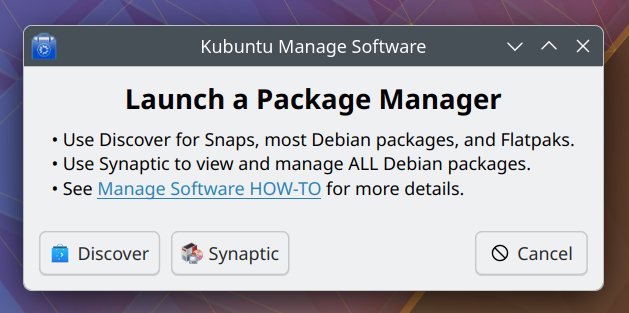
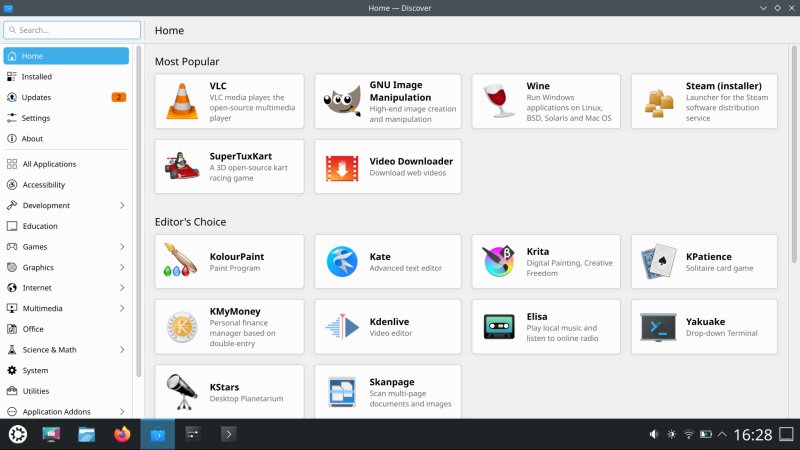
A new icon. Mkay. But wait. You get some generic package manager chooser prompt, which feels totally out of place. Discover or Synaptic, what. Well, okay, whatever. Discover is fast(er), much more so than in the past. It also no longer offers "offline" updates (on reboot) as the default option, thankfully, as that's a totally meaningless copypasta from the Windows world.
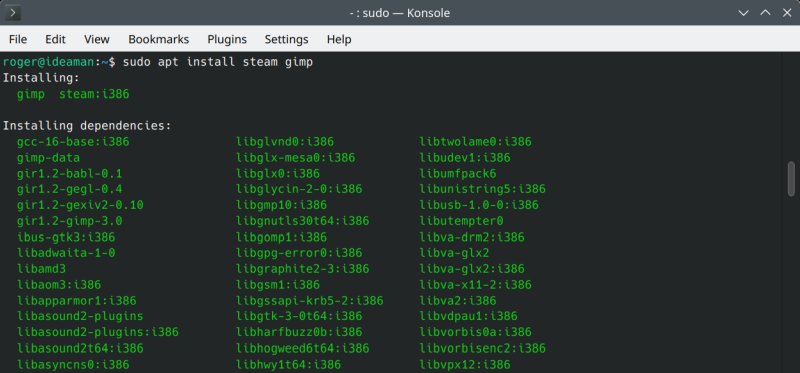
Apt has a slightly different presentation, now, more like zypper in openSUSE:
General things
I am pleased to say that the KDE team has improved a lot of things in their stack. Many old annoying bugs are gone. Some persist, and I will rant about them soon. But let's cover the improvements and fixes first. Or at least, the ones I've not covered above, duh.
In the installed session, my Wireless configuration was preserved (but only the first access point). Dolphin correctly maps Samba shares without the trailing slash (that bug has been fixed). Samba speed is phenomenal. Feels like a local filesystem. Suspend & resume, brightness, all those hardware bits, noice.
Kate now remembers the last opened document. That said, it won't do a session save unless you manually create one, upon which the sidebar will be gone, and you'll have to manually reactivate the Documents plugin to see a tree view of your files. I just recently brought that up in my Titan long-term review.
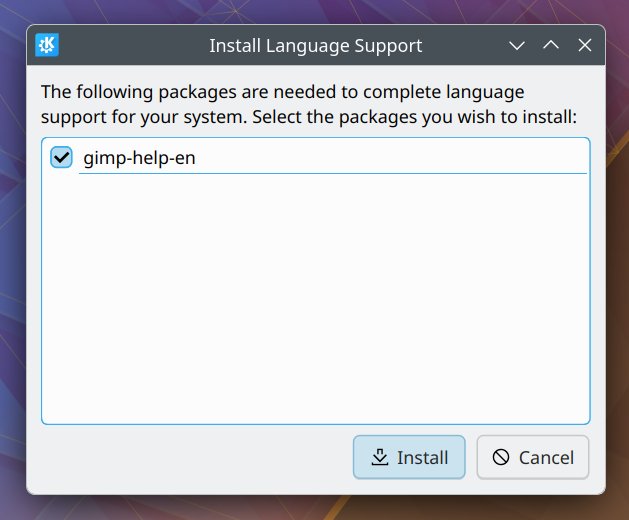
The language support prompt is no longer ambiguous. Instead of being asked to install unknown language-related packages, you get a window that clearly tells you which programs need what. This is good.
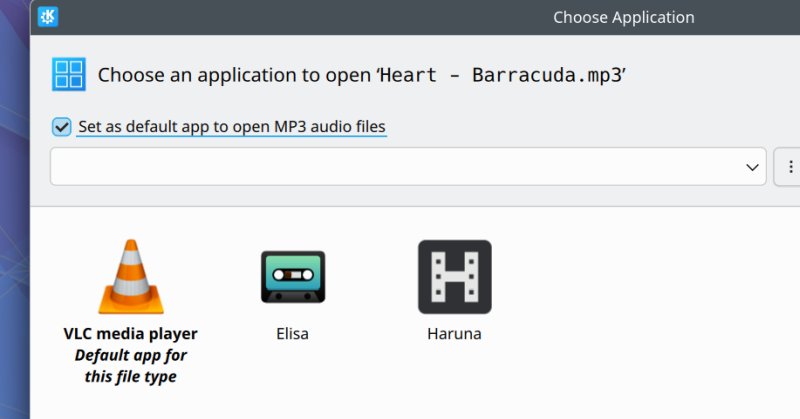
There is also a new default app chooser. It's a bit confusing, but less confusing than the old system. I've not done much testing with hardware acceleration just yet, but it would and will be interesting to see whether there's proper stuff for either VLC (my preferred choice) or Haruna (the Kubuntu choice).
Resource utilization
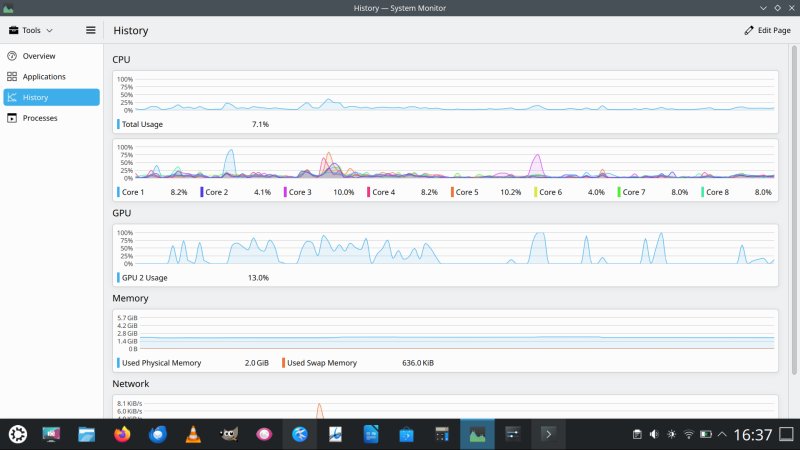
Reasonable, I have to say. Both Wayland and X11 are quite responsive, and the laptop is cool and quiet. That said, even with compositing on, X11 is a tad snappier, ever so. Plasma System Monitor still somewhat oddly aggregates data during its sampling window, so you get some wild results for the GPU. As I reported a while back, you no longer get the unnecessary stacked CPU graph. In fact, you get total and per-core graphs, separately. Very nice.
Now, the somewhat weird stuff ...
The boot sequence is ugly, X11 or Wayland. It takes about 18 seconds, so much for "speed" provided by "modern" init tools. There's also a lot of flickering, the splash screen shows in different resolutions, you get ugly text messages, and such. Pointless.
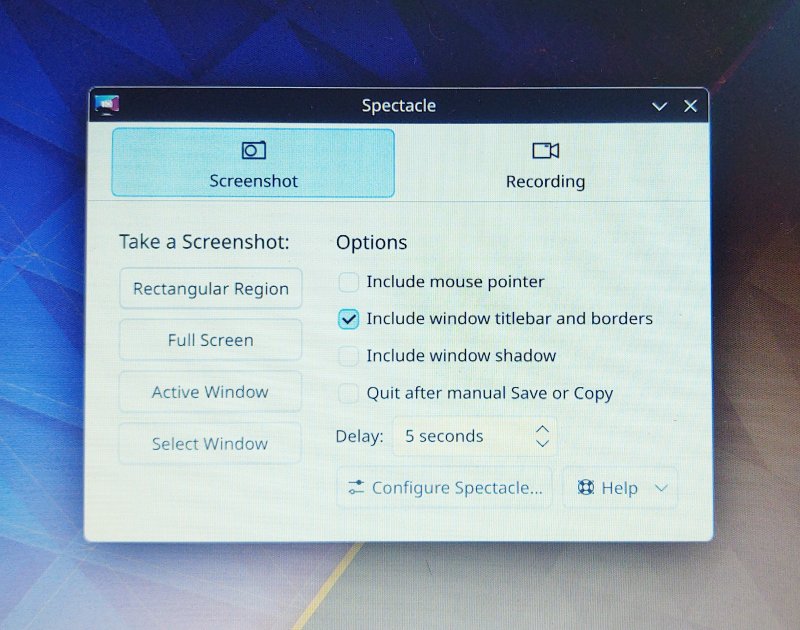
Spectacle, the screenshot tool, is ... weird. One, by default, it opens in this fullscreen half-edit mode, which I detest. I also detest the bunching of screenshot options under a single button in the main interface, or the fact various options are hidden away. Furthermore, by default, the tool is set to capture both the shadows and the mouse cursor. But then, check this out. If you change the settings to launch the Spectacle window rather than take a screenshot, it will start in this different mode, where you can selectively choose what to capture - rectangle, active windows, full screen. More like the old Gnome tool. Nice but inconsistent.
There's still no general-purpose toggle to disable IPv6 in Network Manager. Then, Steam installed fine, but the icon looked odd until the next reboot.
For some reason, Firefox, when used without the title bar, has its own window control buttons. If you activate the title bar, as you should, you get both the good KDE frame around your window, plus the buttons look as they should (Breeze).

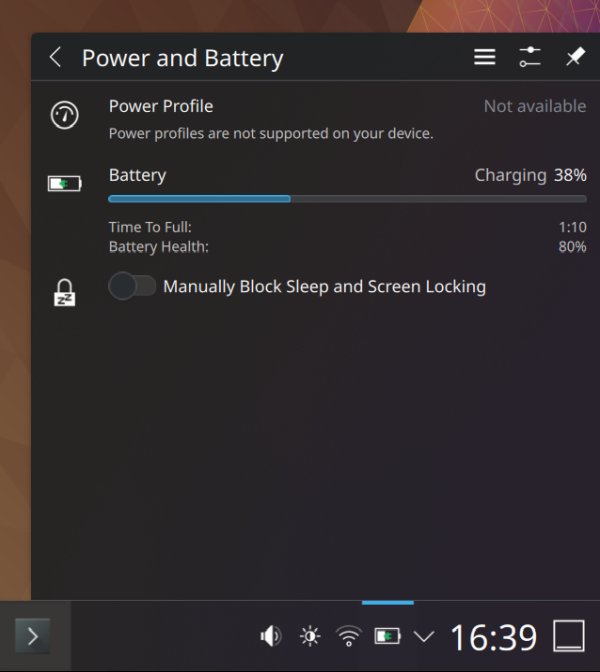
There's another bug, and that's the power management applet and the on-hover task manager tooltip
don't talk to each other. My AMD-powered machine doesn't have power profiles, or at least, KDE doesn't
know how to manage them. But the tooltip (which Spectacle refused to capture, in Wayland or X11) says:
Middle-click to disable automatic sleep and screen licking. System is in
Balanced power mode; scroll to change. Hm, well, not quite. And scrolling does nothing, of
course.
By default, you get Peek and not Minimize all windows widget enabled. Why? If you run the command
which, it will tell you Firefox is at /usr/bin/firefox, but this is
just a wrapper for the snap version. I guess this is for compatibility purposes? Then, look at that
script:
...
# TODO: handle other desktop environments
exec /snap/bin/firefox "$@"
...
A wee TODO in the LTS release? Does anyone actually bother with real testing?
Lastly, you also get overblown security messaging (around Wayland). This is the official distro text:
Plasma Wayland: The Default, Fully Supported Session The Plasma Wayland session is
the default and fully supported session in Kubuntu 26.04 LTS, delivering improved security, smoother
rendering, and better HiDPI display support. For users who need it for legacy hardware or specific
workflows, the plasma-session-x11 package remains available in the Ubuntu archive - but it is not
installed by
default and is not supported by the Kubuntu team.
Wayland's primary function isn't improved security and never was. That keeps coming up as an argument. And I will always mention how pointless that claim is. Sure, let's ignore the nonstop supply chain dev package poisoning, unofficial wrappers for popular programs distributed via third-party sources, or the fact that if you install a "rogue" program on your system, X11 snooping is the LEAST of your worries, but hey! Wayland was developed to make life easier for its developers, period. It delivers a reduced set of functions, for better or worse. Security is not part of that list, unless you wanna live Hollywood style.
Finally, I don't know what to say about Rust-based binutils ... We shall see, I guess.
Day to day use
But enough complaining. I had moderate amounts of fun, I must admit. Okay.
Enough for one article, no?
Conclusion
I feel that Kubuntu 26.04 LTS is a-okay. It's not perfect and a far far cry from the glorious releases of yore, when you got both pride and quality combined (as opposed to the legendary 80s song Love and Pride). But yes, that's what my heart yearns for now. But, but, it is much better than 24.04. More streamlined, more polished if still quite rough, faster. The KDE team has done the best they could to make their Wayland implementation look alright, and 'tis the best Wayland implementation around, period. But it's still a self-inflicted wound. And no matter how hard they try, they are working with a three-legged horse. Not LTS stuff by any means. One would say, it's fairly ... resolute, ha ha.
That said, being objective, yes, Wayland is now better than ever before. Another decade perhaps, and it could be good enough to be the face of a serious Linux desktop. Maybe. If you're not in the mood for the 7th place medal of participation sort of games, luckily, you get the X11 session. It may not be supported by the Kubuntu team, but it is in the Ubuntu archives, which means it will be supported until 2031, and with pro, until 2036. Good times. So yes, Kubuntu 26.04 is decent, it works well, lots of old Plasma bugs are gone, and you will probably like it more than the previous LTS, provided you go with the X11 desktop. Considering the despondence in the Linux desktop world, 'tis a good release overall.
Off I go now. As soon as possible, I'm gonna try this Raccoon on my 2014 laptop with a 4K display and hybrid Nvidia graphics. O-la-la. That ought to be very very interesting. Oh yes. Well, bye bye.
Cheers.