Updated: December 3, 2025
Uh oh. Bring out your popcorn. Strap in and get ready for a spectacle. For today's article can only have two possible outcomes: utter genius or total failure. There is no middle ground, I'm afraid. When a curmudgeon, a Linux nerd and an embittered long-time Windows user, ergo me, decided to splurge money on an expensive posh laptop that will elevate him from the status of peasantry to sweet nobility, there can be no other option. My actions will either vindicate me, or I shall become a total idiot for wasting hard-earned dough on an over-expensive slab of metal and plastic.
To wit, a Macbook Pro! So, this is a review. But there's a lengthy introduction. If you need context and understanding as to why I chose to buy this gadget, you will need to read the first few paragraphs. If you only care about the spec and the use, feel free to skip the why part. Still, for pure entertainment value, I suggest you do savor all the bits and pieces. Let us commence then, most gingerly, forward.
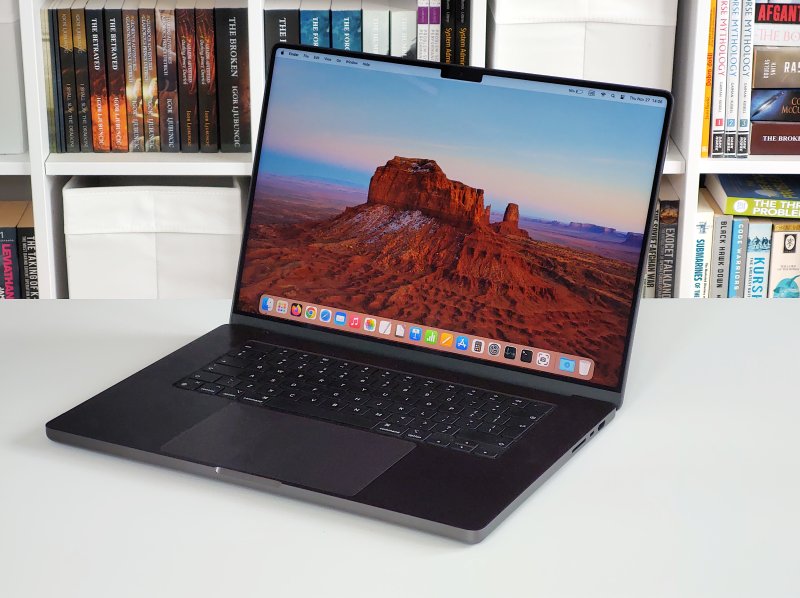
Why the hell would you buy a Macbook?
So, in a perfect, fair world, the use of technology would be entirely interchangeable. You would be able to access all and any government portal, bank website and other essential services regardless of which operating system and software combo you choose. Alas, that's not the case in our unfair world.
Your ability to interact with various sites online depends on your choice of programs. And by choice, I mean, in many a case, a lack of choice. Nowadays, many crappy portals are hard-coded to Google Chrome, the same way many portals were coded to only Internet Explorer back in the mid-2000s. When someone says "app", they mean Android and iOS. And not just any Android, but one with Google Play services. Or you may require a program that only exists on Windows and possibly Mac. Like certain PDF readers or such.
In practice, if you want an almost total "freedom" of operation, you need Windows. If you don't want to use Windows, then your second (desktop) option is macOS ...
But it's a gilded cage!
Yes, let's acknowledge the elephant in the room. Macbooks are heavily locked down systems, and I'm not talking about the lovely Lockdown Mode. You have the boot verification, the whole thingie, much like Microsoft wants to do with TPM, Secure Boot and all those other technologies. I am not naive, deluded or ignorant. I'm fully aware that the ecosystem is designed to be restricted (but not restrictive), and it's not for tinkering.
So, you could ask, why would you want to buy something like this? Why not stay with Windows?
Well, I'm doing this for two primary reasons:
- Microsoft wants to mandate online accounts on their platform. Not for store use, which makes sense, kind of, but for local use, too. This is silly and stupid. If Microsoft only required online accounts for downloading and installing apps, sure, no problem. I wouldn't care. I don't use the meaningless Store anyway, so I grab my favorite installers (exe) and move on. But Microsoft is tightening the screws on the local account usage. The Home edition effectively no longer has the necessary "workarounds" for this. In the Pro version, you can still do it, but the fact you even have to work around the online account problem is a problem unto itself. In this regard, macOS does better. You can have a local account, no online iCloud thingie, and you won't need to sacrifice a lamb on the altar to get this done! Now, I do use online accounts here and there, like in Android, but I consider my smartphone use trivial. Hence, no real deep reliance on online accounts. This is reason number one.
- The second, it's about sending a message. Over the years, Microsoft has worsened the user experience in Windows. Deliberately. By adopting the pseudo-touch model, they ruined the desktop. Windows 11 is constantly getting more and more useless crap that no one really needs. The additions are not there in the user's benefit. And so, the best way to tell Microsoft that I refuse to play part isn't by subverting their system or by spending countless hours tweaking. No. It's by buying a competitor's platform. Money is the only thing that matters in the big tech world. Imagine what would happen if as little as 5% of Windows users suddenly switched camp. Not just stopped using Windows, but embraced a rival's tool! Microsoft would very quickly mellow down their stance. And that may yet happen, if the Windows user share drops by a meaningful percentage.
So yes, I know that macOS is even more caged than Windows 11 will ever be, in many regards. But at the same time, the operating system allows you to use a local user with no online nonsense, if you like, as I shall soon demonstrate, and because you pay premium, you're not being profiled every which way every second of your desktop usage. 'Tis a fair trade. You pay money to be left alone. I can live with that.
Wait, wait, wait, wait, what about Linux you love so?
Ah, Linux. I've been using the Linux desktop for over 20 years. In that timeframe, the Linux desktop has experienced a parabolic trajectory. It went from nerdy and useless to almost superb to once again buggy and slowly pushing itself into irrelevance. Peak Linux desktop was 2014, when Ubuntu 14.04 came out. It had a proper software store, where you could buy stuff, for actual money, and it was rock solid.
Since, the Linux desktop has become worse in almost every aspect. Heavier, more bloated, much buggier. Right now, the distro world is in the middle of a fantastic self-sabotage journey with Wayland. Never before in the Linux desktop past were you ever truly limited by hardware choice, well, not intentionally anyway. Now, "modern" distros are embracing beta-quality Wayland, whether you want it or not.
This will roll back the stability and usability of the graphics stack by at least a decade. On top of that, various new distros also have the totally arbitrary minimum hardware requirements floor, like say Nvidia cards no older than 2019 and such, because it's easier to cull "boring" old tech than write lean, efficient, backward-compatible code. This is Windows 11 TPM-like nonsense. Actually, it's worse, because you expect such games from big corporations, not from open-source projects. It also highlights the "dictat" from corporations, the open source nature of it all notwithstanding. If the big guys don't want to do something, Linux distros actually follow suit. There's no real freedom of choice.
But even if you ignore all of the above, the big problem with Linux is inconsistency. You can never ever truly relax, because you can never ever know that something in your system won't randomly break come the next zero-QA update.
I started my journey away from Windows in 2022. A big project. I even bought a couple of systems, so I could fully dedicate them to this endeavor. I spent careful time doing all sorts of wicked experiments, and I wrote dozens of articles on these topics. For instance:
- My Steam Proton compatibility report from 2023, with many a cool game tested, including extensions, old game saves, and whatnot. Splendid results, might I add.
- How to play old games on HD screen using a bunch of awesome X11 utilities.
- How to install SketchUp Make in Linux and also solve the blank window problem with various plugins!
- How to set up programs like Notepad++ or perhaps IrfanView. And tons of others.
Unlike most developers who merely use their systems for coding, I actually spend tons and tons of time figuring out real-life use cases, not just for myself, but for my readers, too. I am extremely keen on Windows connectivity, on Samba sharing, data backups, languages, things that matter in day-to-day life.
And my requirements are quite simple: stability and consistency. If something works once, it must continue working forever. No breakages.
Alas, Linux has never been able to deliver this promise. Even as far back as 2015, I wrote about such issues, including various inconsistencies among the different flavors of the same distribution. Since, the problems have become worse. Distros are less stable, less solid. There's less passion, less fun, less maturity. Even in-vivo upgrades are not as good as they used to be, with tons of problems, as I mentioned in my 22.04 to 24.04 article.
On the hardware side of things, this makes it almost impossible to fully and truly embrace Linux, if you expect good results and you require consistency. When I look at my two laptops that are part of the migration project away from Windows, then we have the following results:
- My Slimbook Titan worked pretty well, until it didn't. It's recovered since, but.
- My Slimbook Executive worked amazingly well, until it didn't. Now, it still suffers from problems.
- In my ninth report, I wrote about broken printing. Just as I was about to print an important document.
These kind of issues and problems and little regressions are everywhere, and they sap life and soul. Take the Executive, for instance. What if the laptop suddenly decides to suspend itself in the middle of a banking transaction? Or during an important meeting? How can I commit myself if I don't know what the outcome is going to be?
Then, I think what happens when Ubuntu/Kubuntu 26.04 comes out. Will X11 still be around, or will I be forced to use Wayland, which also means losing tons of vital functionality, like the ability to scale apps, or play old games, or similar? Perhaps there will be workarounds, but why even be in this situation? Think about it. I still use the old KompoZer to write. Yes, it's old, but it's still the best GUI for simple HTML writing. The last official version was released in 2008. This programs works out of the box, without any issues, even in Windows 11.
The same programs runs through WINE in Linux, yes. Native builds? Good luck. In fact, in most distros, even modern programs that work on one version won't necessarily work on another. Take a build of whatever made for Ubuntu 22.04 and then try to use it in Ubuntu 24.04. For that matter, as I mentioned in my upgrade article above, having changed the apt sources structure on the disk, in a backward-incompatible manner of course, Ubuntu broke my third-party repos, like VirtualBox and WINE. I had to fix them myself. A travesty.
Not so bleak, but it ain't rosy, either
Don't get me wrong. Linux works 95% of the time. Well, 90-95%. The problem is, you never know WHICH 5% are going to break any particular day. That's the big uncertainy principle in the equation. If the usage model was totally predictable, you could say, alright, I will utilize Linux for XYZ. But the problem is, tomorrow, X might go away, W may suddenly appear, and Z may or may not work.
If one's okay with 90-95% success, go ahead. But if the missing 5-10% are critical things, then one cannot fully commit to Linux, despite their best desires, intentions, wishes, or plans. It's not even the question of Linux versus Windows. It's Linux versus Linux! One version to another! For instance, one could say not being able to play old DOS games under Wayland might not be a big deal. Or run an X11-only program. I disagree. Through mathematical induction, it is possible to show that any and every tool, feature or software are either totally necessary or totally unnecessary.
For example, take Wayland as an example, which, by deliberate design, does not do many of the things X11 does. Then, following the mathematical model:
- For n=1, Wayland does not support n=1 functionality.
- Take any arbitrary k, and you discover that Wayland does not support n=k.
- We now test, n=k+1, and we discover that Wayland does not support that, either.
- Ipso facto, Wayland need not support anything, hence it's useless.
Conversely, if a user requires certain functionality that only exists under X11, then:
- For n=1, X11 supports n=1 functionality.
- Take any arbitrary k, and you discover that X11 does support n=k.
- We now test, n=k+1, and we discover that X11 does support that, too.
- Ipso facto, X11 supports everything, hence it's mandatory.
P.S. If you're a mathematician by vocation, please calm down. This is only a semi-funny example, intended to be demonstrated through snark and wit, not used for a PhD dissertation in Frobenius algebra. Relax.
The same could be said of any which software functionality, and you will discover that Linux does not truly offer you 100% functionality anywhere you need it. Among the various examples, you could have certificate signing, editing PDF forms, use of hardware tokens plus associated software, Microsoft Office, certain peripherals like a steering wheel set for simulator games, and such. You may never need any of these, or you may require all of these at some point in your life. It does not matter. The only question is, what do you need to satisfy ALL your needs, all at once?
To make things worse, on the software side, many portals online don't directly and/or officially support Linux. There's that problem, too. C'est la vie.
The weakest link of usability
So effectively, if I want to have the maximum combo of flexibility, usability and security, but I don't want to use Windows 11, then my usage estate breakdown shall be as follows:
- Casual everyday use, with 95% stuff done in up-to-date Linux.
- Gaming done using Windows 10 and Linux (with Proton and WINE).
- Writing in always-offline Windows 10 virtual machine with Microsoft Office 2010, because, outside of the academy, believe it or not, publishers expect materials in DOC/DOCX format. Trust me, I've published 21 books, with about half a dozen active projects ongoing, I would know. Would I want the reality to be different and everyone be welcoming of LibreOffice? Sure. Is this the case? Absolutely not.
- And now we're left with stuff that requires security, up-to-date software, like say banking or work with government portals. Technically, Linux could cut it ... except many of these services do not explicitly support Linux, or said services may not even work in Linux, or you may need a piece of software that is only available for Windows or Mac. And thus, for this one last aspect, I need a Macbook.
In the end, the reason why I bought this machine is because I must have a dependable and supported system that can work with whatever the world may throw at me. I'm talking serious things. While I love gaming, not being able to play a title or two on Mac isn't a life-changing scenario. You can always use an older Windows system for that. Or Linux.
But for crucial things, I really have no choice. I absolutely 100% hate this reality, but I also acknowledge it. Would I like to be able to use Linux for everything? Sure. Is it possible? No. I'm not deluded. For that matter, Linux does many things better than Windows. Still, at the end of the day, when you distill life's grim needs to the handful of critical tasks, the must-have tasks, unfortunately, only Windows and Mac give you the full breadth of functionality. Actually Windows, and then Mac.
Thus, no matter how I feel, no matter much I want Linux to succeed, I'm "forced" to get a Mac, because I consciously refuse to use Windows 11. For the 5% of usecases that Linux cannot reliably do, or the 5% of usecases where Linux randomly breaks.
We can definitely blame Microsoft for making a crappy operating system release (11), but Linux had its opportunity to rise majestic on the desktop. It had three decades to prove itself, and it's only in the last few years that its market share ticked above the 1% range, primarily due to Valve's Steam Proton efforts in bringing game compatibility to Linux. Y'know, the thing I wrote in 2009, where I opined on how Linux could grab a significant portion of the userbase? It's finally, slowing happening. But not enough just yet.
Hence, Macbook. Funny, sad, expensive. C'est la vie, indeed.
Finally, let's review this damn thing. It'd better be good.
Specifications
The machine in question comes with the following attributes:
- 16 inches of diagonal equity, with a Liquid Retina XDR Display (3456 × 2234px resolution).
- M4 Max chip with 10 performance and 4 efficiency cores and 32 GPU cores. The chip also includes a 16-core neural engine capability (not that I care in the slightest), and has a total bandwdith of 410 GB/s. I am not sure how to compare any of the above with a classic CPU/GPU setup in a PC, except actual benchmarks.
- The system has 36 GB unified memory. I presume this means it's shared between CPU and GPU processing. But, again, I don't know how to translate this to PC terms. I can only say that while 36 GB sounds wrong from a mathematical perspective (not a power of 2), and perhaps not "much", I recall iPhones being able to achieve similar or superior performance to many a rival smartphone with only half the memory available. Thus, I think this ought to be more than plenty for pretty much everything.
- 1TB SSD (well, NVMe, but you get the idea).
- Six audio speakers, 12MP camera, Wi-Fi 6E, and Bluetooth 5.3 (not interested in this one).
- The laptop comes with a 72.4Wh battery, which ought to be good for, accordingly to Apple, 18 hours of streaming and 13 hours of Web (Wireless). Oh the irony. There's a 96W USB-C power adapter and charger, capable of fast charging. Sounds interesting, and we shall put this to a test.
- When it comes to peripherals, you get 3.5mm audio jack, one HDMI connection, SDXC slot, the charging port (MagSafe 3) plus three Thunderbolt 5 (USB-C) multipurpose ports, which can be used as Thunderbolt, USB-C, DisplayPort, or for charging. The transfer speed is "only" 120 Gb/s, but you need high-quality cables and capable enough hardware on the other side, too.
Sounds cool and also alien. Well, let us commence to test. Begin.
Installation and setup
Let me not tease you. This process went fabulously well. First, you can install without an Internet connection, something that Windows 11 insists on. Then, you can create a local user account, and if you like, you can also NOT create an iCloud account. This is separate, and not mandatory. Windows 11, take notice please.
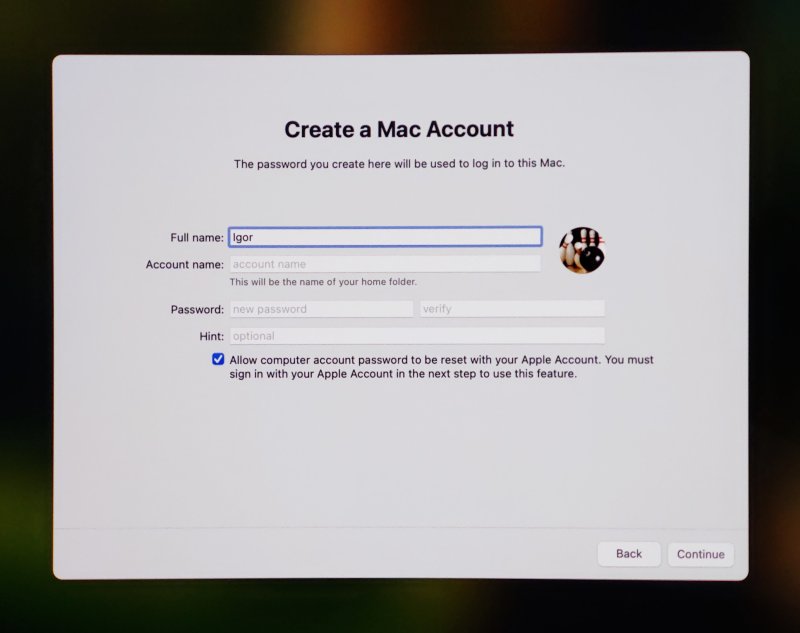
Uncheck that box that says "Allow computer account ..." and you're pretty much done.
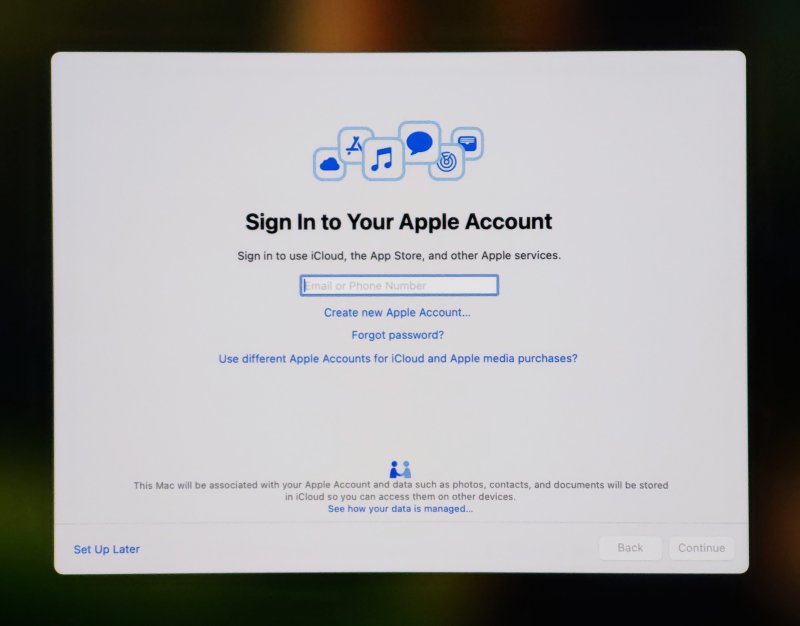
Set up later. That's all it takes for a 100% local account. No begging. No pseudo-online steps.
Then, there's the Apple Intelligence setup. Again, optional. You can skip, and no AI nonsense. Ever.
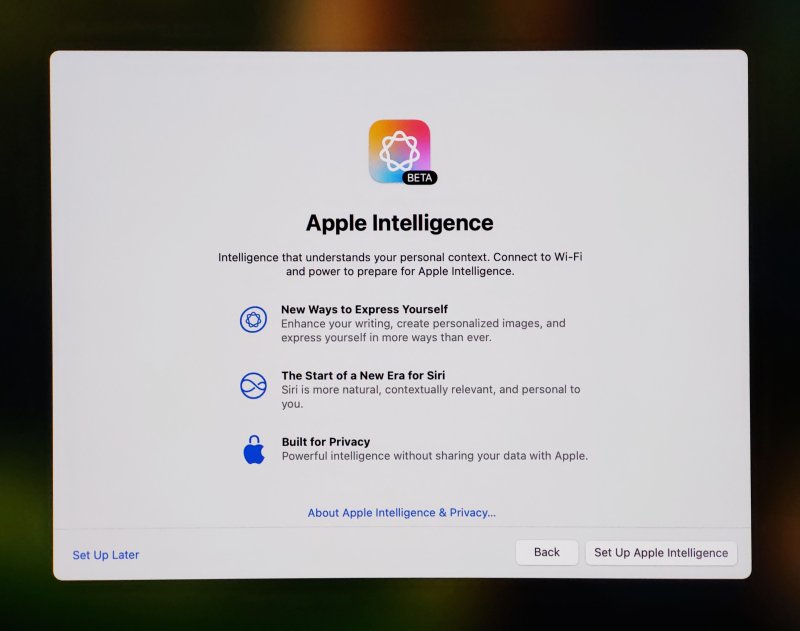
Believe it or not, that was pretty much that. Within about 10 minutes or so, I was logged into my Mac desktop. Of course, I opened Settings, and went through every option shown. But there was nothing to disable. The apps had zero permissions rather than everything. So it's allow rather than deny. I did make a bunch of stylistic changes, but more on that later.
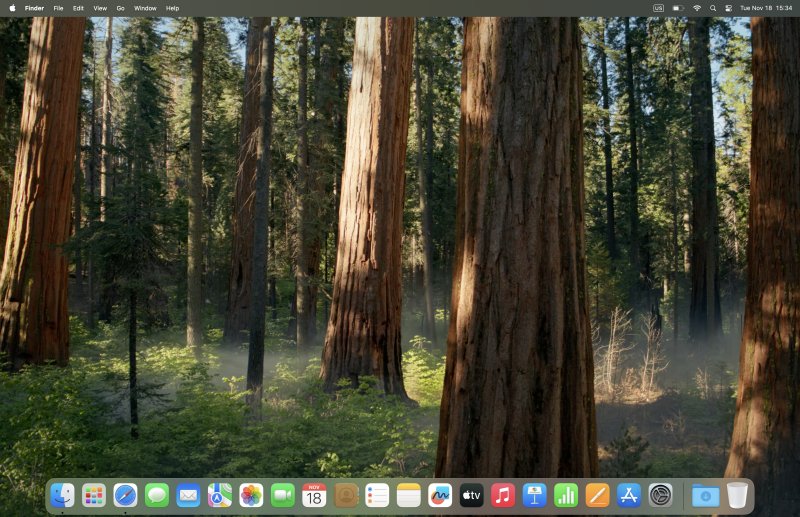
So yes. A quick, hassle-free setup, without any online idiocy. This felt like a combo of Windows 7 and Plasma desktop rolled in together. Very refreshing. Just thinking about how Windows 11 does it makes me angry. Here, no anger whatsoever. Surprising. Excellent.
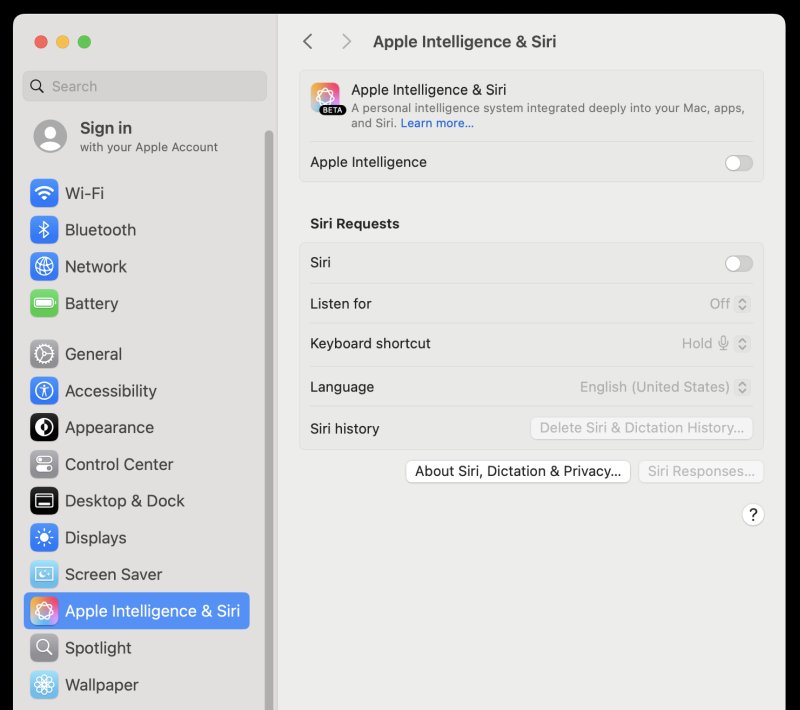
Very simple. A single toggle, and no nonsense.
First time usage, connectivity
I then set about configuring the system. Note: this is the first time I'm using a Mac. Ever. Never before have I tried. Not so much as a mouse click. Here and there, I did check what the wisdom of the Internet had to say, but, by and large, if you know your way around Windows and/or Linux, it's quite simple. Not always how you want it, but simple nonetheless.
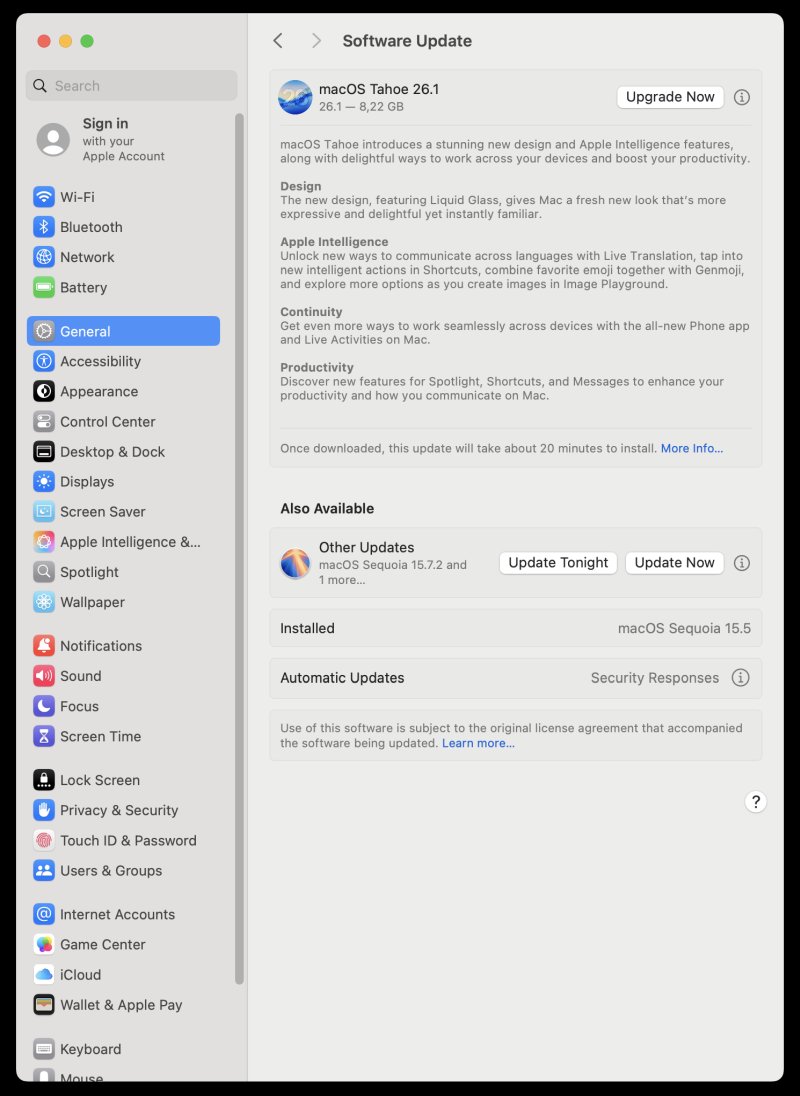
My machine came with macOS Sequoia 15.5. I chose to do a minor update to 15.7.2, rather than install the full Tahoe 26.1 version, especially since I don't like Liquid Glass, as I've outlined in my iOS-related tweaking article. This worked fast and without any issues whatsoever.
Samba? No problem either. I was able to connect to a Windows share, copy files over - at a respectable 20 MB/s, which exceeds what most Linux systems do. In this case, it was a bunch of MP3 files, which play without any issue in the default music player. None of the hurdles like I had to solve on the iPhone.
Getting serious with software
An operating system is only as good as the programs you can run on it. Indeed, I could foresee three potential problems. One, general availability of my favorite programs. Two, specific availability of my favorite programs due to the differences between x86 and ARM architecture. Three, my familiarity with the Windows and Linux stack, and my total lack of familiarity with the Mac OS stack.
Since I chose not to set up an Apple account, I couldn't use the App Store, but that's fine. I don't need it. I went old school style, grabbing DMG installers from the official websites. Firefox, LibreOffice, VLC, GIMP. No problem. Then, I added VirtualBox into the mix. Still no problem. As it happens, Oracle offers a native Apple Sillicon version. Sweet. The caveat is that you need to run ARM virtual machine images, but there's also an optional emulation mode for x86, which we will talk about separately.
Browsers
Then, we have the Internet purification. UBlock Origin in Firefox, of course, UBlock Origin Lite in Chrome. Alas, without an Apple account, you can't really add extensions to Safari, the way I did it on the iPhone. This is also why I decided to try yet a third browser (Chrome), because adblocking is a must. And yes, no need to ask, I also intend to test Brave, as I also did in the iOS recently. I was able to import an old Firefox profile from a Linux machine, complete with tabs and containers and everything. No issues. Lovely Jubbly.
Windows programs, Microsoft Office included
For years, I've contemplated using CrossOver, but in Linux, I always managed just fine on my own using WINE and tons of tons of manual tricks. Still, I've never managed to get Office to run this way, not even the rather compatible 2010 version. The Macbook and the Apple Sillion architecture finally gave me the spur.
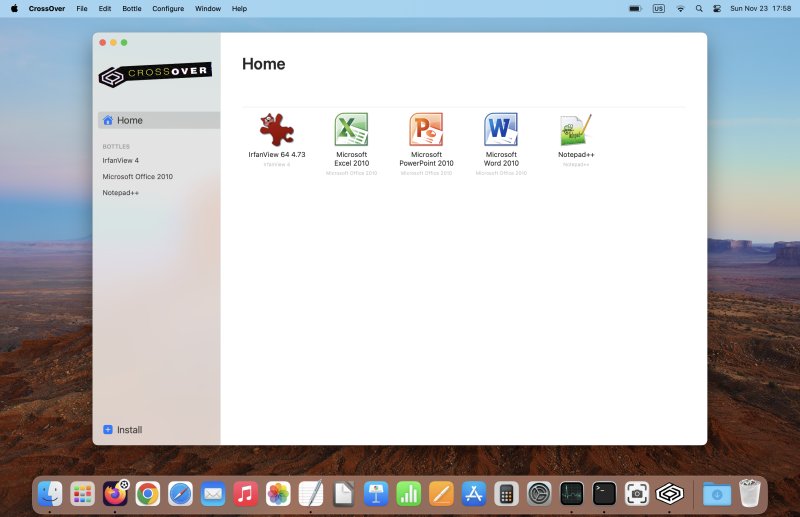
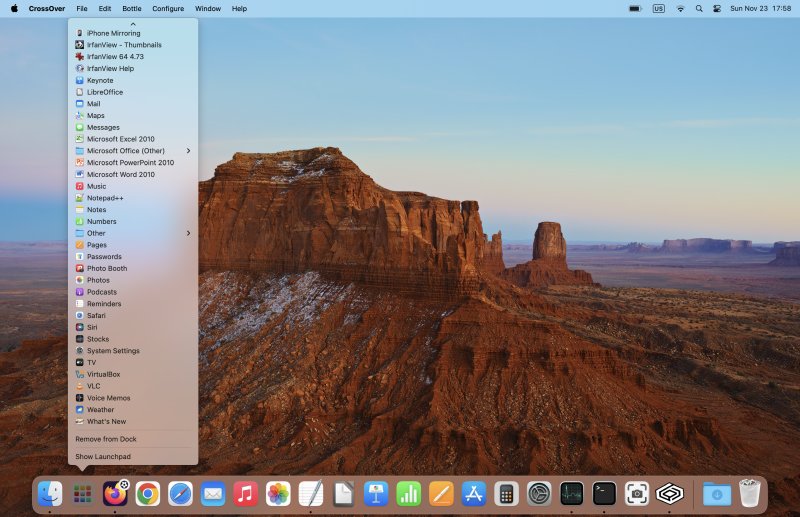
I installed the trial edition of CrossOver (and there shall be a purchase very soon, and a review, too), and I started dabbling. BTW, the setup of this utility requires the installation and configuration of the Rosetta compatibility layer (the x86-to-ARM shim). Seamless. Anyway. Notepad++, check. IrfanView, check. Even the old 2007 KompoZer runs great, hi hi. You can activate the High Resolution Mode, and then everything looks sharper. Splendid.
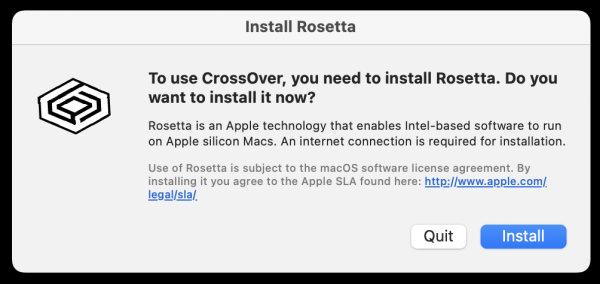
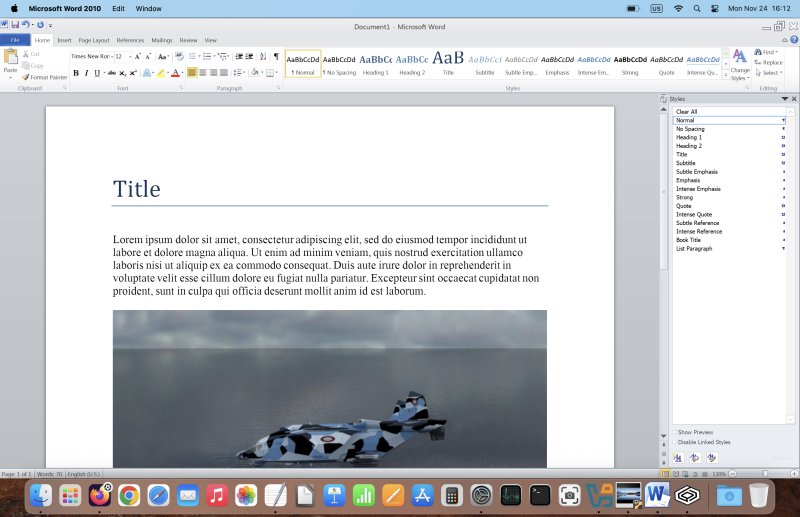
Finally, most importantly, I was able to get Microsoft Office 2010 to run. The CrossOver's link to Microsoft's own download no longer works, but since I've kept my own offline installer, I was able to get everything going. Superb. Good speed, too, despite the obvious x86-to-ARM translation. Awesome.
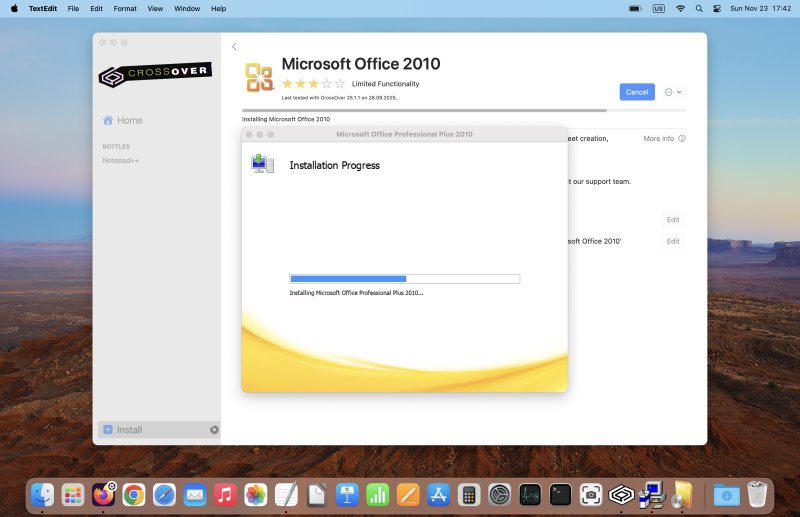
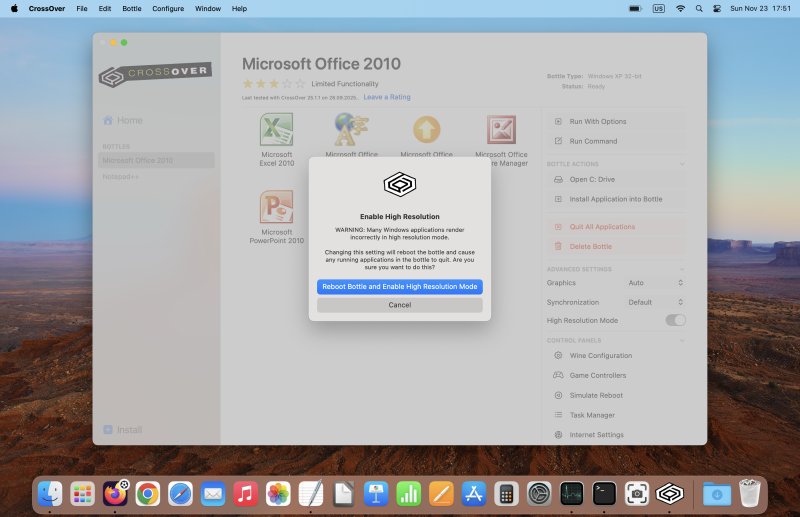
Wait, why CrossOver for Office? There's a native build!
Ah. Indeed, I could buy a brand new Office license and have a proper, native, slick tool running. That would be the easiest option. Only, I don't want to do that, for many many reasons:
- I do not wish to give more money to Microsoft and reward them for giving us Windows 11.
- All other things notwithstanding, the last decent Office version was 2016, maybe 2019. Then on, Microsoft has reduced the support period, as it seeks to push people toward its "cloudy" Office 365. They also added the requirement that, to download office packages or get a license, you need a Microsoft account. Now, a few years back, I have successfully installed Office 2016 on a system without any online nonsense, but the very fact they are trying to actually tie your office usage to some online account or alike is simply aggravating. I don't want to participate in that game.
- Furthermore, I have a perfectly valid, unused 2010 license, so why should I throw it away? I paid decent money for it. For that matter, I also have a couple of unused 2013 licenses, but I'm not sure if I'm ever going to be able to set them up properly, as these come as stub installers rather than a full-blown GB-sized file like the 2010 edition. In hindsight, the problems had already started back then.
- For all these reasons above, I have no desire to buy a product that will be tied to some online entity, which makes it easier for the parent company to cancel my license if they like, cancel my account if they like, force me into an upgrade, track me, or all combined. I'm not saying they will be doing this, but I'm also not saying they will not be doing this. Either way, I'm not going to be doing this. 2010 it is.
And here we are, up and running. Lovely jubbly.
Linux programs
To be able to do all my nerdy stuff, I figured I need Linux, too. As I already mentioned, I installed VirtualBox. The main reason I didn't choose Parallels is that they primarily offer the subscription model, which is something I universally detest. The buy-license option exists, but it is quite expensive, it says "for home and personal use", which might not qualify for any sort of commercial use, plus you don't immediately get support for the latest kernels for guest operating systems. Hm. VirtualBox seems like a good choice, especially since I'm already familiar with the tool.
Next, I downloaded the ARM edition of Ubuntu Server 24.04. Why this, you ask? Because there's no Kubuntu image available. But then, if you know what you're doing, you can build your own Plasma desktop in minutes, on top of the Ubuntu base. Server it is, then. More on this endeavor separately. However, here's the short version, for now.
It's a text install, alright. Then, I installed the full KDE desktop stack, and a few minutes later, I had an a-la Kubuntu system, replete with all the expected goodies of the Plasma ecosystem. I also installed Firefox, Thunderbird, Chromium, KeePass2, KeePassXC, plus half a dozen excellent KDE programs (including Ark for archives). Lovely, elegant and blazing fast. WINE is out of the question here, as it does not seem to work correctly on the ARM platform, at least not for me. But CrossOver in the host operating system fixes that.
But there you go. An Ubuntu + Plasma virtual machine. Guest additions work, too - from the ISO, the repo version is woefully out of date. Shared folder functionality and auto-mount also works flawlessly, so I can also quite easily share data between the host and the guest.
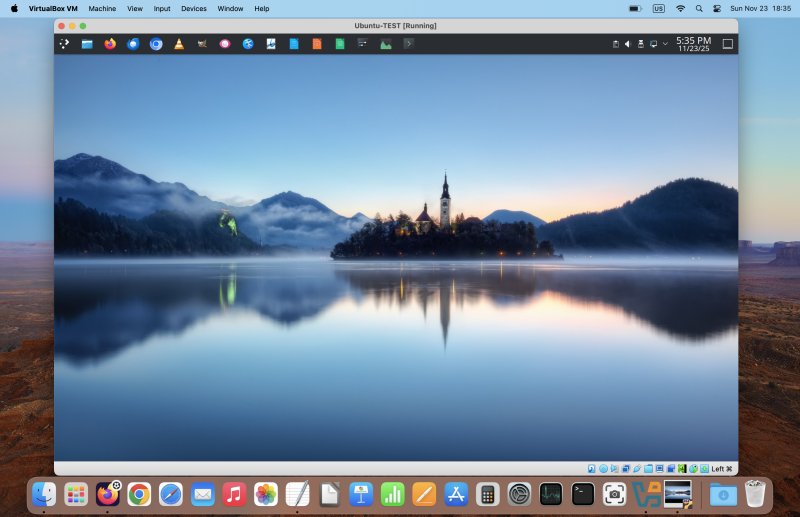
Oh, if you want to try the x86-to-ARM emulation, there's a single command that does it. On/off. To turn it on, simply execute in a command-line window:
VBoxManage setextradata global "VBoxInternal2/EnableX86OnArm" 1
This will also activate the VirtualBox Dev Preview mode, which might not be something you want. With the emulation active, you can now also set up x86 images. But the performance is quite bad. Thus, to turn it off, just replace 1 with 0. Again, more on this in a separate article.
So, in a way, this covers pretty much all my software needs, minus the games.
Everyday usability
I am well aware that a lot of Mac users suffer from Stockholm Syndrome. Maybe it's the high price of purchase, but they tend to justify all and every decision made by Apple as sacrosanct. I'm not in this camp, and I could immediately see that some of the defaults simply don't sit well with me.
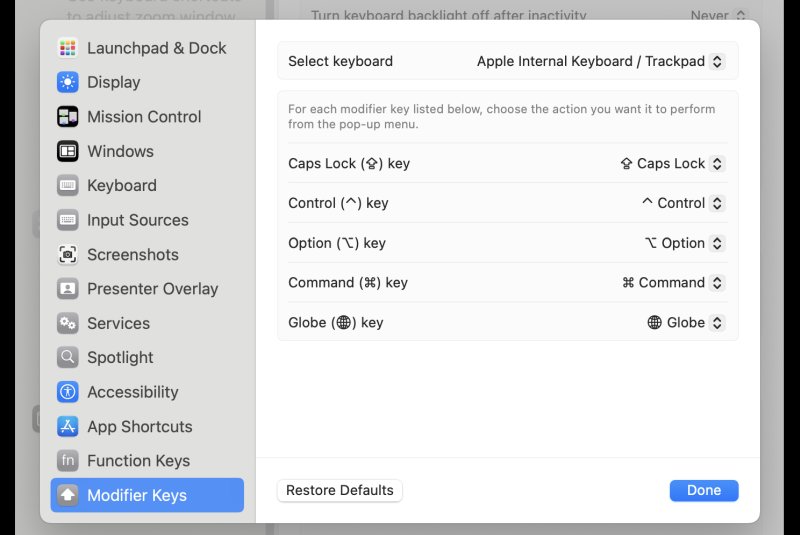
My biggest gripe was the use of the Ctrl, Cmd, Fn buttons in a reverse manner to the Windows/Linux usage. Since I intend to keep using all sorts of systems and all sorts of keyboards, I cannot have two types of muscle memory for what is essentially a two-key swap. Luckily, you can change these through Settings. Change the order, and Bob's your uncle. I disabled the Globe shortcut, as switching from US to ABC (also US) is meaningless, nor something that I want to activate so easily.
Windows management is a bit annoying. Minimize, maximize, fill, all that. Not my cup of tea. I am also not happy that you can't minimize a program by clicking on an icon in the dock. I don't like to have my desktop cluttered. And yes, I'm aware of keyboard shortcuts, that's not the point.
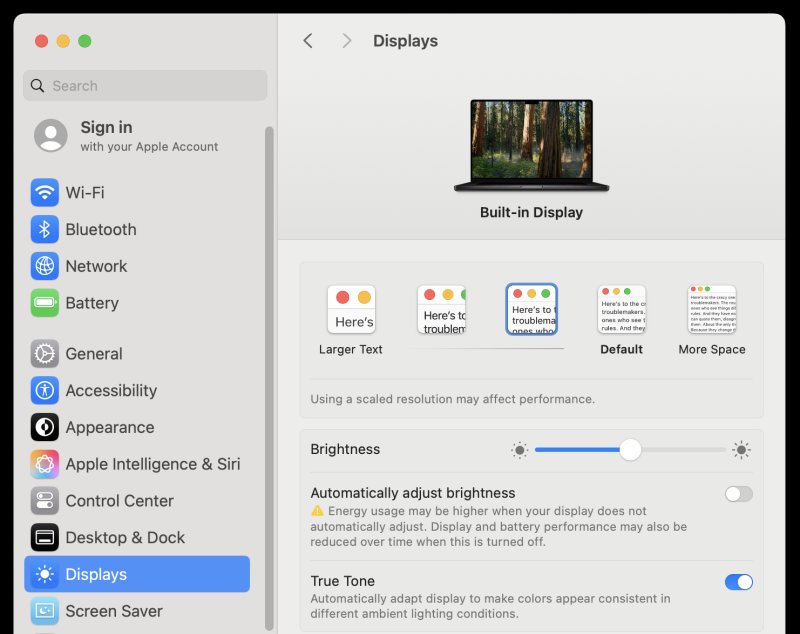
I found the default desktop scale a bit too small for my taste. The Macbook lets you choose several different scales for your desktop (apart from font size). I was aslo able to sort out the dock size quite easily.
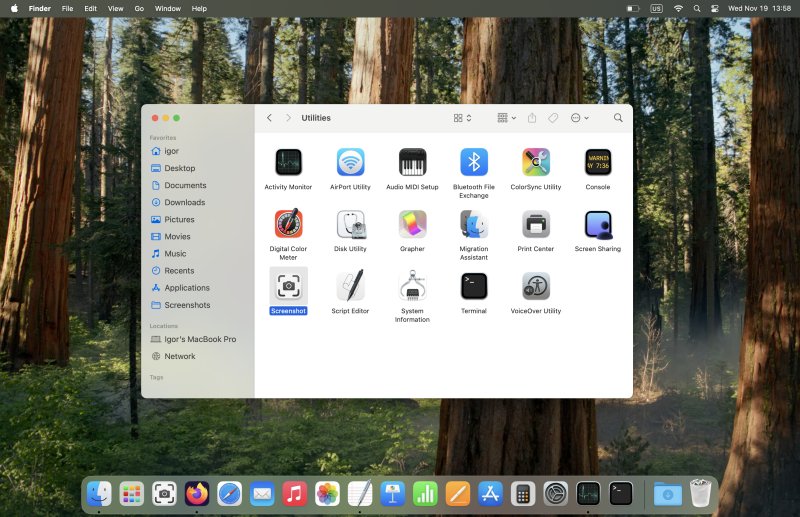
Next, I spent a little bit of time tweaking the dock. I added the Screenshot and Calculator utilities there, so that helps with quickly accessing these tools. Yes, I'm aware of the rather complicated screenshot keyboard shortcuts, and again, that's not the point. The lack of a custom capture timer is also something worth mentioning, as it happens.
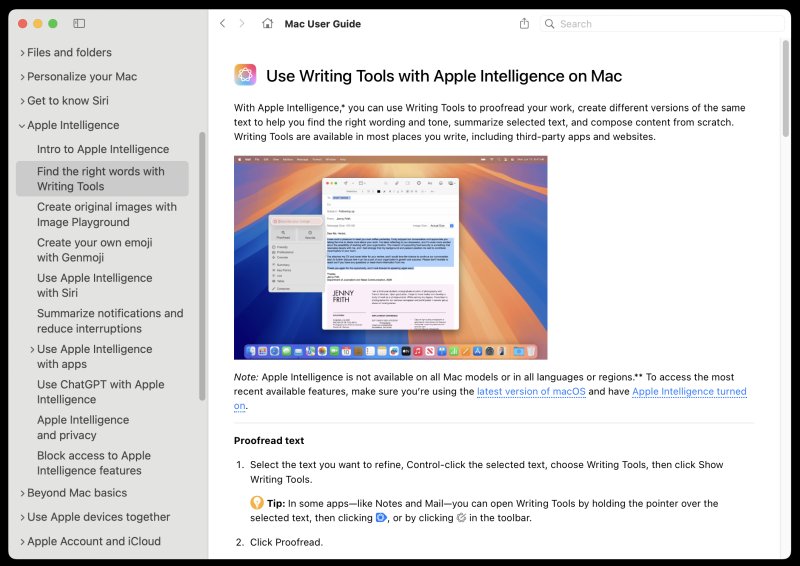
Lastly, there's good, good help. Clean and up to date. Not something you can guarantee in many other operating systems. It may sound like a small thing, but it is an important thing. Accurate search and relevant help pages. Very useful.
Ergonomics
What do we have here? Keyboard, display, sound, peripherals.
The display is good, bright, clear. Even in a well lit room, with only 30-40% brightness, you still see everything clearly, sharply, smoothly. Definitely among the nicer displays I've ever used, right.
The sound is phenomenal. ZOMG. Truly. I've never experienced a laptop with such sonorous notes. It's like having a mini orchestra right in front of you. Then, with a right dongle, one which translates the restrictive Thunderbolt/USB-C to ... well, pretty much everything else, you can easily keep on using your conventional PC gear. I got myself a combo dongle that comes with three USB-A ports, one USB-C, Ethernet, HDMI connection, and both standard and micro-size SD card reader. It works great. Thus, mouse functionality sorted.
The disappointing bit? The keyboard. It reminds me of the Slimbook Titan. The keys ought to be smaller and spaced farther apart. There ain't enough tactile feedback. In this regard, my Executive has a superior keyboard, by far. Even the old Pro2 is easier to use for furious typing. Old Asus machines, like my ancient eeePC also falls in the superb category. But tight and soft keyboards like the one on the Macbook Pro are simply not good enough for me and my typical, sustainable 60 wpm writing rate.
The other issue with the keyboard is its unusual layout. The keys all feel shifted by "one" to the left, so you keep pressing the wrong ones. Takes time getting used to. Lastly, there's no Delete key. This annoys me severely. I am aware of the so-called "Forward Backspace", but I still haven't figured out if there's a quicker, more convenient way to delete files or delete text. Well, Cmd + D does it for text, but still.
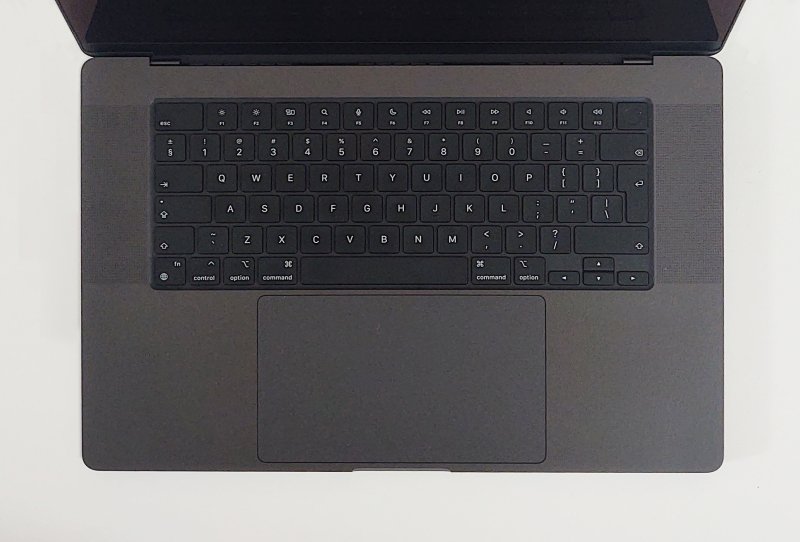
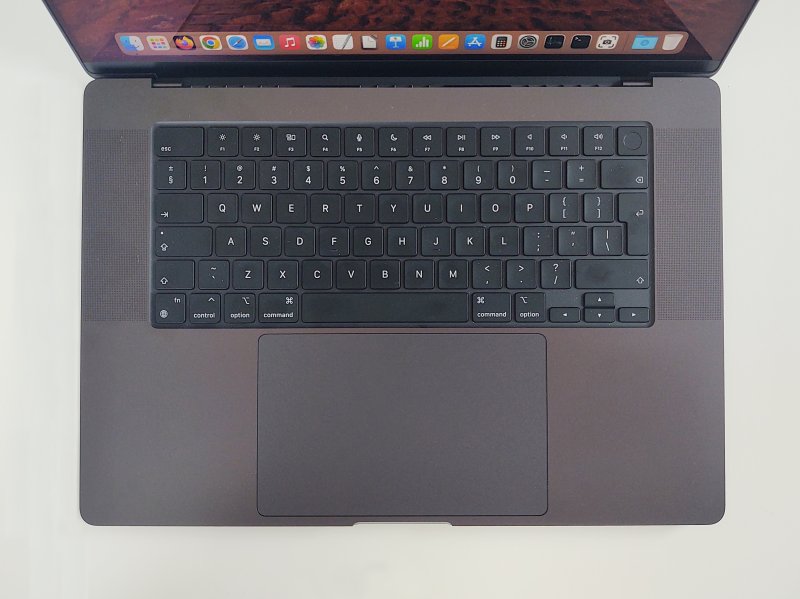
The left Shift ought to be bigger. The flaws of the English INT (ISO) keyboard design.
The system will power on if you flip the lid open (or connect the charger). I don't really like this. Luckily, you can easily change this. But here, you need to run a command, in a terminal window, with sudo. Ha ha! UNIX, all the way, cor. Unfortunately, there's no way to disable the any-key startup. Maybe in the future. After all, it should be another simple toggle.
sudo nvram BootPreference=%00
Security and permissions
I've not yet seen one desktop operating system that manages permissions smartly. Either it's too blasse or too restrictive and annoying. For example, in Linux, you have snaps and Flatpak, with average and inconsistent implementation and poor GUI management, and the desktop programs have their own system-wide access. The same is true of Windows 10/11.
Here, the concept works reasonably well. The permissions work for both the Store apps and those you manually download and setup from the "wide" Internet. The Gatekeeper screening also didn't bother me. And that's the point. If the security mechanism is neatly done, you won't feel a need to fight against it. In Windows, for instance, if Defender could be easily disabled, I wouldn't disable it. Paradox. But since it's "in yer face", I will go out of my way to neuter it by any means possible. Good security works with the users, not against them.
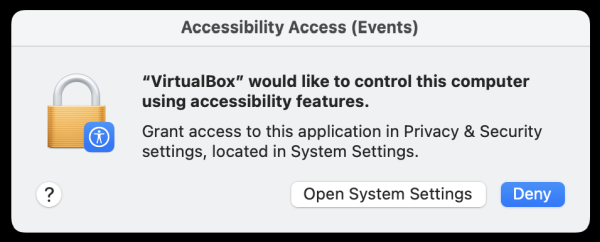
The few times I got a popup asking me to enable this or that, the requests were simple and, most importantly, relatively easy to digest and understand. Not always, but most of the time. VirtualBox wanted to install python3 command line stuff. What? Nope. Accessibility tools access? Also no. But you get the idea.
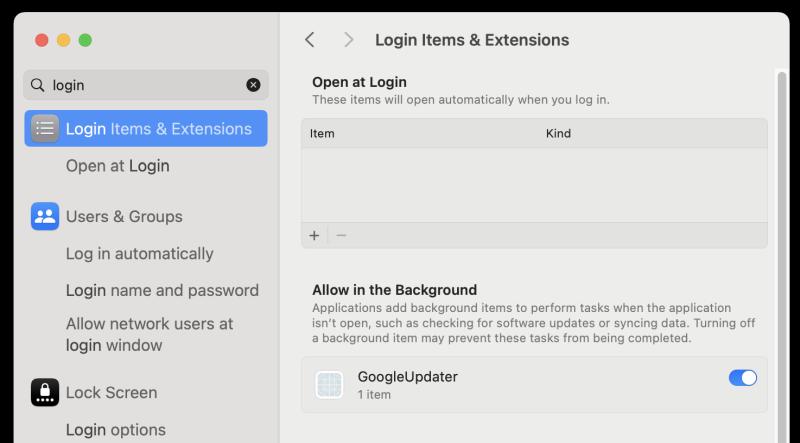
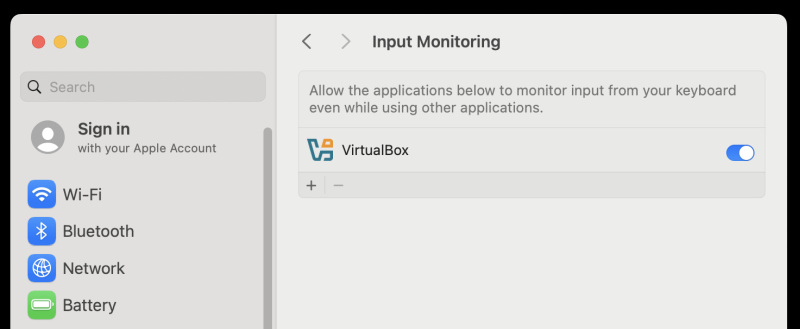
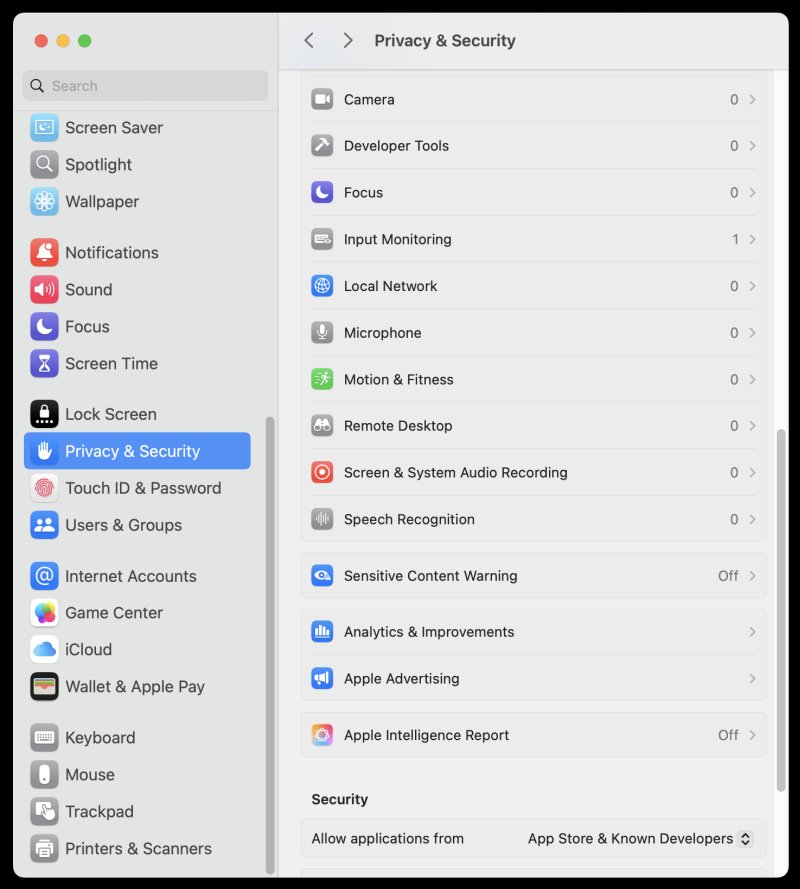
I also decided to enable FileVault, meaning full disk encryption in all scenarios. Just in case. The setup took maybe 10 seconds overall. The only difference I noticed is the somewhat longer time from login screen to desktop, while the disk contents are being decrypted. A tiny penalty, I'd say.
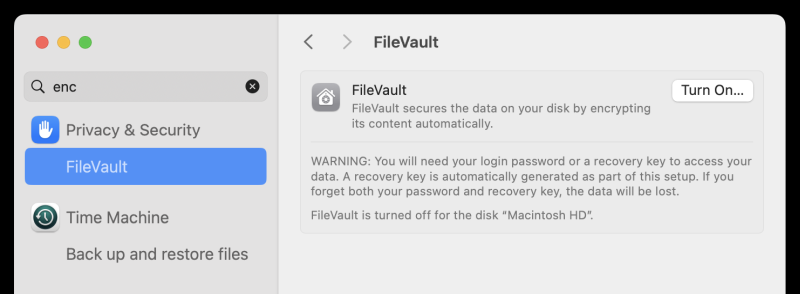
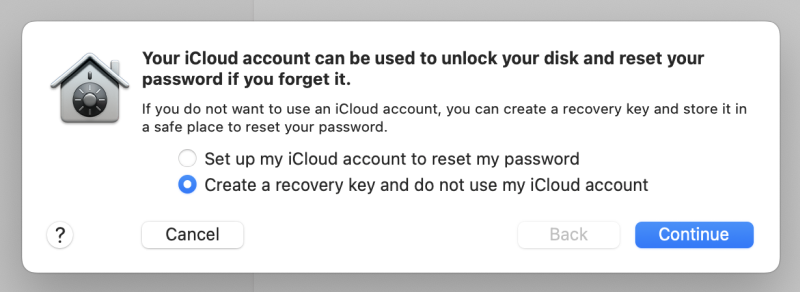
Once again, you could ask, how is this different from using BitLocker? Well, it is. One, this encryption isn't forced on me. Hence, I'm not resisting. Two, the very fact the system allows me to create an offline recovery key without any great drama is another bonus. Basic Newtonian physics. Action, reaction.
Performance, battery life
If the usability element confused you, the performance side of things will clear your mind. The M4 machine is a supercar. Fast, efficient, frugal. Even when doing lots of data crunching or virtualization, the laptop fans barely kick in. The case remains cool, unfazed. The speed is phenomenal. This is extra evident when running guest operating systems through VirtualBox. The ARM version of Ubuntu simply flies. Even the emulation of x86 instructions via Rosetta is phenomenally fast.
The boot sequence is also quite quick. About four seconds from power on to the login screen, and then, another four seconds to the usable desktop, with FileVault turned on. Without it, the login takes only about a second. The suspend and wake are near instantaneous.
The battery really lasts for quite long. With a moderate level of system activity, which includes software installations, virtualization, browsing, music, I think I can probably squeeze about 11 hours of juice before it needs replenishing. This is more than double what any other laptop does. The closest any ever came to this number is the old, tiny Asus eeePC running Xubuntu, long long time ago. But unlike the lowly netbook, this is a top-end system, so the results are even more impressive. Light use, lower brightness and such can probably yield 13-14 hours easily. This definitely aligns with the advertised spec.
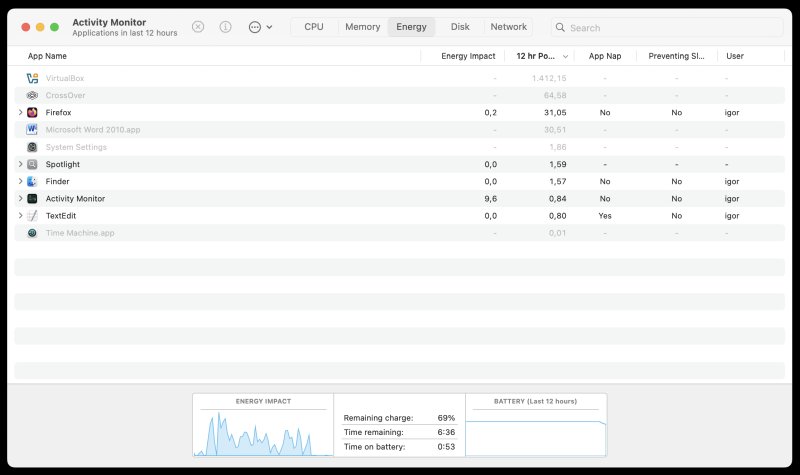
The charger could be ... better. The big charger head - the part that goes into the electricity - is quite heavy, and it doesn't have a stalk to balance against the wall when plugged in vertically, so this might induce strain on the sockets. I would prefer a simple cable, and a charger closer to the laptop, so to speak, but then, this is less pretty, obviously. I also had to read online how to disconnect the magnetic seal. You break it up or down, not by pulling out. Well, no biggie, but still. One might consider this another ergonomic niggle.
That said, it charges really fast - about 1-2% per minute - without getting hot.
And after a while ...
Well, I had a nice desktop that does all sorts of wondrous things, including fancy Windows programs, Linux via virtualization, and then some. Quite solid, I must say, and it sure does expand my degree of freedom by a huge margin.
And now, I also understand ...
Lots and lots of (incorrectly applied) design decisions and choices in the Gnome and KDE desktops, mostly the former, as it happens. I believe the Linux folks want to "recreate" the Mac feel, without the Mac price. But therein lie two major problems, and also a cardinal misunderstanding of what the word "product" actually means. One, Apple really tries to make their hardware-software integration impeccable. You don't get them in Linux, as there are always niggles and issues, and, worst of all, regressions. I've already outlined those earlier in this article.
Two, believe it or not, not all macOS choices are good or smart. When it comes to keyboard shortcuts, window management, dock management, I definitely prefer the Windows way or Plasma way. Gnome only implements the would-be visual side of things, minus the actual functionality (macOS has window buttons, golly). So, the classic PC way seems better, to me. In this regard, you get all of the flexibility of the Mac world and then some. Perhaps I will change my mind over time, but for now, this impression stands.
So which one is the best desktop?
With roughly three weeks of macOS under my fingers, I will say the following: Now that I've tasted Windows and Linux in their various forms, and macOS in its Sequoia incarnation, I feel that the Plasma desktop developed by the KDE team is the best overall desktop environment. Yes, what!
It lets you do docks, if you care, it has powerful window management, you can tweak and set pretty much anything, file management is solid, and it looks the part. What Plasma cannot do is offer you the seamless setup like macOS does, because there's no hardware guarantee. And as I've tried to show over the last twenty years, it's a big one. An insurmountable one. If a user cannot rely on their machine, then the beauty and the style and everything else make no difference.
MacOS ain't bad, but some of the options are too rigid - and not as productive. Windows rules when it comes to universal software accessibility and usage. And let's not forget gaming. But as I've shown you, with Steam Proton, you can run games in Linux. With WINE, you can do all sorts of wonders with Windows programs. Virtualization gives you yet more options.
But check this out, the best part! I have now also accomplished these tasks in macOS, on top of a pretty solid software stack. That means I have a de-facto Linux+ setup, the sweet Plasma is there, if I ever need it. A fully up to date system. Top notch hardware. Perhaps I can stop being grumpy. But my dream remains. Maybe the Plasma desktop will be the default environment on every computer out there. Then I remember the pointless Wayland games. Oh, sigh. We shall see.
Conclusion
The Macbook Pro is a very nice machine. The operating system is also quite elegant. It's not perfect, though. And as always, you won't get any unwarranted fanboisim from me. On the hardware side, you get quality, amazing visuals and sounds, and average keyboard. On the software side, you get a refreshingly simple, no-stupidity first-time setup, great looks, amazing speed, phenomenal battery life, a pretty neat security model, and a surprising level of cross-platform flexibility, with both Windows and Linux stuff thrown into the mix. However, window management and shortcuts are somewhat finnicky. Not sure if this is a temporary getting-used-to problem, or something I'll never let go of. But I'm making progress, and there shall be tutorials on all sorts of cool things soon.
So yes, I'm happy. Well, highly content, more like. I have a system that fills a critical gap in my production setup. A combination of macOS and Linux seems like the best, most elegant way forward. And yes, it also means I can start writing all sorts of articles and guides for Mac, full of whim and zeal and whatnot. To begin with, there's CrossOver and x86 emulation to talk about. Then, I want to talk about encrypted containers and improved Finder usage. And then some.
Does this means I won't use Windows ever again? Not so fast. The old Windows 7/10 machines still have their noble purposes. After all, I paid for those licenses, I intend to use them for as long as I can. Also, gaming on non-Windows platforms remains a somewhat uncertain topic. With Proton, the Linux side of things is getting better by the day, but Windows is still the best thing for that. No need to discard perfectly solid Windows 10 systems, just because Microsoft wants me to "refresh" my hardware. Nope. And with important tasks now done in Linux and macOS, the gaming rig is there to stay.
Overall, I'm quite pleased with the outcome of this purchase, and the last few weeks of testing. The proof is in the many years ahead pudding, of course, but what we have here, is an auspicious start. I have everything I need, and I barely got angry in the process. That's something that hasn't happened in a looooong time.
As for Windows 11? Yeah nah. That will be all for today.
Cheers.