Updated: November 6, 2026
For me, the world of software is binary. There's an ecosystem in which you can easily open Word documents, and the one where you can't. That's all there is to being able to break one's dependency on Windows, if a person wishes to explore foreign pastures. Or rather, it comes down to where and how you can Microsoft Office, so you can use its ubiquitous file formats and share them with whoever you work or collaborate with. This de-facto monopoly remains. The likes of LibreOffice, my favorite office suite, hasn't solved it.
But then, there's OnlyOffice, another cross-platform and free bundle of programs that allows the home user to create essays, spreadsheets and presentations. The concept is familiar, the execution okayish, as you can see in my review of the previous version. Now, with the spanking brand new tenth release, OnlyOffice comes with a revamped code base and a promise of greatness across the board. Well then, test we shall. Let me tell you how I fared with OnlyOffice Desktop Editors 10, and whether you should consider it for your office chores.
Installation woes
As always, I did two things. One, I tried to use the simplest, most convenient package format to deploy the program on my system, in this case Kubuntu 24.04. I started with the snap from the Snap Store, and when I tried to launch it, I got the following error:
onlyoffice-desktopeditors
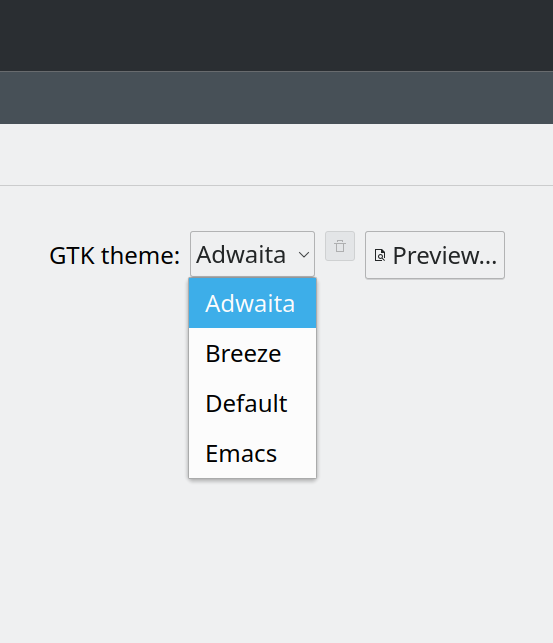
Irregular theme <'Breeze'>. Using Adwaita
No luck. I even tried to fake theme by creating a copy of my Breeze theme and renamed it to Adwaita, no go. I gave up and tried the Flatpak next. I got the exact same bundle of issues like last year, and so I moved on to the Deb package, which installed correctly, and runs fine, without any theming integration problems.
Amazing modernity, all over the place.
The thing is, the whole issue is simply ridiculous. Total nonsense. I have reported these issues more than a year ago! Since, no change, it seems. Does no one care, either on the OnlyOffice or Snap Store or Flathub side? Or, did anyone even test this suite in Plasma desktops? The fact the problems are identical feels like one giant stagnation, and it does not paint a pretty picture. Also, the "modern" packaging formats fail miserably, as the portability they are supposed to bring isn't there. Remember, this is also why you don't want atomic distros, because your future will look exactly like this: one set after another of semi-buggy, badly integrated programs on top of read-only Googlesque systems that you cannot debug. The worst of all ecosystems combined.
And so, I'm using the Deb package. It does the job. No fuss.
Two, finally, before launching the suite, I disconnected the network. I always do this with every single office suite, because I want to see what it can do as a pure local solution, and how much of the functionality depends on the Internet. Ideally, zero, because a desktop tool should be a desktop tool.
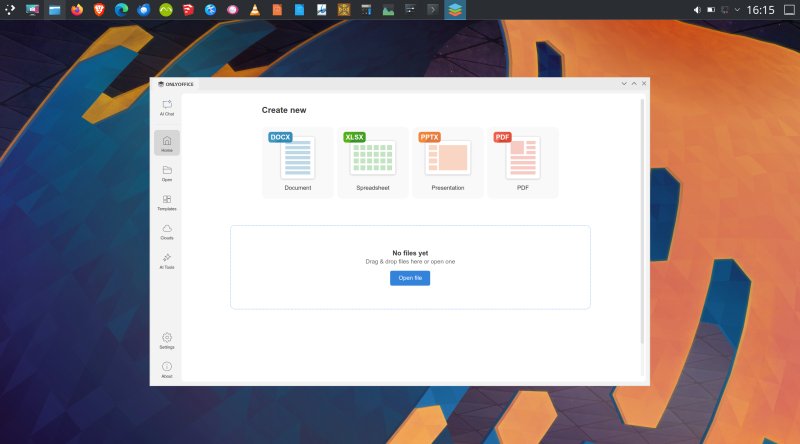
First run, customization
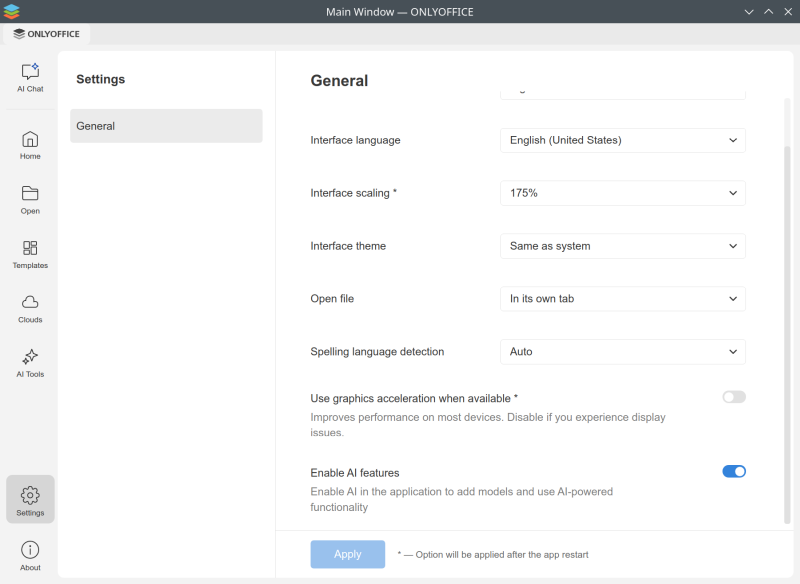
I dove into Settings right away. There's not much really. You can customize the look and feel some, but no matter what I chose, the theme was always rather bland. Too pale, with low contrast and not enough color or happiness. The dark themes are ridiculous, like 99% of dark themes anywhere. I was able to set the scale nicely, to match my desktop resolution.
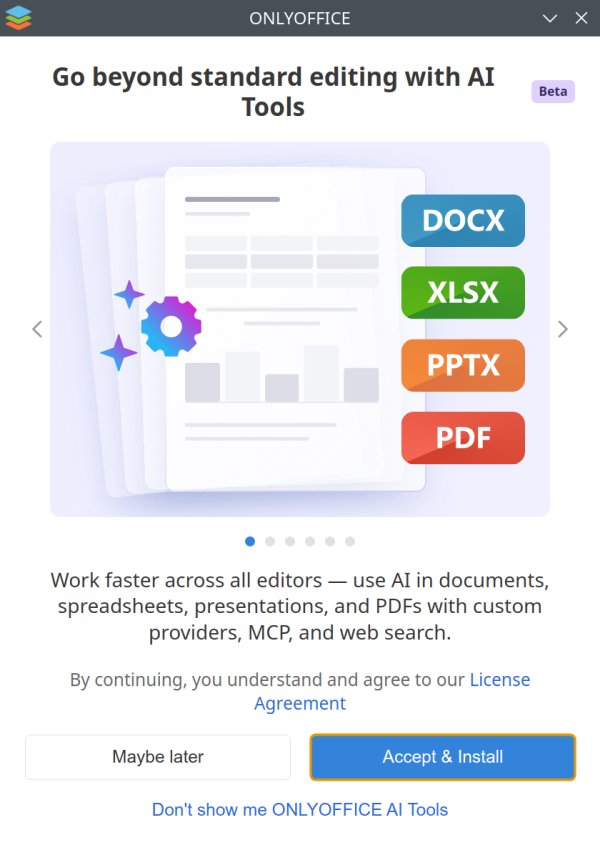
You will also notice that OnlyOffice 10 now includes AI tools. If you try to enable or use this functionality, you'll get a big download prompt window, with its own license agreement. Some people may want this, but that was an immediate turn-off for me. And luckily, you can turn off this thing, and be done with it. You won't even see it in the sidebar anymore. Very cool. Hence, this review won't cover any AI aspect of office usage.
Day-to-say usage, style management, responsiveness
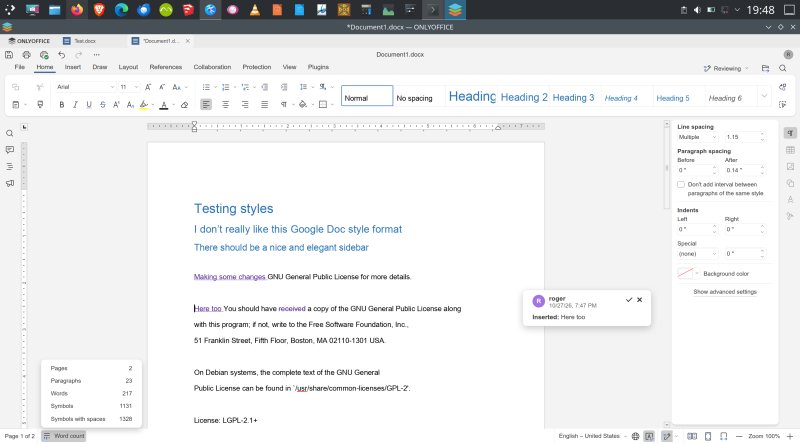
OnlyOffice 10 comes with a lot of neat stuff really. It is also designed with collaboration in mind. That said, the basic functionality is somewhat too basic. In many aspects, it's too much like Google Docs, which isn't a good thing. One, I can't think of any amazingly ergonomic or pretty Google products, and two, you have to work extra to get stuff done. For instance, word count isn't immediately visible. A mouse click. Why. The styles are arranged in the toolbar. Very clunky and quite poor, if you ask me. In comparison, in both Microsoft Office or LibreOffice, you can set your styles in a big sidebar, and far more easily access or modify them.
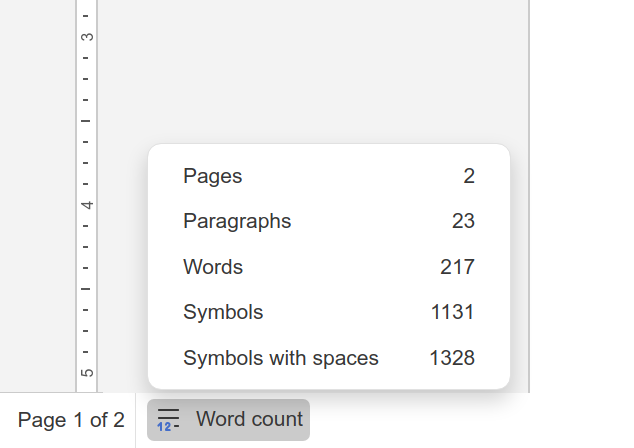
Poor contrast, no status bar to page separation.
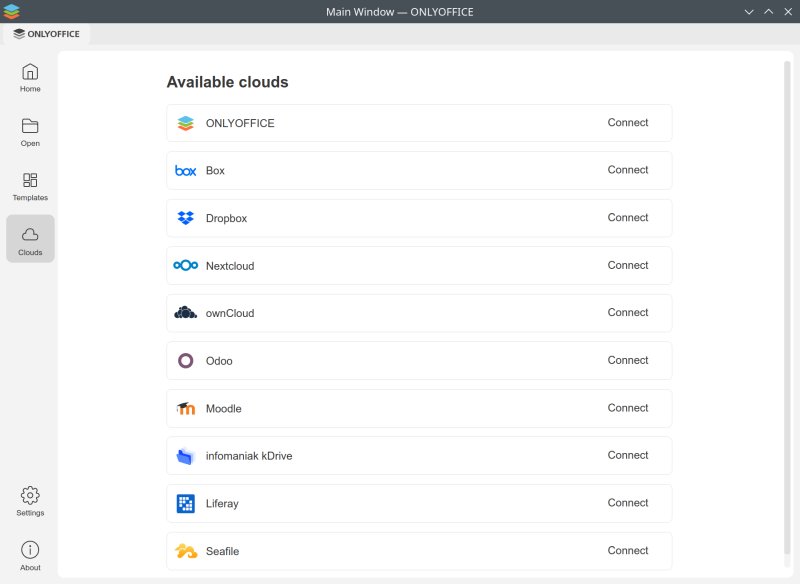
On the other hand, you can connect many different cloud providers for data sync and sharing. Along with a pretty robust change tracking mechanism and nicely laid-out comments, this makes for good usage with other people. But then, for most people at home, the functionality is both an overkill and not something they will experience, whereas easy-to-use grammar, spelling, word count, quick styles, and alike are way more common and useful.
The UI responsiveness is meh. Again, this is an old issue. But just navigating the interface feels slow. You click something, and there's a delay. It may not be huge, but it's there. You click Open, it takes time for the dialog window to show. You click "Create new", and it takes a good two seconds for OnlyOffice to generate the brand new empty document. This is rather annoying, and mars the otherwise rather decent workflow.
Microsoft Office compatibility
I wanted to see how well OnlyOffice supports Microsoft documents. After all, this is probably the most important aspect of the office suite usage. Also, given the fact OnlyOffice defaults to DOCX and alike as its default format, the compatibility ought to be good. Here, I hit a fresh snag. I wanted to download a bunch of Office templates, as I always do, but Microsoft seem to have "locked" their files behind a login. In other words, whenever I'd choose a template, it asked me to log in. Nope. Not happening.
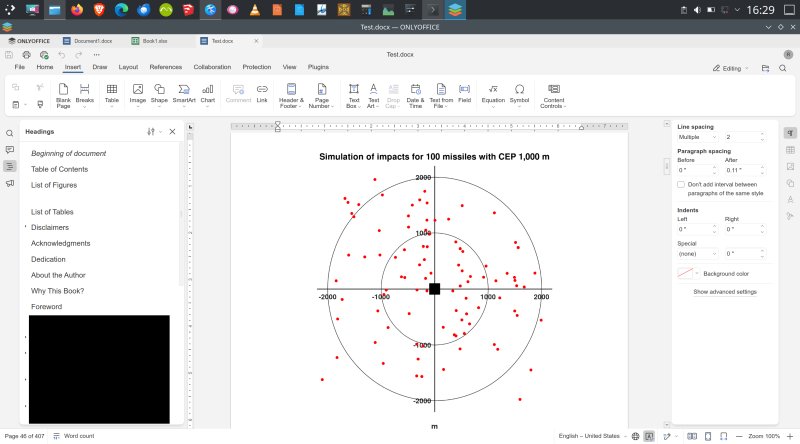
So then, I thought, I'll use one of my own documents. Do I have a complex one? Yes, I do. I loaded my military history book manuscript (I'm currently working on getting it published). 'Tis a fairly heavy document, roughly 50 MB in size, with 35 images and figures, many tables, roughly 700 citations, and then some.
I opened it ... and the rendering was ... flawless. I was surprised. But everything was 99.99% as it should be. While the original work is in ODF format, I also have the file as DOCX (which is what publishers want), carefully sorted out in Microsoft Office, so it's not a LibreOffice conversion. Anyway, OnlyOffice 10 handled this file rather impeccably, without any artifacts that I could see, save one tiny one, a vertical spacing in the headings sidebar. Other than that, I'm talking footnotes, endnotes, some of which are embedded in tables, images and captions, all of it.
The only thing out of place is the Headings vertical alignment. For some reason, there's a "blank" space between List of Figures and List of Tables. Only in the Headings (ToC) sidebar, though. No special characters in the document itself, or anything like that.
As I mentioned earlier, the UI isn't snappy. It's quite slow. Perhaps it's due to hardware acceleration, or lack thereof, but since forever, OnlyOffice would take its merry time creating new files. Even a blank DOCX canvas takes about two seconds to render. Every single time. It feels quite sluggish in that regard. But then, it opened my file instantly. So whatever penalty is there, it's reserved to the initial "priming" of the work environment, it seems, but it does leave a sour taste, as people do care about the perceived speed of the interface.
To add to that, the mouse scroll speed could be better, and the scroll did not seem to work for me in the heading section sidebar. In general, UI renders are all slow, but complex and large files pose no problem. Go figure. Well, color me impressed.
PDF management
OnlyOffice also comes with a built-in PDF editor tool, and it's pretty robust. Encryption, permissions, signatures, all the stuff you actually want and need if you must collaborate with other people. In many ways, this ought to be one of the stronger selling points, alongside the aforementioned Microsoft Office compatibility.
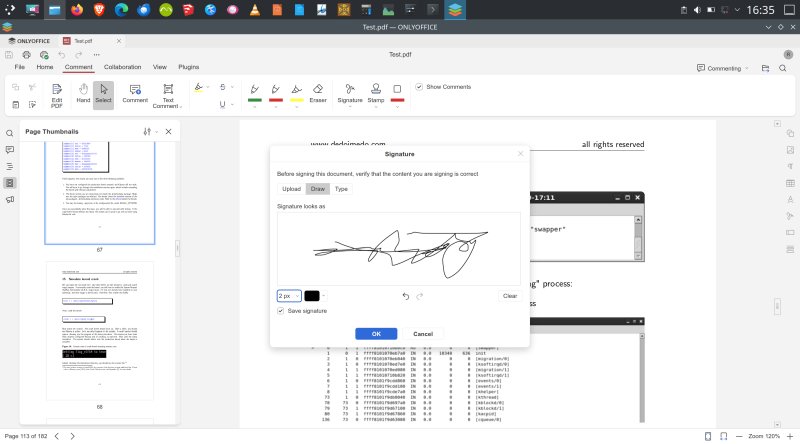
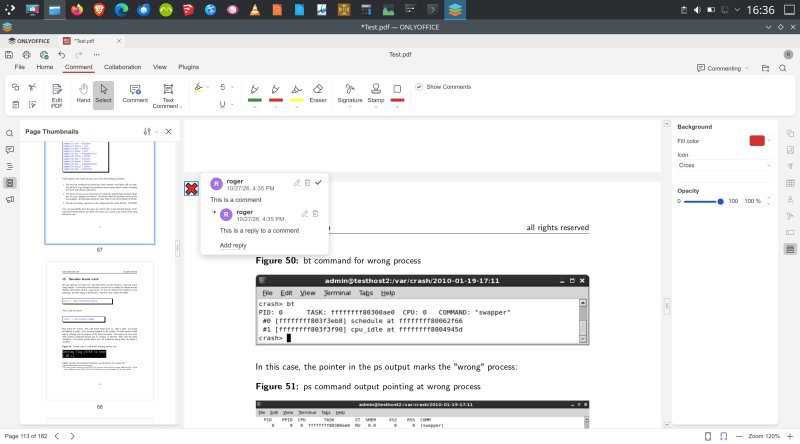
Annotating my Linux kernel crash book. Get it, if you like, 'tis free.
No network, stuff doesn't work, unknown plugins
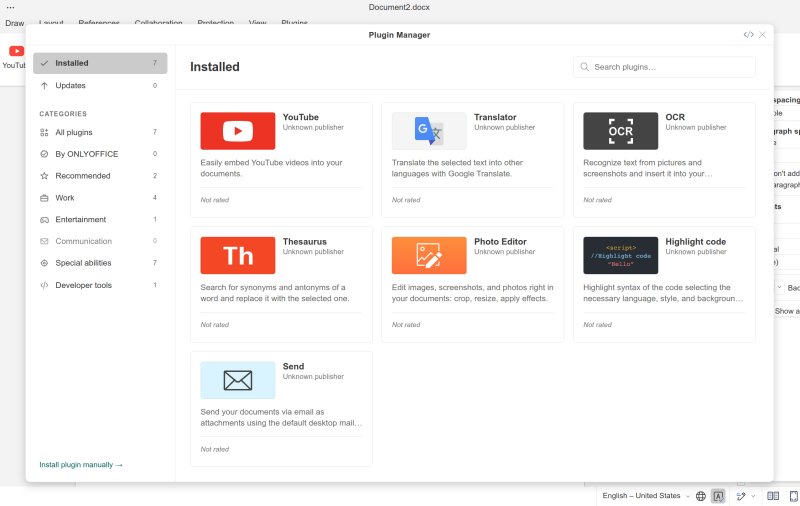
Alas, lots of OnlyOffice extras depends on network connectivity. I tried translation, and it told me that this option isn't available in my region. What. What region? I've not even configured the network, so the program cannot possibly know where I am. Thesaurus also requires the Internet to give you results. This shouldn't be the case, and a basic dictionary ought to be included. Why should I need the Web for my office suite to give me a few word synonyms?
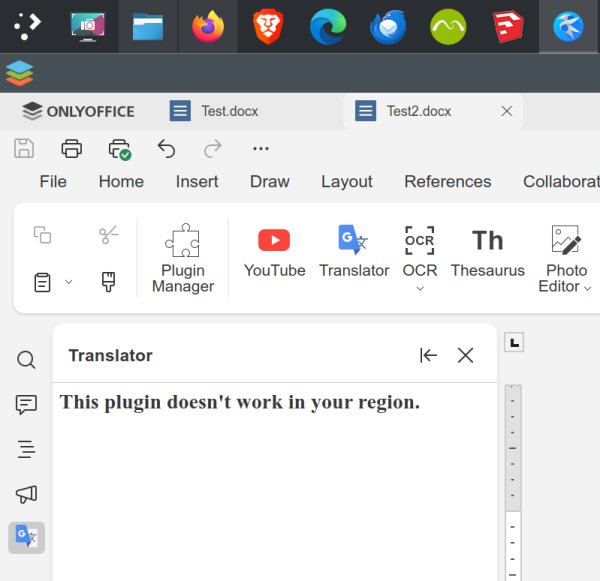
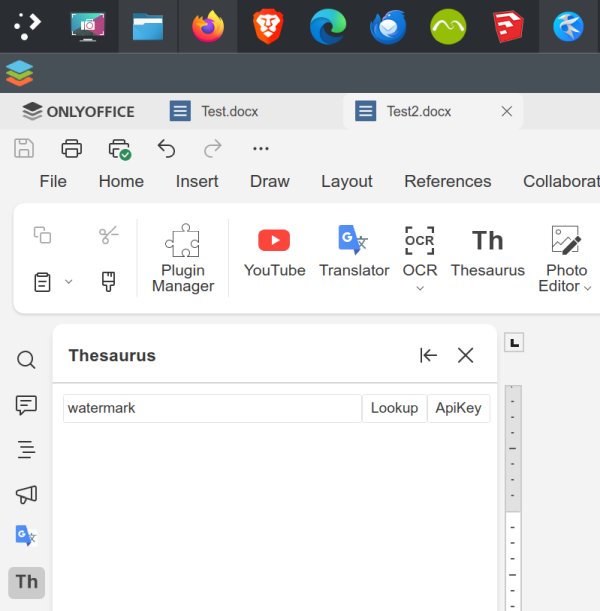
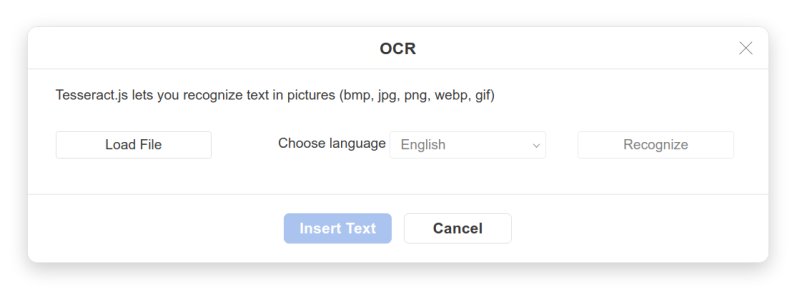
OCR uses Tesseract, so that will work as well as the engine of choice really.
What really worried me is the Plugins section, though. All the preinstalled ones are listed as "Unknown publisher". This may only be an administrative glitch, but I don't like it. I don't want to use random plugins from random whatever in my office suite. Everything should be by the book, and if I got myself an office suite from OnlyOffice, that's the only thing that should be there.
Pros & cons
All right, let's break it down, shall we. On the plus side we have:
- Superb Microsoft Office file format support.
- Excellent PDF management and editing capabilities.
- Good collaboration tools, with permissions, encryption and change tracking.
But then, there are also quite a few quirks:
- The installation process in Linux is bad. I succeeded only on my third attempt, after the "modern" snap and Flatpak failed me with their subpar integration problems, which still persist 10+ years since these formats became a thing, and more than a year since I reported the EXACT same issues in my previous review.
- The UI can be more responsive, especially document opening and saving. While OnlyOffice 10 does not struggle with big documents, the basic functionality feels slow, regardless of the actual platform used. The fact the program can utilize hardware acceleration is another minus, as it implies performance dependence on newer, beefier platforms.
- The functionality without network connectivity is limited, as many plugins simply do not work.
- The plugins have "unknown" publishers, which could pose a security or a trust problem.
- Style management is way behind either Microsoft Office or LibreOffice.
- The UI theming feels flat. More color and contrast would be welcome.
And it's time to wrap this up.
Conclusion
I have to say I rather dig OnlyOffice 10. It's the best version I tested yet, and the one that most makes me want to include in my production workflow. I've not really done that until now, but the improved Office support and good PDF editing are rather compelling features. All in all, for a free and cross-platform suite, you get a lot of excellent stuff, including some less obvious perks. But some of theses extras do require an online connection, which is a big minus, in my book.
UI responsiveness and blandness detract from the good experience. I'm also worried about the plugins, and the Linux installation setup is quite sad, really. I wish the two modern package formats worked better, or to have been tested better, but the state of affairs is as average as it was a year back. I am annoyed by the Google-like features, which make no sense, most notably the style management. For any serious document writer, this is an absolute must, and in this regard, Microsoft Office is absolutely ahead. LibreOffice is okay, but not perfect. Then, there's a whole bunch of empty spots, and the rest of the crowd follows with their weak repertoire of styles and clunky editing. I mean seriously.
But, looking over the past few years, OnlyOffice has improved quite some. I hope the future versions will be snappier, more colorful, and that they will remove the online dependencies in the desktop edition. After all, that's the whole point of a local tool. You should definitely test it, but if you're doing your journey in Linux, skip the snap and the Flatpak, and save yourself some unnecessary headache. All in all, a very, very decent suite, free and cross-platform. Very nice, I like. Take care.
Cheers.