Updated: November 13, 2026
Two things mark the release of Plasma 6.8 as symbolic and important. Thirty years ago, KDE came to life. And, for the first time ever, those who want to purloin the Plasma desktop must do so with the Wayland session, as there's no more X11 around. With emotions high and expectations higher, I set about testing this latest edition of my favorite desktop. So far, my impression of the 6.X family has quite reasonable, but far from perfect.
My test box shall be an IdeaPad 3 laptop, blessed with a Ryzen 5 processor, integrated graphics and a small NVMe drive. I use this box for all manners of testing. As always, I grabbed the KDE neon image, etched it, and set about exploring. Let's see then, how well I fared in my X11-less escapade. Shall this be much ado about nothing, a major revolution, or perchance a giant flop? Let us commence then.
Live session and installation
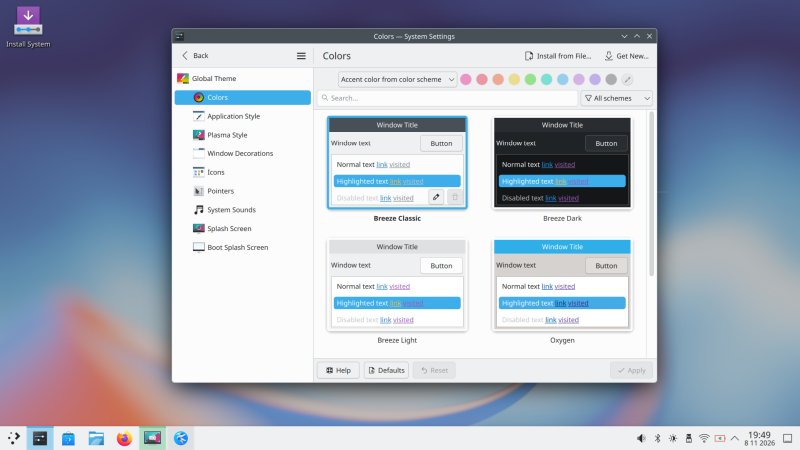
Let's quickly cover all the preliminary testing, y'know the early neon experience that I can't fully separate from the Plasma experience. I spent a little bit of time trying the basics. I changed the theme and colors, I made sure the bottom panel does not float, and I disabled Bluetooth. The whole panel movement thing is simply wrong. If you maximize an app, then the panel "drops" down to the screen corners, but otherwise, it wiggles up a little. Why? Why make the interface move? There's absolutely no valid reason for this gimmick.
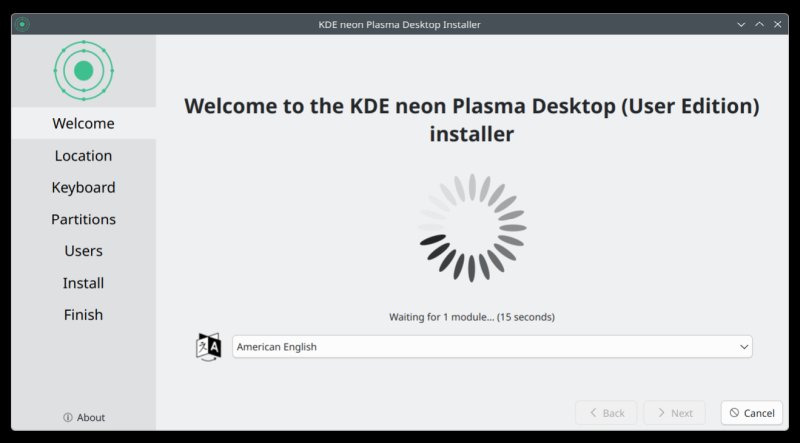
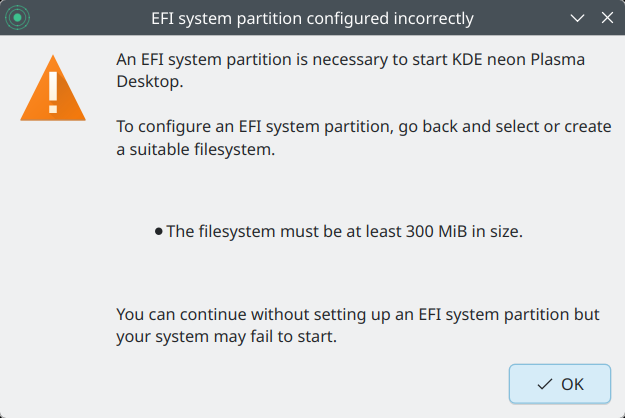
The Calamares installer remains annoying. It always waits for the that one module, it will complain if you use the battery (and try to do things differently than if you're charging the laptop), it complains about the EFI partition size, an arbitrary 300MB limit that has no merit, and the slides are meh. The Welcome Center also pops up again as soon as you start the installation, plus Bluetooth also re-enabled itself. What. Very silly. There was no option for me to create the user with the autologin option, and the entire procedure completed in seven minutes, which is a rather respectable result for a 2019 machine. And with that, the system was now ready for testing.
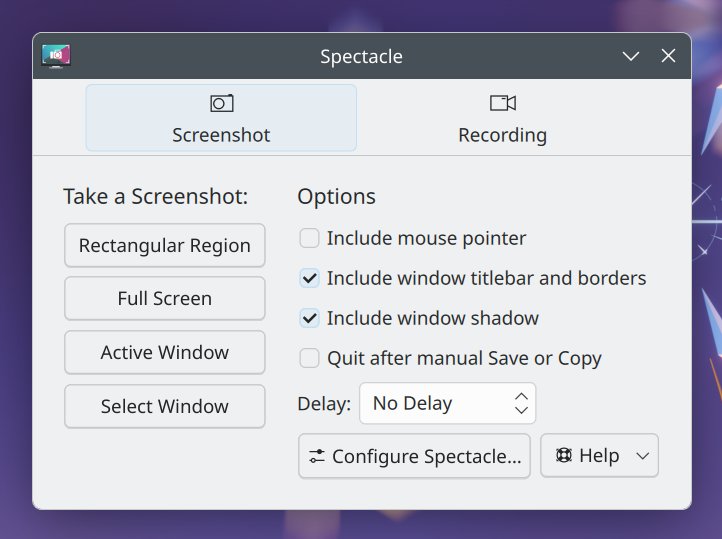
If you disable screenshot shadows, you also get no borders!
Great news! Good color management.
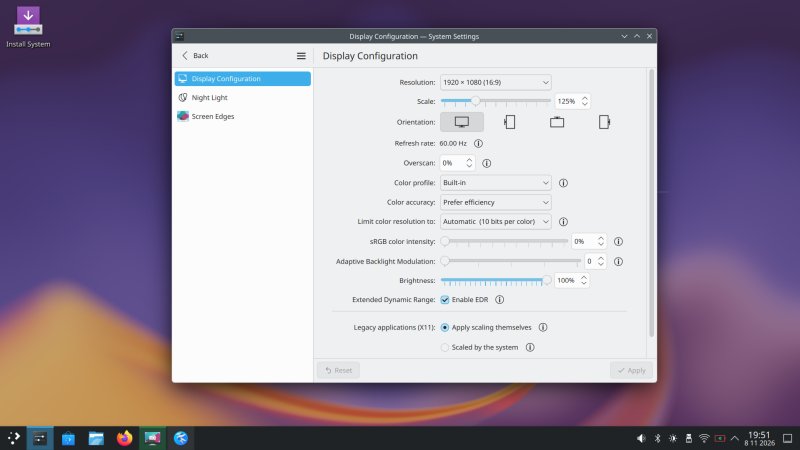
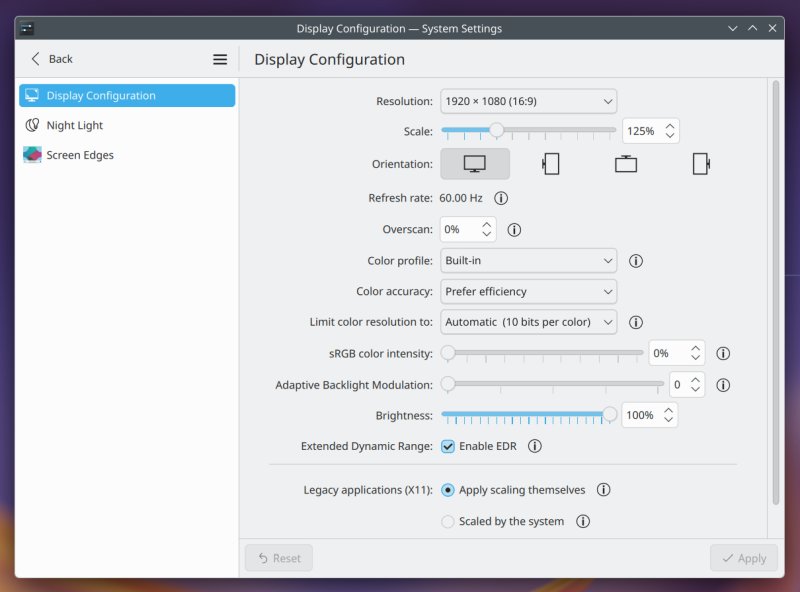
I am using the terms loosely, but hear me out. Until now, the Wayland desktop lacked one major functionality. Gamma control. In the X11 session, you could tweak your gamma for better visibility, especially if you have a wonky screen. This is indeed the case with my IdeaPad 3 laptop, which has a pretty poor display. Thus, if you want more than an over-bright, washed-out cinerama to stare at while you work, you must tweak the visuals. X11 lets you do that, Wayland didn't and couldn't.
As Plasma 6.8 is Wayland-only, I have no recourse. But wait. I decided to test the built-in color profile. This made a huge, huge difference. Right away, I went from circus au bland to deep, rich colors, nice contrast and adequate brightness, as it should be. Now, this isn't a 1:1 functionality replacement, but it's a complementary solution that allows me to use Plasma 6.8 without issues. A huge step in the right direction.
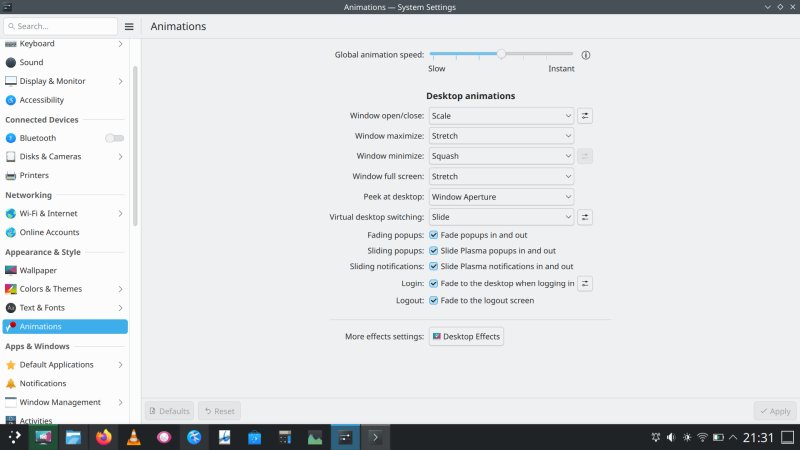
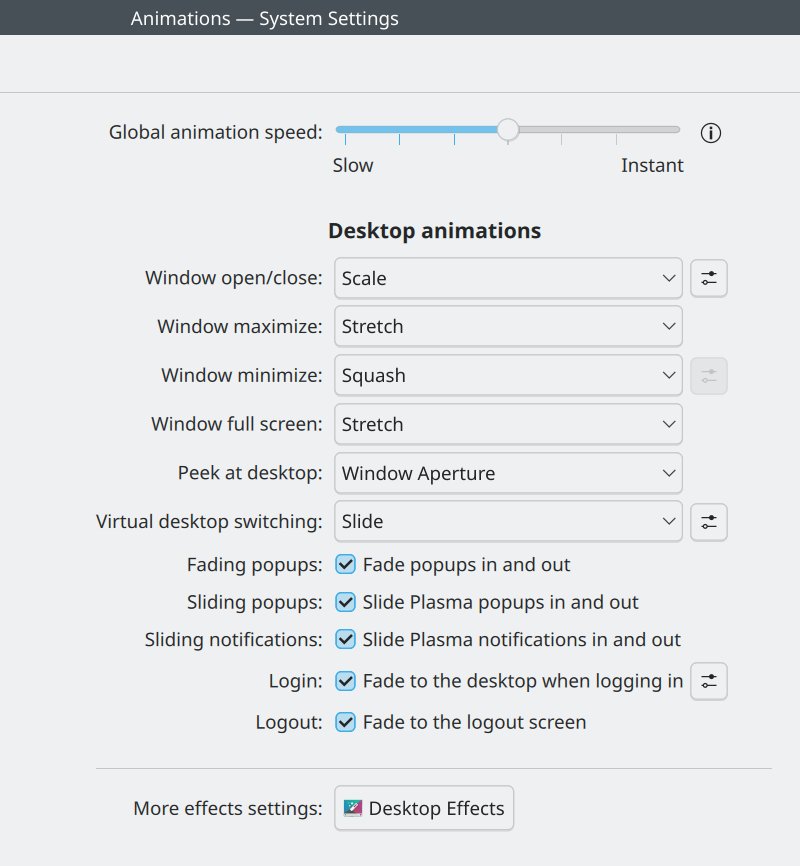
More great news! Animations.
Another X11 versus Wayland thing. The former lets you disable the compositor, so you can use the desktop on weak machines, and without any visual bling-bling. In Wayland, you don't have this switch, but the Plasma settings menu now lets you sort out animations as you see fit, including turning them off completely. I tested the different notches, and the changes were immediate and quite perceptible. Then, I tried the desktop with no animations whatsoever, and the transformation was Phoenix-like. Instant speed and responsiveness. It was as if I'd doubled my CPU, GPU and RAM powers all at once. Fantastic.
General behavior
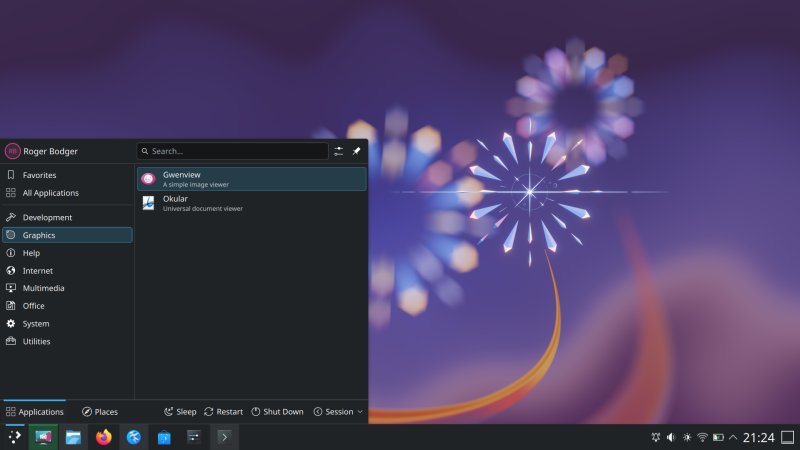
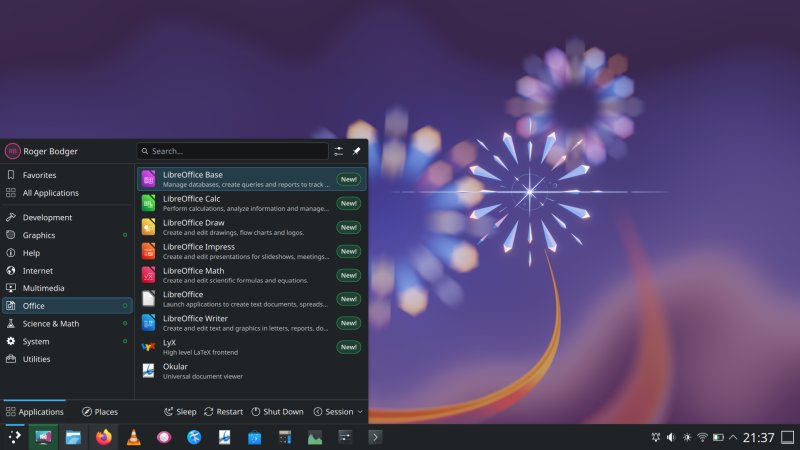
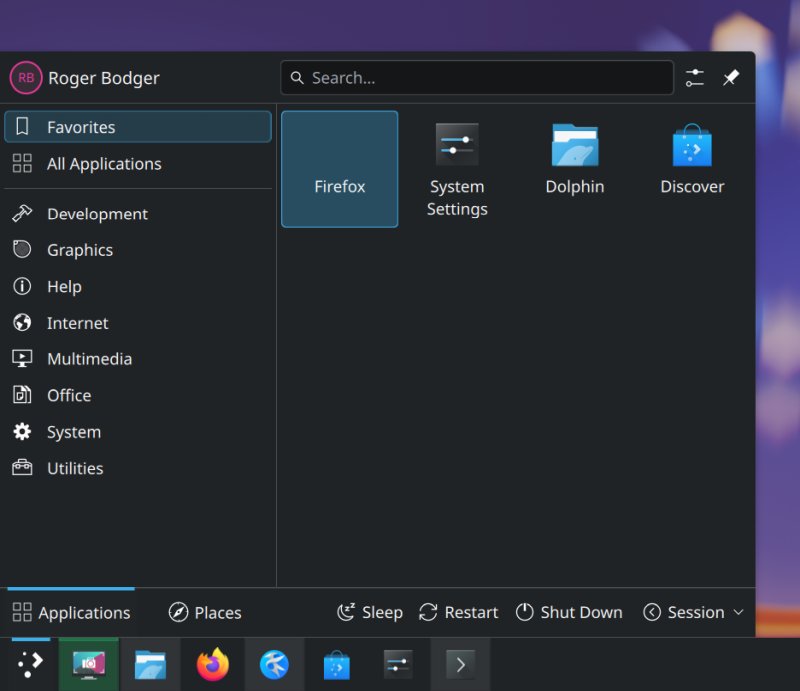
The system menu is nice and elegant. There's a bit too much enthusiasm when you install new programs. Not only do you have dots to guide you toward new stuff, as if you somehow don't know what you added to your system, but there's also a big New! label. I mean, it's just new programs.
Dolphin needed love. It comes with a rather mediocre default interface layout, as always. Also, the file menu is hidden. I did my usual set of tweaks, with extra icons - Refresh, Home, bigger sidebar, full status bar, and full view icon set, because the "modern" one icon toggle is annoying. None of this is new, but it's all still there in Plasma 6.8.
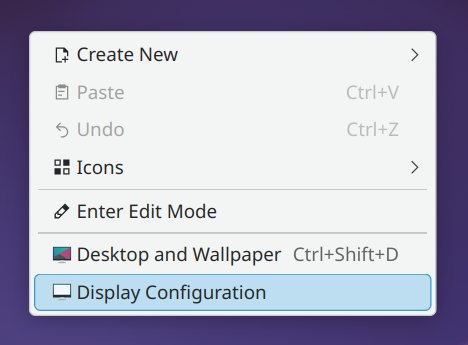
The desktop right-click is a bit weird. I would expect the Desktop and Wallpaper section to be the last one, as most people are more likely to tweak their wallpaper than do any display changes, but 'tis a minor observation overall.
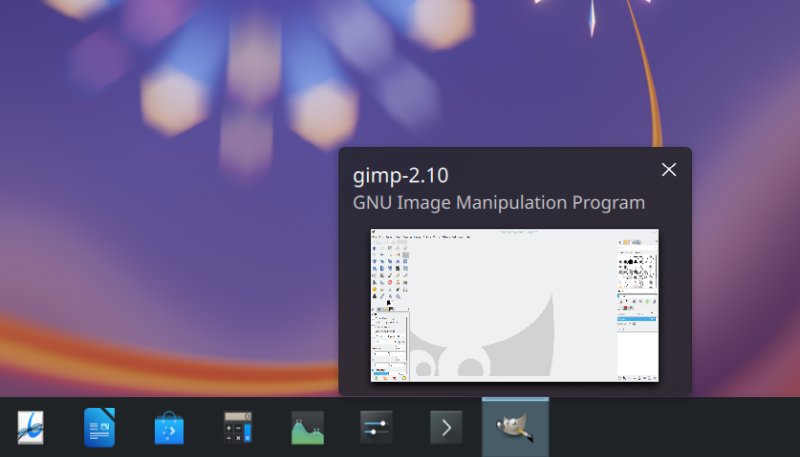
You get nice icon previews on hover, but the icons are quite varied, and the LibreOffice set is too tall for the rest of the bunch. But, if I go back to the whole Wayland thing, it didn't bother me at all.
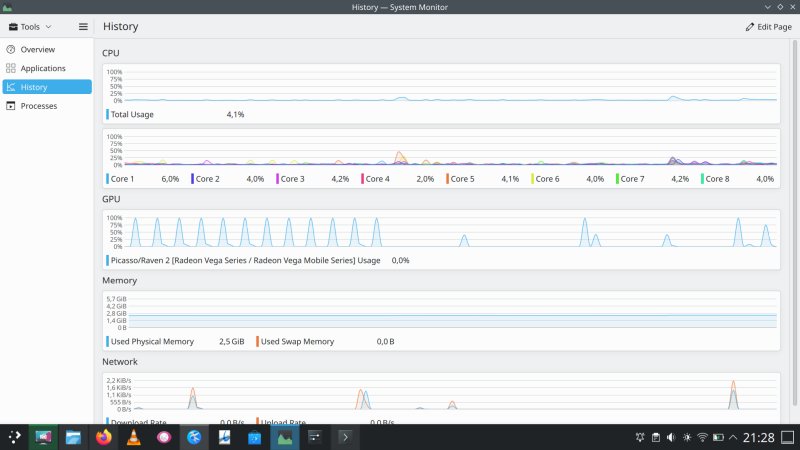
Plasma's system monitor remains a rather cursed thing, despite improvements. It gobbles a lot of resources itself. That means if you make an observation of your system, you change the state of your system, quantum style. But look at the GPU graph. The 100% spikes correspond to being in the monitor's Overview page. Every few seconds, you get that spike. It could be oversampling or bad code. This aligns with what I've shown you in my Plasma X11 vs Wayland benchmarks early on. But then, take a look at my full set of data, including the expanded testing with Plasma, and even results with other desktops. Now, why am I bringing this up?
Because, if you look at my previous mention of animations and desktop responsiveness, my initial data shows major improvements in the Wayland session in Plasma 6.8! I still need to commit to proper testing, and I won't really have a 1:1 reference, but I can always compare to the 6.4 edition. I am quite convinced that Plasma has become faster and leaner, and that's a good thing. And remember all ye who think I'm some Wayland hater, nope, it's pure pragmatism and data. Once good results start pouring in, me enthusiasm pours out.
And now, some bugs, mostly because of KDE neon
My testing session wasn't perfect. Every single time I would test Plasma, and use neon as the test base, there would be lots of issues, mostly stemming from zero-QA use of Ubuntu as the test bed. In general, Linux distros have almost no testing, and KDE neon appears to suffer more than most, as all of the focus seems to be on the Plasma desktop. Somewhat understandably, I must say. That said, let me tell you about all the different bugs that cropped up in my work.
Baloo the search indexer kept crashing all the time, in live session, installed system and after a full round of updates. I resolved the problem by stopping the service, deleting (purging) the index, and re-enabling it.
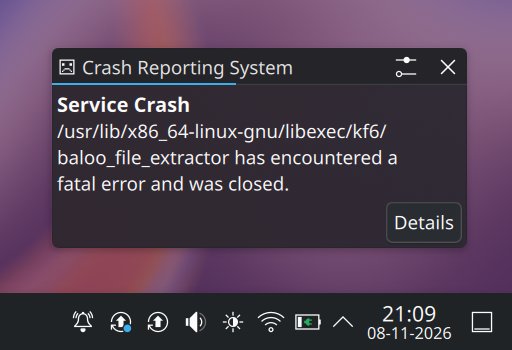
balooctl6 disable
balooctl6 purge
balooctl6 enable
The removable media icon kept popping up, seemingly randomly. It would show whenever I'd open Discover and click on any which app. It would also do that, consistently, whenever I'd run any snap command, like say snap list. See the funny screenshot, including the outsized icon that does not match the desktop scale:
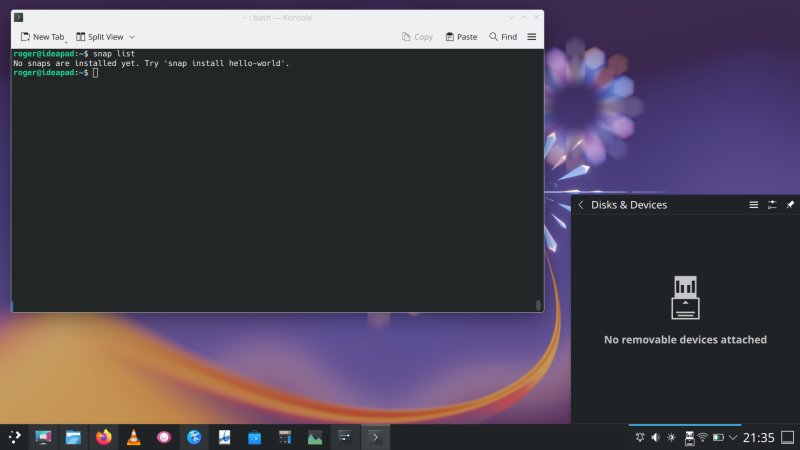
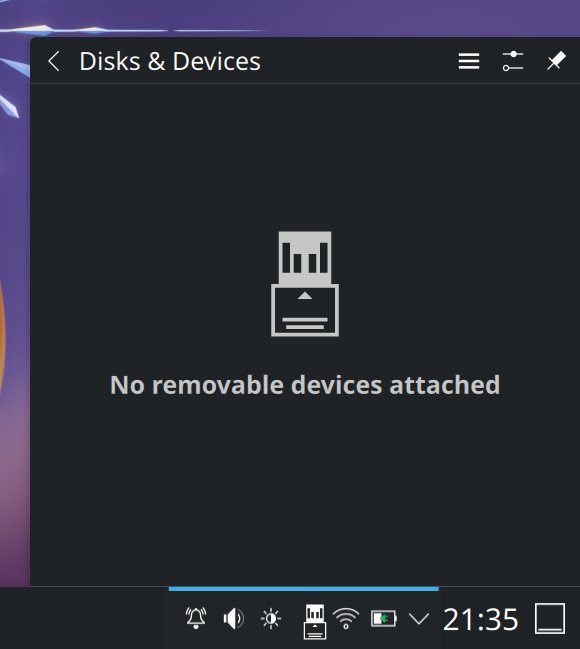
This looks so weird, so out of place ...
I managed to capture Spectacle's own icon, because it wasn't fast enough to hide itself while taking a screenshot. The new edit-like interface is annoying, for me, and so I tweaked the tool to take no screenshot when launched, and/or to show a new Spectacle window. Great. The problem is, you can't mix & match, so if you want one or the other, you need to toggle both options. But, on the plus side, you can dispense with shadows, which means nicer, tidier screenshots.
KDE neon ships with Firefox as a DEB package, not as a snap. And yet, on update, it still managed to lose its icon. But only in Favorites, not under Internet in the system menu. An old, old issue that keeps cropping up, and something I mentioned many many times before. Very silly, too.

The system date is weird. Compare the screenshots from my live session and the installed and updated system, and you will notice different separator characters used (if any). The Wireless icon sits too close to the battery icon at 46px height, and it gets a bit better if you go up to 54 px (at 125% scale).
My mouse cursor got stuck a couple of times on heavy CPU load. I wouldn't expect this to happen, at all. Then, there was a prompt to upgrade my system to 26.04. It's the Ubuntu base doing its own thing, irrespective of the Plasma desktop sitting on top of it. Kate (text editor) is still a bit weird. You can save unsaved buffers, and preserve them across sessions, but you must first manually create and save a session. The default one does nothing, and for me, this feels like a bug or an overly convoluted workflow. This has been the case for years now.
The first desktop boot was 29 seconds, but the subsequent ones took 12 seconds to the login screen, plus four more until a fully functioning session. You can save your work, but due to Wayland, all of your windows will open in the center of the screen. This remains one big, outstanding issue with the new display protocol.
And now, we shall wrap this up.
Conclusion
I have to say Plasma 6.8 is a lovely release. It looks the part and it behaves the part. Sure, there are some small quirks, mostly related to the system integration with the underlying Ubuntu base, plus a weak package management, but this last element is nothing new, nor Plasma-specific. Ever since the demise of the Ubuntu Software Center about a decade ago, Linux hasn't had a proper store, and today, we are all poorer because of it.
Now, Plasma 6.8 comes with some fantastic perks for desktop users. It runs Wayland, but the "new" display protocol didn't get in my way. The KDE team have implemented some clever options that compensate for the loss of X11 functionality. You can use the built-in ICC profile, in lieu of Gamma correction, and you can reduce animations to none, in lieu of switching the compositor off. These render massive usability improvements, and prove that I'm not opposed to technology, merely bad implementations. For the first time EVER, I have nice colors on my IdeaPad (with Wayland), and excellent responsiveness. This means, in a year or two, the Plasma desktop could become once again extremely capable, regardless of what powers the pixels under the hood. Already, the improvements are great, and much better than any other desktop. Predictably so.
This brings me to the elephant in the git repo. KDE, like most other Linux teams, are following the trend of atomic distros and trying to build their own operating system. I think this is a misplaced effort. Atomic distros cannot solve the issues of missing functionality or bad integration. Quite the opposite, they will merely make badly cobbled systems impossible to debug. Until the top 100 applications in any which Linux store have a perfect look and feel and comparable functionality to their DEB or RPM counterparts, it's just not gonna work. And based on how Flatpak and snap are shaping up, it's never gonna work 100%. Even macOS gives you the ability to install anything you like really, and that won't be the case in Linux if you must "layer" on top of your read-only system, or install dubious-quality apps that may or may not be verified.
If anything, this is a great opportunity to put Artificial Intelligence to good use. In my short, casual testing, I uncovered about a dozen bugs. One man, two hours. Imagine 100 people working for 100 hours each. Or, a capable AI suite that can run desktop UI workflows, every single one of them, and figure out bugs and quirks. Instead of 50 useless atomic distros, the Linux teams can band together and build one big AI-based testing framework that will uncover all the silly bugs that permeate the Linux desktops today, because effectively, there's no QA. The same goes for translations and documentation. Why isn't the Linux world focusing on these gaps, and using the automatons for this grueling work that no human wants to do?
Back to Plasma 6.8, it's solid, elegant and fast. I hope the trajectory continues, and that there won't be any bad surprises, random divergences of effort and focus, or arbitrary changes because new shiny whatever. Plasma is shaping up nicely, even beyond my expectations. Even I have nothing negative to say about this Wayland-only release. So let's hope this is the first step toward the great Linux desktop revival. But remember, dear nerds, atomic distros and app stores, as implemented today, ain't the salvation Linux needs. Off I go. Bye bye.
Cheers.