Updated: October 21, 2026
What I'm going to explain here is extremely obscure. So much in fact that I was able to find only a single instance of another person complaining, without having been afforded any fix to their issue. But the similarities are uncanny. You have a Linux system, probably one clad in Plasma, you have an Nvidia graphics card or perhaps a hybrid setup, and every once in a while, your desktop "resets" its DPI.
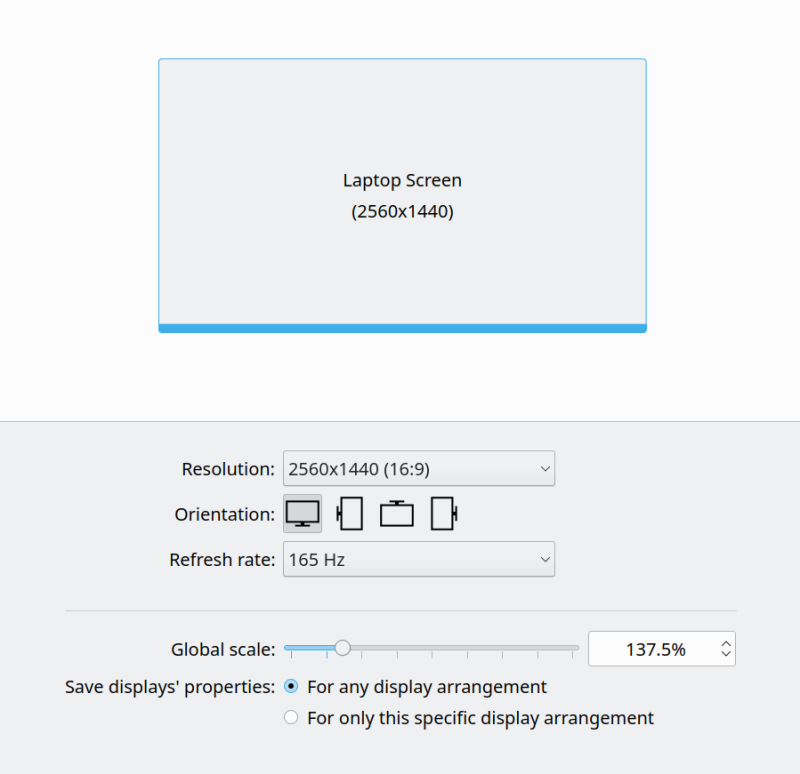
I encountered this on my Slimbook Titan. By default, I use the desktop scale set to 137.5%, as this offers the best feel and look for the laptop's resolution and screen size. But then, occasionally, some of the programs, most notably Dolphin and a couple of others, will lose the scale factor, usually after a system update that includes new Nvidia drivers, and/or upon a fresh login. Even though every menu and configuration file reads the right numbers, the effect is still there. For a while, this drove my OCD ninjas crazy. Eventually, I figured how to work around this bug. Let me show you then.
Problem in more detail
OK, so here's what happens. You set your desktop just so. You reboot, and you come back. Seemingly, everything is okay, but some of the Plasma programs seem to have reverted to the 100% scale, most notably Dolphin and Kate. The rest of the system seems fine. You check under the display configuration under Settings, and it shows the correct scale (for me 137.5%).
To see whether I could fix the issue, I changed the scale factor a little, to 125%, logged out and back in, and indeed, this worked. I then "reset" the scale to my desired value, repeat, and again, this worked. However, on next session login after reboot, the scale would be messed up again. Weird. Looking online, I found a single reference on this odd bug, without any solution.
I decided to look for configuration changes. I would save the entire .config folder, and then compare, before and after, specifically with focus on Plasma and KDE apps. Without making any change whatsoever, and with the scale messed up, I did notice that Dolphin exhibited different parameters. So yes, it made sense that it would look different, but then, there was NO actual change in any other relevant files.
diff ./dolphinrc-before ./dolphinrc-after
47c47
< eDP-1 Height 2560x1440=1268
---
> eDP-1 Height 2560x1440=1333
49c49
< eDP-1 Width 2560x1440=2077
---
> eDP-1 Width 2560x1440=2560
In particular, kcmfonts and kdeglobals file contents were unchanged. Therefore, I decided to monitor the these two files, to see what happens when I manually "fix" the resolution:
- Open the display configuration.
- Click the arrow up or down to change the resolution by 6.25%. Apply.
- Restore the resolution to your desired value (undo the change above). Apply.
- Log out, log back in.
This was enough to correct the problem, even though "technically", the files were showing the correct scaling values. So I thought, well, if all it takes is for these two files to be refreshed so the system thinks it needs to read new values from inside them, maybe that's the fix? Monitoring the .config folder for changes, indeed, the display scale update will alter their timestamp, even you don't change anything per se.
Solution
I decided to see whether touching these two files without altering the contents would work. After all, seemingly, the system merely needed to reread the contents, and perhaps, it's based entirely on the access and modification times. I created a simple Plasma login script:
#!/bin/bash
touch /home/dedoimedo/.config/kcmfonts
touch /home/dedoimedo/.config/kdeglobals
exit 0
If you want to follow along, save the file anywhere, make it executable:
chmod +x fix-dpi.sh
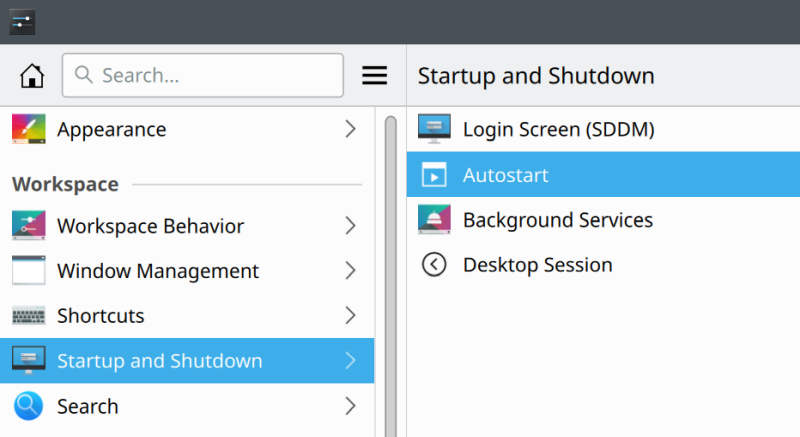
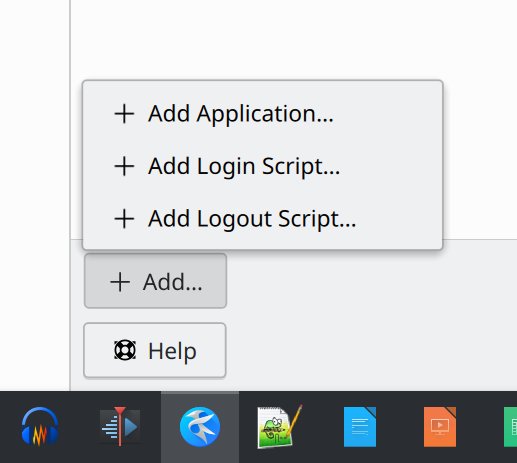
Then, go to Settings > Startup and Shutdown > Autostart. At the bottom of this window, click +Add to expand, and select Add Login Script. Navigate to wherever you saved the shell script from earlier and add it. Restart your machine, and you should be golden.
Conclusion
I doth not know why and how Plasma decides to forget the DPI settings, and whether this is strictly limited to setups with Nvidia graphics. I am also a bit miffed that there hasn't been a fix for this issue. But here you go. Apparently, Plasma does forget the settings, and all it needs is a little memory refresher. Hopefully, the powers that be in the KDE development team will read this guide, and hopefully this will lead to a proper resolution on the code level.
If you are an unlucky person with this OCD-tickling issue, you can implement a fix right away. It requires a simple, innocuous login script that merely accesses the relevant configuration files without any change to the contents whatsoever, and that seems to be enough for the Plasma desktop and its applications not to get confused. I wish problems of this nature did not exist, but I'm also happy that I was able to figure out a solution that seemingly had no answer until now. Tux out.
Cheers.