Updated: October 2, 2026
Now, now, hearken, hearken, I am writing the opening paragraphs of this article as the very last piece, as it happens. Why, you ask. Because where I started, Titan results wise, and where I ended are two completely different parts of the universe. The first "version" of this piece was all negative stuff, problems and issues and annoyances. Then, in one fell swoop, epiphany hit me, and I was able to fix several big, major blockers, hence the gushing second rewrite intro that is conduct unbecoming of a grumpy dinosaur like me.
But I digress. The Slimbook Titan is me gaming machine, and I've written about it quite some. Most of the experience hasn't been that good, mind. The last report will tell you about my findings from a few months ago, and from there, you can drill back in time and savor the 4D rollercoaster of my serious-use Linux journey, a keen and genuine attempt to get rid of Windows forever. In a nutshell, I got a powerful beast of a laptop riddled with bugs, mediocre ergonomics, excellent gaming results, and solid-ish desktop usage. Now, today, things shall change.
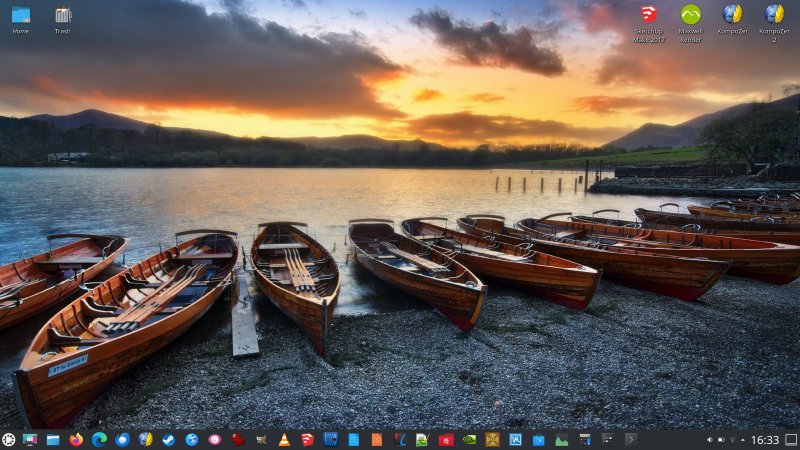
The system freeze problem is back ...
Alas, the old issue has returned with vengeance. The good thing about having two physical Linux systems is that it allows you to compare the hardware and software compatibility, and try to figure out whence the issue stem. As it happens, I have a Slimbook Executive, in addition to this Titan. And there, too, the firmware-induced problems have returned most vengefully.
Basically, the tragic story reads as follows:
- The Executive starts it journey pristine. Then, one day, my laptop gets firmware update that I didn't ask for, and if I had the option, I wouldn't do, because if it works, let it be, right. Except, no. My laptop received its cursed update, and since, it exhibits a random suspend & resume issue. Of course, there hasn't been any new firmware that resolves this, oh no. Kernel patches make the problem come and go away.
- The Titan had some small, unrelated stability issues early on, which got fixed. But then, it also received a firmware update, and along with the kernel patches, ended up with its own share of bugginess. Namely, this laptop suffers from system freezes, especially on high network load. Try to do something that requires a bit of data flowing through the network card, and boom, the machine will lag. The problem almost went away, but now, it's back.
And thus, not one but two systems are rendered less usable by crappy, buggy patches. If only the firmware updates were optional, and I had the choice to test them, and/or revert back. But no. Furthermore, Slimbook uses generic hardware for its models, not unlike the many other Linux vendors, with more or less the same generic BIOS from the same upstream supplier (Clevo, if I'm not mistaken). It would make sense for a buggy patch to propagate across all the different models, which would then result in this misbehavior. But the really annoying thing is that you cannot just manually and easily download the necessary BIOS versions, copy them to a USB drive, and do the maintenance yourself. The instructions clearly warm you that this isn't a trivial task for the end user at home. If that's the case, then why push firmware updates?
But there is a workaround! Finally!
Hold your horses! I managed to solve this crap for good. Here's what I did. I went into the BIOS settings, and changed the laptop mode from Office to Gaming. There's also Turbo, but I let it be. And with this option in place, whatever CPU power state magic happens under the hood resolves the freezes.
The overall bundle of side effects is as follows:
- The operating system is now far more responsive - I guess the CPU does not drop the frequency so much, which means, there might be some small battery power trade off long term, but we shall see.
- The laptop's fans kick in far more often, and they rev higher. More cooling, so not bad, considering this system can get quite hot, especially when gaming.
- The network latency is much lower now. Anything network-wise is faster. Perceptibly so.
And so, here we are. This now makes sense. If kernel updates ever so slightly tweaked the scheduler and whatnot, then sometimes, this would help slightly - or not - resulting in the intermittent nature of the freeze problem.
Things getting stuck
It's not just the laptop occasionally getting frozen. I had many other processes exhibit weird behavior, possibly related to the above. But the login process got stuck once. So did the desktop slash screen. I ran the pro command to check the status of the different modules I use, and again, it got stuck and wouldn't return any prompt. An Ubuntu backend issue? Perhaps. Eventually, it did work, but I still wanted to mention it.
Wrong DPI ...
Occasionally, especially after a system update that also includes Nvidia drivers, on next boot, Dolphin would come up with a weird DPI factor. The way around this would be to go into Settings and reset the display scaling. Any change works. Say, go from 125% to 150%, then log out, log back in. And then, restore your original desired settings. Since I use the X11 desktop, the 6.25% increments are good enough for small changes when needed.
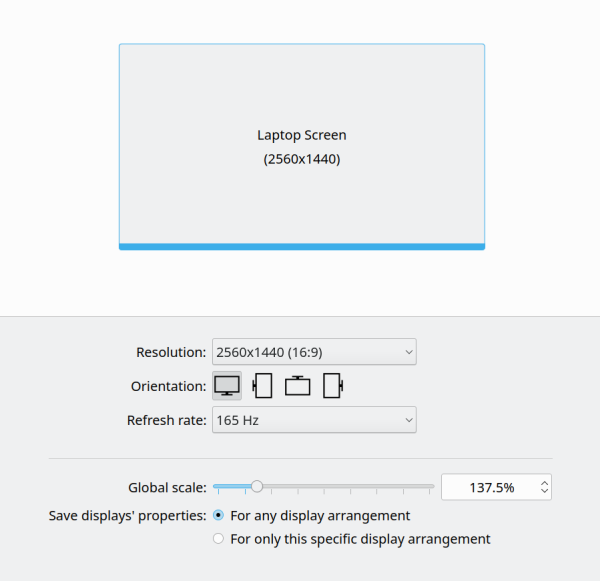
But wait, I figured a workaround!
Yes, I solved this one, too. First, the whole Internet has a single lonely mention of this issue with openSUSE Tumbleweed, and no resolution. So what did I do? Well, I watched for changes in the ~/.config directory, whenever I'd go into Settings and "reset" the DPI number. Several files would change, including kcmfonts and kdeglobals. Now, even though the contents did not really change, the timestamp "shake" was good enough to make the operating system behave.
So I created a Plasma session login script, which reads as follows:
#!/bin/bash
touch /home/dedoimedo/.config/kcmfonts
touch /home/dedoimedo/.config/kdeglobals
exit 0
Name the file, make it executable (chmod +x), and then add a login script in Plasma Settings. And now, things are fine, and Dolphin has the right DPI from the start. I will probably make this into a separate article, as this could be a useful tutorial.
Virtualization also didn't work
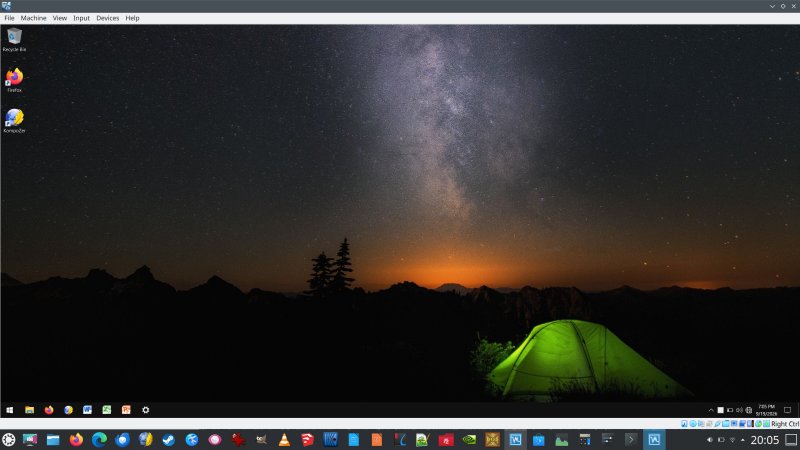
Well, I wanted to launch my Windows 10 virtual machine, to see what gives. Nope. It couldn't start. After I upgraded VirtualBox, the issue went away. There was no visible error message. The guest simply wouldn't budge past the startup screen, never proceeding to the login window. Not promising.
The keyboard still misses strokes now and then
An old problem, but it's still here. The keys don't always register. You have to be forceful. But this ain't a nice keyboard, and I never liked it, from day one. It's both too squishy and imprecise, the keys are too close apart, and the symbols are almost invisible without the keyboard backlighting. It's not a for-writing keyboard, that's for sure.
And here, I decided to go into the BIOS once more, and I changed the light pattern so there's something a bit more "useful" from the start. Basically, I went from Wave to Rainbow, and this stays on until the login, where the Slimbook's RGB script kicks in and changes to hue to solid lightning blue, as is my preference. Why there isn't a simple single-hue choice in the BIOS beats me.
Gaming? Quite good.
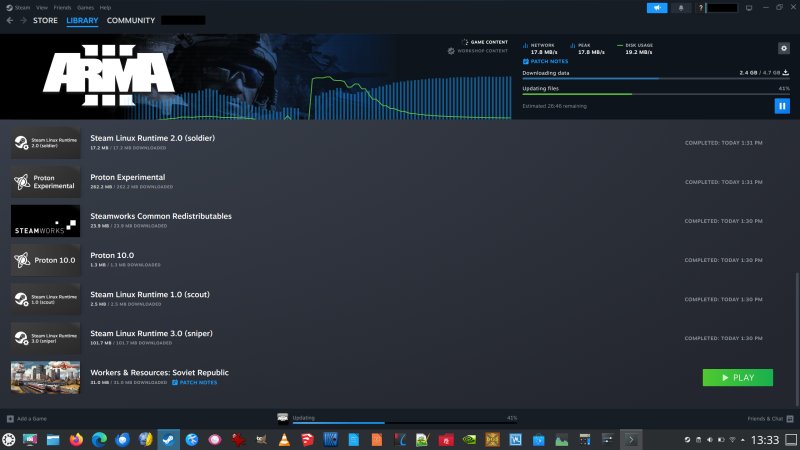
It's not all bad news. I had fun playing games. Now, Assetto Corsa still does not work for me, but all the other times do, and there have been no issues with the titles I've tried so far. In fact, the Steam Proton support has been phenomenal and seems to be getting better all the time. The ArmA 3 regression mentioned in my previous report is only hiccup I've seen since I got this system.
PRO does the job
I mentioned the pro command getting stuck, probably due to the aforementioned power management issue affecting the network stack, but the whole things works brilliantly. Now, my Titan still runs Kubuntu 22.04. Technically, it's no longer "supported", but this is a meaningless statement. All of the system patches come from Ubuntu repositories, and if you have the pro subscription enabled - free for home users for up to five systems - then you do get all the extended updates for 10 years, at no cost, and this also includes various Qt libraries (against which the Plasma desktop and its components are built). Noice, very noice. So at the very least, you get fixes till 2027, but actually, you can stretch it to 2032. And that's before even considering an upgrade to newer versions, which I'm loath to do, especially 26.04, even though, for me, the X11 session in there worked fine, but, I still haven't done an Nvidia-related test.
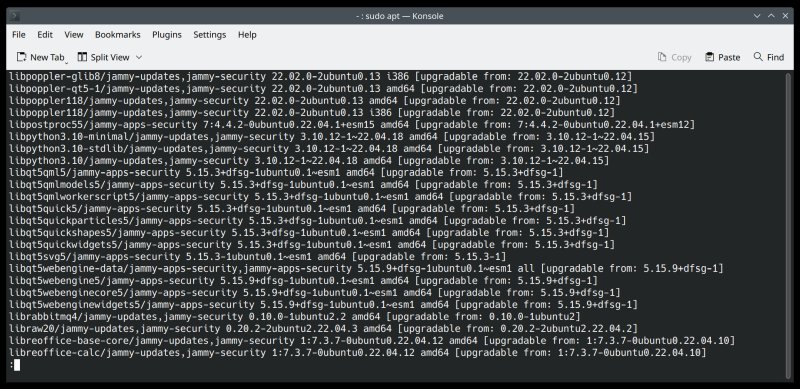
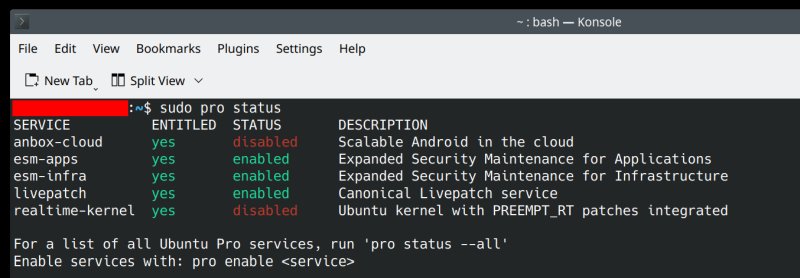
Kernel livepatching, too. Not bad. Ten years of this stuff, free. Unmatched.
Day to day stuff, pretty solid
Once I put aside all the niggles and glitches, mainly the system freeze, this laptop works. And it works nicely. It's a capable system, with a great spec and lots of oomph. It does the job wonderfully, once the keyboard is lit by a soft blue light post login, and you can see the letters, and once the kernel hang goes away. I only wish the experience was consistent, and without any new dramatic surprises. So unnecessary.
But, as you saw, I made nice progress, and I solved two big issues, and hopefully, this will be the end of all my problems with the Slimbook Titan. On this rather happy note, buoyed by a sense of accomplishment, we need to conclude this report.
Conclusion
It's been three years since I bought this system. Three years. Now, today, for the first time, I'm moderately confident - and not just cautiously optimistic - that I've put all this nonsense behind me. The Gaming mode most likely resolves whatever gremlins plagued the buggy default BIOS power management function, and Kubuntu 22.04 cooperates nicely, in turn. The DPI fix also makes me happy. All in all, this is a fresh start, in a way. Unless, of course, something goes horribly wrong at some future date, but hey, what's life without some excitement and uncertainty, Linux style.
With the system in tiptop shape, I am extremely hesitant to move on to 24.04. After all, the pro updates do the job quite well, everything comes from the archives, the browsers are all up to date, so I guess I can postpone my worries for a few more summers. When I started debugging stuff for this report, I was rather annoyed, but as I made my breakthroughs - entirely on my own, no thanks to the dying Internet - my feelings slowly morphed. Am I happy? Well, I wish all this circus have been avoided in the first place. However, if this new state of affairs remains my Titan experience for the coming decade, or however long I keep this machine, I will be rather pleased. That would be all, stay tuned for more news. If you know people using the Titan and facing similar woes, mention the Gaming mode, it might save them some big frustrations. Take care.
Cheers.