Updated: July 29, 2026
All right, it's time for me to express myself, once more. This time, I shall revisit a topic, for the fourteenth time so far. That's right, I'm continuing my long-term usage, testing and reporting of the Slimbook Executive machine, a sweet piece of hardware riddled with some annoying bugs here and there. Which bugs, you ask. Well, I invite you to read the last report, and work your way back, or go into my Linux section and read chronologically.
Any which way you choose, you will discover that my Executive experience has been inconsistent. It started majestically, but then a firmware update ruined the fun for me, with intermittent suspend & wake problems, mid-work, that is. Various kernel patches helped exacerbate or alleviate the issue some, but it's never quite disappeared. The upgrade from Kubuntu 22.04 to 24.04 was patchy, too. Overall, I enjoy the system, but I never quite manage to get a good, long, quiet period, sans any trouble. Let's see what happened this time.

UEFI certificates thingie
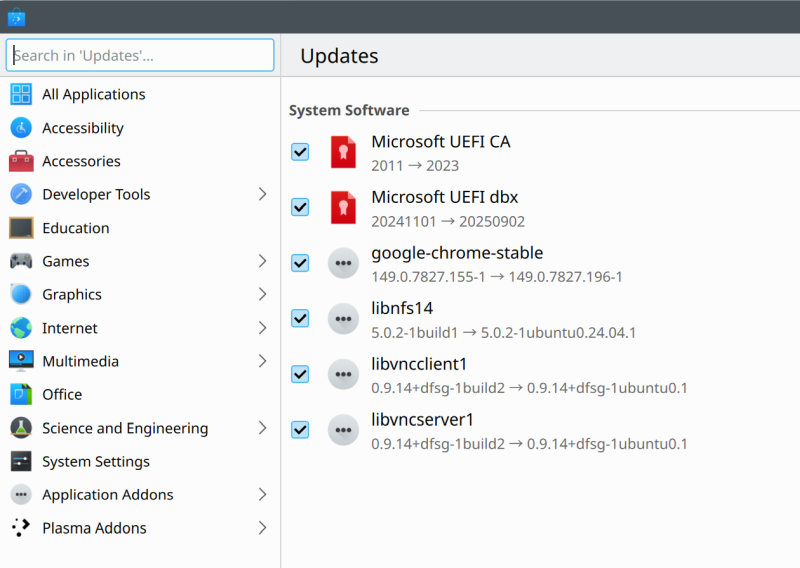
The funny, perhaps ironic thing about "modern" operating systems is that even if you do not use Windows, do not want to use Windows, and do not use Secure Boot even more so, you will still be given updates for the expiring keys. That's fine, I guess, but also meaningless. One, the patches are only offered via the GUI, in Discover, not on the command line. Yup. Two, why offer patches that serve no purpose? I think I know the answer, it's to make sure that if I do change my mind one day and install a different operating system here, and perhaps decide to use Secure Boot, I will have the necessary foundation for it. Even so, it's a great example of why you should never EVER use these types of tools on your systems, as they effectively mean vendor lock in. We're talking TPM, Secure Boot, BitLocker, RCS, Passkeys, and then some. Yup. Anyway, I updated these through Discover, rebooted, and went on with my merry Secure Boot-less life.
Weird suspend & wake issue, still there, but almost gone
Ah. As it turns out, the Executive will still occasionally suffer from the following: randomly, the screen goes dark or the laptop suspends itself and wakes up a few times in a row or the mouse and keyboard no longer behave correctly. The issues were introduced with some cursed firmware + kernel patch, and haven't gone since. Lately, either I've had more luck, or one of the kernel versions does bring some small measure of sanity to my laptop.
Some bugs and problems
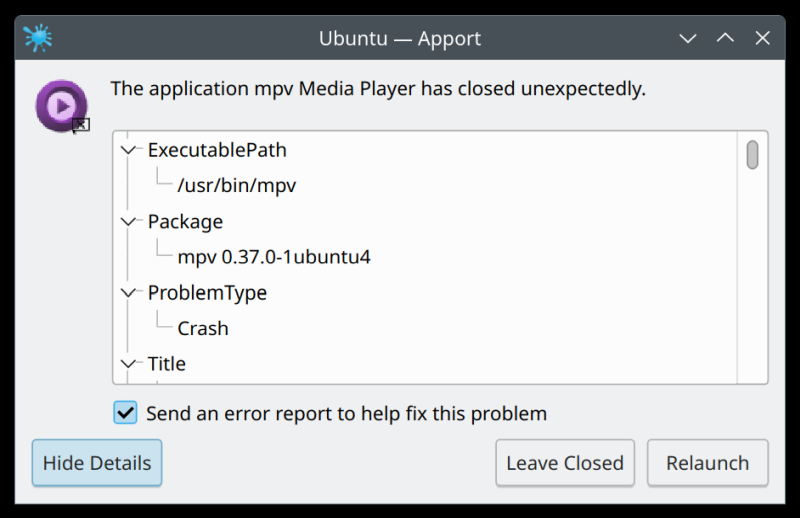
I also encountered a few new issues. One, mpv consistently crashes trying to play certain MKV files. At the same time, SMPlayer does just fine, and VLC has no issues, either. Two, GwenView will crash if you exit while it's still trying to list all of the image thumbnails in a folder. For this to happen, you need a) a directory with lots of image files therein b) GwenView set to exit on Esc c) a thumbnail strip shown in the program's interface.
I also noticed LXD spamming about IPv6. Namely, I disable IPv6 on my clients, because I don't want to use it, for many many reasons. But then, the LXD snap had an update, and since, the system log is choked full with pointless errors. To get rid of them, I had to disable a whole bunch of LXD systemd services. This also proved to be annoying, and yet another exercise in why using for-cloud-made solutions in the Linux home environment is wrong. As in, systemd, right. Don't want.
snap changes
ID Status
Spawn Ready Summary
305 Done 3 days ago, at 22:26 3 days ago, at 22:27
Auto-refresh "chromium"
306 Done yesterday at 20:12 yesterday at
20:12 Auto-refresh "lxd"
exec lxd.daemon[159419]: level=error msg="Failed initializing network" err="Failed starting network: Network has ipv6.address but kernel IPv6 support is missing" network=lxdbr0 project=default
Oh, I dislike that the snap changes report uses relative time stamps. Or that "days ago" uses the comma character, but "yesterday" does not. Oh, I slightly truncated the output above to make it fit nicely and not spill over too many lines. I simply removed the timezone and the word snap, nothing else.
And here's the systemd vomit:
systemctl stop snap.lxd.user-daemon.service
Stopping 'snap.lxd.user-daemon.service', but its triggering units are still active:
snap.lxd.user-daemon.unix.socket
The most annoying bug seems to be a copy & paste issue with IrfanView, a Windows program that is
installed on my machine using WINE, version 11.0 to be more precise. As it turns out, copy & paste
between native Linux and WINE-running programs works perfectly fine, except here. For some reason, I
cannot copy into Irfan from other software. Copy & paste within Irfan works correctly, and so does
copy out and into other programs like say GwenView or GIMP. I did find an issue related to the
snap version of the program, but this
seems to affect the standard, unsandboxed software, too. It would seem that this is related to
IrfanView specifically. Now, I don't recall this problem in the past, or I may have missed it. But here
we are.
Some infrastructure wobbles
This isn't specific to my Slimbook, but it has to do with the operating system. I noticed that some regional Ubuntu mirrors were down in the last few weeks. More so than the usual uptime figures. Likewise, the Google Chrome repository seemed to be somewhat slow, and this correlated to a few potential slowdowns with the company's services, if Down Detector and alike are to be trusted.
Everyday use
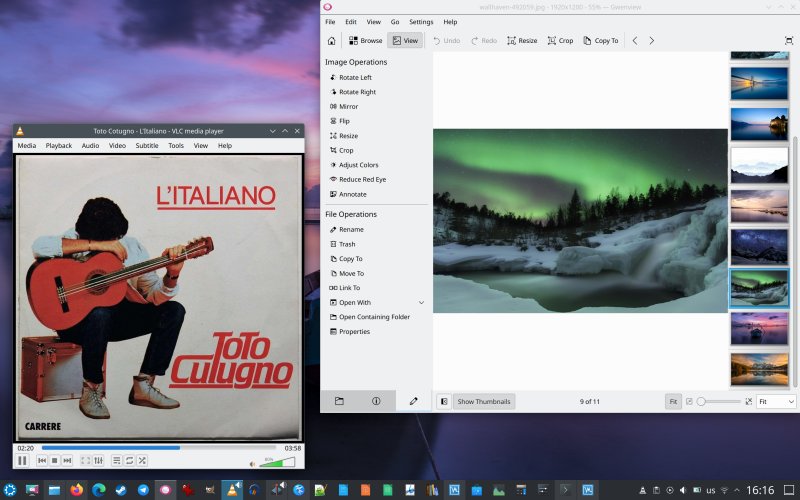
Pretty solid, I must say. In my last report, I mostly covered various problems, plus the neat performance improvement as the result of the spanking new kernel 6.17. Today, things are mostly better, so hopefully, there's a trend. A positive one. Sure, bugs will happen, so no biggie, but it's amazing that even two years down the road for this particular LTS (Kubuntu 24.04), there are still occasional hiccups. However, all in all, it's a pleasant journey. The Executive behaves nicely, especially with the new kernel.
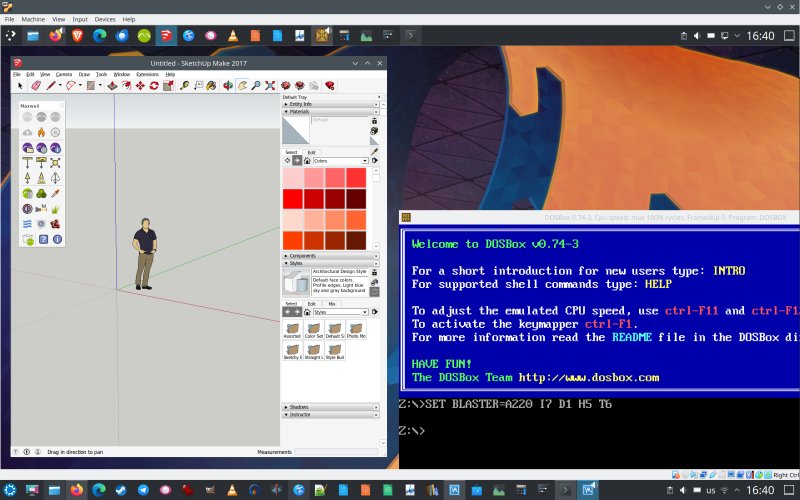
I even installed VirtualBox 7.2 (no more networking issues), and this one helps resolve freeze and stutter problems in Linux-based machines. There's another neat improvement. In fact, 7.2 seems to offer an improved 3D acceleration compatibility for Linux guests. Perhaps I should write a separate piece on this, but in any case, here's the gist of it.
Conclusion
My Executive has now started its fourth year of constant use. I still find the form factor extremely pleasant. The laptop just feels nice, and the display and the keyboard are superb. The laptop also copes with all the modern challenges super easily. Not that I would expect anything less from a computer from 2023. After all, I have machines in their double-digit age, and with SSD, they work superbly well, even now. So, I expect this laptop to continue working loyally for another decade, at least. And with slow, steady improvements in the operating system, it just might.
in the past couple of months, I've mostly encountered good speed, good battery life, fewer issues with the firmware, and a handful of fresh bugs. Other than that, the system works great. I'm having fun. In fact, I am slowly increasing my overall Linux usage, as I've pretty much delegated all and any Windows work save for gaming to the open-source world, and a Macbook's there as heavy backup, in case some things decide not to cooperate fully with Ubuntu. But so far, it's going fairly well. He he, I just might enjoy as much of my time with Linux as I can, while I can. The way things are proceeding worldwide, there might not be any free Internet left in a couple of years. Apart from the "approved" and "verified" Web for the plebs, of course. Anyway, rant over, back on topic. The Executive behaved very nicely this time around. May my lucky streak continue forever more.
Cheers.