Updated: June 15, 2026
Recently, I've had a rather unusual streak of decent luck with Linux. My Kubuntu machines are behaving nicely, and my latest review of the 26.04 LTS showed some good results. Optimism, what. Yes. Buoyed by this unexpected bag of fortune, I decided to do some more distro testing. Sure, over the last few years, I've significantly minimized my involvement in this space, but now and then, the mood strikes.
Today, I'd like to take a look at Fedora 44, Gnome edition. There's the whole only-Wayland thing, which is a terrible thing for the Linux desktop long term, but never mind that for the moment. Perchance Fedora does offer nice, redeeming features. Perhaps I may not be so averse to the Gnome desktop and its anti-ergonomic stance. Perhaps. Overall, I found the current minus two version to be okayish, so maybe, maybe there's hope. Let us commence gingerly forward.
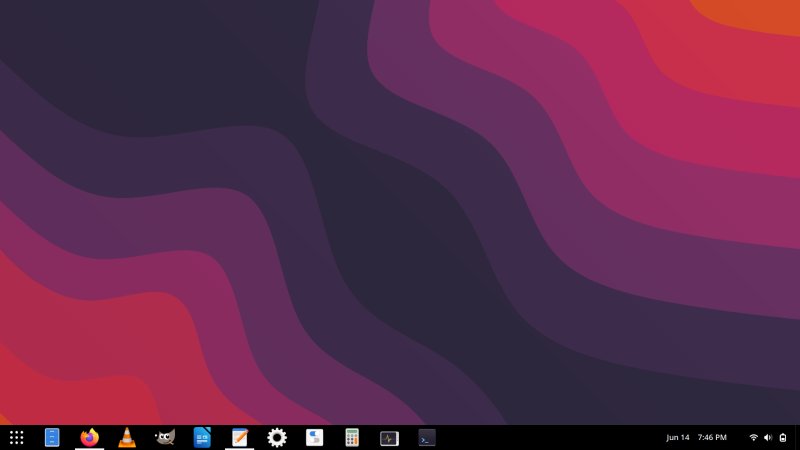
Installation
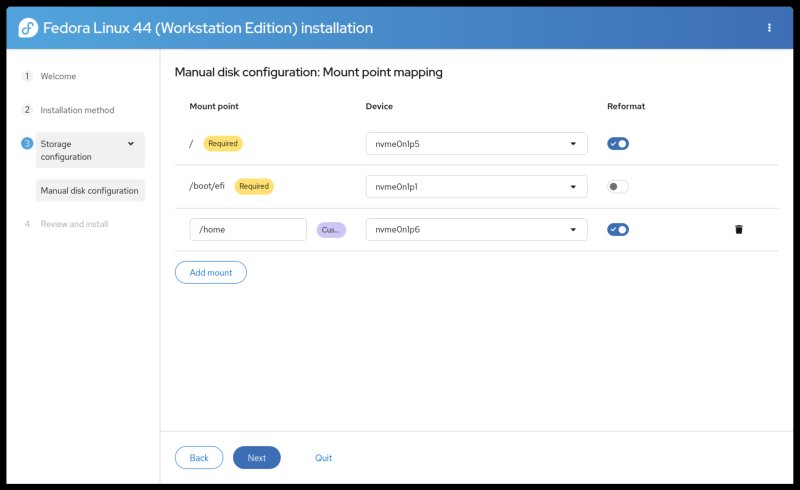
The setup was, hm, okay. The new installer is better than the old one, but it has weird defaults. It offers a separate boot, but not a separate home. Why. And the elements do not visually align ever so. The installer also tries to default to your locale, and switches languages automatically. Miss me with this modern nonsense. Software interfaces should be in English, and I'm saying that as a person who speaks 9,000 languages.
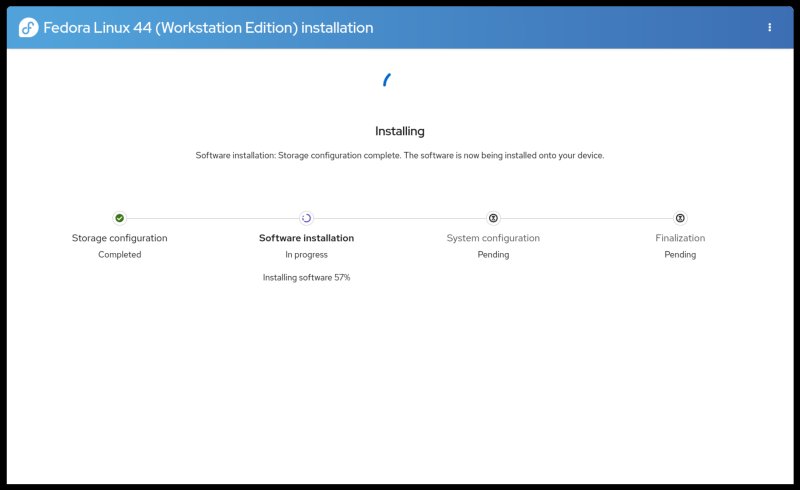
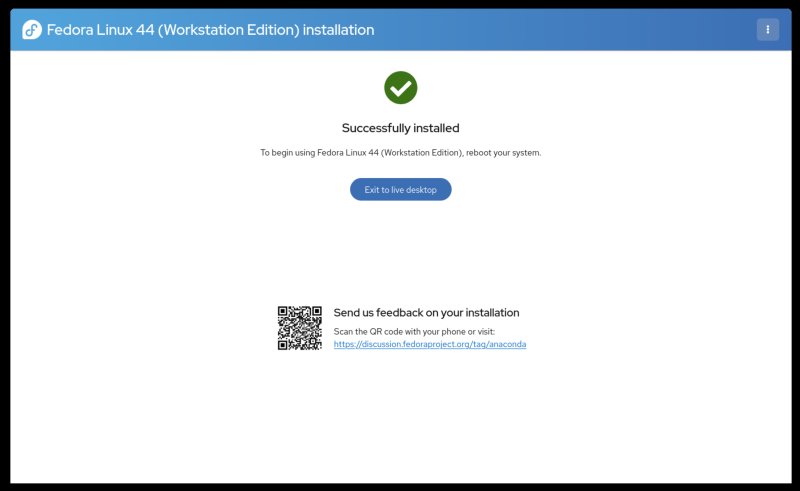
The installation took about 15 minutes on battery power. Not bad. But then, at the end of it, you get a feedback option, and it's a QR code no less! A shitty QR code. On the desktop! The URL is right there. Why would I want to use my "phone" to scan a stupid pictogram to be able to answer a survey or some such, when I can simply copy the URL right there (or even click on it), and do the thing on a big screen, with all the comfort and ergonomics of a normal, full-keyboard-and-mouse UI? Why promote this "modern" monkey-tap solution? To what end? To help big tech normalize QR code scanning so that we all get chimpy one day verifying ourselves to our digital overlords every day? Dear nerds, remember, when Dystopia fully engulfs the world, and you have no more freedom, remember my words. You will only have yourself and your own QR code scanning to blame.
And we jump right into a monumental software management fail
I'm skipping the usual parts, because let me show you something tremendously bad.
There's so much wrong here that I don't even know where to begin. Okay, remember my Fedora 42 review? Remember what I also mentioned in my Wayland performance article? Bad news, nothing has changed since. Gnome Software is still dangerously buggy as the last time.
When you set up your account, Fedora asks you to enable certain third-party repositories. These include FlatHub for Flatpaks, in addition to Fedora's Flatpaks (talk about redundancy and confusion), some PyCharm thingie from COPR, Nvidia and Steam repos from RPM Fusion, and Google Chrome from the official repo.
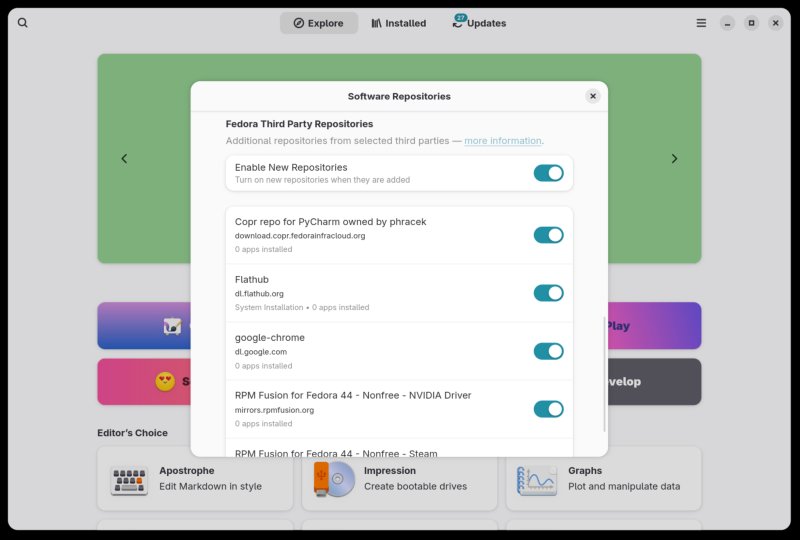
So far so good? Yes? Well ... Let's search for Google Chrome, the world's most used browser. What does Software give you? The official Google's article? Nope! You get the third-party, unofficially-wrapped Flatpak from FlatHub! Now, think about it for a second. If you disable FlatHub, no Chrome, at all.
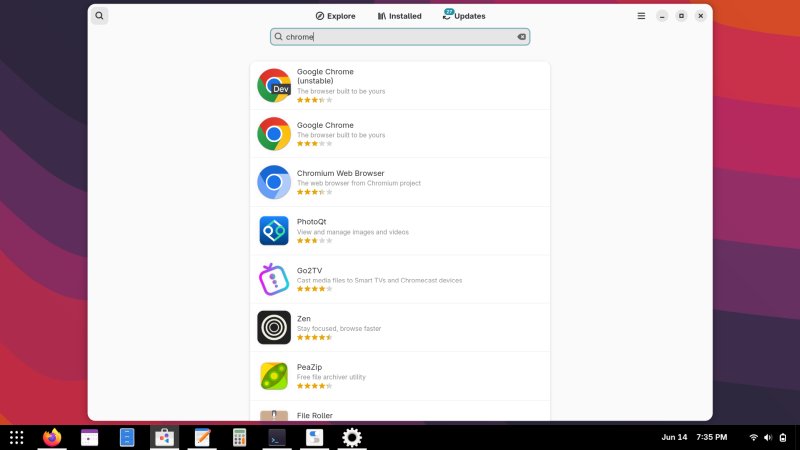
Tons of unrelated stuff, but let's ignore that for a second.
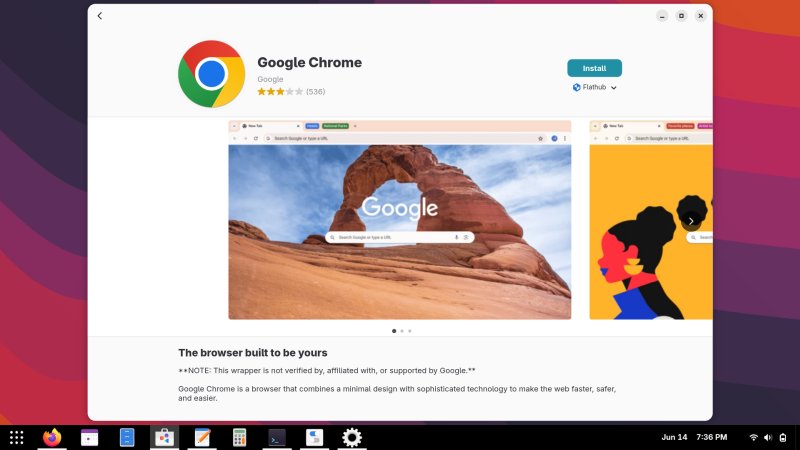
Look at that note: "This wrapper is not ..." but it is offered by Software! And it's the only option. Under Install, it reads FlatHub, but there's no other option. The official Google repo package is not shown. Nope.
Here, FlatHub is disabled, but do you get Google's stuff? No. And also, many other things, all gone, too!
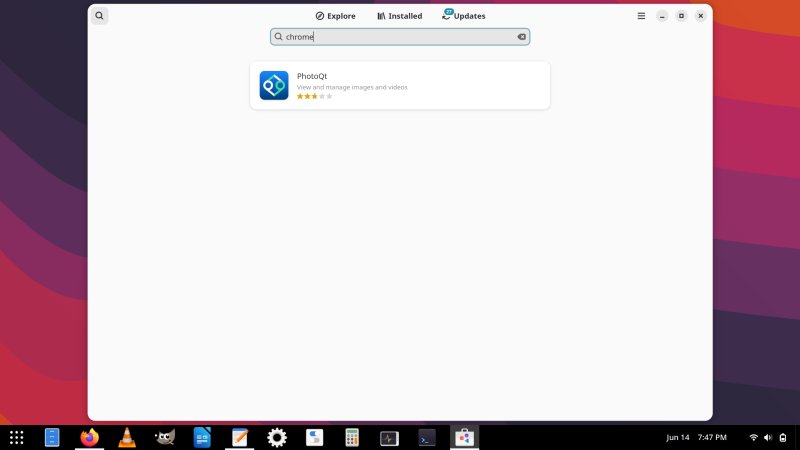
I installed Chrome on the command line, from Google's OFFICIAL repository, using dnf. If you specify just google-chrome, it will install the Canary version, go figure. But no matter, I installed both that and the stable edition. I then opened Software again, and looked what it says. Under Google Chrome, it says 0 installed, even though it's right there, right there! I guess only Flatpaks matter, right!
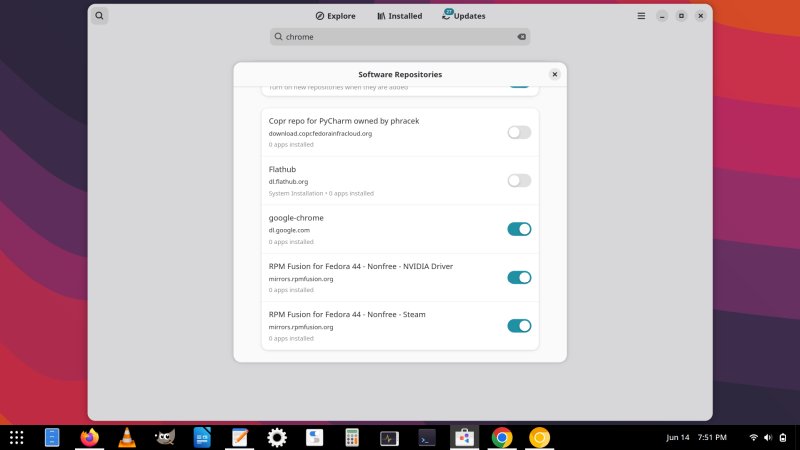
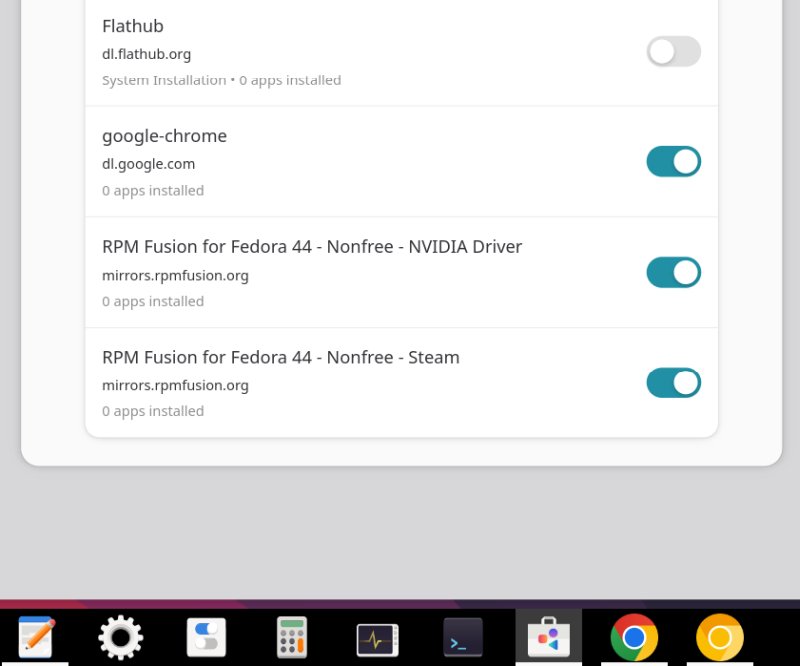
Apparently, not only is the tool's backend broken or buggy, it serves unofficial software. FOR THE WORLD'S MOST POPULAR BROWSER! Even though, even though, Fedora has explicitly added Google's repo there! But I guess, "we" need to "convince" the world that Flatpaks are the best thing ever, much like Wayland is the best thing ever, especially if you make it the default and no alternative. 100% of people who have no choice use the no-choice option, yay!
But yeah, let me summarize that, to fully hone in the message:
- Recently, there have been dozens of hacks of prominent open-source projects.
- There have been breaches of thousands of GitHub repos, mostly npm stuff, ergo Javascript, which also happens to be the language used quite liberally in the Gnome desktop. For example, the various Gnome extensions all seem to be Javascript, based on my understanding of the matter.
- Moreover, there has been a recent AUR breach, with many hundreds if not thousands of third-party packages compromised.
- And Gnome Software serves you unofficial Chrome when the system has actual Chrome available!
But X11 has "security" problems, a "malicious" program could read your keystrokes. Boo hoo. Let's not forget that in the past 35 years or so, there hasn't been a single actual case of this actually happening in the wild, whereas supply chain poisoning, well, you have thousands of instances just from last two weeks.
I know some of you are so deeply committed to the Linux ecosystem you are now seething and frothing at the mouth that I dare speak so ill of the operating system and its mechanisms. But let me then give you an equivalent example.
- Imagine if I created a browser called Totally Legit Browser Trust Me Bro. Would you use it?
- And what if I created my own Chrome version called Almost Chrome. Would you use it?
- And what if I created a software tool called Mr. Software that lets you filter search results. And if you type say Chrome, you don't get Google's Chrome, you get mine, the Almost Chrome. Except to make it funnier, I also named it Chrome, and then added a tiny disclaimer that my Almost Chrome is like real Chrome, and it is the real Chrome underneath, totally, except I packaged it, so it's not really Chrome, but then, it is.
- Would you install this program?
- Would you put your email, passwords, credit card details in there?
- And would you trust Mr. Software with any future search for your programs or apps?
That's it. Technically, this is the end of my review. Everything hereafter is just reporting the rest of my testing, my impressions and such. But if there's one thing that convinced me that I shouldn't bother even trying to use this distro, it's Software. If the heart of the operating system cannot offer me legitimate, official software for the most popular stuff out there, and instead gives me who-knows-how-made unofficial stuff, then the security model is totally and utterly broken, and I don't want anything to do with such a product.
I mentioned this a year ago, and this nonsense is still here.
My hardware "fails" security checks
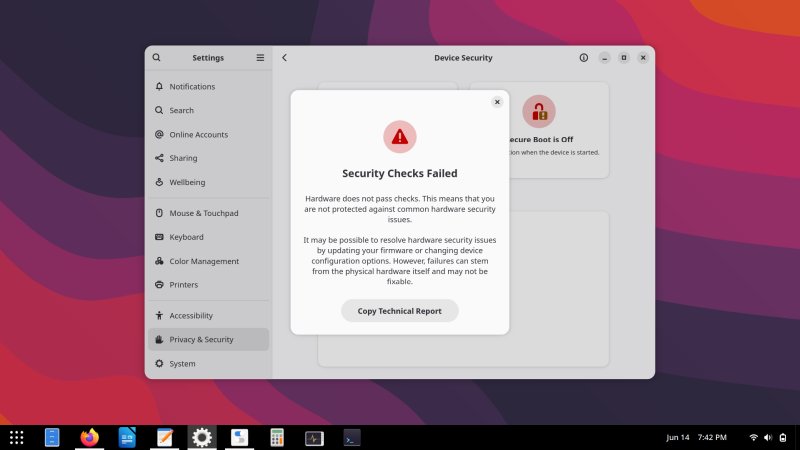
To add insult to injury, there's the Privacy & Security section under Settings, and there's Device Security there, and if you check it, for me, it flashed these big red warnings how my system is insecure. It "fails" hardware checks, which are essentially local-attack problems that no one outside of the James Bond realm cares about, and it fails the Secure Boot check, the pointless nonsense without merit, but sure. Yes, give the user big warnings about trivial issues, but let them install random third-party stuff. Sure, sure.
Appearance, customization
The usual deal. The desktop is unusable without extensions and Gnome Tweaks. I tried to install Dash2Panel from the command-line (dnf), but it wouldn't activate it. I had to go to Gnome Extensions (site), and trigger the setup there. So, yet more third-party stuff, not coming from the official repositories, even though the actual package is available there! Another sad irony, especially considering all that hax0rology happening in the open-source world recently.
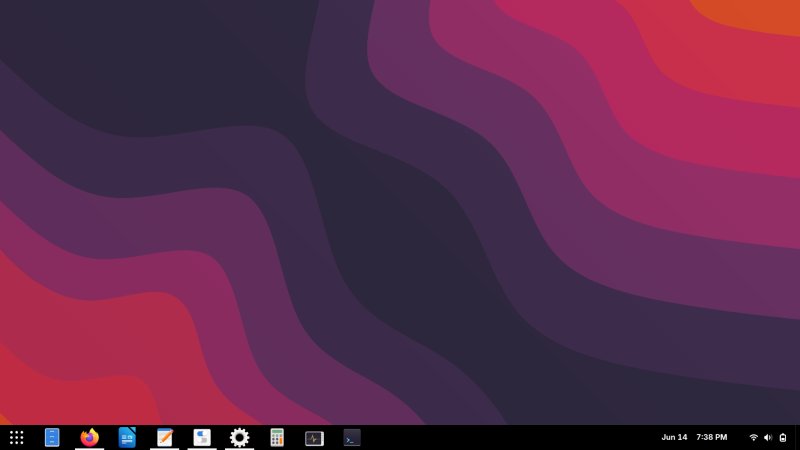
I changed the Adwaita fonts to Noto. Better. I changed the font antialiasing to full and used subpixel hinting. This made the display bearable. The system used 125% scaling by default. I also enabled window min/max buttons, because I'm not a smartphone user on my desktop, and I respect ergonomics. With the desktop panel at the bottom, things become sort of usable, but then, what's the point.
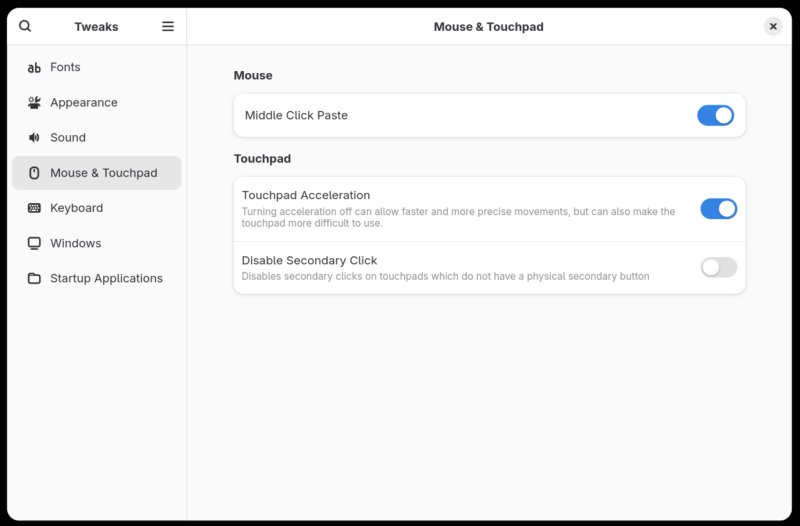
Gnome Tweaks also allows you to use the middle click for paste, as it should be and has been the case for the past billion years. I tried doing some things in a terminal window, and I realized the usual highlight for copy and middle click for paste didn't work. Yet another usecase where Gnome makes it worse! The "shortcuts" are Ctrl + Shift + C/V. So not only is a simple action made 10 times longer, it now requires the use of seventeen fingers to get things done. BTW, how does one press Ctrl + Shift easily and then also hit the other keys with one hand? More pointless anti-ergonomics.
You can say, but Dedo, the keyboard method is faster! No, it's not. How do you select the text in the terminal window, especially if it's not the current active buffer? You can't. You need the mouse for that. And even if you're selecting with the keyboard, you need to hold Shift plus arrow keys (or yet more shortcuts), and this is neither faster nor better than the mouse method. So, disabling middle click is awful. Just awful.
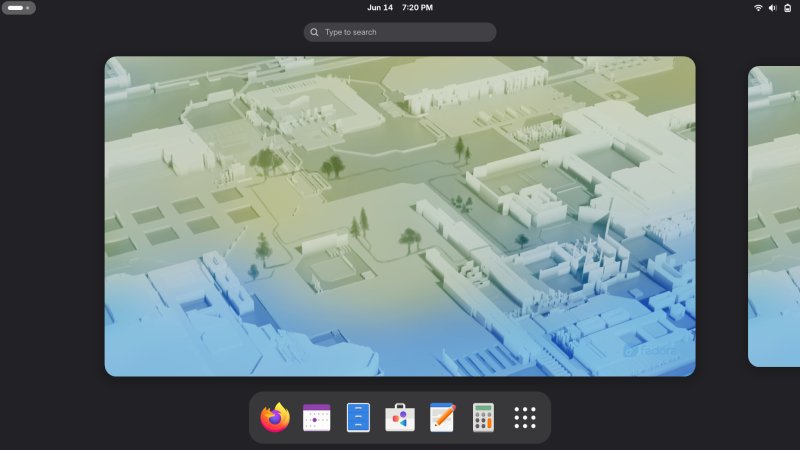
Wallpapers load one by one, one per second, I kid you not. I tried to change the background, and then had to wait until all of the images loaded. Pointless. The default colors are meh. Even the icons are meh. For example, see below, this is what Windows link files look like in Files, just below. Original size as shown. Such vivacious HD clarity!

Applications
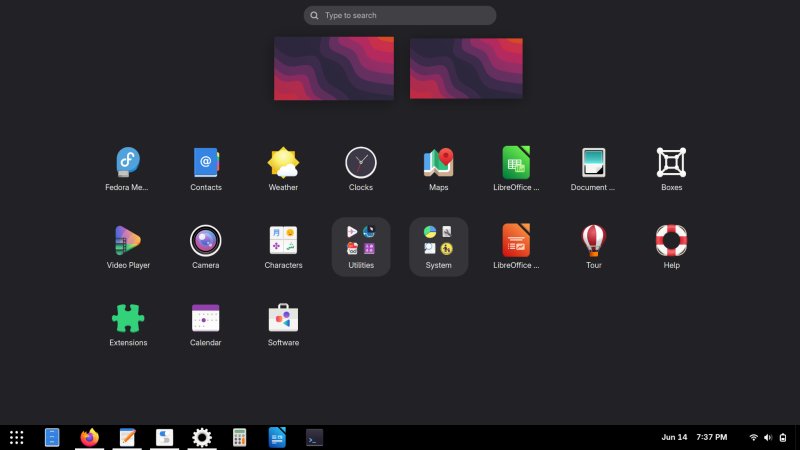
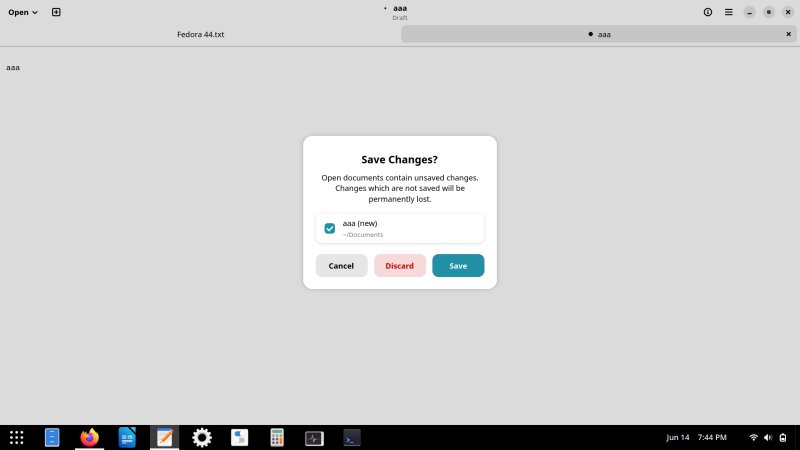
The default collection is rather meager. Nothing exciting. The text editor has an option to restore the session, but this only applies to saved files, no unsaved buffers. The default color palette is bad. I installed VLC and GIMP, but after the software fiasco, I simply didn't have any desire to do anything else.
Hardware, compatibility, performance, responsiveness
The boot sequence is clean but long. My Wireless connection from the live session was correctly preserved and ported. You are asked to enable location services and error reporting as part of the user setup. Why would I care about location? I'm on a laptop. Not a phone. In the live session, I tried accessing the Windows partition that resides in my dual-boot setup, and it was mounted read only. In the installed session, read and write work fine, without any changes on my side. Samba sharing works fine, and the latency is good.
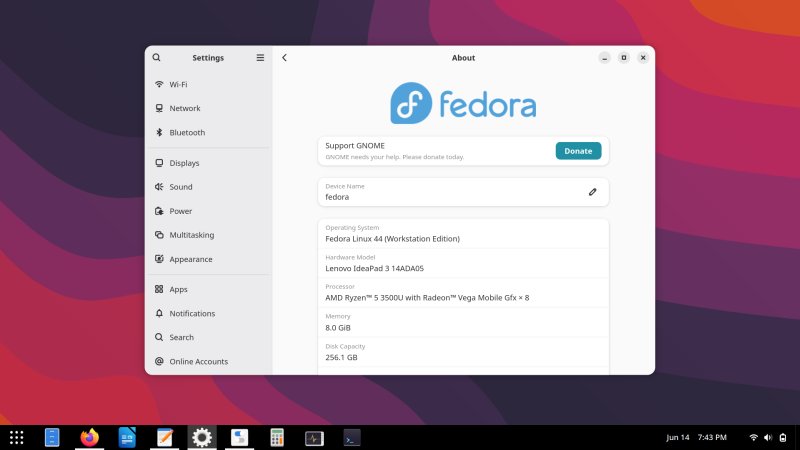
The system worked fine in general, without hiccups or errors. It wasn't amazingly fast, though, but not sluggish either. Considering my laptop is roughly 6-7 years old, one IdeaPad 3 with a Ryzen 5 processor and integrated graphics, the results are reasonable. But most other distros are snappier, more responsive. Yeah.
Conclusion
I actually had moderately high hopes for today, and they all got dashed. The software management is a joke. There's no better way to call it. I mean do we need ten million more repo hacks and such before the Linux world realizes it's not 1995 anymore, and we're not all one happy university community. How's it even conceivable to offer unverified packages for the world's most popular software, and not only that, ignore the official versions at the same time? I can't fathom this. I simply can't. What's the end goal? Show VC-level "growth" that's based on illusions and bandaid? I couldn't find a toggle to disable unverified packages in Software. Yeah.
What angers me even more is the sheer vitriol directed at "old" software for supposedly being insecure, as if the "modern" solutions offer anything better or smarter. Quite the opposite. Modern software is bad. Awful colors, silly ergonomics, worse performance. Nothing fun or redeeming. But hey. Progress we must, right! The obsession with the "modern" to the detriment of basic logic. Systemd, PulseAudio, Wayland, and now, apparently, blind focus on Flatpaks no matter what. You may think I have something against Flatpaks or FlatHub. Nope. Not at all. Let me rephrase that. This distro's software manager gives you the UNOFFICIAL VERSION of the most popular browser in the world, a tool that handles passwords and payment data, even though the very same system offers the OFFICIAL version through its standard package manager. Please read this sentence 100 times. Please. I didn't invent this state. Fedora offers it. By default.
All in all, Fedora 44 feels ... I don't even know what to say. I don't want to contemplate a system that could allow me to install unofficial browser packages so easily, and then what. Nope. Make what you will of this "review", hate me all you want, but just think about the last month of software security, and then ask yourself, if this idiot dinosaur is perhaps right. And we're done here.
Cheers.