Updated: February 13, 2026
Consider this my first sort of longer-term usage report of my Macbook Pro. Now that I've had the device for a couple of months, I've gotten a bit more accustomed to the operating systems and its ways, the good and the bad, some of which I've deliberately changed. After all, for people using both Macs and classic PCs, the difference in the usage mode can harm productivity. I tried to address that in my above-linked piece.
Now, I want to tell you about additional discoveries I've come across, including some odd results and discrepancies. Yes, there be a few of those, too. I refuse to be a fanboy, and hence, I will share all my findings, be they good or bad or weird. Let's commence then, and have a look at the new and interesting things I've come across in the past several weeks.
Time Machine backups
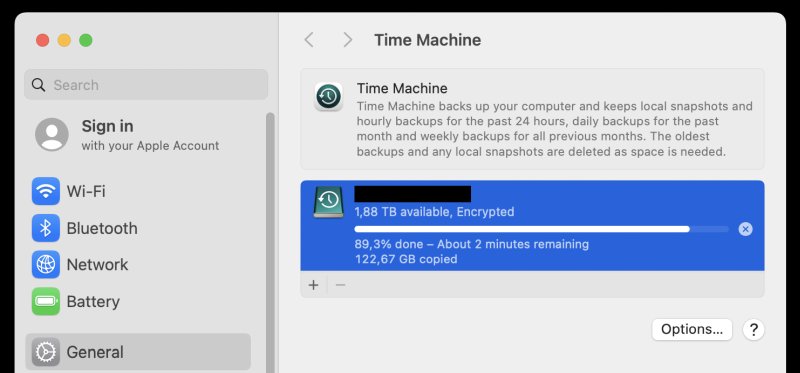
MacOS ships with a built-in backup system. In essence, you can truly and fully create a copy of your operating system and all your data, so if something goes wrong, you can easily recover. To that end, you should use an external source, like a USB drive, for those backups. Indeed, I decided to do that, and see what gives.
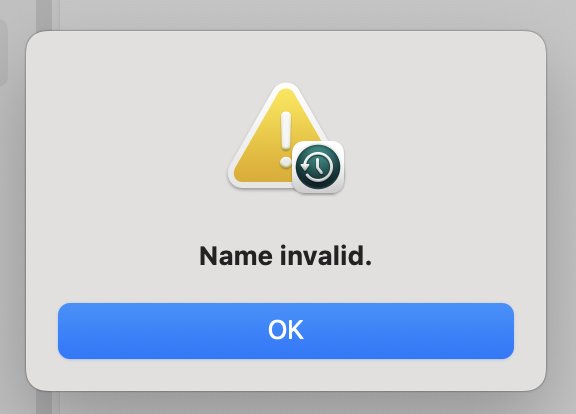
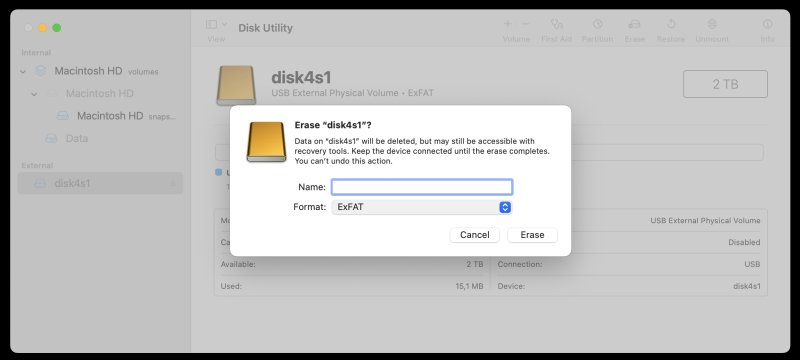
Initially, Time Machine didn't want to work with my disk, because it was unlabeled. Once I gave it a "name", everything was fine, and the utility did its work. Furthermore, when I initialized the disk (in MacOS), I also created an encrypted filesystem, but it turns out, this was unnecessary. As part of its backup procedure, if you do choose to protect your data with a password, Time Machine will then encrypt the device. Therefore, you do not need to manually do any preparatory work. Just make sure you have a disk, with some sort of name.
Printing, easy peasy, toner squeezy
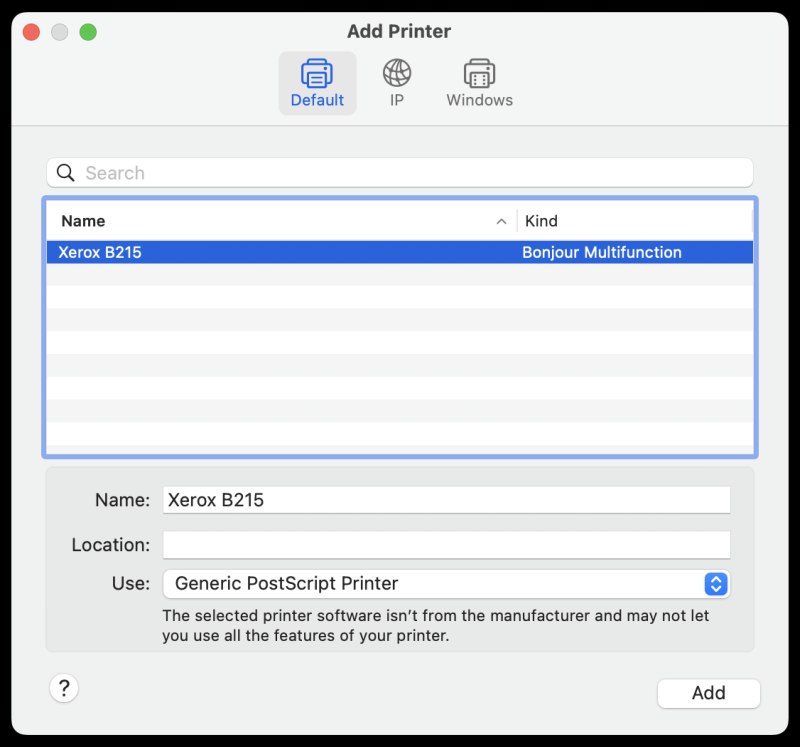
The Macbook had no issue discovering a network printer. Quick and seamless. One thing worth paying attention to is the chosen printer driver. For my Xerox B215, macOS chose a Generic PostScript Printer blob. This may feel weird, but as a general rule of thumb, start with what the system offers, and only if the printing results look off, should you change to a different driver. In my case, the selected choice works great, including the ability to check toner levels, and advanced printing options.
Finder search
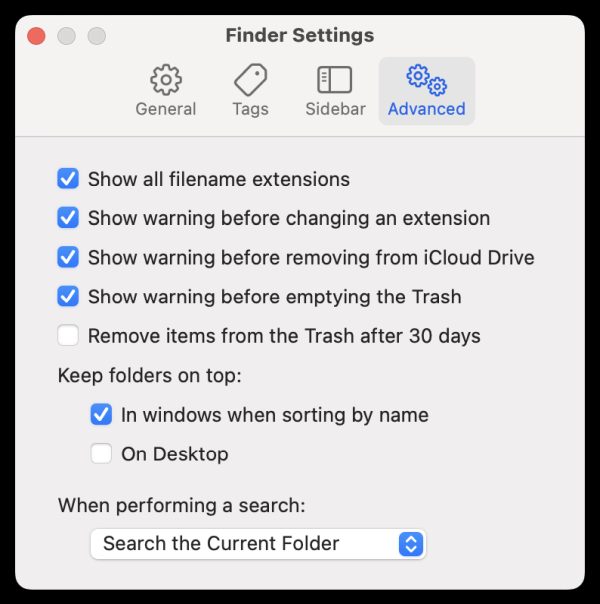
I discovered that whenever you look up a file on your disk, Finder will show multiple results, starting with your entire filesystem. This can be annoying, especially if you want to limit the search to the current folder. You can set this as your default. Click on Finder Settings > Advanced. At the bottom, under "When performing a search", select: "Search the Current Folder". This ought to make things a bit cleaner, simpler.
Finder data management
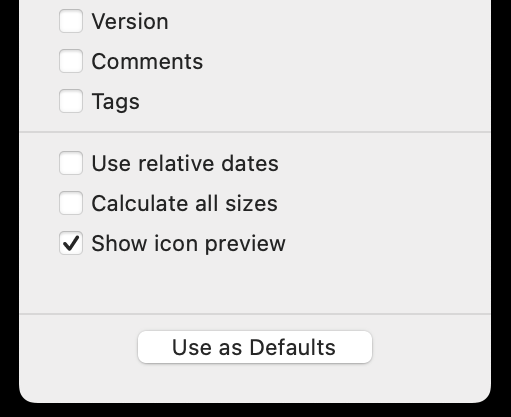
I also wasn't quite happy how Finder sorts out folders and files. Namely, it does not show folder size by default, and it uses a relative date format. Thus, things that happened today will be marked with "today" rather than the explicit date and time value. I guess this helps "modern" generations handle difficult concepts like numbers or something. Luckily, you can work around this, somewhat. For data-listed directories, you can uncheck the box that says "Use relative dates" and check the box that says "Calculate all sizes". The latter does not apply to the icons view though. Similarly, for data-listed directories, sort by name will place folders first, but not if you categorize the data by any other column. The folders first option is always the case for the icons view.
Media playback
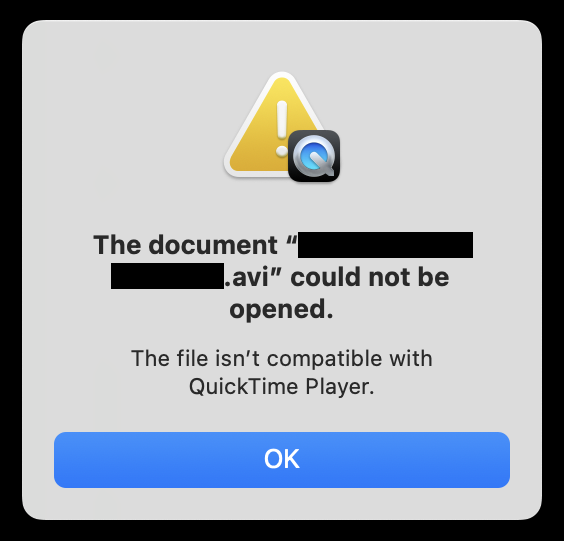
Uh oh, this is a hot topic. In fact, I will need to write a separate article on this. But, as it stands, you may discover that Apple's default media program (QuickTime player) may not play all files. In particular, I noticed it didn't like the AVI format. The solution is to use a different tool. VLC to the rescue! In general, this is my go to media program, across all operating systems, including the iPhone, as it lets you sync local music. Yup.
BTW, do you know what bothers me the most in the popup below? One, that the name of the file is shown over two separate lines. Two, that the movie file is referred to as document. While technically correct, it still rubs me the wrong way. Well, grab VLC and let your worries evaporate. But, but, but. There be a caveat, which we shall discuss soon. A wee cliffhanger, if you will.
Performance, battery life
My system has had roughly half a dozen full charging cycles so far. That does not sound like a lot, but then, the battery really lasts for a long time. Even with heavy browsing, media playback and virtualization, my sessions would last hours upon hours. And working perhaps 2-3 hours at a stretch, I ended up with perhaps one, maybe two battery charges per week at best. Lovely. I am very happy with macOS's performance and frugality.
Some small problems after all ...
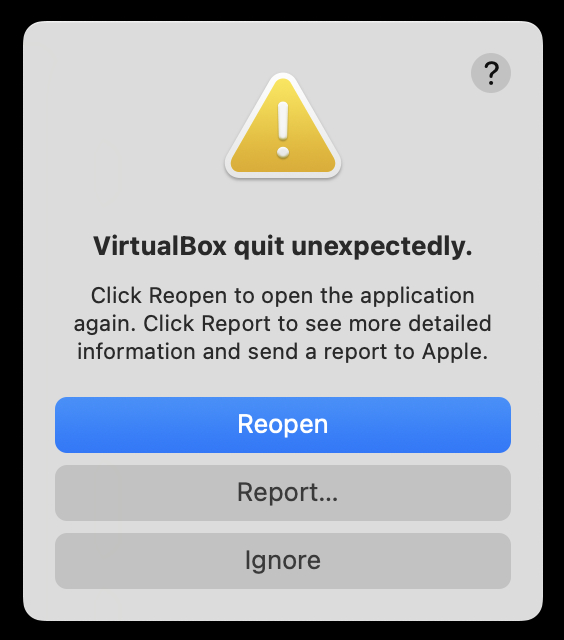
It wasn't all smooth sailing. I did encounter an issue or two. First, Pages could not open ODT files. It could handle its native format or DOCX, but not what LibreOffice uses. Indeed, I needed the latter program to handle a whole bunch of documents. To wit, I will review Pages separately. Second, VirtualBox crashed on me once. The problem did not recur since. Third, after a Chrome update, it wouldn't relaunch. This, too, happened only one time. Since, Chrome's updates have worked reliably. P.S. I've disabled the automatic update, and I run it manually whenever needed.
Then, I noticed that I can't customize the toolbar in Finder. Not sure why. Maybe I'm using it wrong, but I couldn't figure how to drag in new icons onto the toolbar. Is there a limitation to the number of items? Do I need to hold a key? No idea.
And I guess that would be the sum of all my woes.
Conclusion
There you go. The second report from an enlightened peasant. So far, my experience with the Macbook has been quite good. I was able to tweak and change a lot of settings, I have a solid range of programs and tools at my disposal, the performance is excellent, the battery life phenomenal. Most importantly, the system is stable and robust and quite pretty, too. I did encounter a few niggles, but nothing cardinal.
But perhaps the best indicator of my lack of grumpiness with this device and its operating system is the fact I've not felt any rage yet. Sure, some things are slightly annoying, and some of the default workflow paradigms are wrong and un-productive in my book. By and large, I was able to resolve these relatively small obstacles in a fairly elegant manner. Without cursing at the machine. All in all, this is a peaceful system. I like. My next challenge will be to, well, challenge the status quo. I will attempt to upgrade to Tahoe, to see what gives. Stay tuned for updates, me hearties. Coming soon.
Cheers.