Updated: November 25, 2026
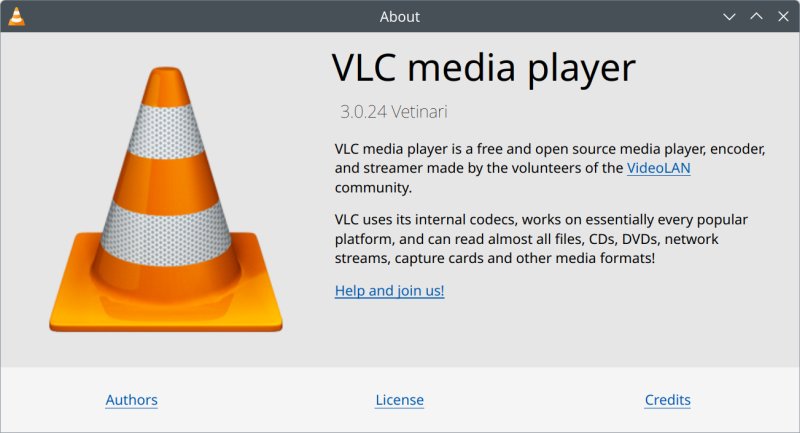
Welcome to the brave new world. Here's a problem I encountered recently. VLC just had a major version update, 3.0.24. As it's a security fix, you want to install it, cor. Now, it is my favorite media player, desktop and mobile, and in Linux, I fired up my package manager, and looked for an update. There was none, and to this day, as of writing, Ubuntu 24.04 does not offer VLC 3.0.24 from its Deb archives, even though the program is included in the Ubuntu Pro ESM Apps arsenal. But not to worry, there's a snap, and it has the latest edition. Great, right?
Except, when I tried to play my DVDs, VLC stalled. There was no video, and the audio was all messed up. No such issue in the older VLC 3.0.20, which comes from the Ubuntu archives, nor any other media player that I have installed, be it MPV, MPlayer, or SMPlayer. It was just VLC as a snap struggling. I quickly realized why. This new-fangled version does not ship with all the necessary libraries for DVD playback, probably due to licensing issues entailed in this silly matter. But as an end user, normally, where permitted by law, you can download these extra libraries, install them, and use your DVD as intended. However, doing so with a read-only self-contained archive like snap is more difficult, nigh impossible for ordinary users. Let me show you how you can sort this problem out yourself.
The usual caveats and all that
As we live in a silly world, playing DVD and such may require you get a "blessing" from the media overlords in some jurisdictions, hence the regional formats, hence the limitations on what you can do with your physical purchases. In some places on this globe, you may or may not be "allowed" to use your paid-with-honest-money DVD in certain conditions. Or you may or may not be "allowed" to create a digital copy of the physical disc in case of damage or degradation over time. I cannot tell you what to do, how or when. But I can show you how to make your VLC snap play DVD. It is up to you to decide whether you should do so, or whether you're permitted to do so. Savvy? Now, let's get down to it.
Basic premise
Ah, before we move on, let's really briefly make sure we're on the same page then:
- Your host media players CAN play DVD. Your host's VLC (Deb) CAN play DVD. It's only the snap that is giving you trouble with this particular aspect of playback functionality.
- You have manually configured and installed the DVD playback libraries from the VideoLAN website on your host Linux system.
- You know and understand what those libraries are, and how you can use them.
- You are comfortable working on the command line for a bit.
- You use Ubuntu 24.04, or a flavor thereof.
Download and unpack the VLC snap
Step 1 and 2: grab the VLC 3.0.24 from the Snap Store, and open the archive. Snaps are squashfs archives, so you can simply unsquash them. This will unpack the .snap file into two objects, the assertion file that explains what the package does and proves its origin from the Store, and the squashfs-root directory, populated by all of the contents of the application, with directories like bin, lib, usr, various icons, and other objects. Technically, the same kind of thing you would see on your Linux machine, except contained inside the snap, and relative to that snap's root rather than your actual root (/). I hope this makes sense.
snap download vlc
unsquash "vlc snap version".snap
For example:
unsquashfs vlc_4472.snap
Parallel unsquashfs: Using 20 processors
14230 inodes (12398 blocks) to write
[===========================================================-] 26628/26628 100%
created 7605 files
created 1133 directories
created 6625 symlinks
created 0 devices
created 0 fifos
created 0 sockets
created 0 hardlinks
Navigate into the directory, copy missing libraries
Step 3 and 4: Change into the unsquashed directory, and go to the following path:
cd squashfs-root/usr/lib/x86_64-linux-gnu
This is where all the necessary libraries live, including all of the libdvd* entries. If you compare the contents of this folder with the one on your host, i.e., /usr/lib/x86_64-linux-gnu, you will notice that there might be several libdvd libraries missing inside the snap, which the VLC developers did not or could not package into the archive, most likely due to aforementioned global licensing and content restriction reasons.
What you want to do is copy those libraries over into the snap, something like:
cp /usr/lib/x86_64-linux-gnu/libdvd* path-to-squashfs-root/usr/lib/x86_64-linux-gnu
You can be selective what you copy in. First, you don't need to copy any identical libraries. Second, you can copy one or two, test, and if everything works, call it a day, and if not, copy some more. You can also copy files and preserve symbolic links. But it doesn't matter in this case.
Test if it works
There are two ways to check whether your "improved VLC snap does the job. Inside the squashfs-root directory, once you have copied the files, run:
snap try
This command will launch the snap contents of the directory, and let you see if you can play DVD. But you will need to uninstall this "trial" snap eventually. Alternatively, you can package the modified contents, with your added libraries included, into a new snap, which you can then install as any other package. This is done by running (in the squashfs-root directory):
snap pack
Now, your packed snap may be smaller in size than the Store-sourced version, even though you've added data into it. For example, for me, the original VLC snap weighed upward of 250 MB, but mine was only 204 MB in size. The reason is, by default, the Store uses the XZ compression, which is more widely supported, whereas your local system will most likely utilize the more efficient LZO, resulting in a big difference in size. Nothing to worry about.
Next, the installation. You can install it as your only VLC snap, or you can install it in parallel to your from-the-Snap-Store VLC snap. Indeed, the snapd service allows multiple parallel installations of the same application (probably its best feature), but they will all use the same namespace, so there might be conflicts with databases locking, any running services and alike. Anyway, allow parallel installs:
sudo snap set system experimental.parallel-instances=true
Install the snap, with an aliased name. This is done by specifying any which prefix to the snap name. You must use the underscore character as a separator, for instance vlc_better or vlc_dvd. And you also must include the dangerous flag, as this modified snap does not originate from the Store (nor will it get any updates). If you don't, you will get an error.
sudo snap install --name vlc_dvd ./vlc_3.0.24-rc1_amd64.snap --dangerous
Now, you have VLC installed as an additional snap. With the host libdvd libraries copied into the VLC snap, and the snap repacked, I now had excellent DVD playback, with no video and audio stuttering, plus good hardware acceleration, and it's possible to transcode at speeds that match the Deb package of VLC (3.0.20). I've done all my testing in Kubuntu 24.04, but the principle is the same for most other Ubuntu-based distros and versions.
The playback now works as intended. The snap throws all sorts of errors, but they have no effect on the actual video and audio. Seems like yet more unnecessary misconfigurations.
...
dvdnav demux: DVD disk reports itself with Region mask 0x00fd0000. Regions: 02
main audio output error: too low audio sample frequency (0)
main decoder error: failed to create audio output
vlcpulse audio output error: digital pass-through stream connection failure: Input/Output error
main audio output error: module not functional
main decoder error: failed to create audio output
...
libva info: VA-API version 1.20.0
libva info: Trying to open /snap/vlc/x1/gpu-2404/usr/lib/x86_64-linux-gnu/dri/iHD_drv_video.so
libva info: Found init function __vaDriverInit_1_20
libva info: va_openDriver() returns 0
avcodec decoder: Using Intel iHD driver for Intel(R) Gen Graphics - 24.1.0 () for hardware
decoding
...
Additional considerations
The process above won't necessarily work for all other distros. You cannot just package Fedora-based or Arch-based libdvd shared libraries into a snap. You need Ubuntu builds thereof, or at the very least Debian ones, but even those might not work. Furthermore, there might actually be build differences between your host and the snap's own root environment. Your libraries may not be compatible with the snap, if say you use Ubuntu 18.04 or 20.04 as a host, or perhaps a newer one, like say Ubuntu 26.10.
The best way to succeed is to grab the necessary DVD packages for Ubuntu 24.04 - as the VLC snap has been built against core24, i.e., this very LTS. Alternatively, you should build and compile the necessary DVD packages on an Ubuntu 24.04 system. Follow the VideoLAN instructions on how to do this. You can use a virtual machine for this. Once you have the libraries, copy them.
Your host libraries may potentially also have security vulnerabilities. As your self-built snap does not get updates, you have to be comfortable with the product, and understand what you get and what you don't get. In this particular case, the change is quite small and easy to understand, but even so, you need to be aware of potential limitations.
As an aside, say no to atomic distros
We talked about this before, but I guess this is an excellent example of what might happen if Linux distributions all go down the atomic route, i.e., mimic Google and give you a Chromebook-like experience with distros that have a read-only system, and on top of that, you merely use Flatpaks or snaps like some silly pleb. While the idea isn't bad per se, it also means anything, ANYTHING not included in your atomic distro most likely won't work.
Imagine you're running one of these fancy new distros, and you hit this very same problem, regardless of the package format. Now, you could be in a jurisdiction where any which DVD use is entirely fine, but the distro ships with only one version, the restricted edition. What now? You cannot just download and supplement your system with extra libraries. You will need to overlay them onto your read-only filesystems, or repackage applications, if at all possible. This sounds cumbersome, and quite unnecessary.
Unless you get 100% from the atomic distros to start with, you won't have 100%. And most likely, you won't. It gets worse. The atomic distros will be governed by local laws wherever they are made, so arbitrary decisions will also dictate how you can or cannot use your system, halfway across the globe. This means you may suddenly discover your root-less Linux does things on its own, and you have no say. I mean, if you want the Android or iOS experience on your desktop, be my guest. But if you actually want an operating system where you can install, uninstall or modify things as you please, then you don't want atomic distros.
Remember, dear nerds, the Linux desktop today is half-broken, but you can at least debug it and make changes of your own to compensate for the missing stuff. Tomorrow, your Linux desktop will be read-only. It will still be half-broken, but you won't be able to fix anything on the system level. And let me not get started on Linux stores and unverified apps, please. I don't want more Google-like solutions in my life, thank you.
So, the DVD story is an excellent, excellent example. I paid lots of money to get my collections. I own them, and I can do with them whatever I please. They are mine, my precious. It's also an ancient standard, and yet, even now, decades later, we still have to play the silly game of content restrictions. Do I live in California? No. Is Ubuntu made in California? No. And yet, my desktop still doesn't get all the libraries from the get go. Even VLC does not ship with the relevant DVD libraries for this reason, but at least it tells you how you can get things working. You need to manually install and compile codecs like it's 1994. But you know what, okay, fair, that's how the world works, there's a simple workaround, and in Ubuntu, there's a package that automatically configures it all for you, without much fussing. Not fine, but fine.
But then, when you get a snap, it won't use your host libraries. You are limited by the shipped, packaged solution, whatever it is. Thus, you now need to become a developer, understand the snap - or Flatpak for that matter - ecosystem intimately, and make changes to your application just so you can enjoy content you bought and paid for. And all this so you can match the functionality of your unpatched VLC 3.0.20 in your Ubuntu, the very same VLC that is supposed to be covered by Ubuntu Pro ESM Apps patching.
Basically, it comes down to this:
- Today, Linux desktop, half-broken, but you can manually fix things.
- Tomorrow, Linux desktop, half-broken, but you may not be able or won't be able to fix things.
- And Linux desktop will never be not half-broken. After thirty years, we have enough data that proves that.
That's all there is to it really. Sad and about to become a lot sadder.
Conclusion
If you use VLC, and you tried the latest version as a snap, you may discover DVD playback issues, due to missing libraries that most likely couldn't be added into the snap due to licensing issues or such. However, the snap format is restrictive by design, so if you want to use VLC as a snap AND watch your DVD, then you will need to unpack, modify and repack the snap. This guide shows how to do that.
Now, this entire story is quite sad. It's a classic Linux self-inflicted problem superimposed over the nonsensical topic of "restricted" media playback, because, apparently, the greatest sin in this world is for honest people who paid honest money for honest content to enjoy that content. All I wanted to do was play my own DVD on my own machine in an updated, patched player. That's all. Sure, I can keep using VLC 3.0.20, or use a dozen other programs with the same functionality. But I wanted VLC, and the patched .24 edition. Me stubborn. Because Ubuntu has not yet added this version into the relevant repos (and I don't know if they ever will), I was "forced" to use the snap. That would be the end of it, except, the snap offers reduced functionality. Hint: there's a Samba issue, too. So to gain back some of the VLC functionality, snap to Deb, I was "forced" to assemble my own version of the program, with libraries from my host system. That's not modern ease of use and progress, that's a regression. Ideally, VLC would download and build the missing libraries on the fly, but this snap doesn't do that. Year 2026, and all such, blah blah. This is the "modern" world. 80% functionality, 80% of the time.
Here we are. Hopefully, this tutorial proves useful. It is also applicable to any other snap, and the same principle, with only a tiny change in syntax, applies to Flatpaks, too. While I like the portability that these new formats offers, every now and then, I'm reminded how incomplete they still are, and how they, inadvertently, push Linux toward the caged store model a-la smartphones. Me no want that. Bye bye.
Cheers.