Updated: June 10, 2026
Why on earth would you be reviewing a smartphone that is by now two years old, you be asking? And why not, I be answering. Having friends is a good thing. Having friends who want to buy themselves new hardware and are willing to loan you their old stuff so you can test it and write articles about is even better. This is why we're here, to see what gives. After all, Google's Pixel is probably as Android as you can get. Or is it?
Today, I will try to show you my take on a high-end smartphone. True, I will be looking at older hardware, but Google intends to support this phone for a long time. Seven major upgrades, at least, which means we're looking at five more years of a fully relevant, fully up-to-date experience. Furthermore, the Pro model comes with fancy cameras, so you might like that angle, too. Lastly, you've already seen me cope with the latest Samsung and Fairphone devices. This will be a fresh third dimension to my Android tribulations. Commence.
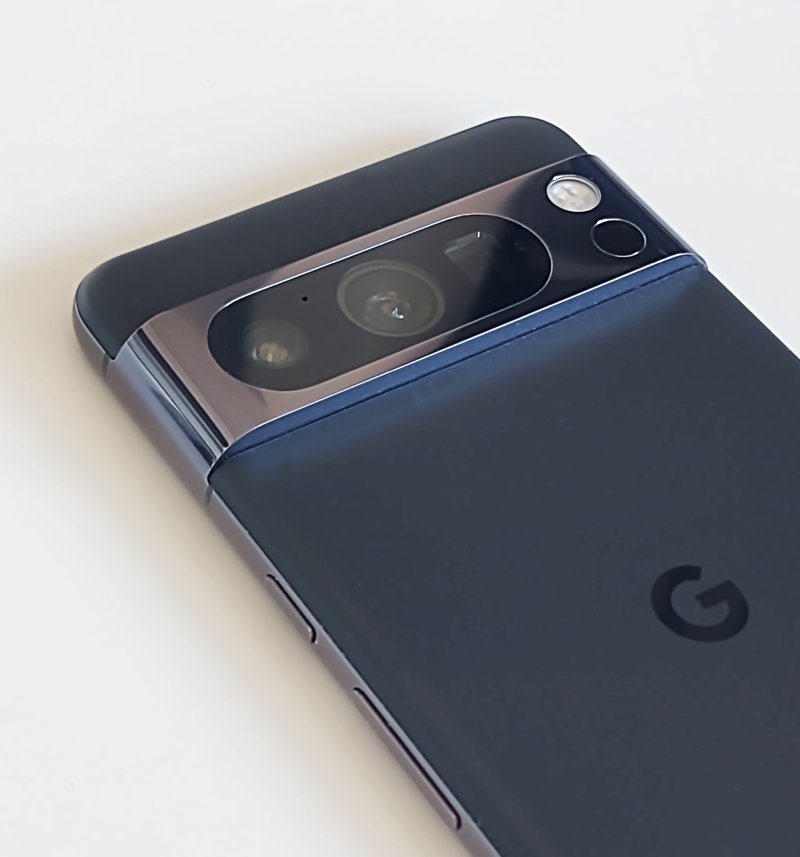
Specifications and such
Very briefly, let's cover this. I know many of you relish this part, but truly, I will merely be rehashing what the official spec sheet says. You're here for the experience, my experience. The dry numbers are just that, and they don't tell half the story, as you shall soon discover.
The Pixel 8 Pro is a sizable device, 6.7 inches across, weighing 213 grams. I apologize for mixing units. It comes with a 489ppi density screen at a rather unusual resolution of 1344 x 2992 pixels, go figure. Aluminum body, inside which you will find a nine-core (yes, nine) CPU with three tiers of frequencies, Mali-G715 graphics, and, in this case, 128 GB of storage paired to 12 GB of RAM. No SD card, No 3.5mm jack, one 5050 mAh battery pack. The sensor array comes with tons of stuff, including 5G, tri-band Wi-Fi, Bluetooth, multiple positioning mechanisms, fingerprint reader (under the display actually), compass, barometer, thermometer, and then some.
The back camera set is quite fancy, with three lenses, up to 50MP-size photos plus 5x optical zoom, and stabilized 4K60FPS video. At the front, you can take selfies in 10.5MP size. There are more fancy numbers, like focal point, lens angle and such, but those are nerdy stats. What matters is whether the device can actually shoot nice media, and we will check that later on.
You can change both wirelessly or using a 30W charger. There.
Clean setup, or is it?
I decided to start fresh, so to speak. Reuse an account yes (not my friends, my own), but not import any settings. As I went through the menus, I got to the account part. After I provided my email and password, Google decided to use the prompt method as the second factor of authentication. Indeed, I saw the prompt on my other phone. But I decided to use a different method - pure and simple 2FA. Why you ask? Because I'm a literate human being, and hitting "Yes, it's me" on a vaguely worded prompt that does not disclose enough details to make it truly useful is not a sign of information security diligence. So I logged in the old-fashioned way, as one should.
The start fresh method wasn't truly fresh. I still got my contacts, calendar and notes. Calls and messages were not imported. I guess this is fine, as the first three are associated with the relevant Gmail account. Just an observation. No ranting just yet.
During the setup, I did decline a bunch of nonsense, like location, assistant and such. The phone was set up with the pointless dark theme. I so hate this. If only the theme was nice and legible, but nope. No one has mastered the concept of dark themes since Windows Phone. It's uncanny.
Being two years old, the phone had Android 14. I went through various settings, and I was pleased, sort of. There was very little bloat. But then I upgraded the phone to Android 16, and things got messy and quite annoying.
The upgrade brings all sorts of un-joys
Let's start with the good stuff. Pixel upgraded itself from 14 to 16 in one go. Download included, the whole thing took only about 20 minutes. Very nice. But then, I was greeted with a setup that is ergonomically worse, and loaded with undesired apps.
As I went through the app list and disabled or uninstalled anything that I could, I came across pointless stuff like AICore, AI wallpapers, Emoji Workshop Wallpapers, what the ... AI wallpapers? What? Do I look like I was dropped out of the baby stroller five too many times? Then, the Victorian morality SafetyCore has been added, too. Nudity, public enemy number one. Not social media propaganda, not the billion online scams, not the incessant torrents of politics and violence. No, not those. Flesh. GTFO.
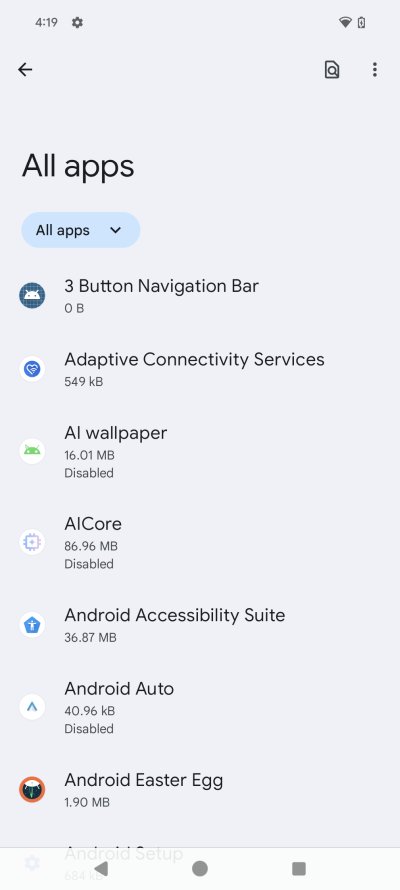
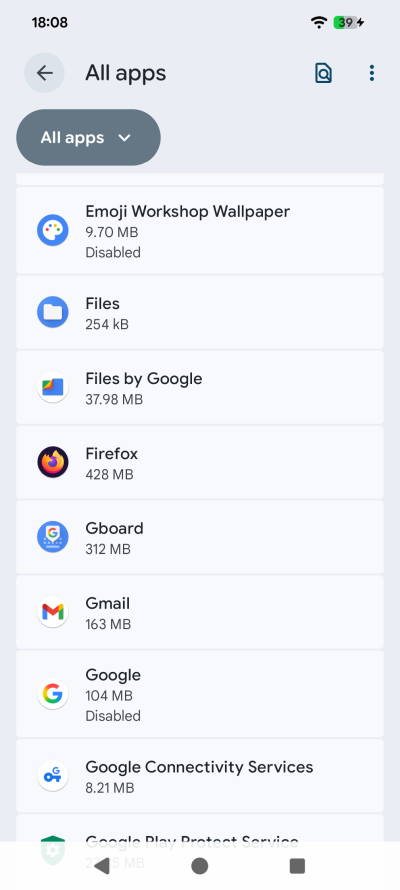
Emoji workshop wallpaper ... Color me stunned.
Dreams. Some app that empowers ... nope, not interested. I'm not from California, I don't care. Then, we have FitBit, Pixel Buds, Pixel VIPs, and then some. Vanilla, this sure ain't. What made me sneer with derision is that supposedly, Google gives you a nice, tidy Android experience. But the difference is, you get their bloat. And technically, it's just a different basket of bloat compared to say my Samsung A54. Or even Fairphone, for that matter. You just get loads of unnecessary stuff that is designed for hyperactive maladjusted people with little to no impulse control. Why would I want or need "buds". No. I'll use my crusty 3.5mm audio jack via USB-C adapter until the Universe freezes over.
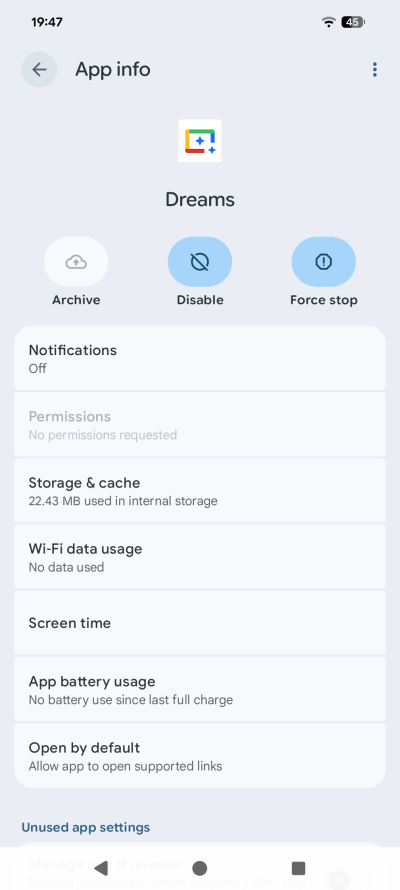
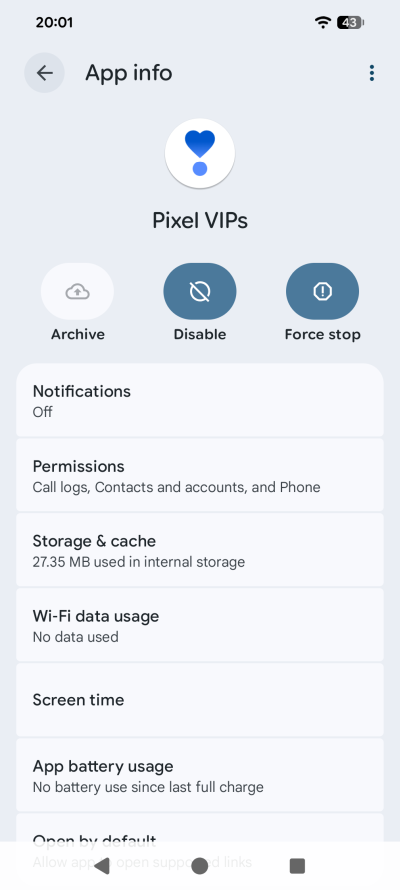
At first I thought Dreams was an app by Fleetwood Mac, but no.
Security and privacy
I had to do a lot of pruning. A lot. A whole lot. There were lots and lots of apps that had to be removed, lots of permissions that had to be removed. For example, why do Pixel Camera and Pixel Camera Services have the ability to modify Wi-Fi settings (special permissions)? Why? Why does Android Auto have all files access?
As app updates trickled in, there was still more nonsense. I had Cross-Device Services disabled, but an update reenabled this app. Nope. You also need to show system apps to be able to disable still more unnecessary stuff. For example, there are not one but two Google Assistant apps listed. I disabled both. But you also want to make sure the power button, yes the power button, isn't associated with Assistant/Gemini activation.
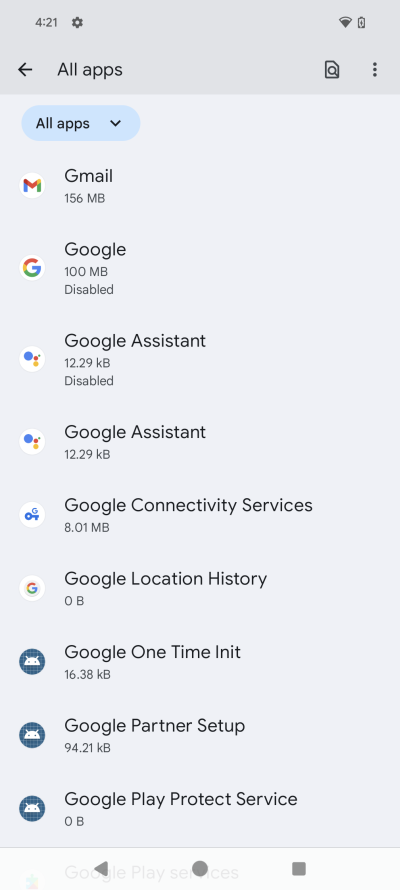
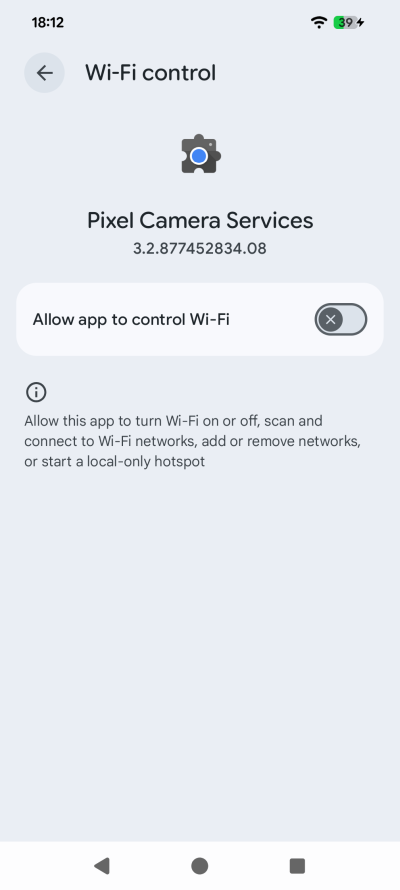
You disable one assistant, but there's one more still. Why would the camera control Wi-Fi?
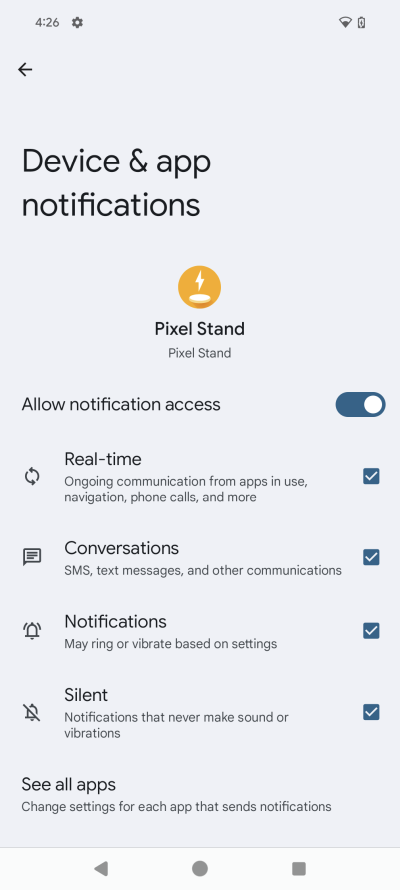
Pixel Stand? What? Why does it need notifications? Games Dashboard? Why? Some sub-menu had "scan for nearby devices", which I promptly disabled. I see the 'rona obsession with Bluetooth scanning persists. I also needed to turn off something called Ultra-Wideband under Wi-Fi settings.
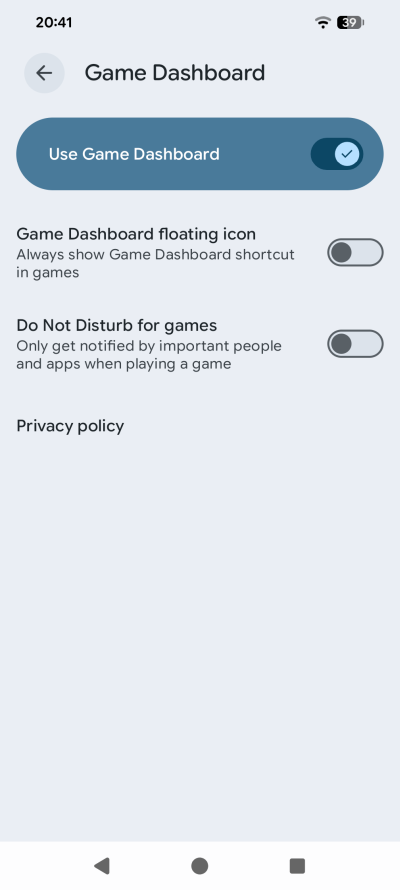
Modern systems do not need any age verifications. Game Dashboard is the ultimate test of maturity. It's quite simple. If you toggle this thing on, you are automatically labeled a non-adult. Or if you immediately disable it, you're labeled a dinosaur and allowed onto the Internet. Very simple.
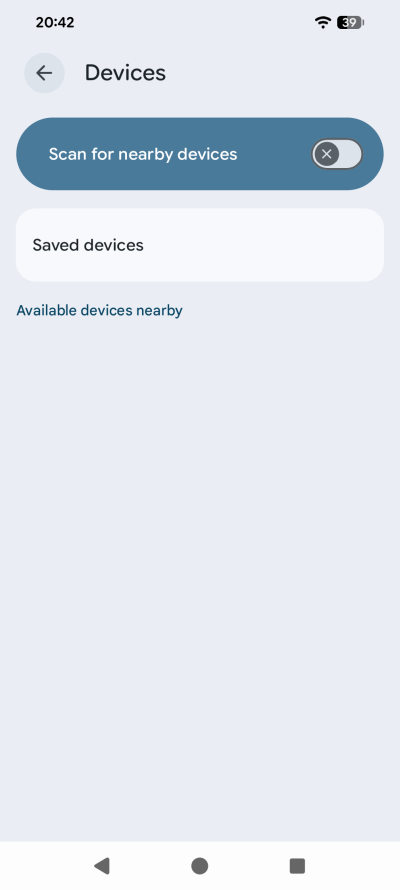
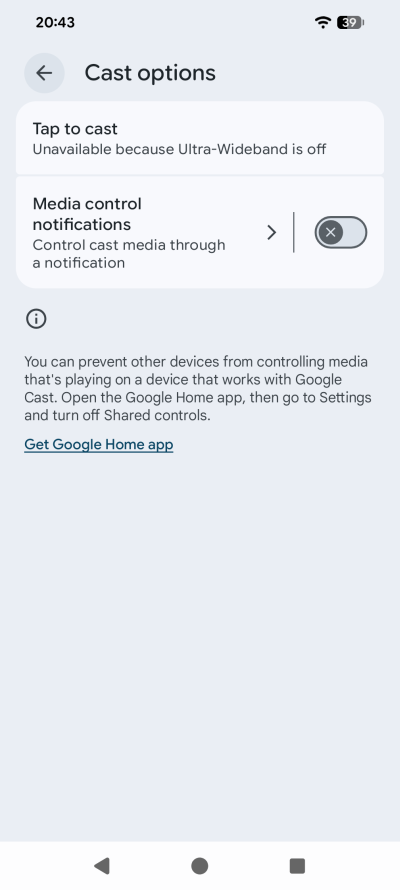
You know what, I'm gonna not scan even harder! This whole smart home cast circus is depressing.
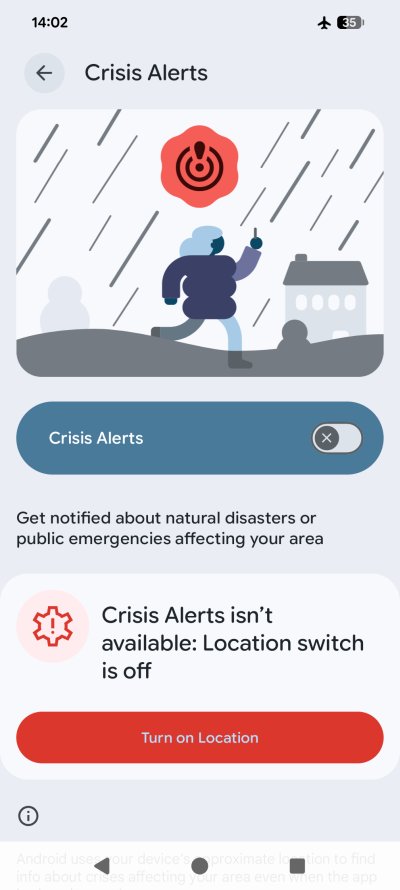
After one or two updates, a couple of apps went back to being enabled, even though I had disabled them. Another few had their permissions updated. I had to turn off Crisis Alerts, twice. Here, it would seem someone had complained, just as I did in my Fairphone report 1, and they seem to have updated the person/jacket icon colors so you won't think it looks like a doggie mine. Or maybe, it's just a coincidence.
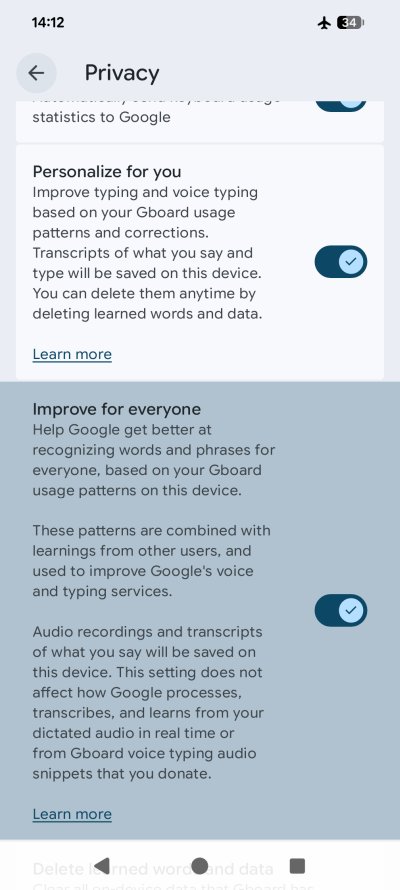
I also had to disable a lot of Gboard stuff. I've mentioned this in my Android privacy guide. But you always always have to be on the lookout for any sort of predictive, usage, voice, all sorts of nonsense and such. So exhausting. There's also an unnamed system app. No data. Nothing. But it has system modify permissions, and you can't disable it. Well, I neutered its permissions as much as I could, and I disabled its background data, for what it's worth.
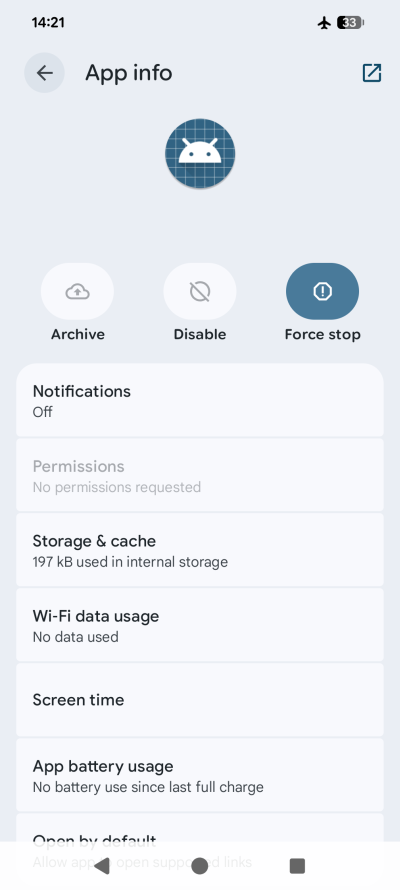
An App with No Name, a new blockbuster by Sergio Androidone.
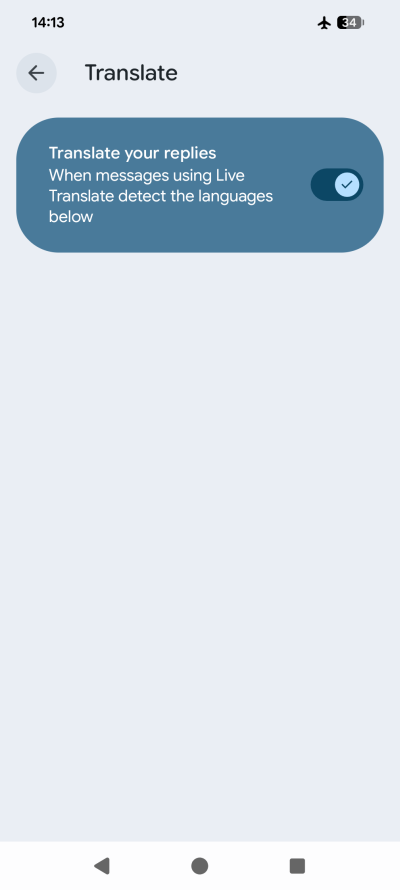
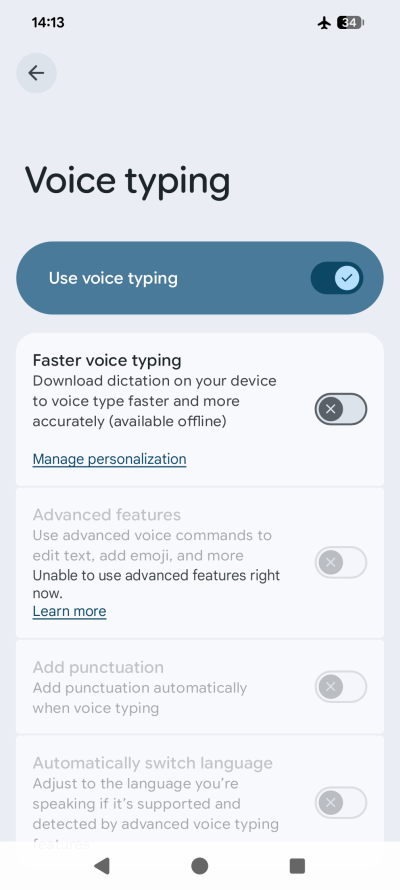
Translate replies? What? And voice typing? No. I take my communication personal.
Usability, or rather ...
I complained about Android 16 being less ergonomic in my Fairphone 6 first long-term report. This confirms me. Most of the annoyances come from the operating system itself, and are not unique to this or that Android implementation. Like Do Not Disturb being called Modes now, because we need to be hyperactive, of course.
Worse yet, you get something called Transit enabled, plus Driving and Sleeping modes, but to get rid of them, you need to set them up first, then disable them. What nonsense. Still, now, it takes two taps to activate DND rather one it takes elsewhere, or took before. And no, I do not want to have my phone manage any modes. I don't care.
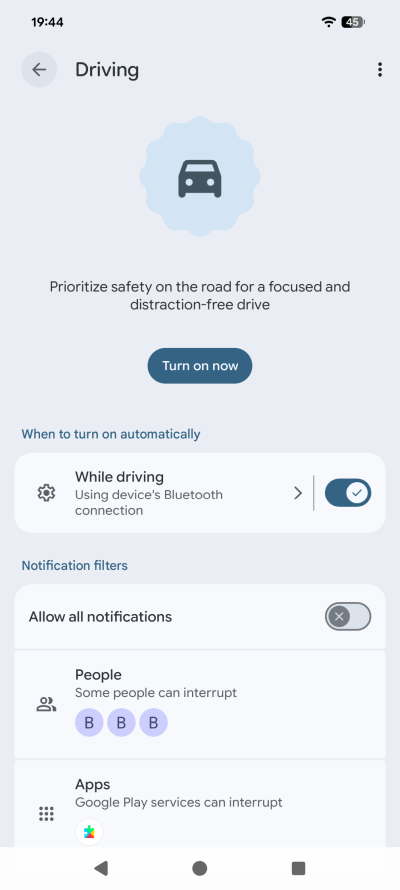
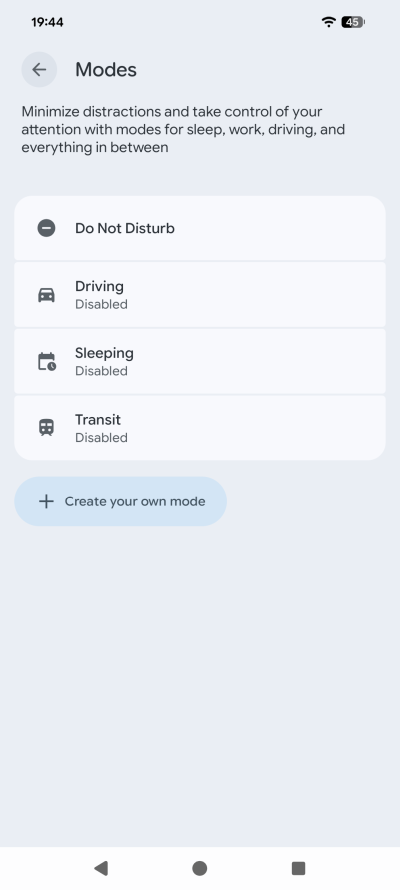
Look at that sentence: "Prioritize safety on the road for a focused and distraction-free drive". What. You know how you focus on the drive? By focusing on the drive! You don't use your phone. Period. Very simple. Probably hard to grasp for people born after 1990, but it's possible.
I had to increase font size and contrast to use the display comfortably. On the Samsung A54, I actually had to do the opposite; make text smaller. I also disabled adaptive refresh rate - 60 Hz for the win - plus I also disabled motion and transparency, because I don't care. My phone is not a fountain of joy. It's a tool.
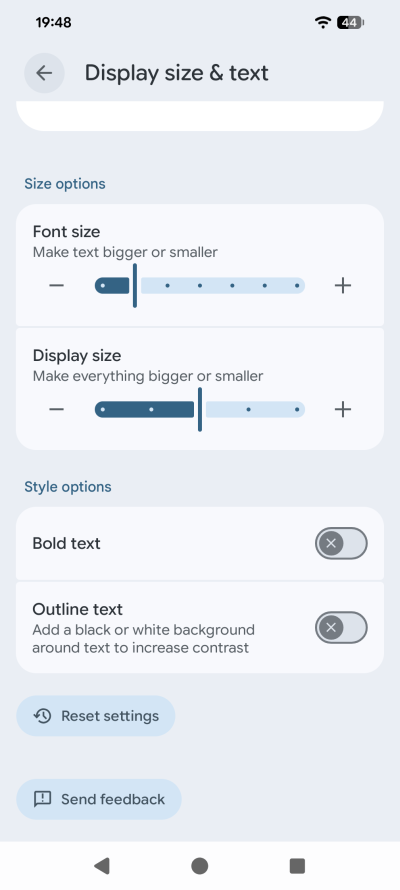
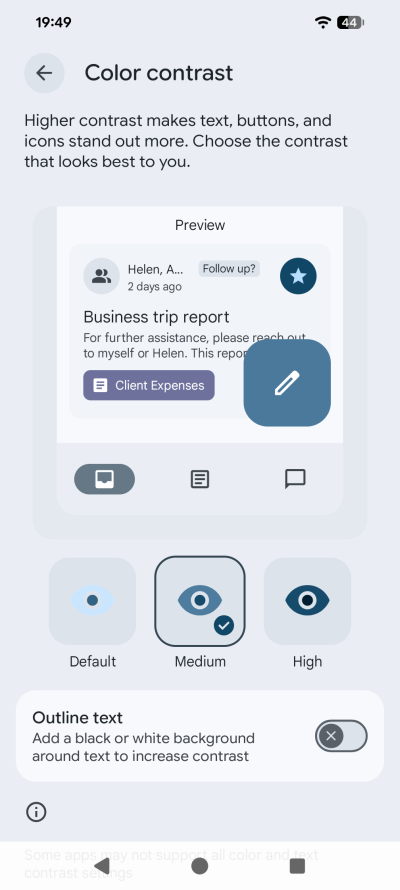
At least Google sorted out the status bar icons, unlike what I've showed you on the Fairphone.
Now, let's get into really annoying things ...
The Home screen had date and day shown on the top left. This widget is unmovable. But check this out, you can add a nicer, bigger widget in the middle of screen instead, and this tiny turdling will still be there. The remedy is to create a second Home screen, replicate all your icons yonder. It's a very silly solution, but that's what one must use if they don't want ugly asymmetry staring back at them. Similarly, you need to tweak the Lock screen clock to large so it doesn't look like a scene from Black Hawk Down, with haphazardly scattered clock and date elements everywhere.
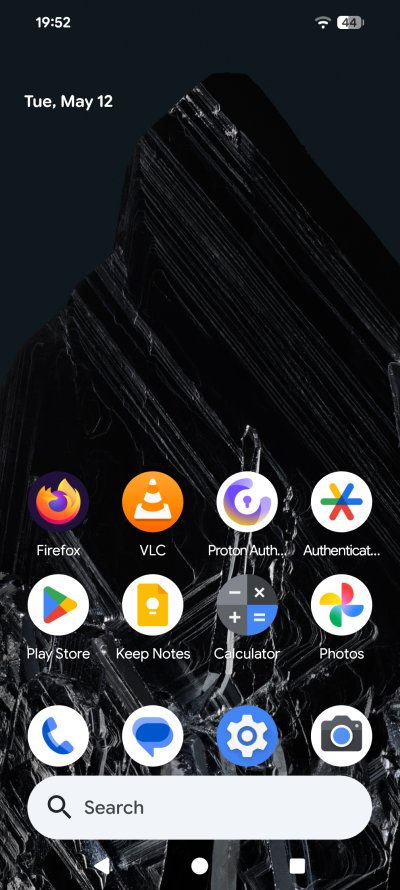
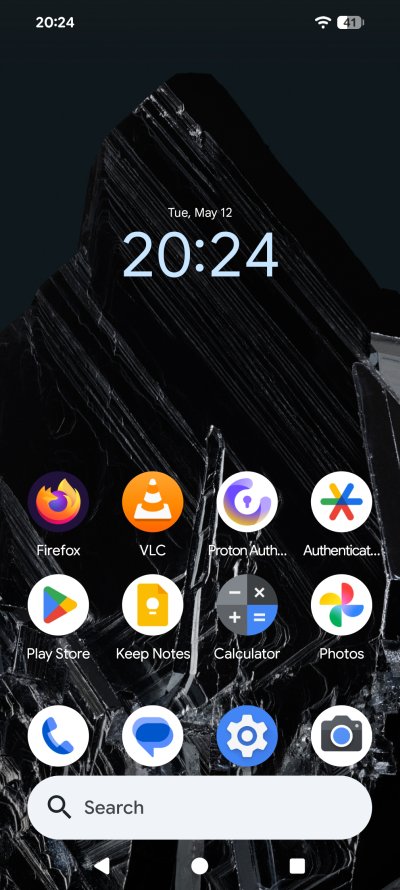
I needed a second Home screen to get rid of the small time & date widget. And you can have that lovely big one, too, which makes the default and non-removable choice an artistic tragedy. Only on the first screen, cor.
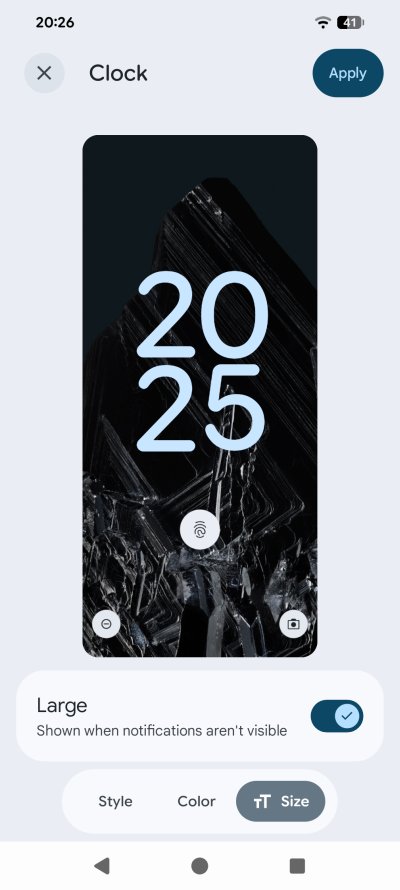
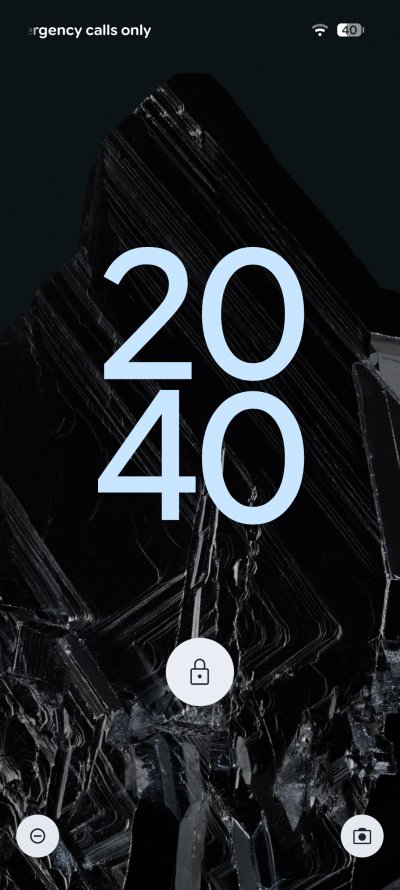
Symmetry is important, fellas.
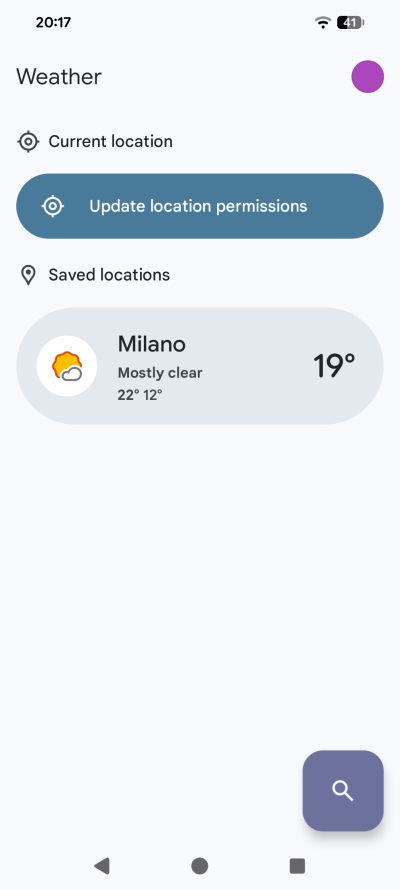
You can also add the Pixel Weather widget there, but if you don't enable Location you naughty naughty nerd, you won't get any weather. Nope. There's no option to simply show the default city. No. You are "punished" for not using the lovely plethora of sensors and its trove of data. Horrible, horrible design. And I thought the A54 had ugly and pointless options.
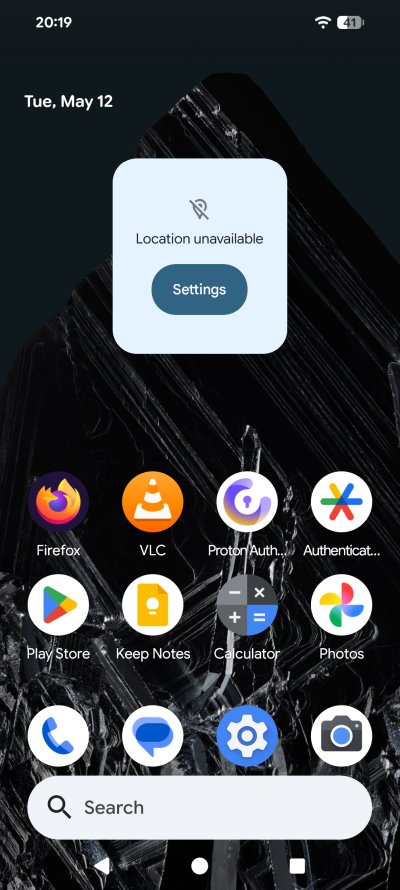
If you disable the Google app, then the widget at the bottom of your Home will change its shape, and its function will change so it redirects to your browser, to your search engine of choice. But you can't fully and completely remove it. Nope. It's there, and ever so slightly ugly. The distance to the bottom row of icons is not comfortable. Maybe this is a wee OCD nudge to make you use the widgets. I tried to move all of the icons one row up, but then Pixel started auto-filling these empty spots with "predictive" icons. In other words, awful.
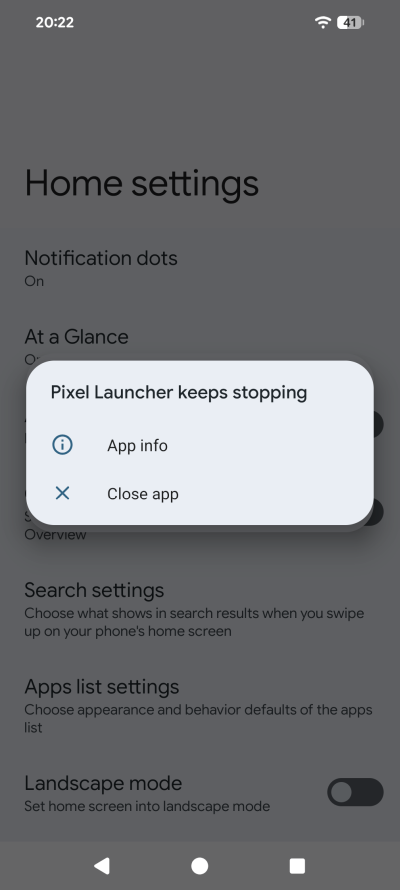
Pixel Launcher froze a couple of times. And so did Firefox when loading. Once or twice. This never happened to me on any other Android. And no, it doesn't matter how many times the browser freezes for whatever reason, there's nothing in this world that will make me use anything else on Android. Firefox + UBO FTW!
Screenshots? There's always that bottom-left corner overlay popup for screenshot editing. Every single time. No option to disable it. Annoying and stupid. No, I will not edit my screenshots on the phone. Nope. I will do that on the desktop, as one should. But a single toggle is what it takes to have a good, considerate UI design.
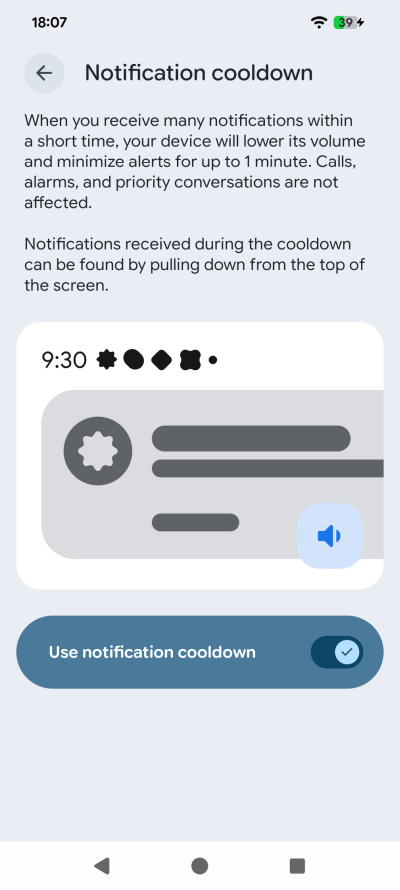
Notifications cooldown? What? Just think about it. The smartphone ecosystem was designed to be hyperactive and noisy, and then you get this "graceful" knight savior option to "cool down". How about you simply don't do notifications in the first place, job done. This cooldown thing is the modern tech world passive-aggressive nonsense summarized in one screenshot.
And now, the everyday usage
It's okay. Nothing spectacular. I mean, it's fast and all that. But I can't get past the ergonomic travesties. Nor can I ignore the depressing low-color flatness that pervades Android 16. The display at 60 Hz is average. Nothing amazing to look at. This is a high-end device all right, but it does not feel like one. At least Samsung gives you extra color to make you feel a bit excited. My A54 has an over-saturated display and the camera colors are too vibrant. But that's better than a washed out Brutalist Gray that's Android stock.
On the ergonomics side of things, the case is very slippery. Without a cover, you risk dropping this phone. The rounded edges make for a precarious grip. The phone is also quite big and heavy. I'm also used to the power button being below the volume buttons, so there's muscle memory thingie here, too.
Now, the display ain't nothing great, although outdoors, it copes quite well. But what about the audio? Well, I asked my wife, who has the hearing of a fennec, to help me figure out the sound quality. I put the same songs on this Pixel, on the A54, and my old workhorse Motorola One Zoom, which was probably the pinnacle mid-range phone ever made.
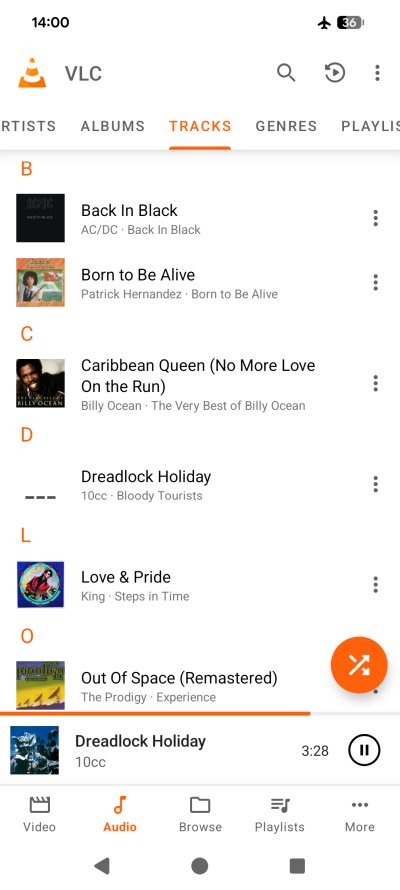
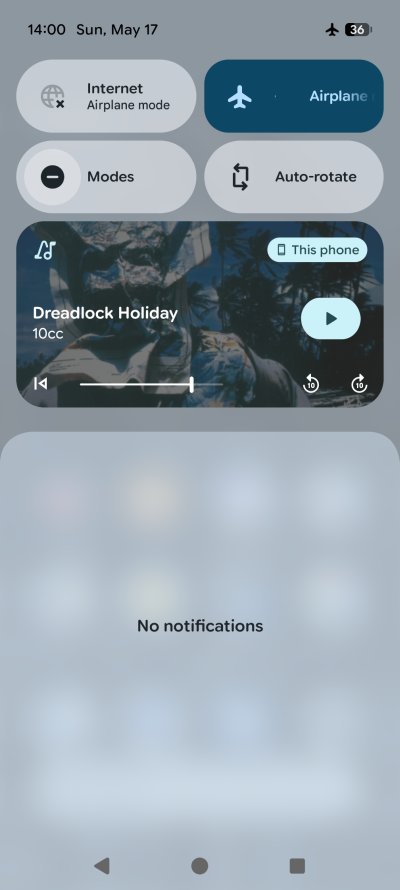
Notice the different padding, Home and overlay. Mentioned that in my Fairphone article, too.
My wife thinks the A54 has the best, deepest audio. On the Pixel, she feels the sound is clearer, and you can hear the music notes better. But the Zoom offers deeper vocals. I had a different opinion. Yes, the A54 seemed to be the best of the three, I found the Pixel clarity average, somewhat tinny, and I prefer how Zoom does it. Then again, I'm not exactly a sound connoisseur, so take my words with a big chunk of salt.
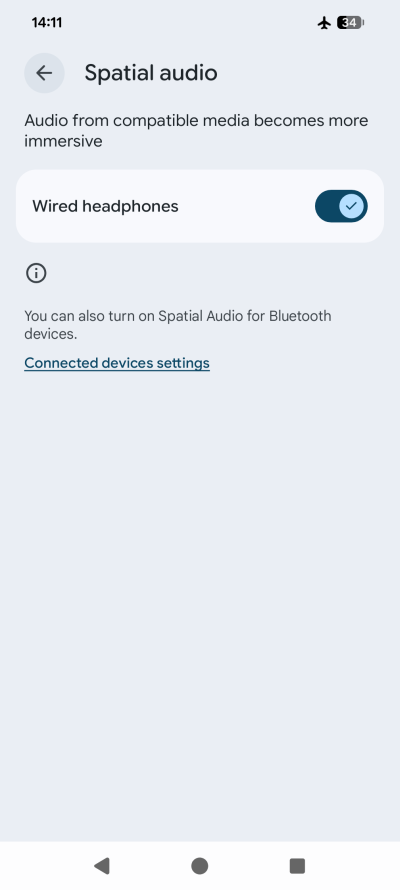
What Pixel does well is the volume. It can be really loud - without distorting the playback. And, in the settings, there's an option for Spatial audio (with Wired headphones, hm, what). Regardless, I tried this, and it helps. Apparently, it makes the bottom speaker behave. Why or how, and whether this has anything to do with the fact you'd connect a wired set to the USB-C port at the bottom of the phone's body, no idea. But I sure have no intention of buying any "buds" to enjoy good, high-quality sound, that's for sure. Never ever that.
The redeeming feature? The camera.
Now, there's one thing that makes Pixel 8 Pro a nice and capable phone. Or rather, a nice and capable camera. Yes, its camera. You really get a handy, powerful set, with a lovely 5x optical zoom. The camera UI is quite all right, too. There doesn't seem to be too much AI involved, but there's post-processing, for sure. Still, you get solid, true-color photos.
I did some rudimentary testing, and I only have positive things to say. The macro option is great. The camera delivers in low-light conditions. The 1x, 2x and 5x zoom options all give reasonable results, with little to no change in the color spectrum. Often, with various phones, as you zoom in, the whole perspective changes, including the actual colors on your screen (and in your files). Not so here.

A photo of some books on a shelf (so you think I'm an intellectual), shot in a moderately lit room with 5x zoom at about 70cm distance. The colors are true, and the level of detail is excellent. I was holding the camera in my hands while squatting and aiming low, hence quite some wobble, but there's still good clarity in the final result. Very neat.
Here's a lovely set from outdoor photography, in bright light conditions. The colors and the lighting are accurate. The results are phenomenal. The Pixel 8 Pro excels at short-distance imagery, because that's where the fine details matter. With a long-distance scenery shot, pretty much any camera will do. But the differences are important for people and objects at close range.



With the 1x, 2x and 5x optical zoom, respectively.
And here's another one:

The macro function is also excellent. You can actually put the camera almost onto the desired subject, and you will still get a good photo, with good focus and little blurring. Among the many smartphones I've tested and tried over the years, the Pixel 8 Pro seems to lead the bunch. I know I've not tested everything on the market out there, so relax.

Mini summary
People love their tables, so here's one for you:
| Pros | Cons |
| Phenomenal camera | Quite expensive |
| 7+ years of support and updates | Average audio and display |
| Good performance | Depressing UI with lots of annoyances |
Conclusion
The Google Pixel 8 Pro is a strange beast. It's got decent hardware, but the expression of its abilities isn't perfect. Android 16 is annoying. The display and the audio are average. The big bonus of owning this device is the promise of quick updates from the vendor, and for many many years. If you care about security, this is a major plus. And then, there's the camera, which is simply awesome.
But then, if you look at the cost of the contemporary Pixel Pro, whatever its number, 'tis an expensive device. And for the same budget, you can get yourself a Fairphone and a nice pocket camera with 25-40x optical zoom and photo quality that beats any smartphone many times over. Sure, the smartphone offers many other capabilities, but it's not like you get orders of magnitude more. And from what I see, the results are nothing like I expected when I began my device replacement journey a few years ago. Back then, the contenders were Samsung, Apple, and Google, with Fairphone as a strange fourth musketeer. None of these met my expectations quite as I wanted. Each surprised me in some way, for better or worse.
The Pixel 8 Pro is a camera phone first and foremost. In this regard, I only have stellar praise. But the ecosystem is toyish, noisy, and I don't like the trend. For some reason, I thought the hardware and software integration would be sci-fi good, but it's not. It's the Wild West of Android, which I should have known. My fault for being an eternal optimist, me.
The end result is dire. There simply isn't a phone that gives me what I need. The iPhone is too restrictive, the Samsung too kitschy, the Pixel somewhat crude, and the Fairphone plain. If one must suffer, which seems to be the case for me, then I guess Fairphone is the cheapest suffering, without dramatic loss of functionality if any. So I might as well have a mid-range phone and cry a little, rather than have a high-end phone and cry a lot. This also means I might have to test a non-Android setup, either GrapheneOS or /e/OS, because the current state of affairs is silly. Monty Python level of silly.
So yeah, there you go. My take on the Pixel 8 Pro. Feel free to hate me. After all, what do I know? I'm just a bitter old dinosaur who doesn't readily succumb to the modern-era idiocracy. Thus, if you love your phones and gadgets, ignore me, and move on. If you care about what I say, then the Pixel gets 7/10. Bye bye.
Cheers.