Updated: April 8, 2026
Recently, I got meself a Macbook. All right. The simple question is, what does this mean in practice, when it comes to one's software autonomy? As you well know, I'm an author, and as such, I frequently work with publishers and agents on my written material. Almost to the letter, they all exclusively work with Microsoft Word as the office suite, which implies potential clients have to do the same, too. This is an old, known problem, and I've talked about it many many many many times.
Practically, there are solutions and alternatives. Like say LibreOffice or OnlyOffice. Both offer some level of Office format compatibility, good but not perfect. Then, you could also perhaps set up a virtual machine with Windows running inside it, and then install Office yonder, but that can be costly, and besides, you may not want to give Microsoft your money, especially if they nudged you out of their ecosystem with the likes of Windows 11, as I mentioned in my Macbook review earlier. For that same reason, you may also not want to buy an Office license for Mac, huh! CrossOver is another option. All right, so what about Pages, Mac's native office tool?
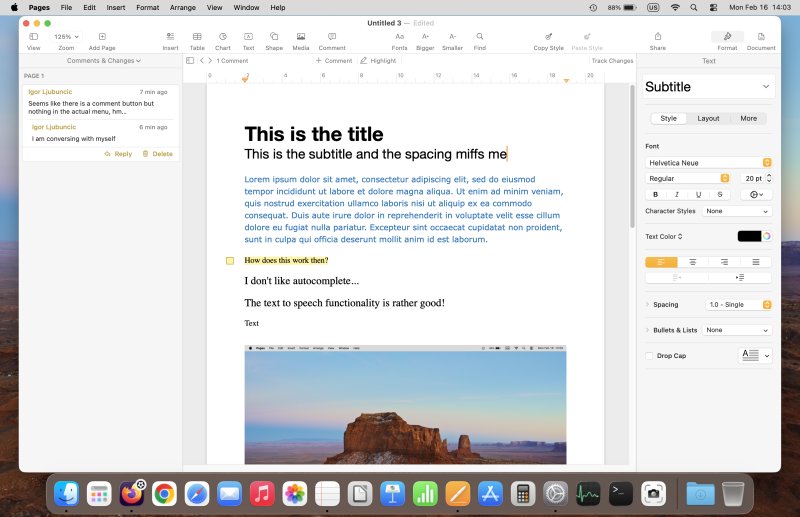
Getting familiar with the program
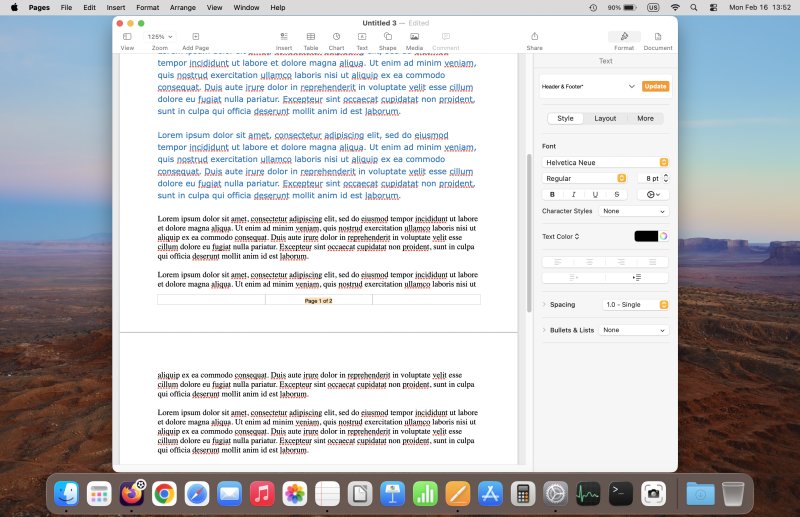
Pages strikes me as a weird blend of old Linux-like KOffice and Google Docs. The UI feels a bit ... empty, with a simple toolbar that feels too simple. There's a lot of stuff going on in the sidebar on the right, and in my opinion, this is not the right way of managing the look and feel of documents. Effectively, this sidebar is all about styles, but they feel somewhat clunky, mostly due to the rather "modern" design of the interface.
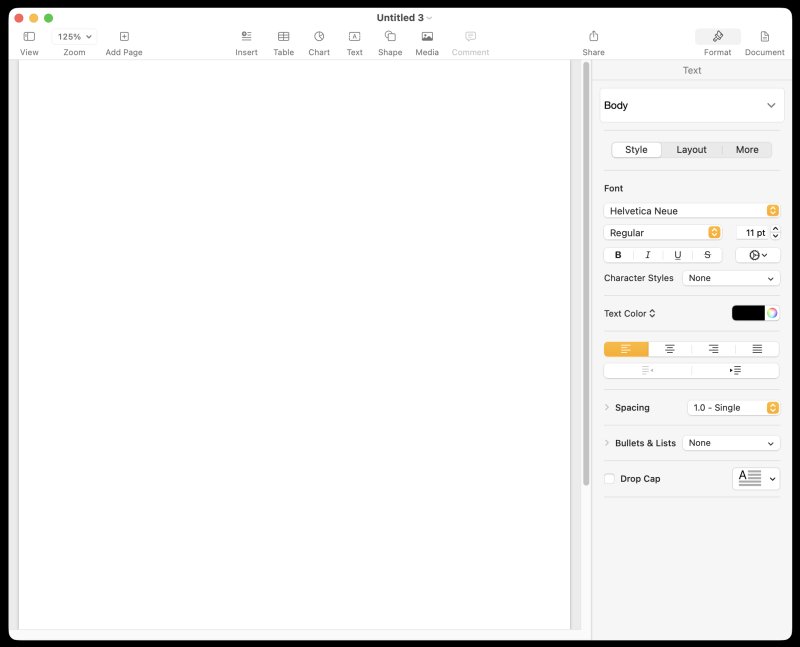
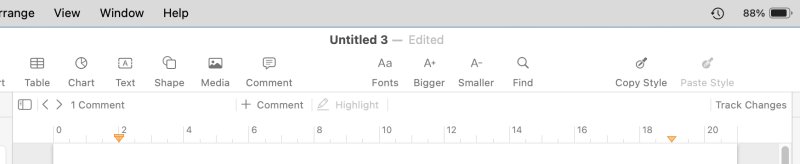
It took me a little while to figure out things. I tried to use the file menu, but for some reason, I couldn't always find what I needed there. Like say comments. That's what the toolbar is for, it seems. And I did manage to customize this toolbar (as opposed to doing the same in Finder).
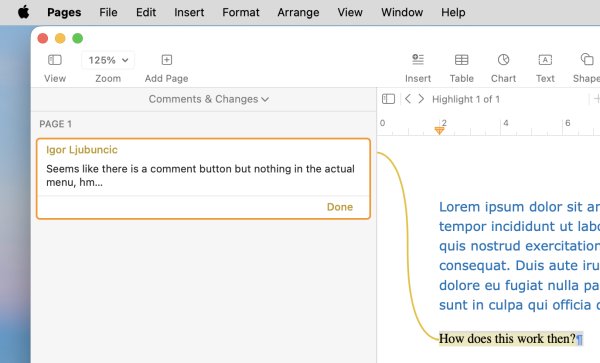
Here's a slightly edited toolbar - still too spartan for my liking:
Styles management
For me as an author, this is a crucial part of the office processing capabilities. And in this regard, every program out there does worse than Microsoft Office. Now, the open-source LibreOffice is sort of okay, but still less efficient. Pages is much worse. Sure, you can get along, but this is not ideal.
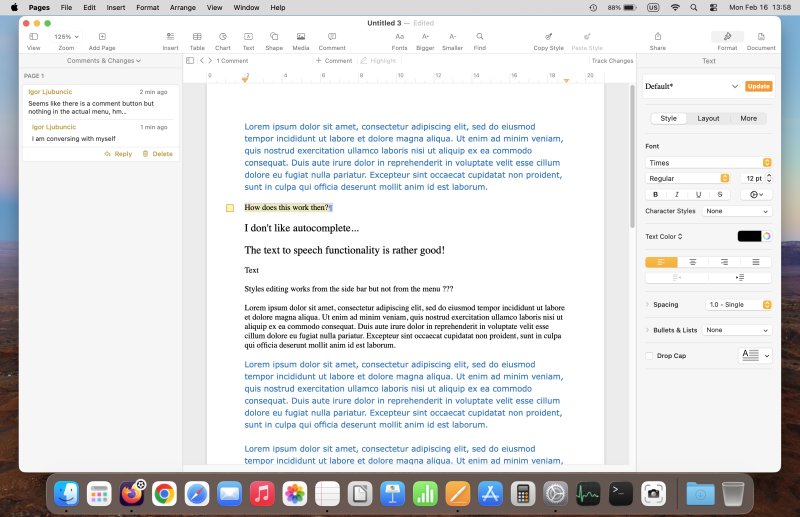
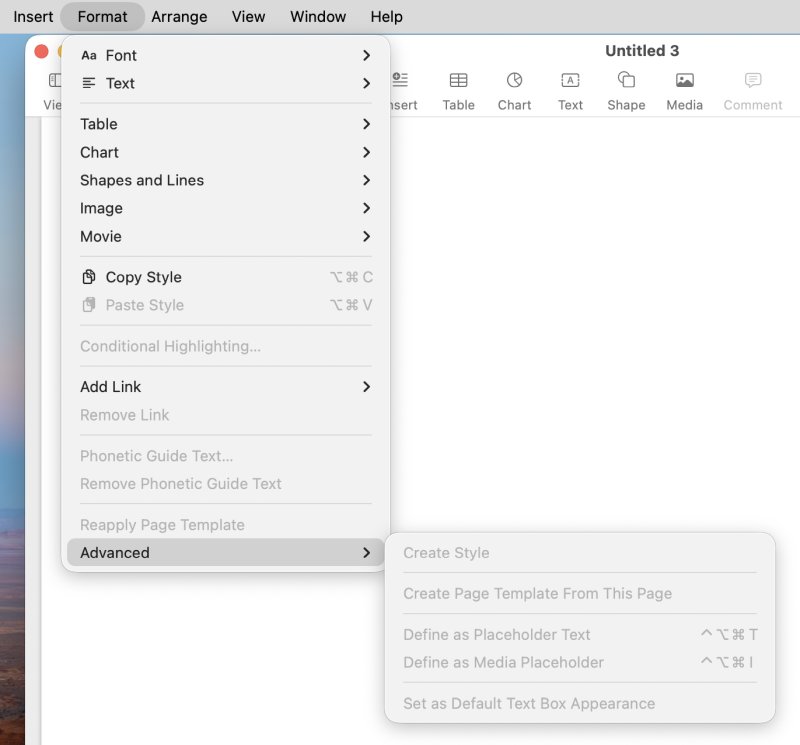
One, the menu option to add styles was grayed out. But I could make changes by selecting text or any body element, and then clicking the + button in the sidebar (in the styles dropdown menu). Then, you can tweak your new styles, name them which ever way you want and alike. Not bad, but it can be better.
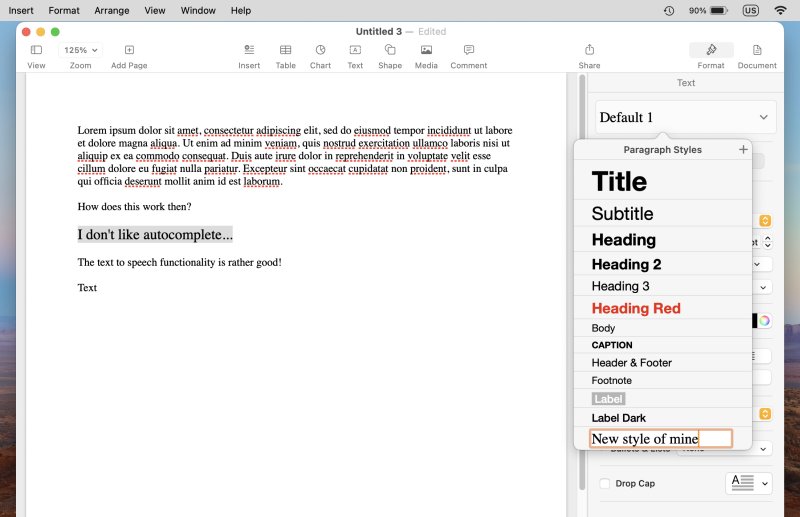
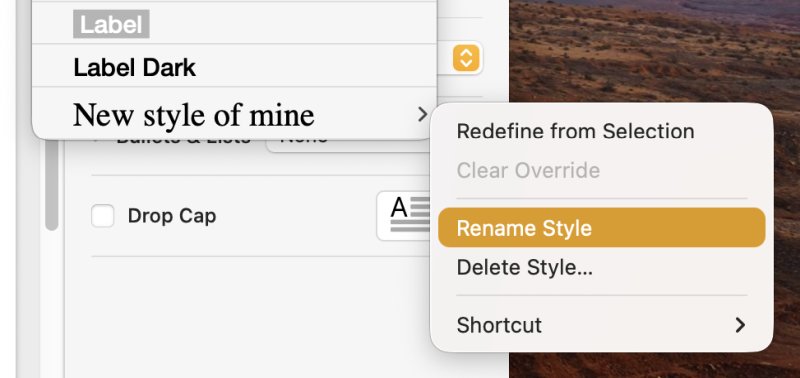
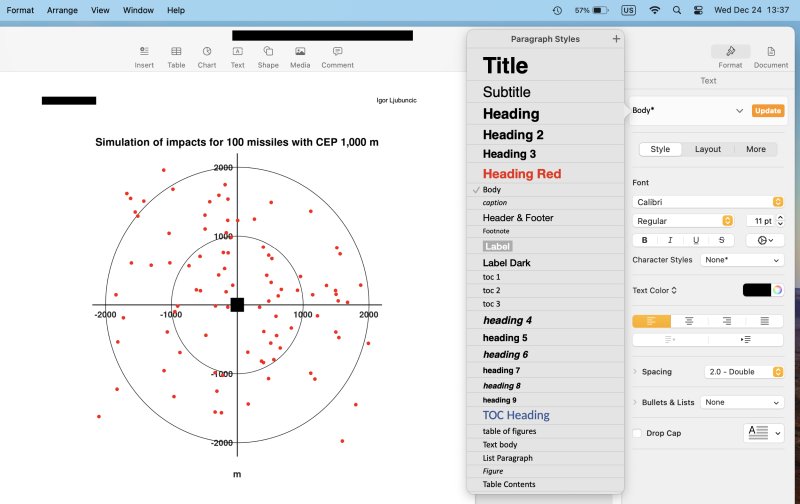
Various styles in an imported document (DOCX). Speaking of which ...
Microsoft Office compatibility
All right, so the most "important" test. I decided to open my recently completed military history book (not yet published, mind). It's a cushty manuscript of about 90,000 words, lots of tables and images, some 800 citations or so. Colorful, complex. Right away, Pages warned me about missing fonts:
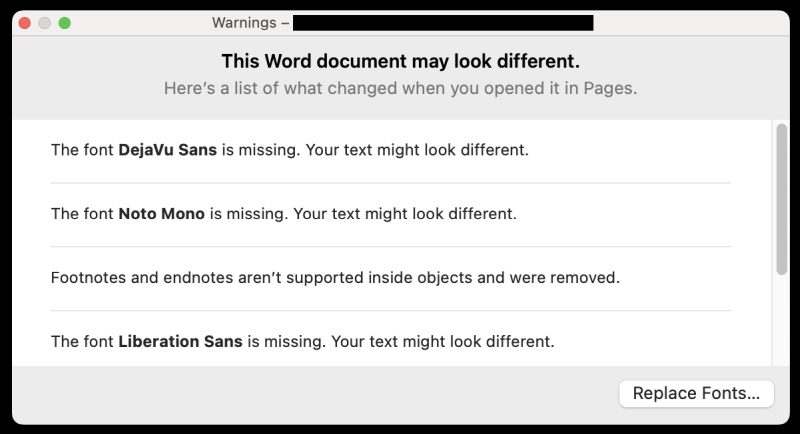
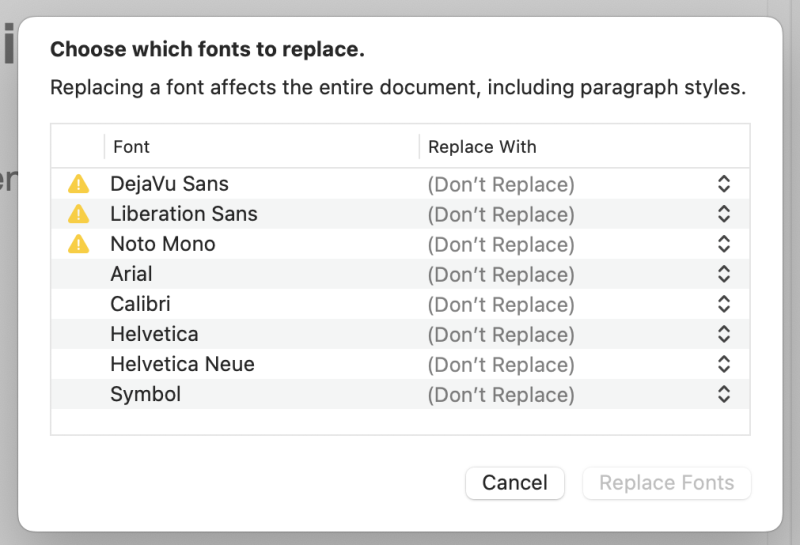
I have to say, this poses a big big problem. Technically, I needed to find suitable replacements for DejaVu Sans, Liberation Sans and Noto Mono. That means downloading fonts from somewhere. These shouldn't be a problem, as they come part of LibreOffice, and/or they exist in most Linux distributions, but still.
Then, not having footnotes and endnotes correctly done? I mean, what? I have big tables with lots of important information there, plus relevant sources and citations. Worst of all, they were removed. But that means I need to actually "hunt" for missing elements now and compare versions, to figure out what has changed. On its own, this is a dealbreaker.
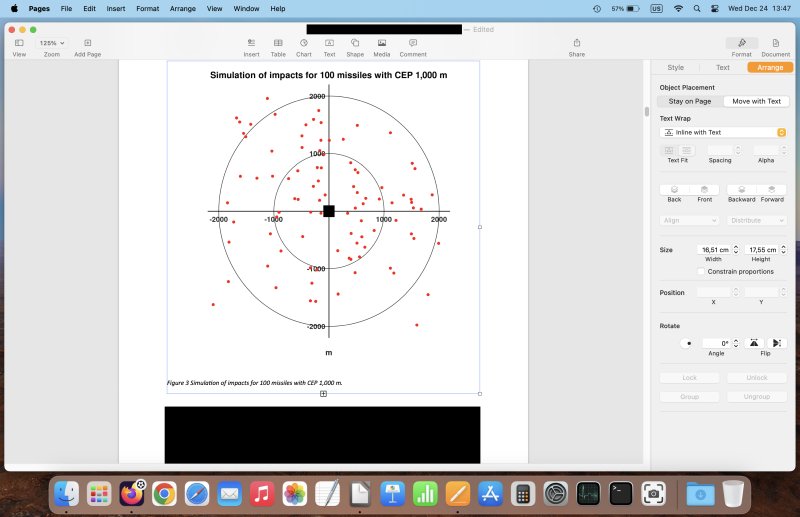
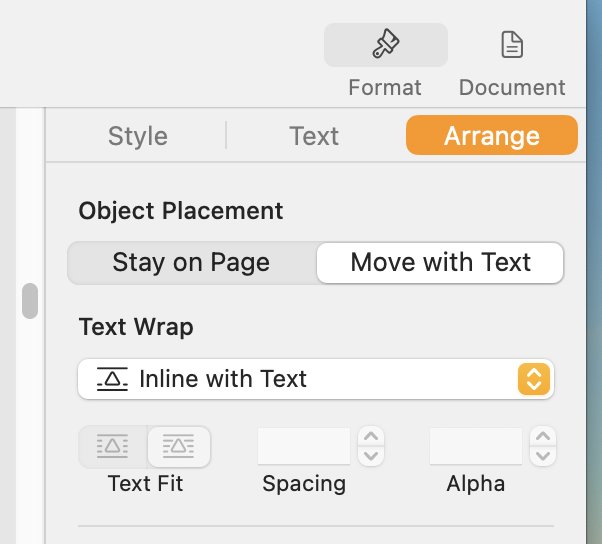
Furthermore, I noticed that image placement is a bit wonky. I had to choose "Inline with text" or "Above and below" to make sure the graphics were all placed correctly. This is a perennial "Word" problem that should never ever happen (and normally, it doesn't). Why would I need to mess with images? The default placement should be as "error free" as possible, and if someone wants weird wrappings, they can then manually set those.
Support for ODT (LibreOffice)
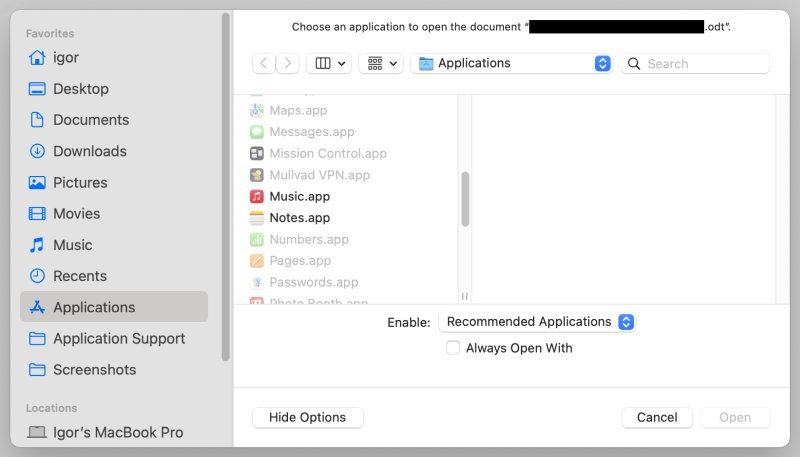
There was another somewhat disappointing aspect to my early testing with Pages. ODF support. I tried to open a LibreOffice-created document (ODT format), and Pages simply couldn't do that. The application was grayed out. I mean, why. It's an open format. Why not support it?
Media management
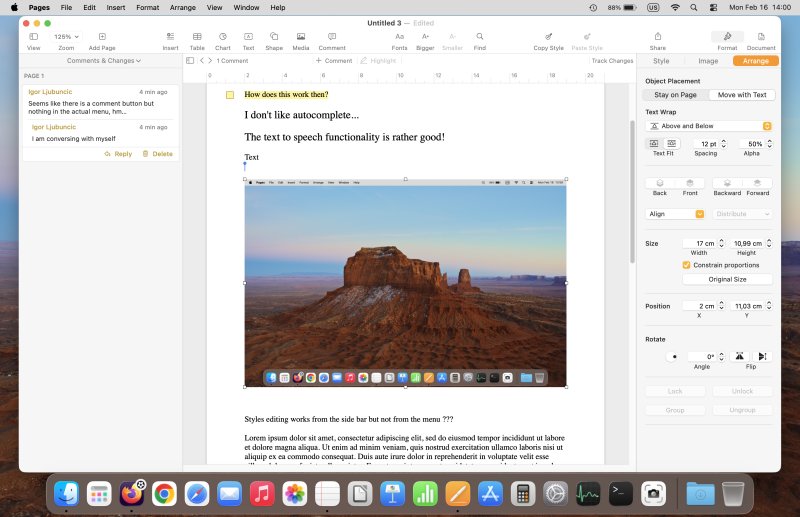
I found this aspect also rather confusing. Adding photos or videos said: nope. I guess you need to keep them in certain directories to see them here? But I was able to manually add items, one by one. And once again, you need a little bit of text wrap gymnastics to get things sorted out correctly.
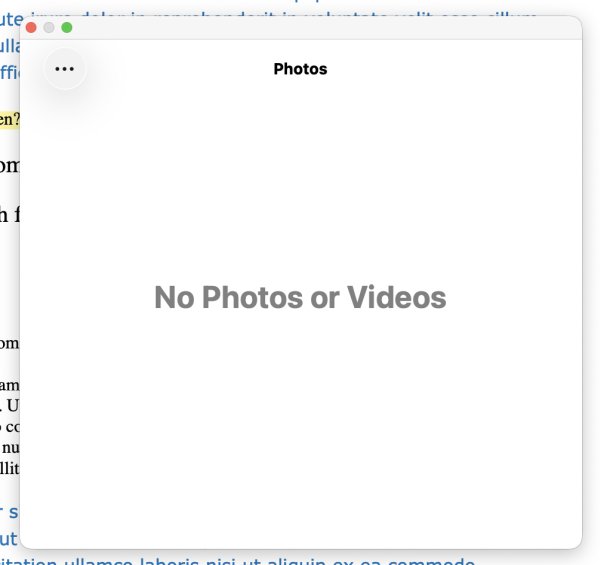
This popup feels so out of place ...
Other usability bits and pieces
I found a few more oddities. Like say: add page. What this does is basically add a page break. But this feels counterintuitive for anyone with prior experience with other office tools, all of which use this specific nomenclature. Good or bad? Not sure. Weird.
There's no (default) status bar that tells you what language you're typing in, no quick toggles for grammar and spelling, and worst of all, no word count. You can activate this, but it will show you word count per selected content, not per document. For me, this feels extra clunky and awkward. In this regard, Word and LibreOffice Writer offer much better situational awareness. The "modern" minimalism way has no place here.
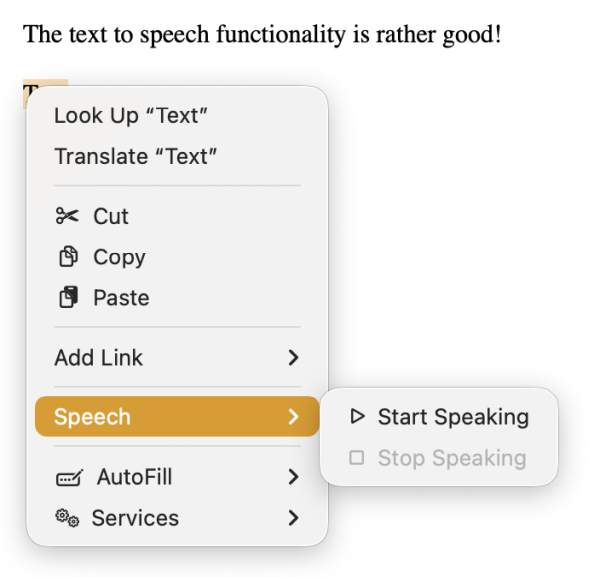
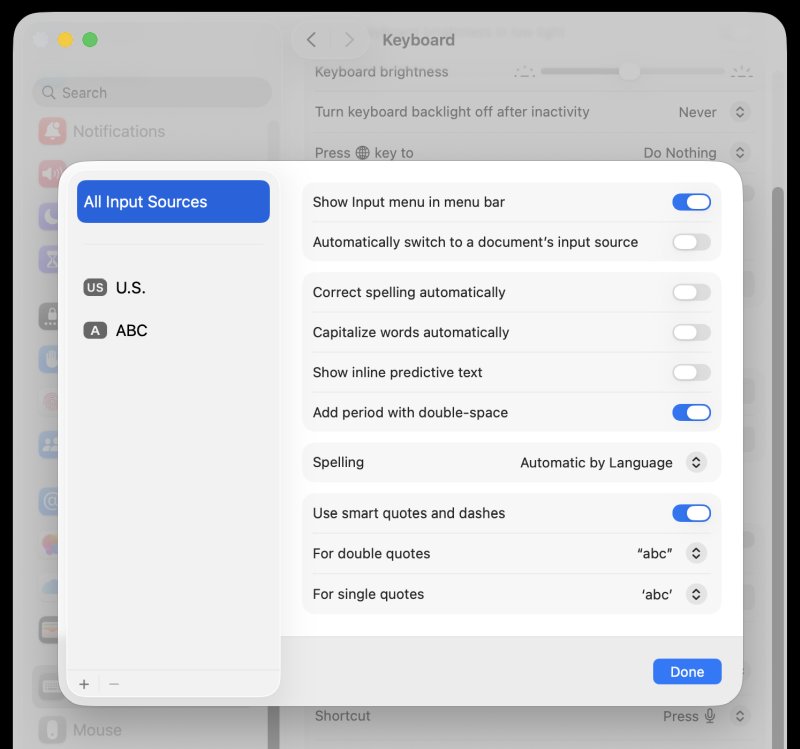
Now, something rather nice: the TTS works great. Solid, nice voice, good cadence. On the other hand, the autocomplete function is annoying, and you have to control it through the Keyboard settings in the main Settings menu, not in the program itself. This is silly, because I may want the functionality in one program, but not in another. You need to disable the option that says: inline predictive text. Toggle to off. Really weird.

Conclusion
I've spent only a little bit of time with Pages. My initial impression is lukewarm. On an aesthetic and ergonomic level, it feels like as combination of several programs, a little of this, a little of that, but it doesn't quite nail a distinctive, practical usage model. KOffice, Google Docs, which one is it? The UI colors could be better, and I'm still wondering where I can trade in the 70s mustard for something more visible. Don't get me wrong, I like me browns like any self-respecting dinosaur, but it doth not belong in a word processor.
On a practical level, style management is somewhat clunky, and even the Microsoft Word compatibility isn't amazing. In particular, the font replacement and image placement made me somewhat worried, because the implication is tons and tons of work, and you never quite know what you'll get. Then, there's no ODF support, thus, you might as well use LibreOffice. It can also be clunky, it has a suboptimal DOCX support, too, but at least it works across multiple operating system, and has better (if not ideal) style management.
All in all, it is very nice that macOS ships with good, robust built-in tools. Pages is alright. It's a good program, but it's not stellar or amazing in any way. I can think of a dozen immediate improvements, without any big compromise. LibreOffice support would good, if possible. Given my brief stint, for now, my inclination is to keep this as a secondary or tertiary editor, and use my usual arsenal: Word when I must, Writer for everything else. Well, hopefully, you enjoyed this piece. Now, farewell, I must bid thee.
Cheers.