Updated: June 17, 2026
Ever since I purchased myself a Macbook Pro, a big stone has lifted off me chest. While I already did have significant usability with Linux, until that point, I still carried a little bit of doubt in me heart. The reasons were varied, from consistency to quality to backward compatibility to availability of "official" software that sometimes intrudes into a person's life. I couldn't truly have these guarantees with Linux. But with this new machine, I was able to cover the gap left by my choice to stop using Windows for anything meaningful or serious.
Don't get me wrong, I still have a couple of Windows 10 systems. But they are properly isolated, and used either for silly stuff, like gaming, or they live in their own virtual machine, for if and when I might need that one piece of software that has no macOS or Linux equivalent. However, the heavy emotional burden of using the modern Windows is gone. Yes! Now, I also happen to have a test box with Windows 11. Whenever my need for masochism hits hard, I power it on, boot into this pointless operating system, and run my checks. Behold, this is the latest report of that exercise. Follow me.
Updates for days
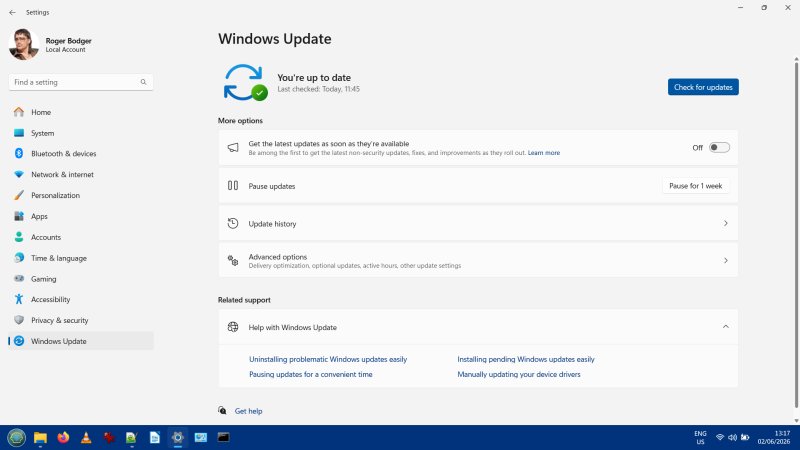
What does a responsible person do whenever they fire up a machine they haven't used for a while? They run security updates. Yay. Well, I tried. And right away, I ran into tons and tons of problems. Windows 11 refused to install its latest pack, 25H2. Not only were the downloads and the installation attempts slow, they also didn't work. Great start.
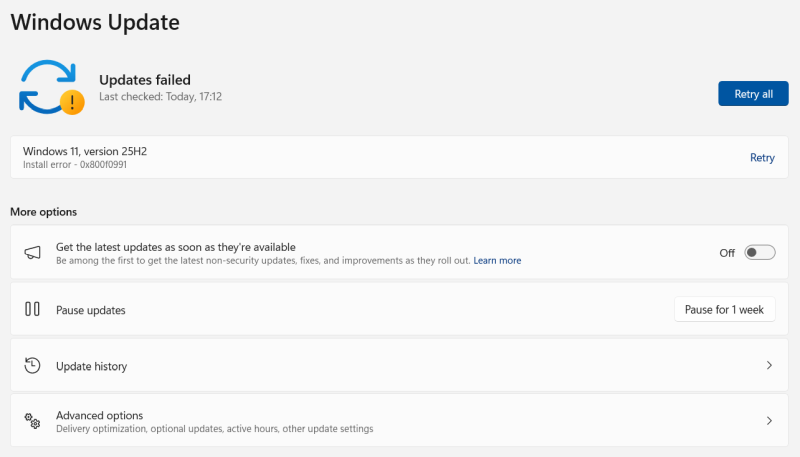
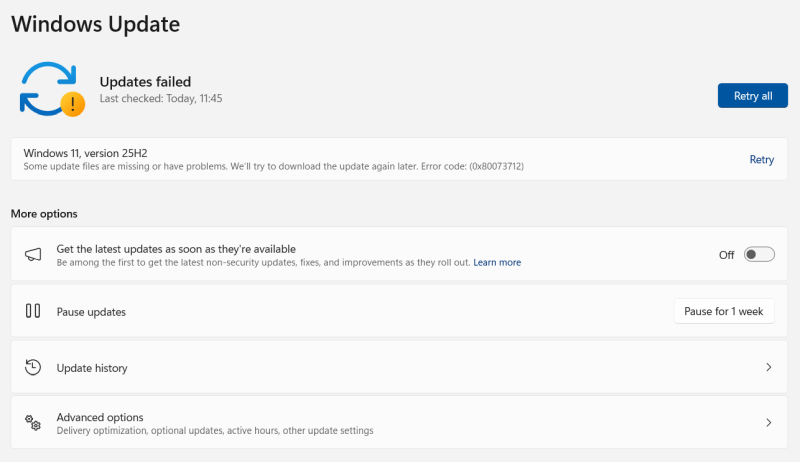
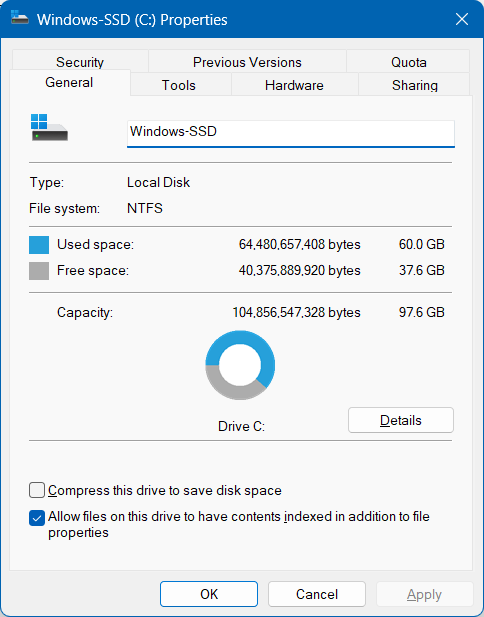
I then decided to do some maintenance. Start a command prompt (as Administrator), run some DISM and SFC for good measure. Nope, this did not help either. I went online and did a lot of random reading, using the error codes as my beacon of hope. After a while, I found a note that said 25H2 requires 40 GB of free space to install. What nonsense. As it happens, my system had about that, but not quite. Disk cleanup, here we go.
"Modern" storage utility
If you need an example of why modern software is so crappy, let me show you. In a nutshell, any "modern" app running on the desktop is going to be an inferior piece of dog turd compared to classic PC programs. Microsoft decided to get rid of the simply cleanmgr.exe tool and replace it with Storage. Now, the old utility isn't gone, you can invoke it from the command prompt, or through the system menu, but it does not show in the C: drive properties anymore.
I launched it, selected all the different bits and pieces to clean and let it run. It worked, but it would crash halfway through multiple times. And the disk usage numbers did not change. Perhaps Microsoft managed to break this utility. I am not 100% sure, but I didn't get far.
I tried Storage next. Holy. So slow. It keeps running its timer animation and thinking. Everything is so sluggish. And stupid. Look at the numbers. The tool reports silly figures way beyond the capacity of my internal disk. Going into any one sub-view takes forever. And when you go back up, it refreshes and does all the thinking again and again. This is not even undergraduate-level coding sad.
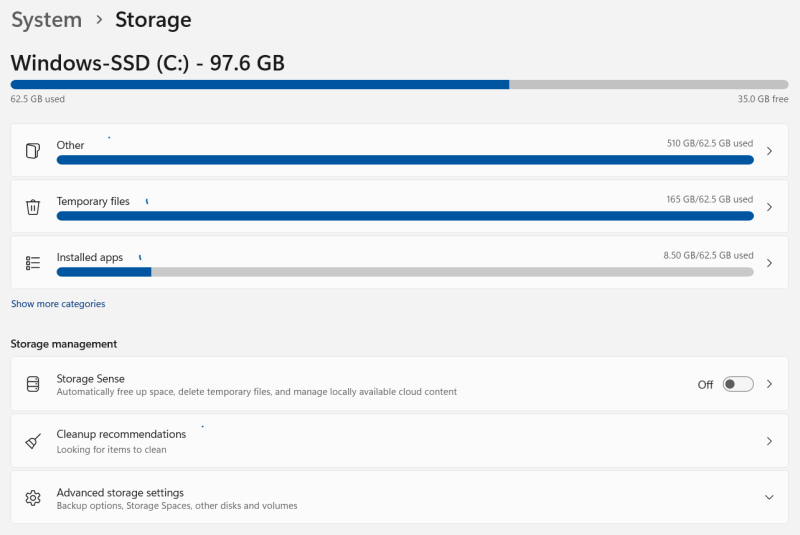
Look at this crap. Look at the reported sizes. Look at those stupid spinning circles.
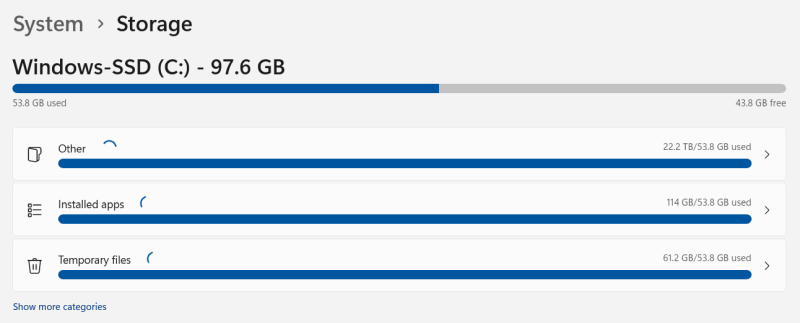
Now, look at the numbers yet again. That's "modern" software for you.
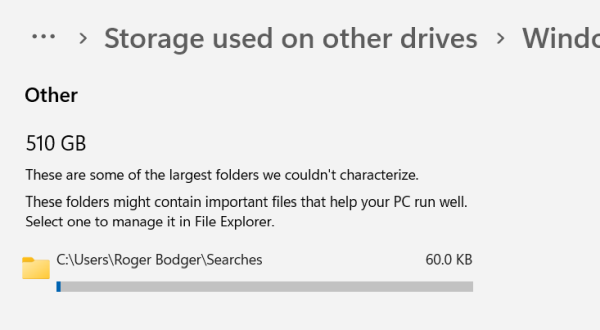
Look at that helpful utility. Look how good it is. The "largest" folder it could find and couldn't characterize is a 60KB search something. That's what you get rather than using "old" and "ugly" but totally functional and properly coded non-Web REAL desktop programs.
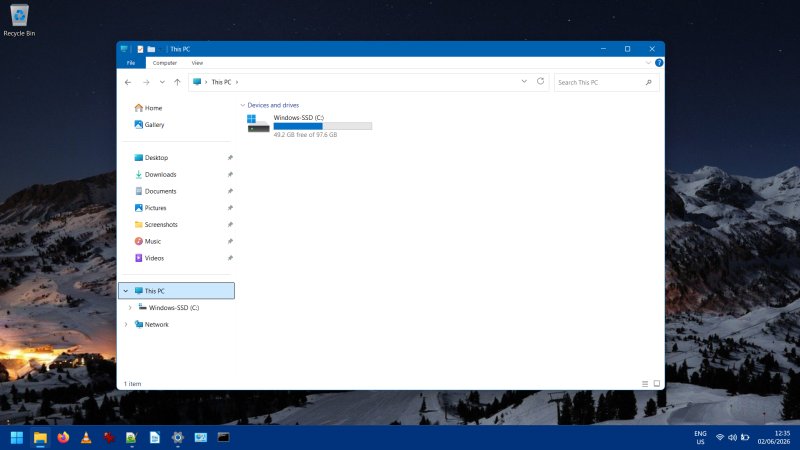
Eventually, I manually purged a bunch of stuff from the disk, just to get going. Forty gigs, son!
Finally, the update did complete. Once it was installed, the post-reboot setup took maybe a minute. My dual-boot configuration was not altered. Hint, the system also runs Linux, and Secure Boot is disabled, along with every other "modern" inconvenience. But yeah, all in all, I did succeed. It only took about two days of debugging and failed updates.
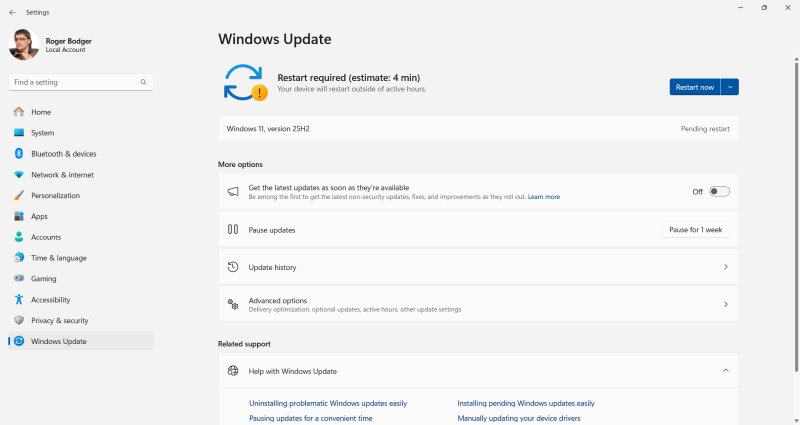
What's 25H2 like?
I'm going to be objective, as always. The 25H2 update does bring some nice improvements:
- The desktop speed and responsiveness are significantly improved compared to whatever was before. This is the first time EVER that I feel Windows 11 has a normal desktop behavior, and isn't just a total flop. I am actually surprised. It only took, what, five years to get here? Blimey!
- My security and privacy settings have not been changed. I couldn't find a single un-tweak. Good.
- Windows Explorer is snappier. Sure, it runs better with my own tweak already, but even with the normalcy settings in place, and none of that modern nonsense, you still get an extra nice performance boost.
- The missing window control buttons issue I reported in my unattended upgrades article ain't here.
Web search is back
Another turd attacketh. Yes, if you search for something, anything, you will get Web results. Basically, your search menu becomes a Bladerunner-style billboard of idiocracy. I still have the registry keys all in place, including the Bing change from my privacy guide plus the recent tweak, and yet, still, nonsense.
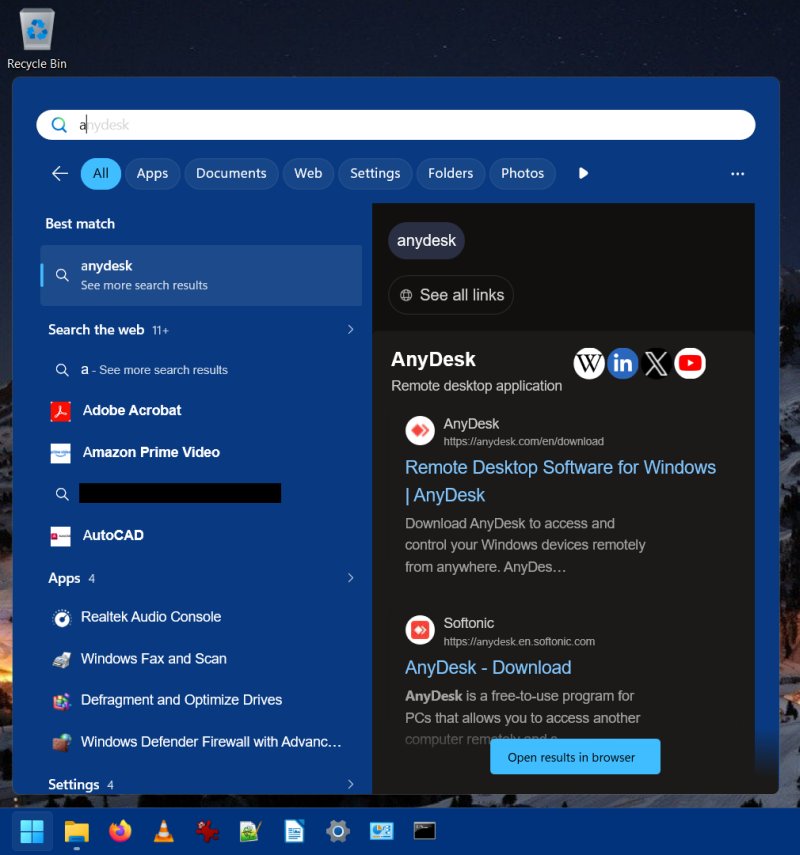
This is what you pay money for, for Microsoft to decide what to show you and when. I mean, the top results aren't Agrarian Society of Ancient Sumer or Agitprop. No, you get pointers to commercial software, chosen by who knows which order or relevance, and of course, these results need to be parsed somewhere, which means you are a peasant, and you don't deserve privacy.
Technically, this is wrong on EVERY level, because I'm running with a local account, Microsoft has no idea who the user is, so they could potentially show "wrong" Web results to "wrong" people, and on top of that, I have the Web search disabled, through Settings and registry, and still, still, STILL, they are so desperate to monetize this Dystopia, that you will still be shown crap, no matter what.
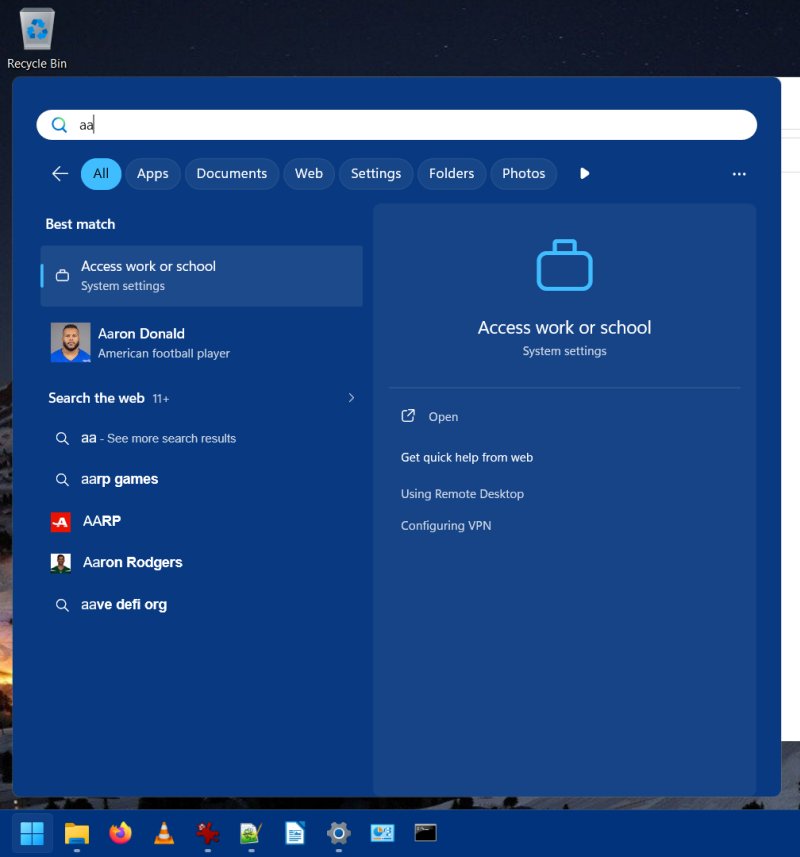
Here's another example. For some reason, Microsoft decided to show me results for some sport person. American football? Or is it football football? Now, Windows "knows" my location, because it shows it somewhere in the settings, and yet, it offers me completely irrelevant regional results. And what about those websites listed below? What happens if I click on them and end up somewhere I didn't want to go? In fact, has my machine already performed a Web search that might be "problematic"? Is Microsoft going to be responsible and accountable for me potentially going to a wrong site, based on the results they showed me on my LOCAL desktop? What if you misclick? What are those results anyway? At least in the browser, you get additional descriptions, perhaps even the URL. What happens here? No idea. So yeah. Modern crap.
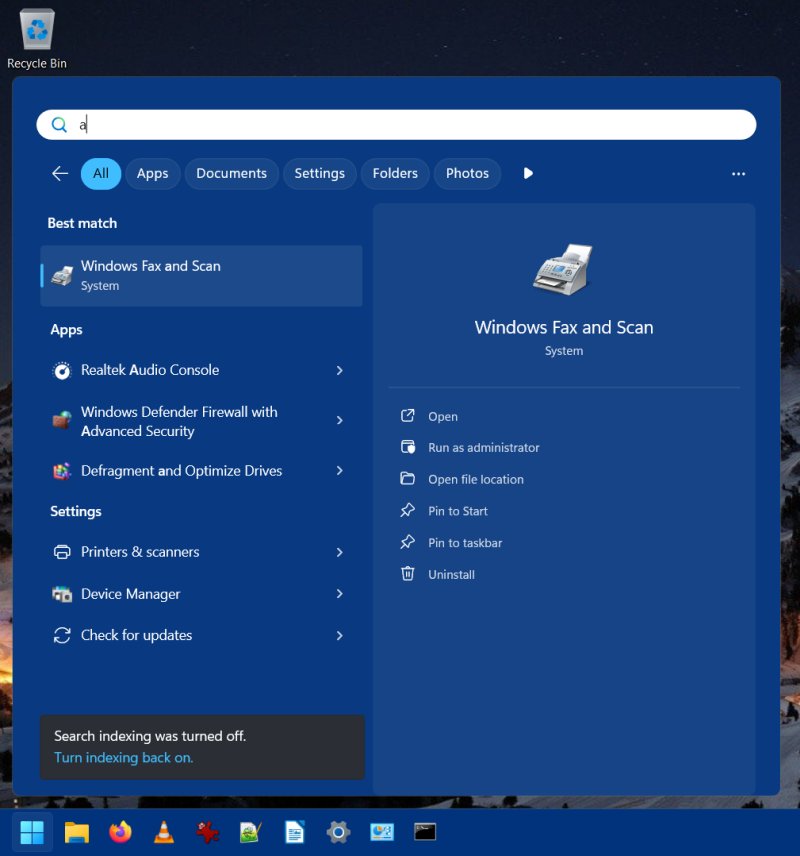
I decided to apply the block (again) through HKLM rather than HKCU. This way, it affects all users. Noice. Also, as you do that, you will get that bogus warning that your search indexing is off. You can't be a naughty peasant, can you. Effectively, this is the same issue I highlighted a year ago. Still here.
Other things
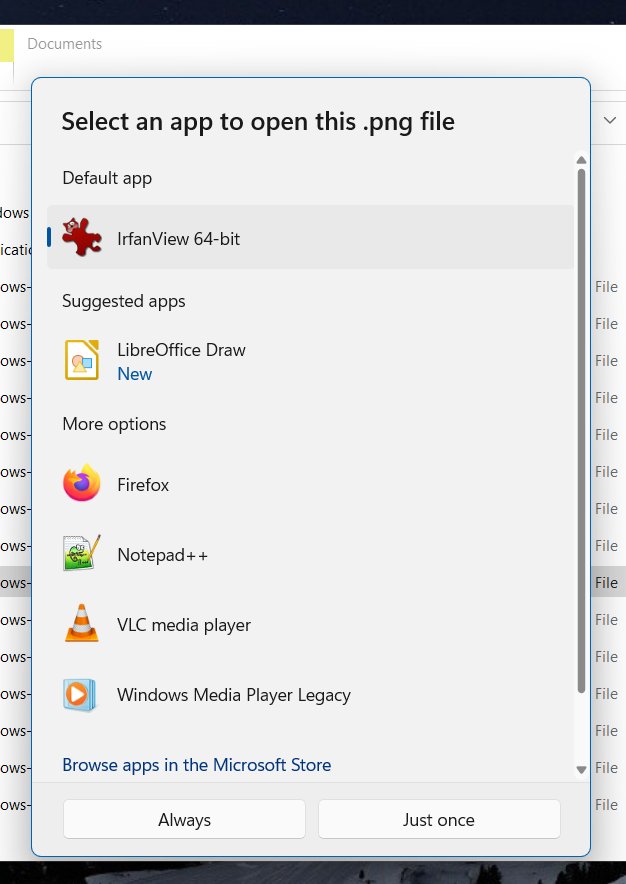
Windows also "forgot" my PNG file association, and asked me what I want to use. It's to see if you're still "sure" you want to use a third-party program like IrfanView instead of whatever pointless app Microsoft wants you to use. I will never use your "apps". Never. As you can see, Photos isn't even installed. I removed all these touchesque turdlings.
I clicked on one of the "help" links in Settings, and naturally, it tried to open Edge. But this browser isn't even installed, plus I have the hard block set so it can't and will never run, so the whole thing stalled. No help page for me, then. Not only is this anti-user, it's also stupid, and inconsistent. Some links open correctly in the default browser (Firefox), but some don't. Another example of a modern software failure.
The battery doesn't last as long as it should. Strangely, it ran out in about an hour or so while I was fiddling with the system, trying to tame it, but perhaps this new 25H2 edition will make it work better. Then again, on the other hand, I don't really care. Like 100% not care.
Conclusion
Windows 11 remains pointless. I'm ultra-happy not to be using this system anymore, not having to dread the pointless changes and the desktop-cum-smartphone crap. Buying the Macbook was a lot of money, but man, the psychological value alone is worth it. Yonder, my system updates in about 15 minutes, no questions asked, nothing. Simple, fast, hassle free. Even my Linux systems, at their worst, aren't as annoying as Windows 11. Sometimes, I do have update woes in my various Kubuntu instances, but that gets sorted out quickly.
A year ago, I detested Windows 11. A year later, I still do. 25H2 is much like its predecessor, only faster. Okay, I will grant you that. Sure, Microsoft managed to improve the Windows 11 speed, a lot. But that's a low bar. It's like making something 5x slower, and then you speed it up 2x, that's not really an achievement, that's more minimizing the original damage, you're still 2.5x worse than you were before. I mean, if the update works for you, you will probably not get any nasty, unexpected changes, and you will benefit from a big performance boost. But then, things like Storage and Web search and default apps, and you realize your IQ isn't in that double-digit area, nor do you volunteer to be Microsoft's happy-go-lucky cash cow peasant. Nah.
So here we go. Ignore me, if you like. Chuckle, if you can. What do I know. I'm an efficiency-driven dinosaur. But I do have a few virtual machines, with Windows 7 and 10 in there, properly set for real, actual, Web-free productivity, and I will keep using them for as long as I can, out of pure spite. For serious things, Linux and Mac, here we go. Windows 11 remains technologica non grata in me quarters. This latest review affirms it. Pointless, it remains. And we're done.
Cheers.