Updated: August 21, 2026
Last time I looked at the Zoho Office Suite was back in 2010. An eternity ago in computer terms. I liked the suite. It had lots of goodies, tons of programs, decent integration with browsers, and then some. But, even then, I cautioned people about being ready or willing to store their information in the cloud. For no obvious reason, I sort of forgot about this software, until quite recently.
Having tested Pages in macOS and the Murena Workspace suite (as part of my wider /e/OS testing), which comes with the cloud-based OnlyOffice components, I decided to expand my exploration. After all, not having to rely on Microsoft Office is a critical part of weaning oneself off Windows, which is something that I have done almost fully recently. To wit, my macOS story, and more frequent and in-depth use of Linux. But Windows and Office still lurk somewhere in the background. Well, Zoho seems like a nice new old candidate, especially since I have some experience with it, but then, 16 years is a long time, and lots could have changed since.
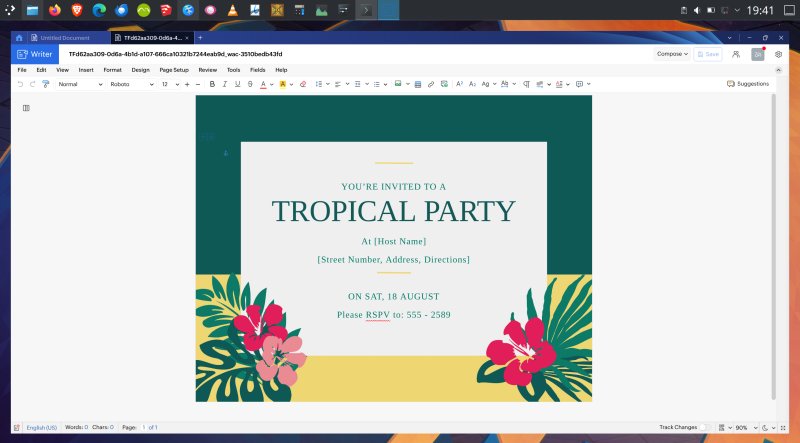
Write, we must, but install we must first
And indeed, lots have changed. First of all, and always assume PEBKAC, I wanted to try the offline parts first and foremost, because I'm more and more averse to anything cloud and AI, and I want to have a peaceful, quite and non-Internet experience wherever possible. Alas, I was able to find only individual components for the Writer and friends, not the whole bundle.This is somewhat similar to the conundra I faced testing OnlyOffice Desktop Editors, and the issue that still exists as I ponder Collabora Online and Euro-Office.
Anyway, I downloaded the DEB file for Zoho Writer and tried the program in Linux (Kubuntu 24.04). As I always do when setting up and testing programs outside of the repos, and those that do not seem to obviously need networking, I disconnected from the Internet, to see what happens.
Zoho Writer installed fine, and on first launch, complained about VAAPI. I guess no hardware acceleration or something. But worse than that, the setup couldn't really complete without an Internet connection. First, there was a window that did not render correctly, and then, that same windows, forever waiting to complete the process.
ERROR:media/gpu/vaapi/vaapi_wrapper.cc:1631] vaInitialize failed: unknown libva error
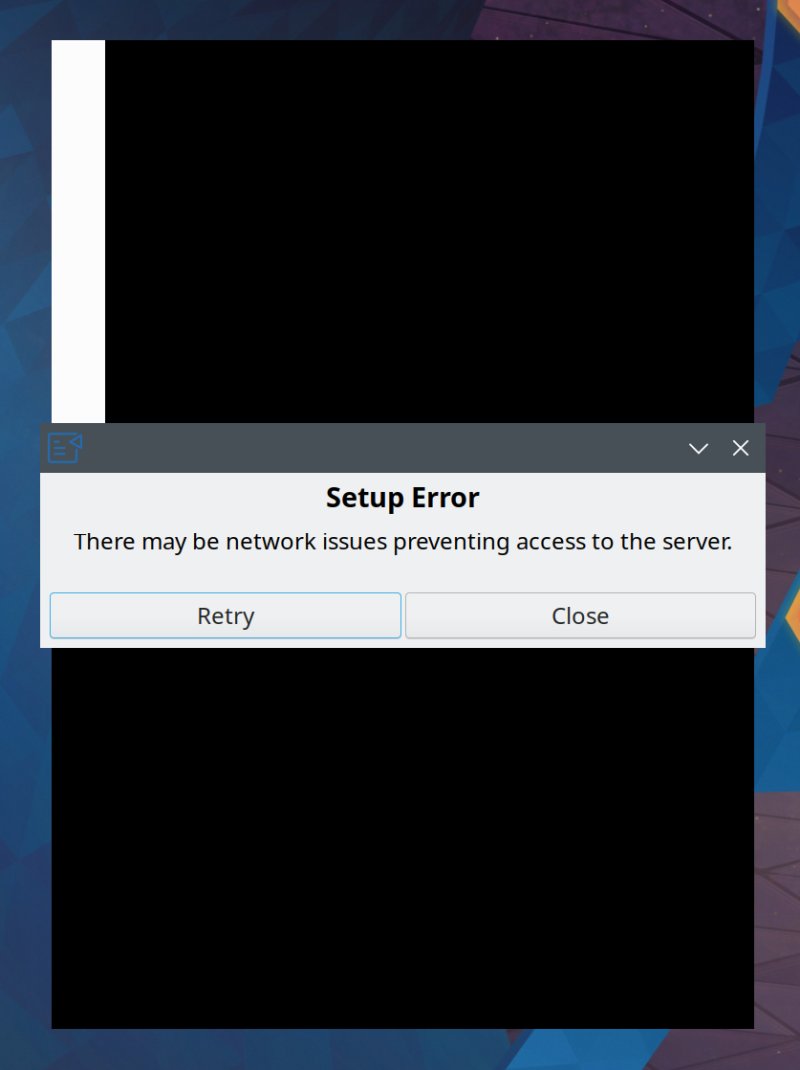
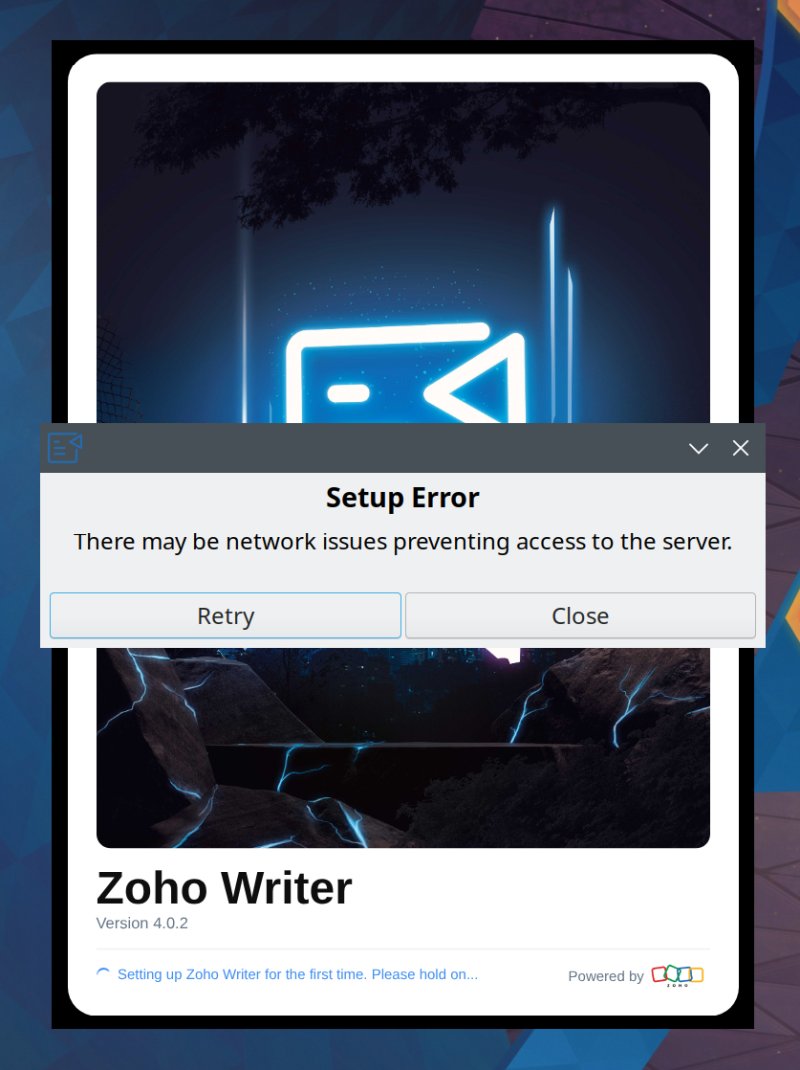
My first question is, why? Also, I didn't see "must have Internet" as a requirement anywhere. And immediately, this feels like a big no no, because that's also what Microsoft have been doing recently, mandating a rather unnecessary functionality in arbitrary situations. I had an allergic reaction.
(node:5054) electron: Failed to load URL:
https://writer.zoho.com/writer/document/try with error: ERR_INTERNET_DISCONNECTED
(Use `writer --trace-warnings ...` to show where the warning was created)
Also, based on the log, it would seem that Writer is an Electron app. Hmmm.
In order to be able to make this review into more than just the initial complaint, I decided to let Zoho Writer have its Internet. You provide a "name", and let it run. The program pulled all sorts of updates and components from the Web. Another big no no. I am not fond of self-updating software, especially if network connectivity does not seem to be vital to the basic usage.
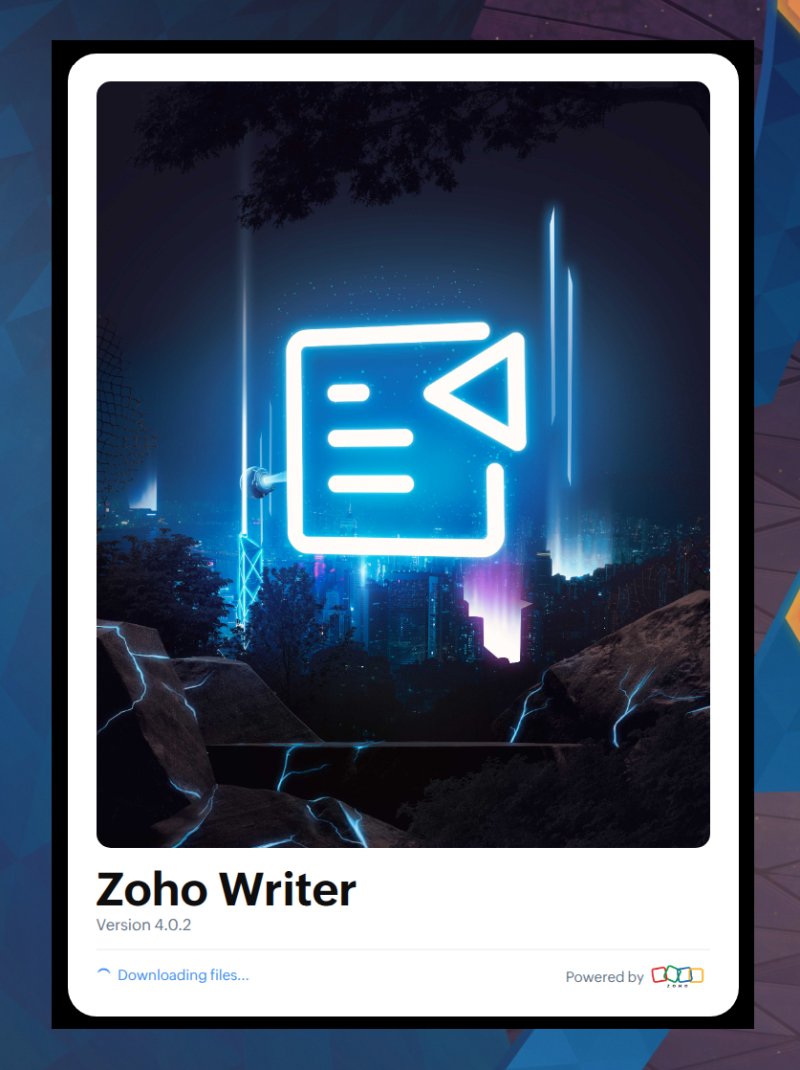
Downloading files? What files? Not liking this.
Write, we begin
All right. I launched the program. Every start, it checks for updates. And, you get assigned a staging user ID. This number is always there, so this technically becomes a unique identifier, regardless of who you actually are. Another big no no for me.
Checking for update
Generated new staging user ID: fca7b839-2fd1-6da9-c7af-ce87642df0fb
Update for version 4.0.2 is not available (latest version: 4.0.2, downgrade is disallowed).
And if you don't allow the Internet, it will run fine. So, the initial check is not really necessary. Also, without the network, the build-in AI agent won't work inside Zoho Writer, which for me, is a huge plus.
Checking for update
Error: Error: net::ERR_INTERNET_DISCONNECTED
at SimpleURLLoaderWrapper.<anonymous> (node:electron/js2c/browser_init:2:124687)
at SimpleURLLoaderWrapper.emit (node:events:519:28)
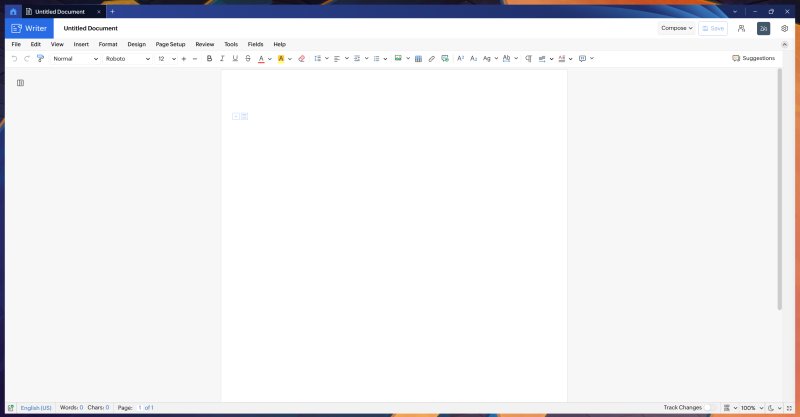
Now, the actual Writer looks okay. You get a pretty standard UI, but with tabs, mind. No Ribbon. I found it impossible to rearrange the UI buttons, or to make the toolbars bigger. Likewise, you can't zoom in or out with the mouse middle button (scroll). The language was shown as EN (US) and EN (ZA) here and there. The settings are pretty rudimentary, and mention nothing about online connectivity, privacy, telemetry, AI, or anything of that sort. In a way, all of the things I would want to look at and review first and foremost.
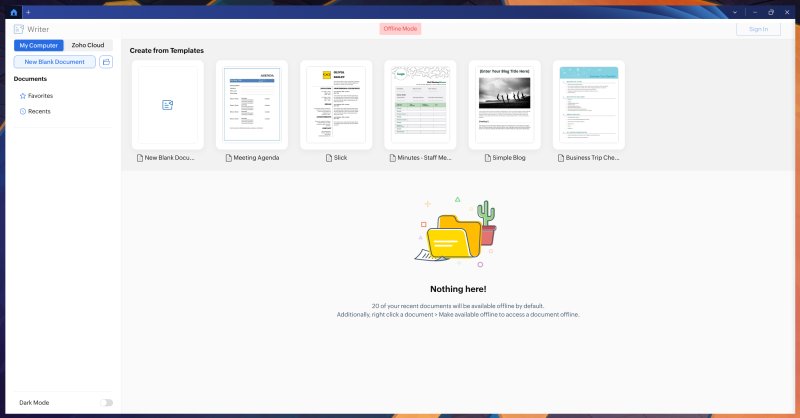
When you try to open a document, you can choose either between local files or Zoho Cloud, and the UI even says that 20 of your recent documents will be made available offline by default, but then, you can make more documents available, if needed. But. but. I had downloaded Zoho Writer expecting it to be an offline component of the bigger full-bundle cloud office suite. Was I mistaken in my impression?
Microsoft Office DOCX compatibility
The usual deal. I've been doing this test for a decade now with LibreOffice, with varying degrees of luck, success and quality. Most of the time, the documents render fine, but not perfectly, which means you can't truly and fully rely on the free office suite for collaboration. As an author of more than 20 books, and having to frequently work with publishers, editors and artists, I am more than aware of how much this can be an issue. Save a DOCX file via LibreOffice, try to open it in Microsoft Office, you get a "document corrupt" error. Oops. Can you bet on the goodwill and technical acumen of the other side to try to proceed? Nah.
I opened a total of four free Microsoft DOCX templates, downloaded from, well, Microsoft. Three of them opened fine, but not perfectly, with tiny misalignment here and there. One was completely botched, with big, important elements missing. Despite the fact Zoho Writer saves your files as DOCX by default, like many other programs, it cannot guarantee 100% fidelity. Herein lies the wicked paradox of the wicked Office dependency.
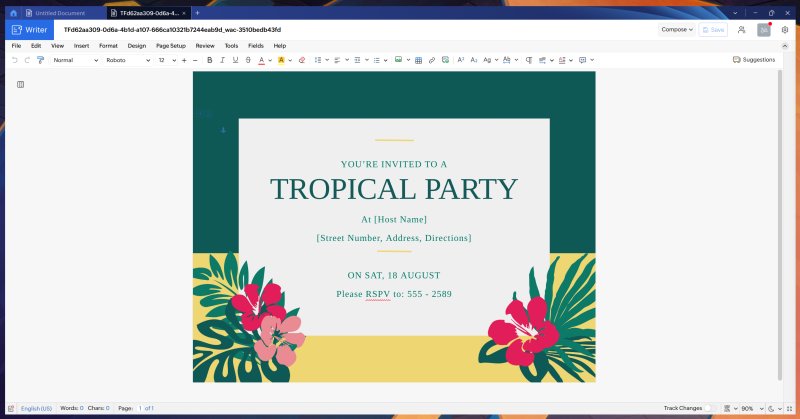
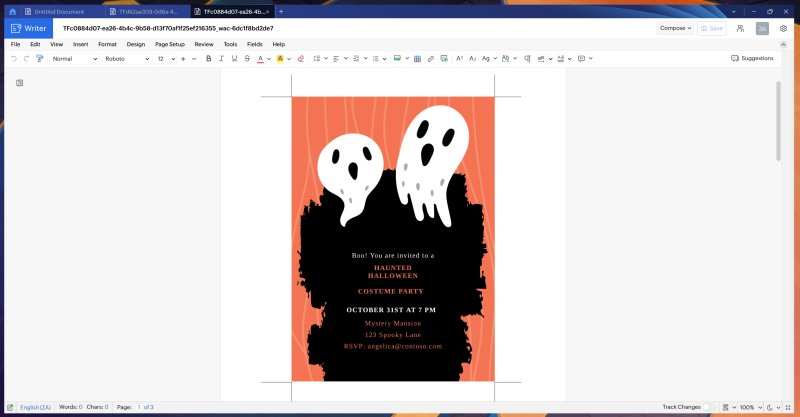
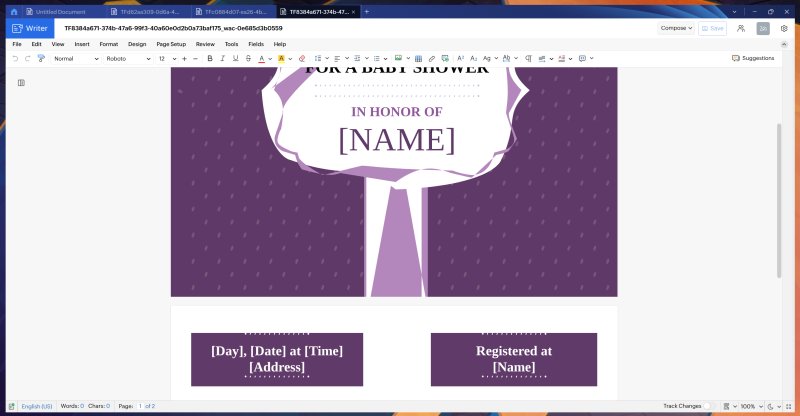
Notice the out-of-bounds elements (the dots) in the two text boxes.
And here's the worst one:
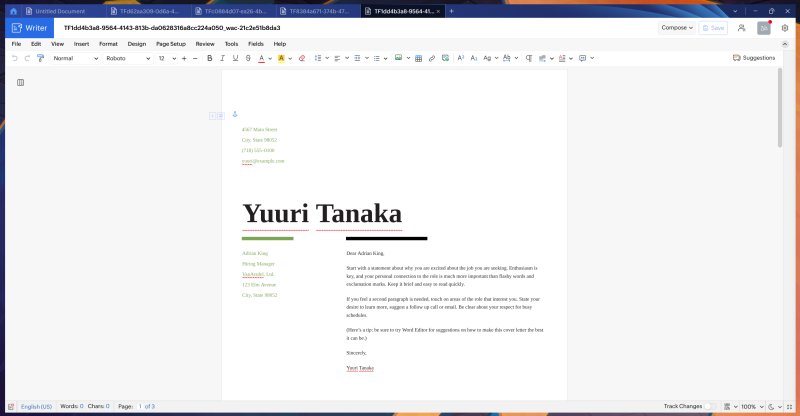
And this is what the document ought to look like - the motif in the top-right corner is nowhere to be found. Gone. Imagine if you were sending this to an artist, to have 1,000 copies printed. Invitations, instructions, marketing material, important stuff for your clients or your conference, whatever. Imagine the company logo being left out of mission-critical brochure.

Also notice that in every single example, the UI read 0 words, where obviously each of these files has many words included. If anything, the resume one should have plenty. After all, the spell check is in action there, and you have "misspelled" words marked with a red squiggly underline. So, there, words.
Conclusion
I didn't spend too much time testing Zoho Writer after that, or overall. There were quite a few snags in the process, and I felt miffed and frustrated. Perhaps I shouldn't even think about my impressions from sixteen years ago, and technically, they do not matter. The world has changed since, and 2026 is a year of different computing than back in the golden era of the desktop. And in 2026, I expect robust privacy controls and options available, even if the user has no intention of activating them. But without them, you feel like a peasant, at the whim of the big companies. Replacing one big company for another, same thing really, then.
Above all, I didn't like the hard requirement for network connection, the self updates - with no option not to do them, apparently, plus no toggle for the AI assistant. Microsoft Office compatibility is reasonable but far from stellar. Combined with the lack of flexibility in general use, I find it hard to embrace Zoho Writer as my collaborative solution. And don't get me wrong, I don't mind storing some information in the cloud. I actively use such tools, and I'm currently co-authoring a book on Artificial Intelligence ethics with a colleague, half across the globe. Yes, we use "cloud" for our work. No problem there. But. It's all done inside the browser. When a "desktop" program won't let me tweak settings, and it mandates network connectivity, my resistance goes up to eleven, even if, otherwise, I would have zero problem with the software itself. Such is the human mind, it seems.
All in all, there's no rekindled love for Zoho on my side, and I'm somewhat disappointed. I expected to be awed, and to find the Writer even more fun than before. My impression is the opposite. This recent endeavor feels disjointed, and I struggle to find a case for the clunky hybrid desktop-cloud model. The responsiveness of the UI wasn't stellar, either. With no option to easily customize the UI, and DOCX support not much above the rest of the bunch, then for me, LibreOffice remains the obvious choice, despite their stubborn insistence on ODF, which I understand, but doesn't help me get rid of Microsoft's software. In other words, Office still remains the weakest link in any Windows detox. Of course. Make what you will of this article, we shall speak soon. If you have insights why my Zoho experience wasn't so great today, feel free to ping me.
Cheers.