Updated: November 27, 2026
For those about to Linux, we salute you. I'm saluting myself, that is. I want to tell you about my latest round of ups and downs with the Slimbook Executive, a sweet Linux-based laptop that works wonderfully, except, when it does not. Sounds familiar? Well, it ought to. After all, I've already written fifteen reports about this machine so far, and you might to take a look at the last one. Or if you prefer, start in 2023, and work your way to the present day, and observe the tribulations and joys of the Linux desktop usage.
Cynicism aside, I am working very hard to not have to use Windows at home ever again, mostly because Microsoft has decided to treat its customers as low-IQ cash cows, which I don't want to be. Windows has lots of nice advantages, of which backward compatibility, good gaming and office support, and tons of flexibility are among the chief ones. But, that said, the idiotification of the computing space in the past decade has made the price of that experience too high. Being able to Linux full time is a critical counterpoint, but not without hurdles and regressions. So let me tell you how it went this time around.

Power to the people, or not
As always, I set about trying to resolve my random suspend & resume issues first. As you may recall, I was finally able to fix similar yet different system freeze problem on my Slimbook Titan by changing the power mode in BIOS. This gave me an idea, perhaps I could try something similar with the Executive? After all, it would seem, after hundreds of hours of reading and countless futile trials and errors, that the suspend & resume nonsense most likely comes from a miscalibrated power profile, introduced via apt by crappy firmware update that I didn't ask for. Hence, if I can tweak the C states, I might get around it. Perchance.
Well, the Executive has a pretty basic BIOS, with only a few rudimentary settings exposed. But, there's one related option. You can disable the modern S0 sleep mode and switch to classic S3 state. Let's try that, first, shall we?
I did this, and when I suspended my laptop the next time ... well, it couldn't wake. Nothing. It wouldn't resume the session at all. Now, I tried everything. Open and close the lid, connect the charger, disconnect it, try any keyboard key, power button. Nope. So I had to revert to the S0 mode.
I decided to try to fiddle with various GRUB kernel command-line parameters and try to work around the C states issue that way. First, I checked my laptop was indeed configured for this modern sleep:
cat /sys/power/mem_sleep
[s2idle] deep
Then, I checked what states my processor supports:
cat /sys/devices/system/cpu/cpu0/cpuidle/state*/name
POLL
C1E
C6
C8
C10
I also checked that S3 could work if activated:
sudo dmesg | grep 'S3|suspend'
[ 0.341305] ACPI: PM: (supports S0 S3 S4 S5)
[ 1.676156] Low-power S0 idle used by default for system suspend
[ 2.153001] nvme 0000:02:00.0: platform quirk: setting simple suspend
And then, I tried various options in GRUB, separately and together:
intel_idle.max_cstate=X
processor.max_cstate=X
Whereas X would be 0 or 1, to avoid the system going into the deeper C states. And each time, after setting the GRUB option, updating the GRUB menu, and rebooting, I'd check what the system reported. Typically, it would display all of the states (from POLL to C10). But when constrained:
grep . /sys/devices/system/cpu/cpu0/cpuidle/state*/name
/sys/devices/system/cpu/cpu0/cpuidle/state0/name:POLL
/sys/devices/system/cpu/cpu0/cpuidle/state1/name:C1
So far, so good. But the most important question is, does it actually work? Well, with the max_cstate set to either 0 or 1, in all of the permutations, I noticed my fans working more loudly on idle. I also checked the CPU frequencies, and the cores would correctly rev all the way down to 400 Mhz and up to 3 GHz, depending on the actual workload. Just a question of latency really. And yet, with each and every one of the options, my laptop still went through a quick random suspend & resume cycle here and there. It took a little bit of time to figure this out, but not that long, luckily. Twice, the issues occurred in the very next session after setting the GRUB parameter.
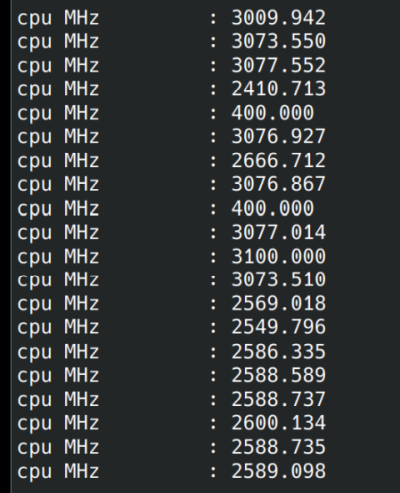
Then, I left the system sleep overnight. I only did it with one of the permutations, mind. In the morning, the battery had been completely drained. Thus, the "trick" didn't work. Apparently, limiting the C states most likely prevented the CPU from idling in the s2idle state. I could still test the remaining three configurations, but to what end? The original issue had not gone, and I have most likely introduced a fresh problem into the system, including possibly no proper sleep & wake sequence, higher batter drain, and such. All in all, much ado about nothing.
I undid the changes, completely, and I still have to live with the problem to this day, with rather frequent manifestations of this utterly pointless issue. And always remember, my laptop had worked FLAWLESSLY until the firmware update that I didn't want or ask for, was installed on my machine. If it were up to me, I would not have done it, because if hardware works correctly, then there's absolutely no reason to install new firmware. That only invites problems and possible regressions. Case in point, my poor Executive.
Now, the second part of the suspend & resume weirdness is that my keyboard also occasionally goes all Caps and silly characters. This can be triggered by going loco on your Caps Lock key, but from what I see, no such keyboard combo is active in my desktop shortcuts.
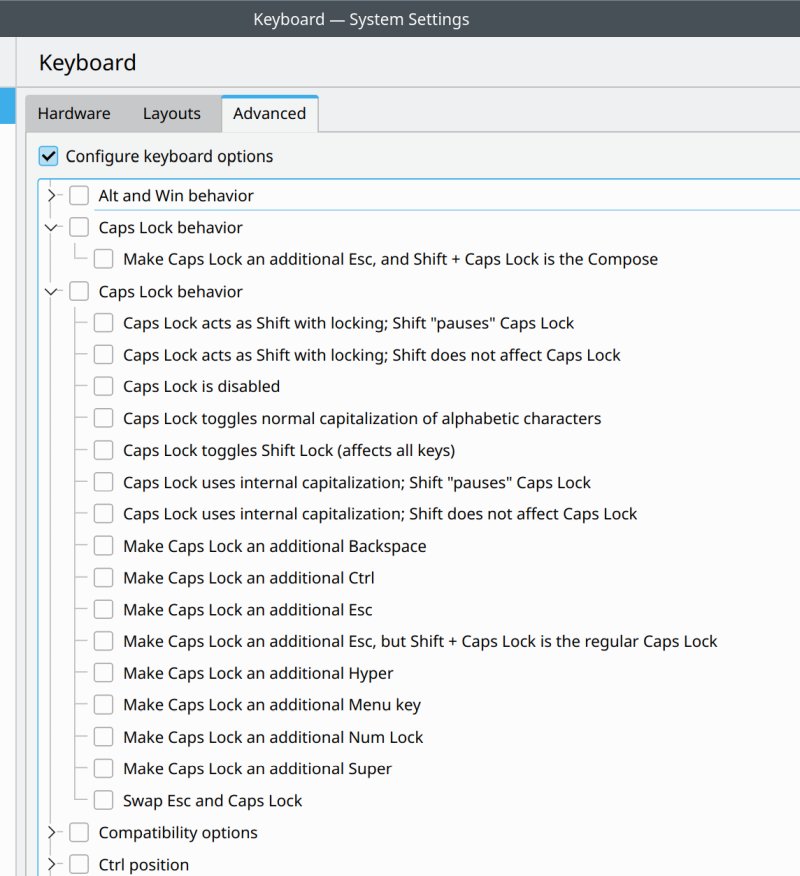
There are still a few arcane options to try. I also found some odd references in the Fedora and Framework community forums, which mention all sorts of ACPI tweaks, but still, without the BIOS documentation, it's basically grueling guesswork. No different than masking interrupts, which is something I've already done, without great success. Anyway, we shall leave those for next time ...
Some weird stuff
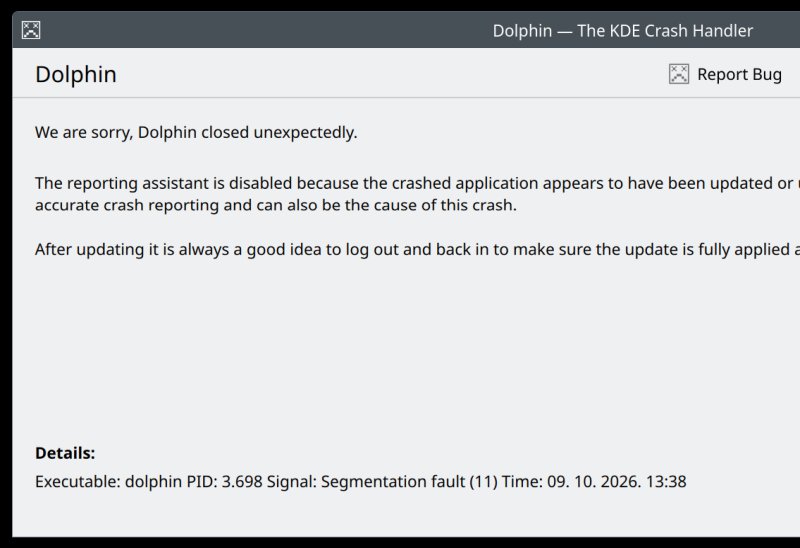
One time, Dolphin crashed out of the blue, for no good reason. I was simply using the system innocently, managing a bunch of files, nothing special. When that happened, for a few seconds, Settings wouldn't open, either. Not sure why or how.
Then, I was "lucky" enough to avoid the Google Chrome fontconfig corruption issue, but only because I was bitten by it earlier in a virtual machine, and hence I knew what to do and how to dodge it. How not to be seen, Monty Python Tux style.
My Plasma desktop also started popping up the notification that it was going to run out of support in something like 200 days. First, there's plenty of time. Second, the prompt ought to have a dismiss and.or do not bug me again button. Third, it's absolutely wrong and incorrect. Perhaps the KDE team limits their own support to three years, but all of the system packages come from the Ubuntu (24.04) archives, which means at least five years of support, and even ten with Ubuntu pro. And if you check my last Titan report, you will indeed see the system (22.04 as it happens) receiving Qt library patches, without any issues.
Nevertheless, when I clicked on the prompt to see if I could dismiss it, I got one giant error.
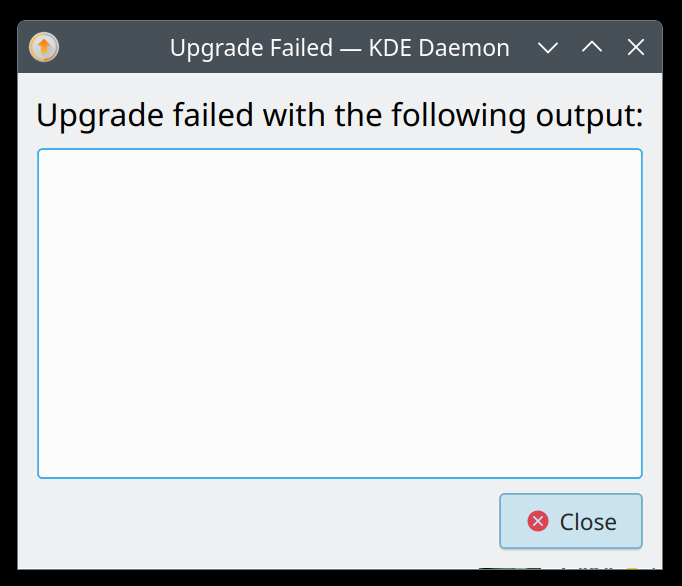
In the end, I had to manually edit the release manager configuration file under /etc, not to be bugged again about this upgrade. Still, it's yet another ultra-nerdy aspect of the Linux desktop usage. And it shouldn't be like this.
Gaming, lots of it
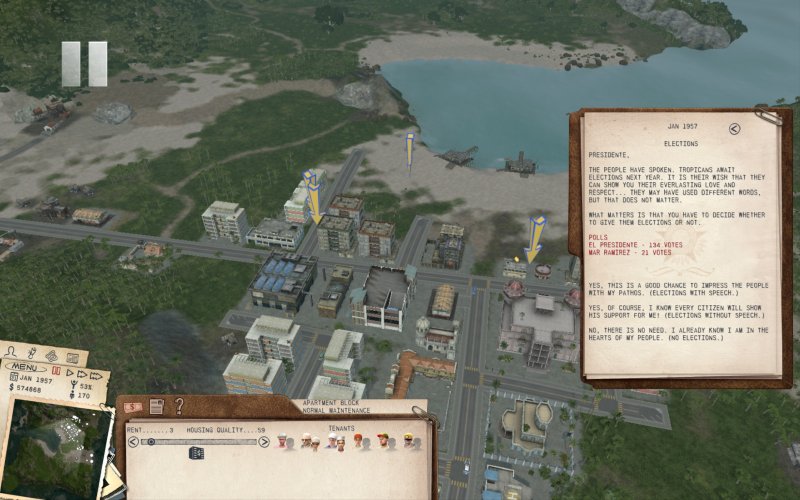
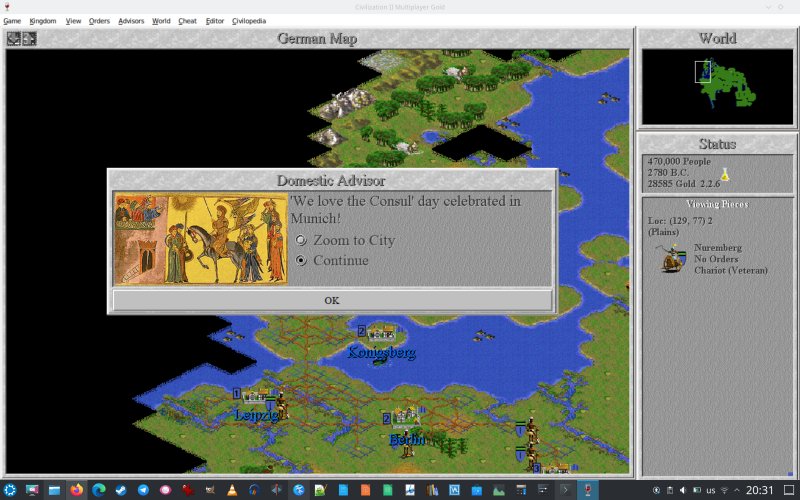
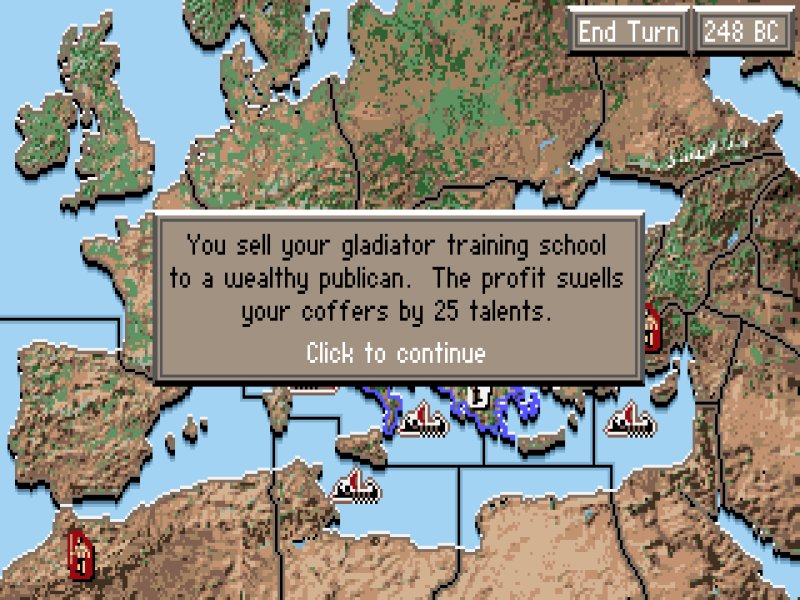
Normally, I do most of my Linux gaming on the Slimbook Titan, but I decided to try my luck on the Executive, too. I loaded a bunch of slightly older titles, with lower system requirements, which ought to run fine on a machine with an integrated graphics card. The results are pretty encouraging. I tried Tropico 2, Tropico 3, Centurion: Defender of Rome (in DOSBox), and Civilization II via WINE, all with extremely good results. More tutorials and review to follow, of course.

Everyday use
This time around, I dabbled a lot in new software. I got to test Kompare, I used iat for some image conversions, I did a whole lot of work with ffmpeg, and I had to cope with some serious trouble with the new snap-packaged VLC, mostly around DVD playback. Again, there will be several more tutorials on related subjects.
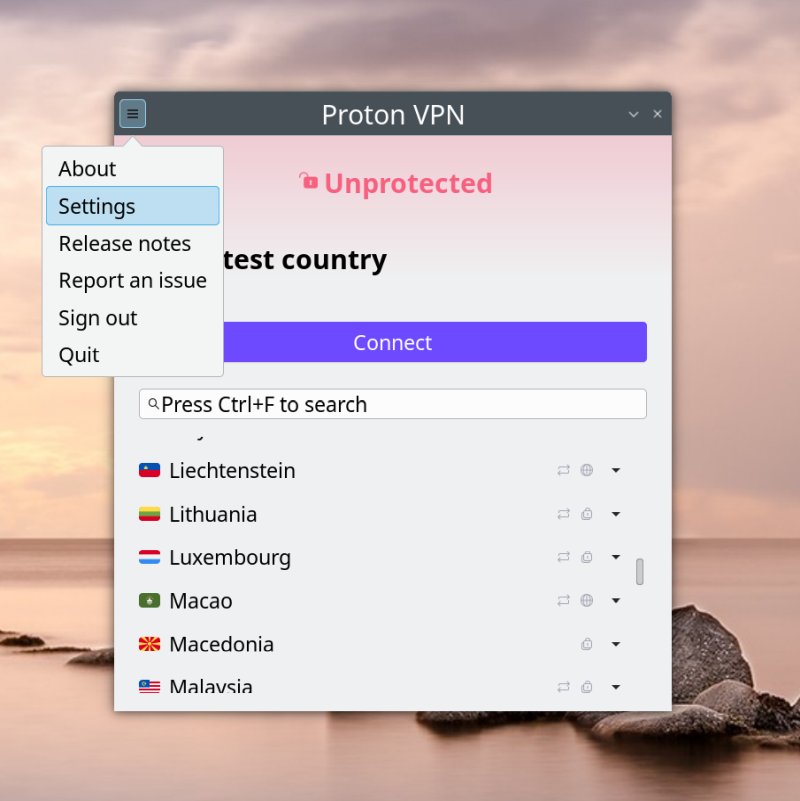
Then, I also installed the new OnlyOffice, and Proton VPN. The latter is a Gtk application, and it does not look that nice in the Plasma desktop. The settings menu is invoked, rather non-intuitively, through the top-left corner of the UI, but at least everything works correctly, the looks notwithstanding.
Conclusion
My latest escapade with the Executive is ... well, more of the same, really. The laptop is a beautiful machine, with fantastic ergonomics, excellent keyboard, screen and sound. The battery health had dropped a bit to about 91%, but after three plus years of constant use, that ain't too bad. The real issue is the crappy firmware bugging my everyday life, with frequent suspend & wake cycles. I also noticed it usually happens if I press the right Shift key more than anything else. Go figure. Absolute nonsense. Superb hardware marred by bad software. The reality of the past 35 years. Whatever progress went into making the processor work faster and more efficiently is always elegantly undone by software bloat.
But all in all, I still like my Executive. Overall, when I look even more broadly, and glance in the direction of Windows and smartphones and alike, the woes of Linux become somewhat more bearable if not excusable. I wish I was able to fix the suspend problem, but so far, the solution eludes me. Or rather, I need a solution that won't compromise day-to-day usability in some other manner. Without this one thing, the Executive experience would have been perfect, and my writing much shorter. Perhaps that's the plus side of the whole ordeal. You get to read a multi-year usage saga, the likes of which, if I'm not mistaken, no one else has ever given you. A true long-term report. Stay golden.
Cheers.