Updated: July 3, 2026
Do you remember the old days of phones? You would "set up" your device and be on your way. No cloud accounts, no thousand toggles, no excessive profiling. Simple life. Is this possible in 2026? Maybe. Unlikely, but there's a potential candidate. Android with minimal Google-ness, called /e/OS. Sounds cool. But hey, installing firmware on smartphones is a complicated procedure. Huh, you're in luck. Fairphone ships with this alternative option, no need for any tinkering. Great! I've already tested the phone a while back. A solid, mid-range phone that offers a bit more soul than the mainstream choices. Sure, there's an emotional element, but then, don't you feel all loved and pampered by the big tech every time you pick up your phone? Just recently, I also wrote about my ongoing endeavors with the Fairphone 6 in the first long-term report. Therefore, it makes sense to expand my experimentation.
What I would like to do today is show you what Android feels like - without being too Android. You've seen my take on this matter many times before. Every single time, it was the classic setup, with a Google account and many hours of tweaking spent trying to make each and every device slightly less stupid and annoying. If only there was a way to skip that ... Perhaps there is. Let me show you how I fared with /e/OS. The name seems funny, but don't let that stop you. After me.

Let's start with the basic idea
It ain't a new one. De-Googled Android has been around for a long time. There have been a dozen different efforts to offer the smartphone users a more private Android experience, for many years now. None of these projects has gained mass adoption. Apparently, most people don't care. But the reality is also a bit more nuanced.
People do care, but setting up your own Android is a massive, massive pain. It's somewhat like setting up your own Linux at home. People buy preinstalled laptops with Windows, check. People buy smartphones preinstalled with Android, also check. The same way few people have the knowhow to grab and download and install a custom system image on the desktop, equally, smartphone users are not going to bother, especially since there are even bigger hardware limitations than in the PC space. That means, that only way De-Googled Android can have any chance of success is if it comes from the vendor. Fairphone offers this option, good. But this is only the beginning of the journey.
Before I continue, I want to address the usage models, desktop and phone. Windows desktop, to be more precise, as understanding this will also help you understand what can and should be done with the phones:
- Microsoft takes care of the operating system updates - much like smartphones do with Android or iOS.
- On the desktop, you can use the pointless Store for apps, but in all likelihood, you will go to official websites, and grab relevant installers there, and manage your programs however you like it. This is not like the phones, where you are strongly "encouraged" to use the stores. You can sideload your own apps, but this is a somewhat cumbersome process. Almost impossible on the iOS, and getting harder and harder to do with Android (we shall talk about dev verification soon). Apart from security, the stores have ads and profiling and can keep the happy sheep nicely penned. But technically, with Android, you can use the desktop software model to some extent.
- The problem is, many Android apps use the Google Play Service backend to run. Normally, when you use the Play Store, the service does all the to and fro, installations, updates, security checks, and such. If you don't use it, then you are "sort of" on your own. To make things worse, many apps rely or even mandate the use of this service, so if you want to be sans-Google, your apps may refuse to even install, let alone work. It's the Internet Explorer 6 story all over again. Technically, anyone hard-coding their software to any particular platform should be deeply, deeply ashamed.
What is the solution? Well, this is where it gets quite complicated. Various de-Googled Android projects all aim at offering some sort of replacement or workaround for this Play service problem, with varying degrees of success. Murena /e/OS does it by using MicroG, a service that acts as an intermediate between your phone and Google's (Play) servers. In other words, it provides the necessary library calls, reimplemented from Google's proprietary solution. It is like WINE in Linux - a reimplementation of Windows API calls so that Windows programs can run in Linux thinking they are running in Windows. Almost. With no success guaranteed.
MicroG is then meant to be the ultimate diplomat. You don't need Google Play service, but it lets you utilize the Google Play store catalog as if it's in use. It also means that apps that require the service can or should run correctly. It also means you do not need to sideload anything.
But the story does not end there. Perfect compatibility isn't guaranteed, because, after all, you're not using the original, you're using the simulation of the original, the open-source reimagining of it. Indeed, Fairphone uses the App Lounge store, which, to the best of my understanding is a proxy to the official Play Store, plus several other sources (but more later). You can sign in or run anonymous. Then, using Google Play in this manner, with a different service acting as the service, might even be against the terms or service (I don't know, I'm not sure), so if you want to use your Google account on the /e/OS, you might actually run into problems. You can also use other Android APK stores, but that's like the Linux Snap Store or Flathub. The similarities are uncanny.
So does this work? Perhaps. We shall see. Now, I want to address the security and privacy aspects of this solution, that is, the use of MicroG in /e/OS.
Safety in numbers
Reading various reports and articles, it seems Fairphone has sold about a million devices in the last few years. Please do not quote me on this! I used the Internet wisdom for this information! Now, I doubt many of those phones shipped with /e/OS. If you sum over all the different /e/OS devices sold out there, of which there's a sizable number, still, you probably get a tiny fraction of total mobile users. In other words, you will be running an exotic operating system. Again, it's very much like the desktop Windows and Linux story. By using the latter, you immediately become the 1 in 100 users rather than the 99 normies (give or take a few percentages). In some ways, it becomes much easier to profile you, and if needs be, isolate you.
Thus, my first question is, does the use of /e/OS, by its very merit, make you more unique, which then defeats the purpose of having a de-Google Android, because in the standard scenario, Google knows a lot about you, but few other entities do. Here, you are a beacon of nerdiness everywhere you go.
My second question is regarding the security of MicroG, which is now the agent of trust on the device. I would like to ask you, my readers, a favor. If you know people working for Fairphone or Murena or such, please forward them this question, because so far, I've not been able to find an authoritative answer.
Indeed, is MicroG highly secure?
I've read dozens of articles, forum threads, community posts, and then some, dating back a decade and all the way to present day, and I still don't have a good idea of whether MicroG is a blessing or a curse. Technically, this privileged service is now the weakest link of your operating system, much like Google Play services are in the classic Android. The difference is, Google has an army of people maintaining their tool, whereas MicroG is a relatively small project. It's indeed very Linuxy in nature. Now, technically, what could potentially happen if this utility is compromised, would say Fairphone roll this up into their next /e/OS update? What guarantees the system integrity, so that the end users can enjoy a high level of security? This is not a "dig" aimed at /e/OS or MicroG, this is a genuine question. I don't have an answer, because the Internet does not have an answer for me.
I am tech-savvy, and I understand the implicit risks. Not unlike say a bug in WINE propagating to various distro repository archives, and then getting packaged up by the maintainers. Not unlike bugs or problems in various other packaging tools or managers used by Linux systems out there. Recently, there has been a torrent of supply-chain attacks, so I do have to voice this question out loud.
Looking at the design, on paper, it's brilliant. MicroG could be everything I need from Android. But then, I need to confer all of my trust to it, and I need to know that it's superbly done. Without that guarantee, using Android in this manner could be quite risky, both in terms of security and possible app compatibility glitches. Perhaps, on the desktop, we nerds have long learned to access similar risks and pitfalls in using our favorite (community-maintained) Linux distros. But there, too, I exercise skepticism and caution.
I will not use any which Linux, and I sure will use only a select few for important, personal stuff. Basically, the only Linux desktop I find truly adequate for important stuff is Ubuntu (and one or two flavors). Trust in the operating system is a difficult thing, and becoming more so recently. Since my trust in smartphones is already quite low, I am seeking a better understanding of what I ought to expect - not just now, but in five or ten years from now. If I'm about to commit, I want to do it right.
All right, let's have a look at the actual device and whatnot.
System setup
Now, when you power on the phone, the boot logo shows Fairphone and Android icons before it shows the /e/OS one. So yes, again, the similarities to the Linux desktop are there. After that, it's a very quick and simple configuration. No user. Just you and your phone, as it should be really. The visual design is neat. Clean, happy icons, vibrant colors. So far so good. I do get slight Ubuntu phone vibes, he he. The system information reads /e/OS 3.7.3, which should be the last version as of writing, with Android 16 behind the scenes. Indeed, there were no updates available, as of writing. Hold your horses, wait till the end.
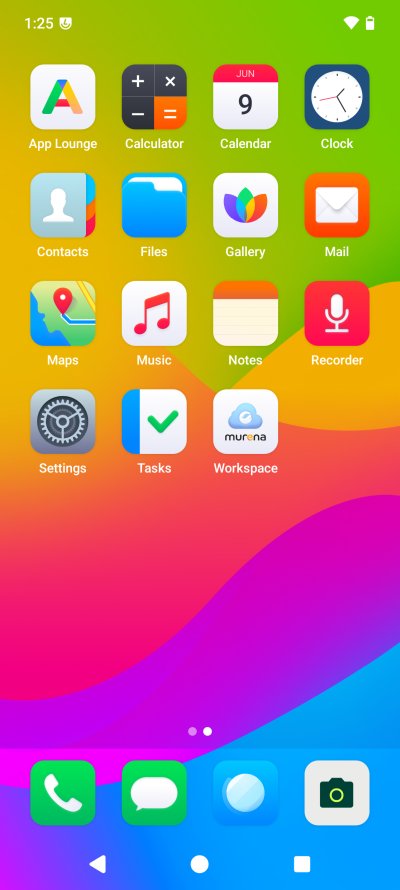
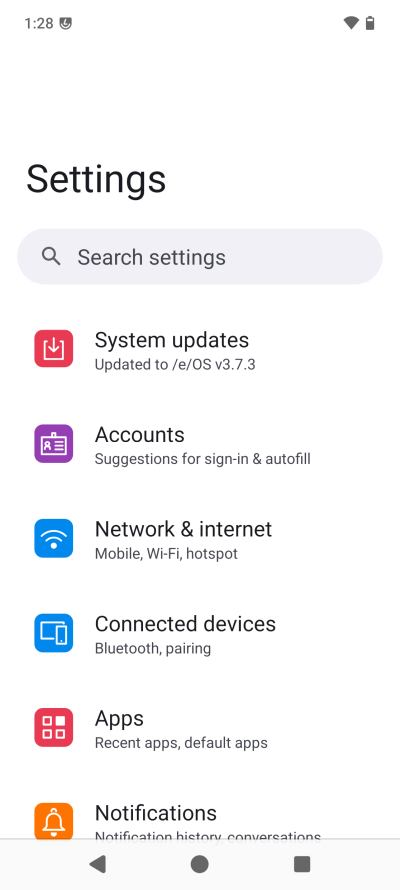
Next, I decided to do my usual thing - go through EVERY setting, and see what gives. Carefully examine options, features, permissions, and decide what to keep, what to remove, and how grumpy I ought to be, if at all, in this case.
It's very quiet in here
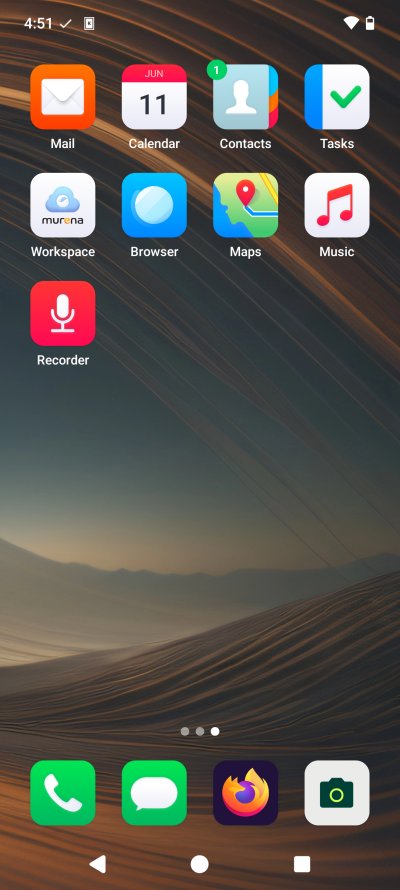
The phone comes with only 29 apps preinstalled. This is a remarkably low number for a typical modern device. Now, I did spend a few minutes trying to get my bearings. The default set is generic. The browser is called Browser, which feels, well, odd, as you don't really know what technology lives under the hood. More on that later. There's also something called App Compatibility Services, but it's a credential provider. Password manager then?
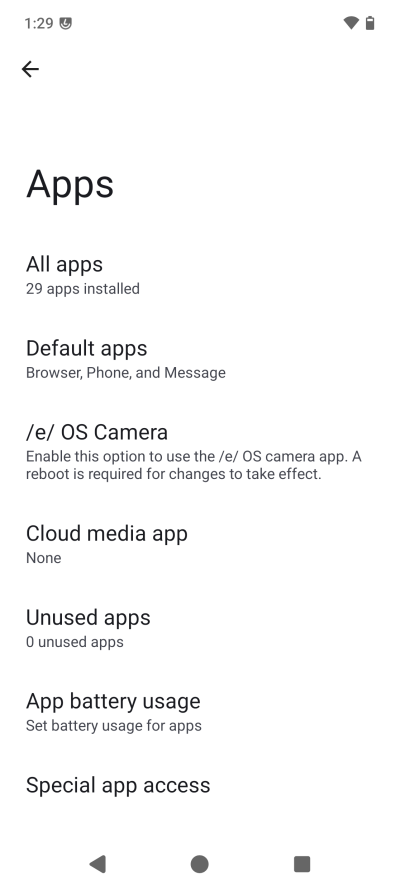
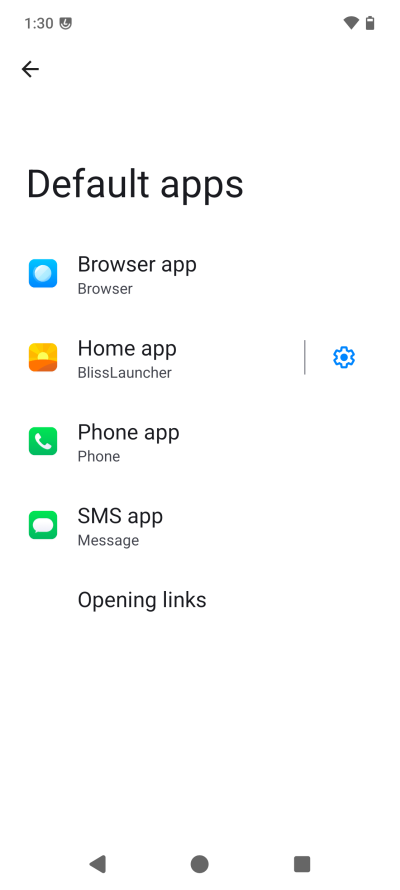
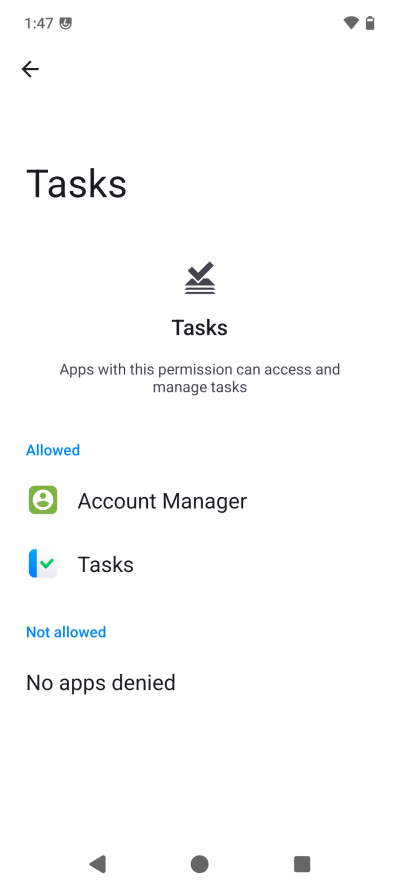
Anyway, I began tweaking permissions. Interestingly, I found the defaults too permissive. Google or not, I don't want my apps to be able to do too much unless explicitly allowed, and in this case, I had to pare down the app liberty quite some.
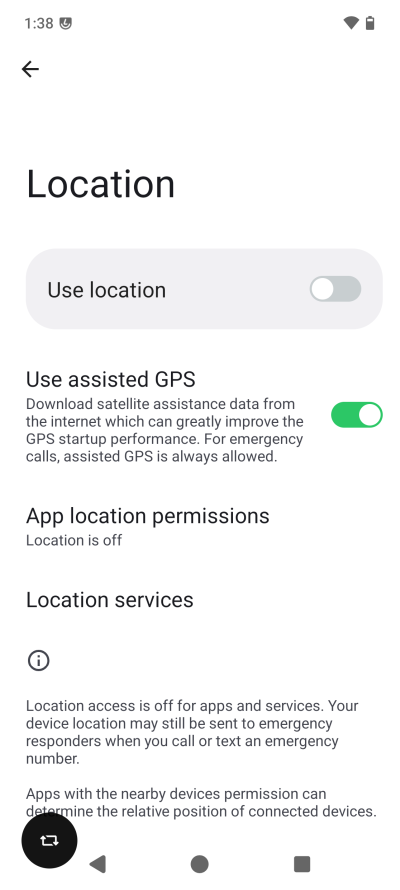
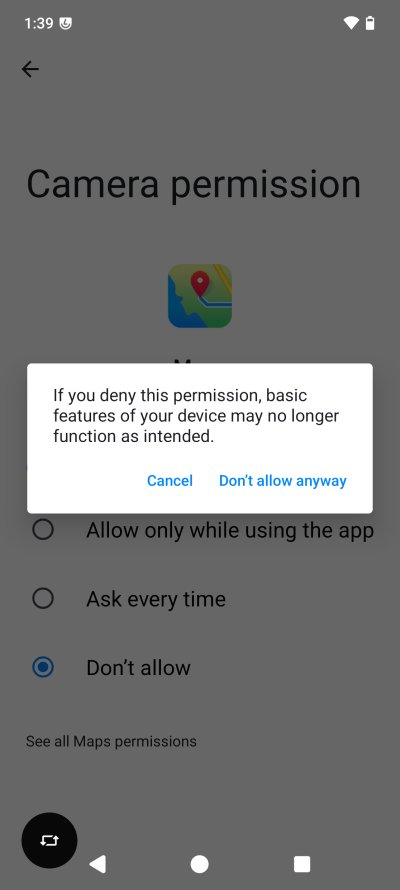
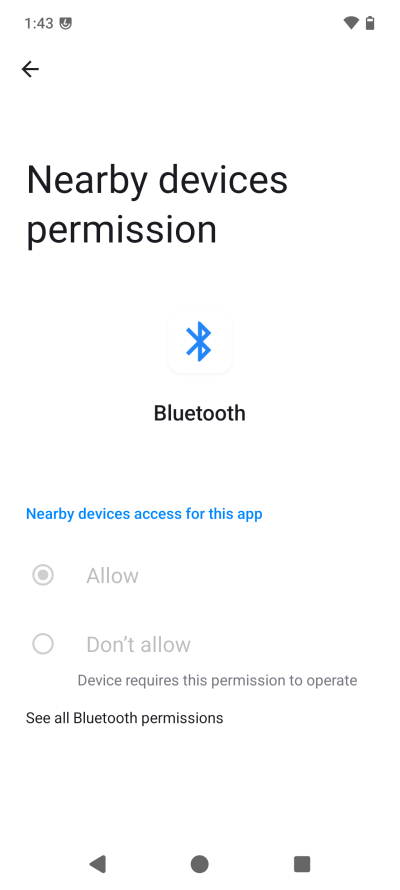
I did spend quite a bit of time tweaking Location, and removing permissions. You have the option to turn off assisted GPS. Then, you still get scary warnings that apps may not work if you toggle off certain resources. But why would the Maps app need camera permission? I also don't like Bluetooth and don't want to use it, but you can't really completely disable it, or for instance, not give it access to Nearby devices. So in the end, you're still limited in what you can do, and the operating system imposes decisions on you, whether you like them or not.
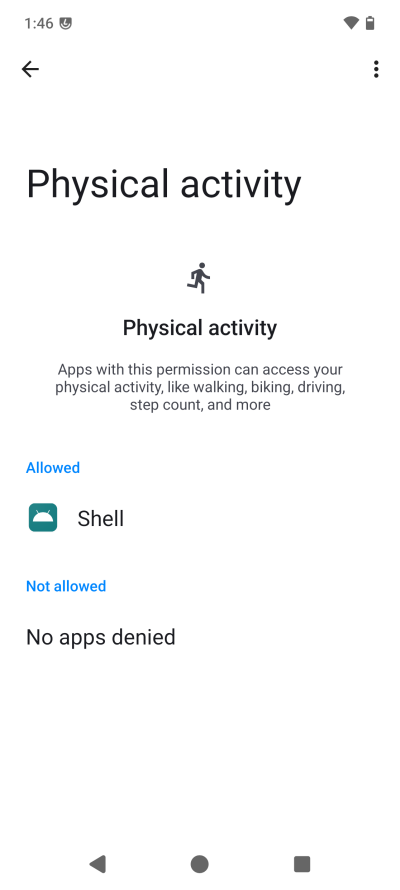
Why does the Shell need access to physical activity? What does that mean in practice? And why does the phone orientation icon pop up so often? I know why. It has to do with the screenshot key combo and Fairphone ergonomics, as outlined in my original review. Awkward posing, hence.
The thing is, not wanting Google to get info is one thing, but how about not wanting anyone to get info, period. The purpose of /e/OS should not be denying Google of sweet data, it should be all about giving the end user maximum privacy, regardless of who and what and when.
Advanced Privacy really angered me
Then, I came across a separate category called the above. It covers trackers, fake location and fake IP address. Not bad, except, there are lots of problems with the setup, as I shall quickly explain.
- The trackers blocking sound reasonable, but even the official documentation says that it may cause apps not to work correctly. In that case, why have it turned on by default?
- The fake location toggle lets you choose a random location or specific coordinates. Why is this even necessary if you do not give apps access to Location? Does that means apps can get the location regardless, in which case, is the toggle a mere placebo? And what if you accidentally also include various navigation apps in this list, does that mean you will get incorrect navigation data?
- The fake IP thing is really annoying. You don't get an explanation what it is (inside the app; you need to actually go online and read about it separately) until you activate it. Then, you get a popup that tells you what it does. There's no second ON toggle. It's activated right away, whether you like the explanation or not, you only get a "modern" "I understand" nonsense. So what this does is turn TOR on. Yes. You would think, VPN, but nope. Your traffic now gets relayed through a bunch of servers, you have no idea where your data will exit, and whether the service on the far side will decide to blacklist you because you now look extra shady.
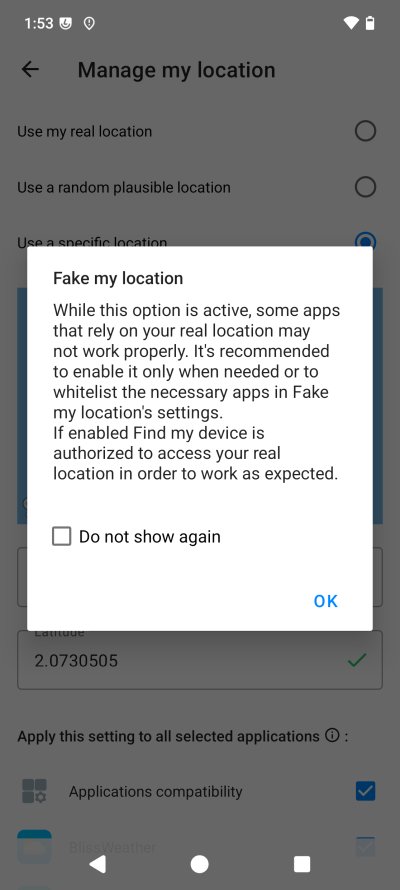
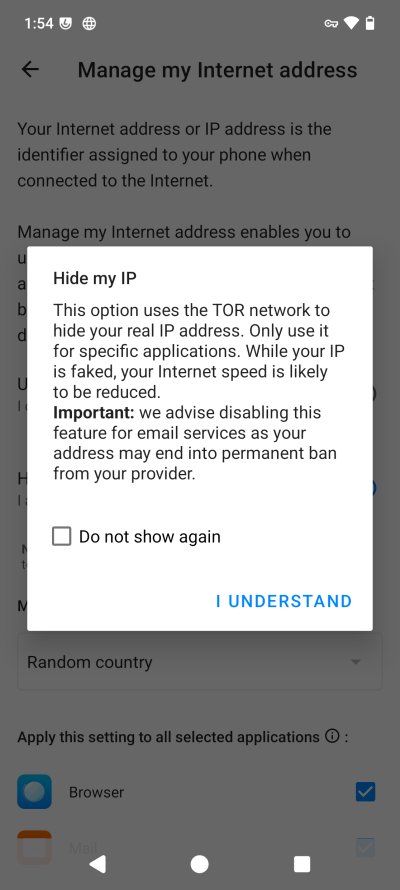
There's so much wrong with this implementation. The Fake location was initially an island in the Pacific. Very plausible for a Fairphone user. Talking about making oneself extra unique. Not only is there a limited number of users with this device and operating system, now you want to pinpoint yourself even further. The TOR thing is also awful. Low speed, potential email ban - but the system also flags the mail app automatically! YES! What if I had the mail client already figured and it decided to sync mail at that moment, and the provider went, what, what's happening, block!
Furthermore, Advanced Privacy shows as a VPN connection, making things even more confusing. And, you have the second home screen (swipe left), with suggestions and widgets and such, and Advanced Privacy is shown there, with quick access toggles, giving you extra change to accidentally turn things on and ruin both your actual and perceived privacy, and then also perhaps get yourself nicely blacklisted by various services.
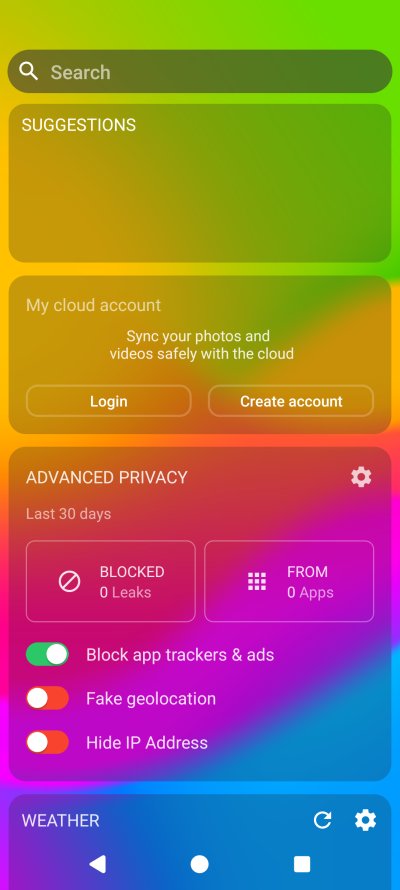
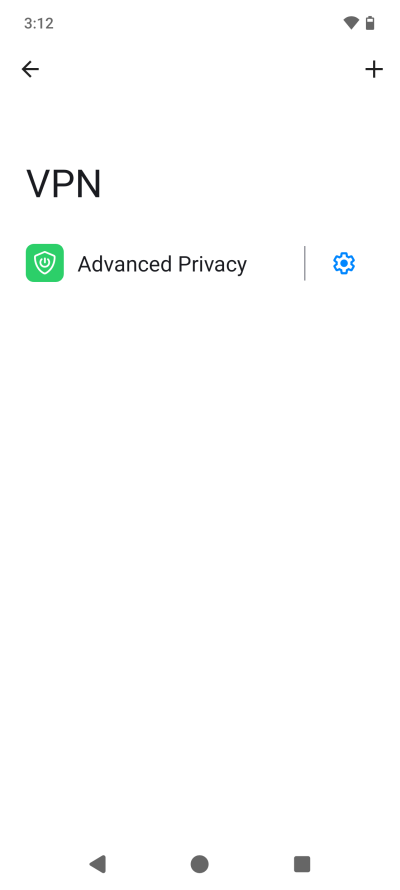
There's a lot wrong here, as we will discuss shortly ...
Since I wanted to be thorough, I checked what the Fake IP functionality does. Just turning the toggle on/off uses 80 KB of network data. Where does this data go? What happens? Did my phone accidentally establish connection with a TOR node or who knows what? No idea. I also don't subscribe to the notion that anything privacy-focused also means instant trust. If I want to use TOR, I want to do that on my own terms, with full transparency on what I'm doing. This is the opposite of what you see above.
Network, Location
What's nice about /e/OS is that it exposes the network toggle for most, but not all apps. Thus, you can permanently deny certain or all types of networking for your installed software. Then again, the ability to do this seems rather random. You can disable network for Advanced Privacy, which I did after the incident above, plus I toggled off the trackers utility (but it still tracks if not blocks them).
On the other hand, you can't deny network access to something like the Calculator app. What. Why would the calculator need any network access? This makes the functionality somewhat weird. On one hand, you go, aha, Google could allow this for any which app, and you could manually control networking, as one should. On the other, well, if /e/OS gives you this, why isn't there an option to do this for each and every listed app, regardless of what they declare in their manifests?
I also noticed that there's a whole bunch of location methods available. The options are a bit baffling. There was assisted location earlier, and now all these extra settings. What do they mean in practice? Are they related? Isn't doing all these "probes" effectively disclosing a lot of information about your device to many different probable providers, including online location service (which), public hotspots (what), local storage when GPS is used (what does this mean), or cell tower location (the only one that sort of makes sense). But again, if I toggle this off, what will happen in practice if I do decide to use the functionality?
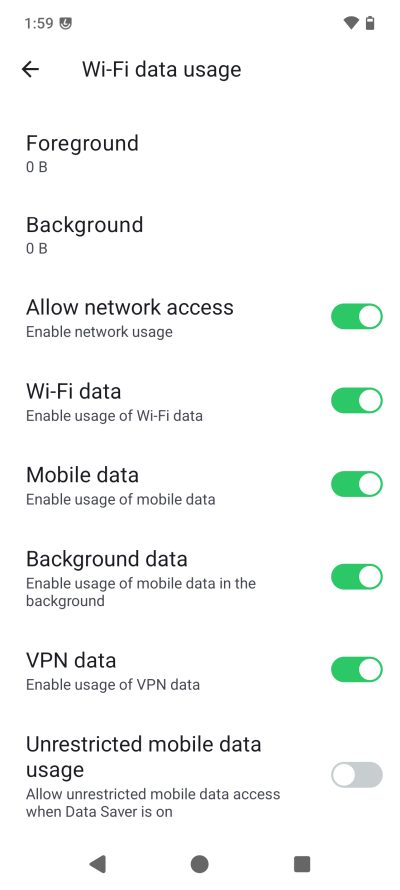
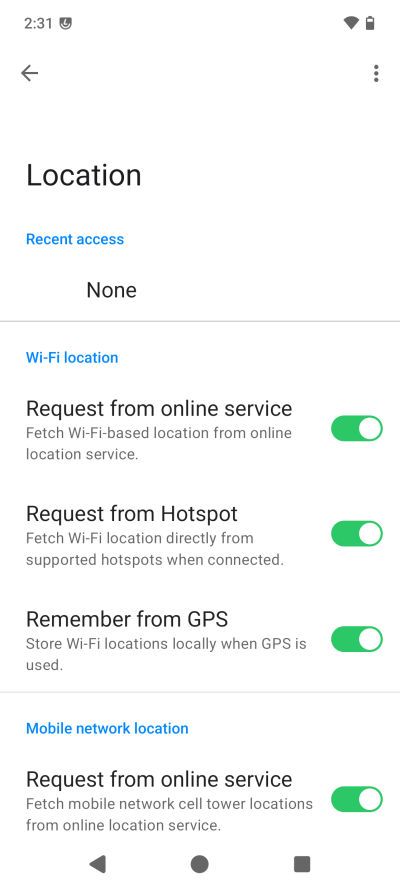
App management
Now we get to the big stuff. Software. Without apps, a smartphone serves no purpose. Microsoft discovered that with the Windows Phone. Even though the system looked slick and cool, the lack of a wide range of popular programs sadly killed the program. Enter App Lounge.
With /e/OS, App Lounge serves as your proxy to the Play Store, as I outlined earlier. But there's always a bit of confusion present, to keep you humble. The terms of service are dated 2022, or at least, haven't been updated since. The tool, when you launch it the first time, tells you to use a dedicated Google account, probably because of potential problems with MicroG. You can use the software anonymously, and I'm thinking, why shouldn't I? Then, you can also display only Open Source and Progressive Web Apps (PWA), but what does that mean in practice? Is this merely a filter, or does App Lounge contact other stores behind the scenes, and by which hierarchy? I couldn't find any toggles that tell you what happens in the background. Not in the application. Once again, you must go online to get more information. This shall be a topic that I will discuss at greater length both in this article, and let me tease you briefly, in several follow-up articles.
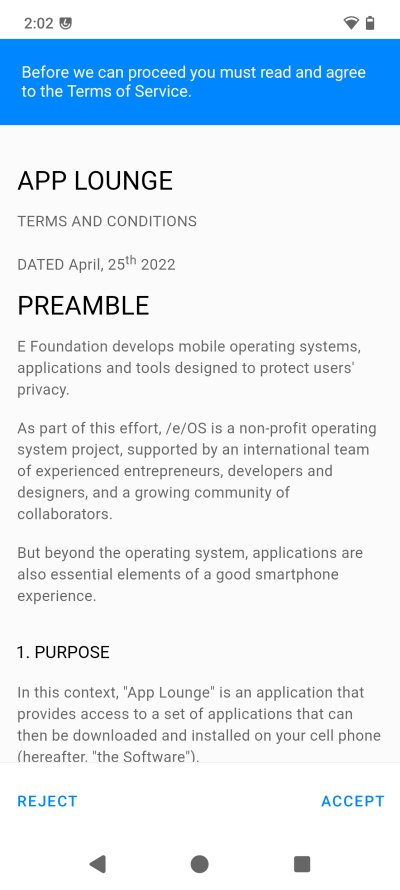
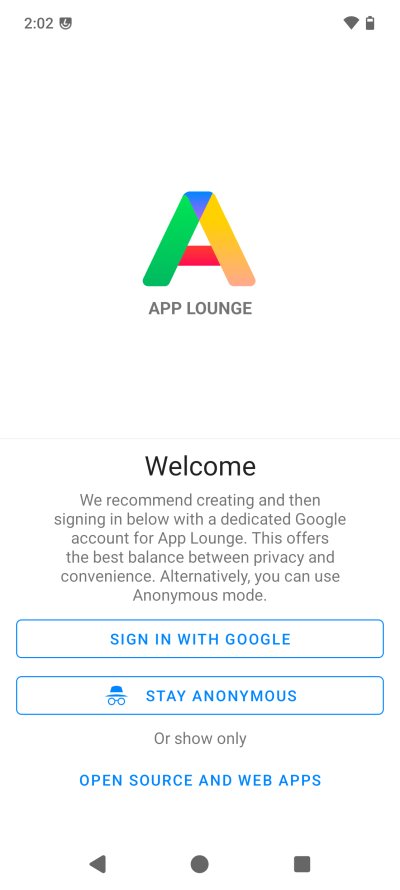
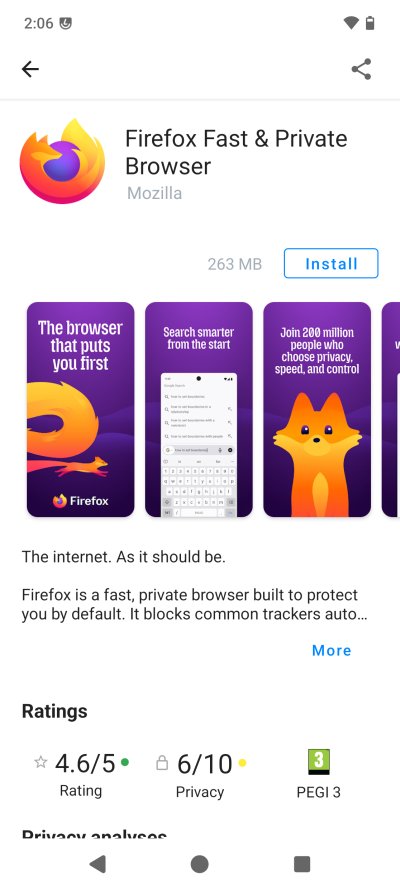
Anyway, App Lounge seems to work fine. I was able to grab all sorts of familiar apps, without any great fuss. I am still bothered that you don't see what the source of this package is, even though most of the relevant information matches the Play Store listings. The app updates also seem to work fine, as a subsequent Firefox patch confirmed.
App compatibility
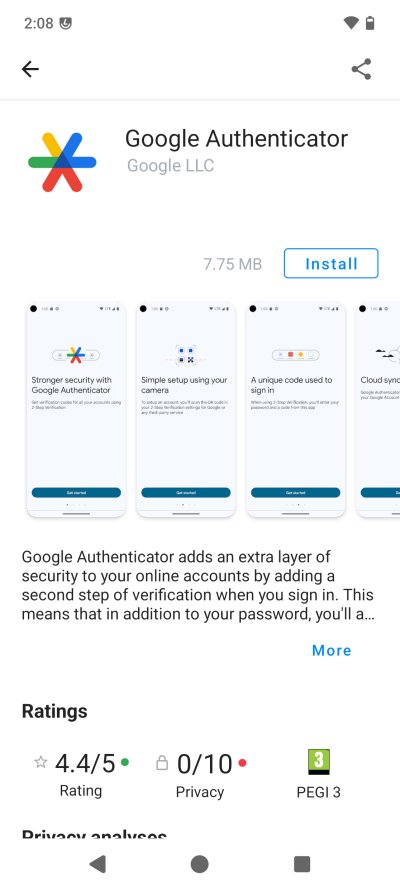
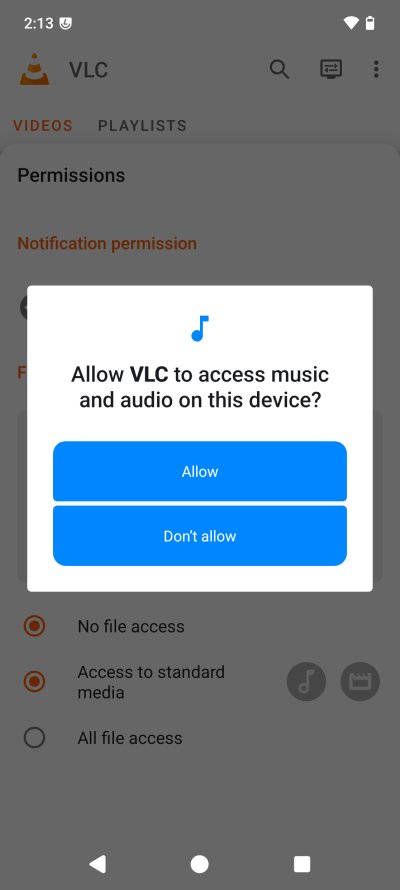
I purposefully downloaded both open-source and proprietary apps, both those that require Play services and those that don't. Everything seems to have worked correctly, including permissions and such. Google Authenticator did not complain, and cooperated nicely with the camera - you do get an overlay text telling you that the necessary functionality is provided by MicroG. I was able to import music into VLC without any issues, including setting up custom access paths. I also tried two different VPN tools, and they also worked fine.
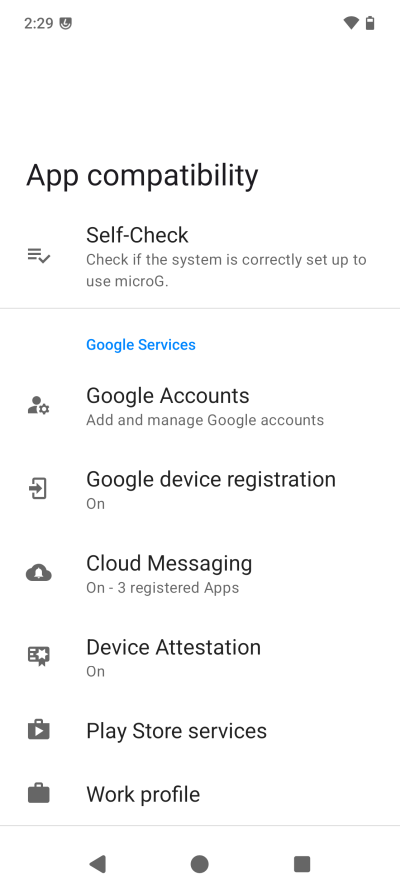
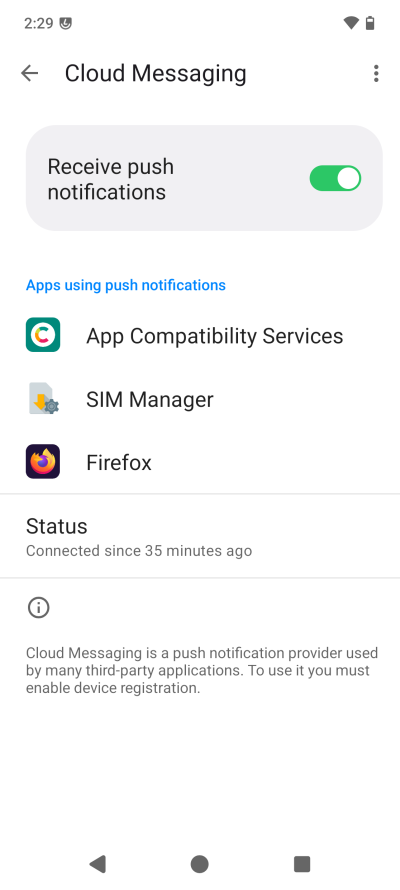
Here, I dug more deeply into figuring out this whole Android compatibility thingie, and I can't say I'm any wiser. Like, what's Cloud Messaging, and what has that got to do with push notifications? And to use those, you need to allow device registration. What does that mean? The main menu mentions something called Google device registration. Is that it? Does this mean my device has been "registered" with Google? If that's the case, what's the point of the whole de-Google experience? Now, I don't know the right answer, I'm guessing, but this feels confusing.
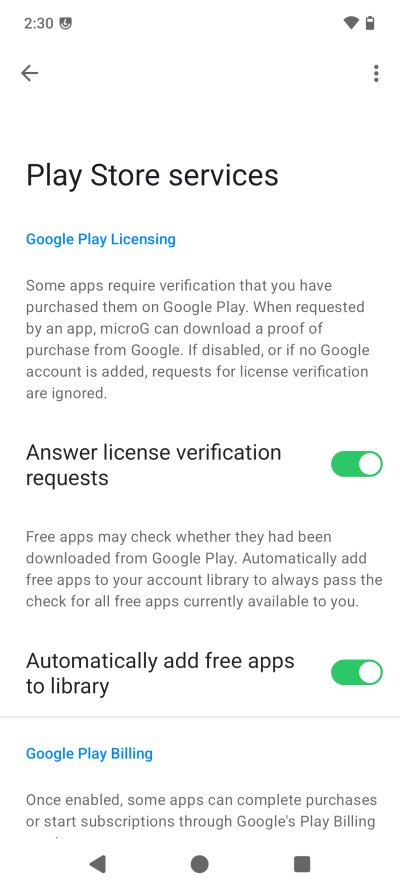
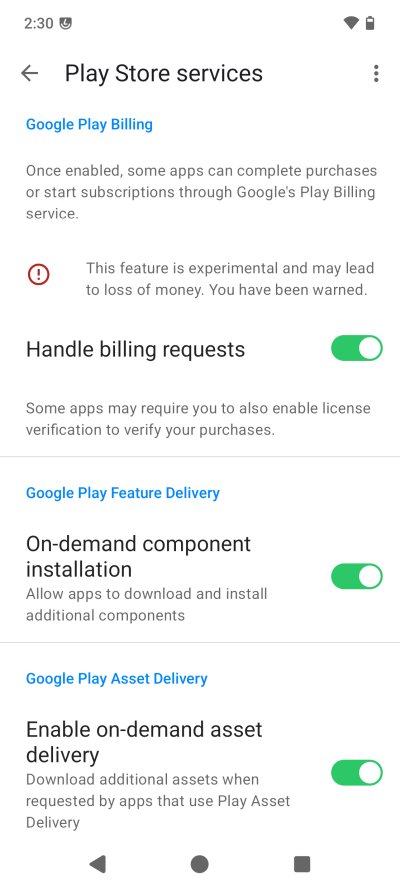
Then, there's the whole Play Store proxying. Lots of stuff here, and it's not all clear. Like handling billing requests. Does that mean you let MicroG be your payment handler? That's a lot of trust. Now, I never would provide payment details in Android, and I don't see any reason to do so here, but it's a legitimate question nonetheless. On-demand components? What does that mean? Asset delivery? Sounds like apps could then download their own extra stuff that I don't necessarily want or like. Say, an AI engine or some such. But the wording of the toggles is not clear enough for me to make the right decision.
Everyday use
My next endeavor was to use this phone somewhat - in a sort of semi-trust mode, as I would still like to get authoritative answers on what MicroG does and what one should expect in terms of compatibility, including Google services. So please, once again, forward this question to the relevant folks, if you can, and I will update on this matter in the follow-up article.
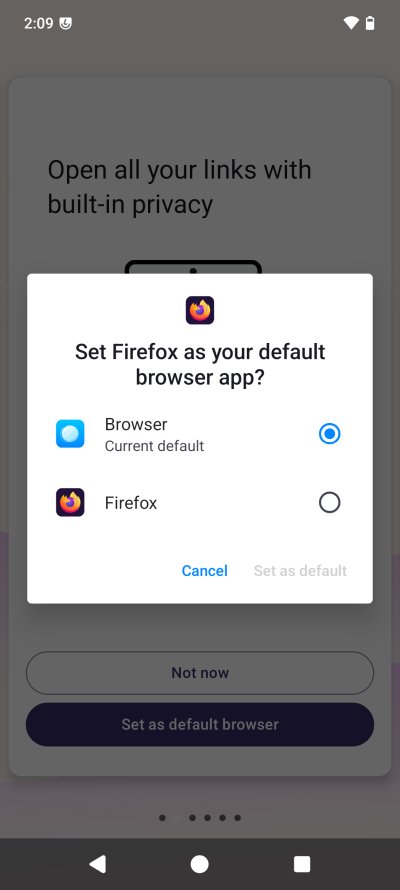
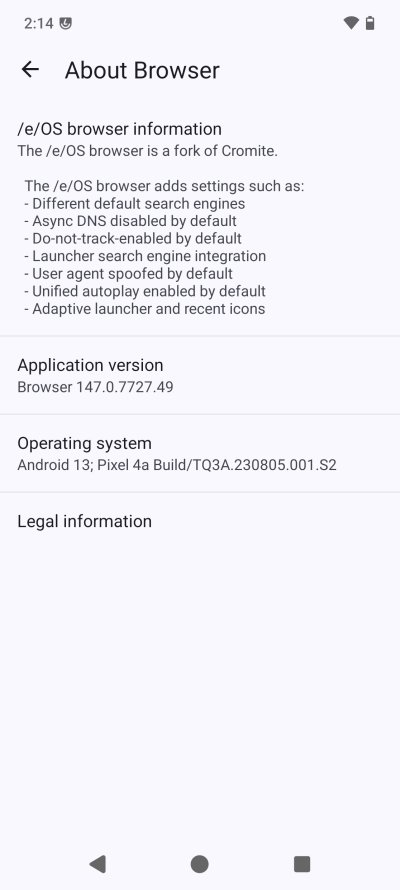
I tried using the default apps - and I found them somewhat clunky. Not bad, but my default choice would have been different. Music seems less fun than VLC, especially since I couldn't find an option to just list tracks, and not bundle everything per album. The default browser seems to be based on Cromite, which I have no idea what it is, and the operating system version string seems to be for Android 13 on Pixel 4a. What.
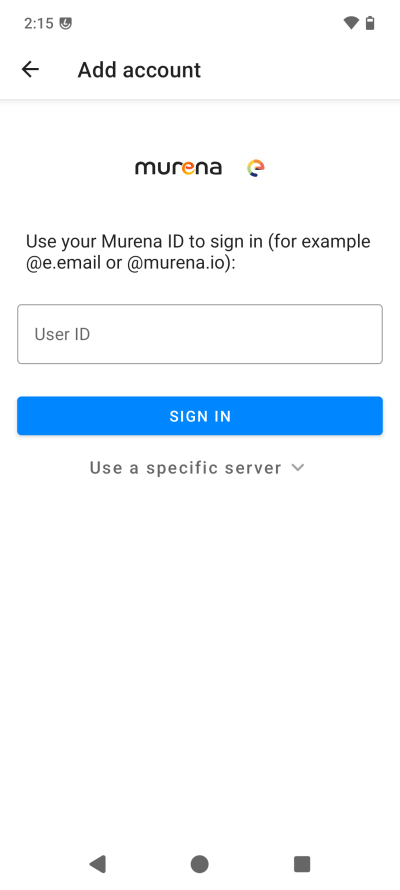
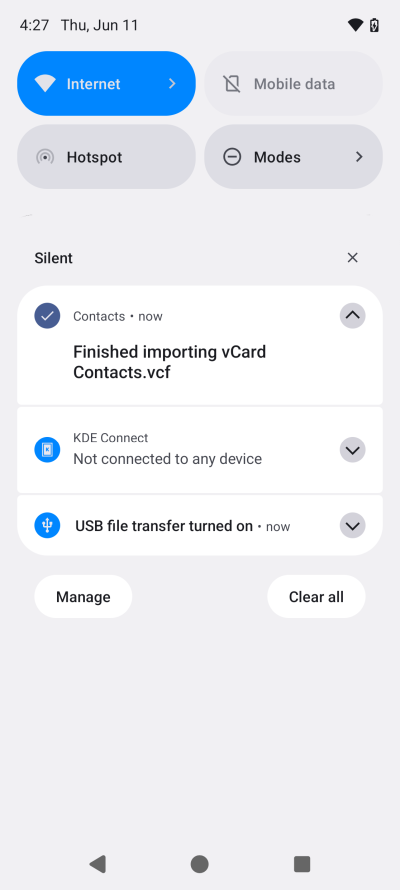
Contacts works fine - I was able to import a set without any fuss, and the app sorted duplicates without an issue. But then, you can't bulk-delete contacts. I wanted to set up a Murena account, too, as this entitles you to a 1GB cloud storage plus email. There's a wee snag, and that is, you must set up a recovery email. Without it, your account will be limited and eventually deleted. This means you must share some extra "personal" information with Murena if you want to use and integrate this account with the workspace on your phone. We will discuss this separately. Yup, another article.
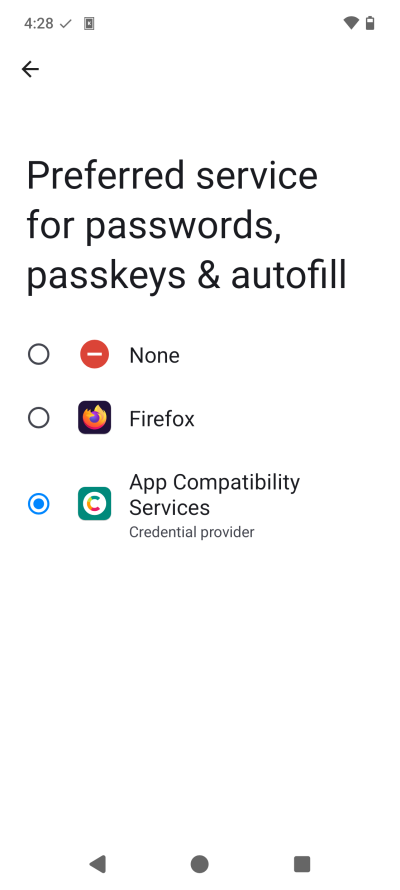
I don't want any autofill service ... Especially when I see the word passkeys, I get an allergic reaction.
Navigation wise, the default app is okay, but a bit confusing - it wanted to download updates, but App Lounge didn't have any. I was also able to install HERE WeGo, my preferred tool of the travel trade. Of course, the real test will be in taking this device somewhere abroad, and then testing the voice navigation thoroughly.
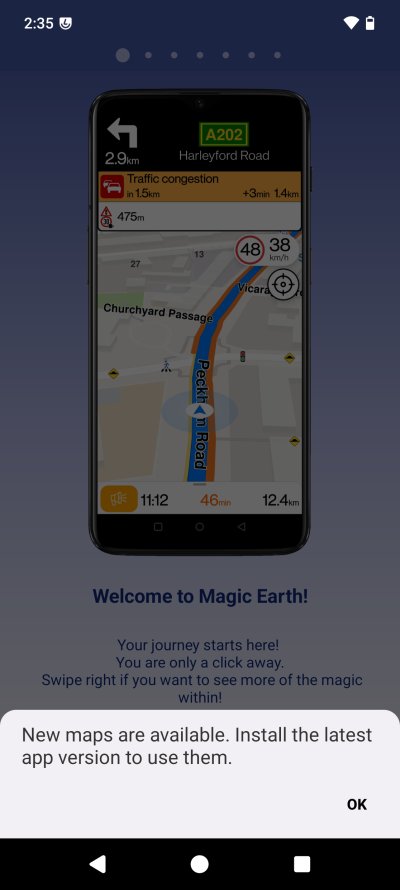
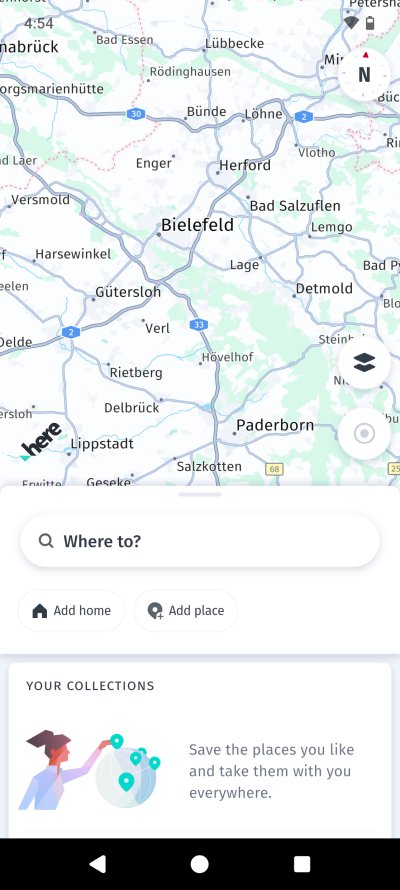
In the right screenshot, I'm showing you a city that does not exist.
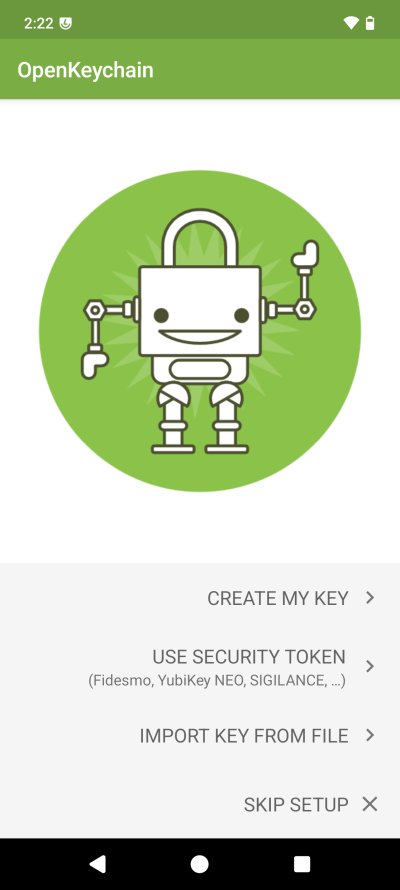
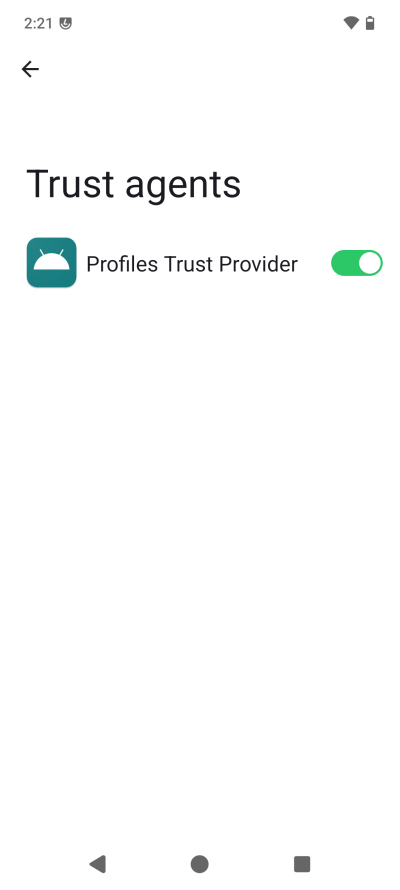
Then, I came across some interesting oddities. You get something called OpenKeychain, but I don't know what it is. The phone also has Profiles Trust Provider set as a Trust agent. Again, no idea what this means in practice. On Android, it's usually Find My Phone shown there, so this is an equivalent, then? Or?
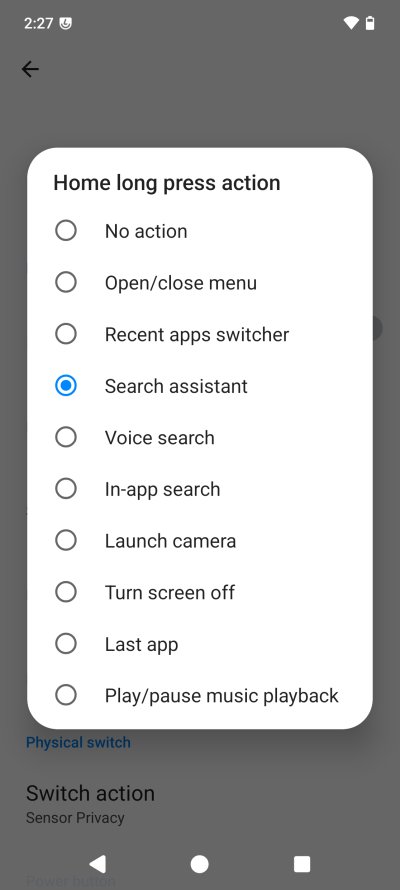
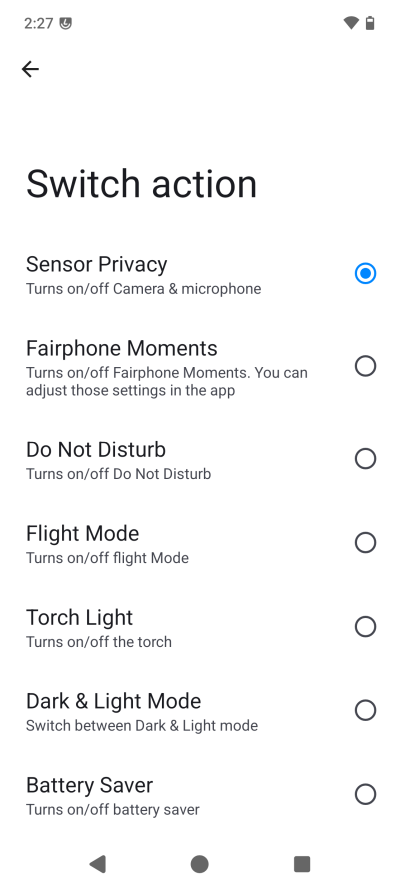
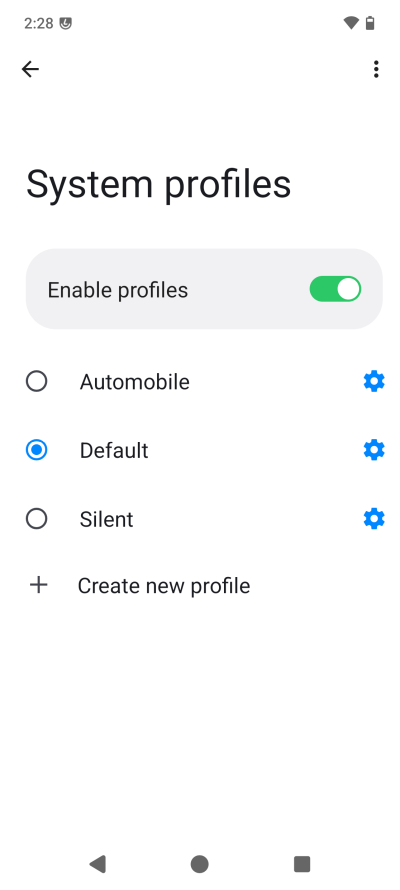
I also tweaked the Home button long press and the Switch button functionality. Here, you get more choices than in stock Android. But then, like the other Android 16 systems I checked recently, Do Not Disturb has been made stupid, with an extra tap needed to activate it, because now you get modes. Another pointless fad. To make things even more confusing, you get Profiles, which you can configure any which way you like, but I'm not sure how they are related to Modes, and whether this has anything to do with the Trust agent, as I showed you earlier. The Home button default is search assistant. Nope nope.
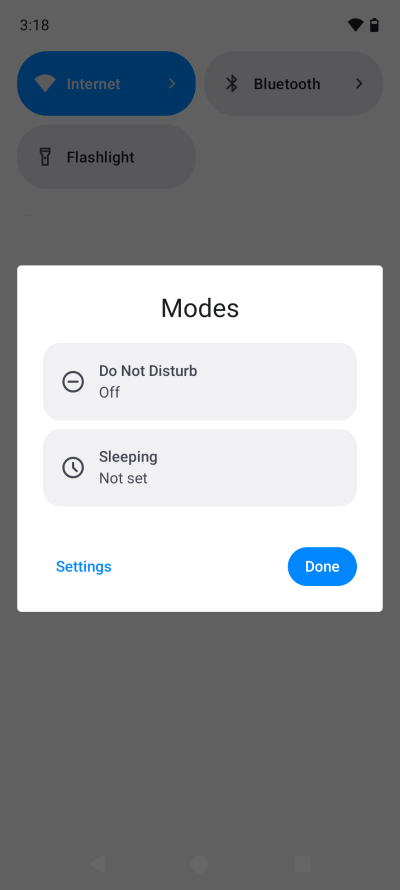
Indeed, Google or not, it's still "modern"
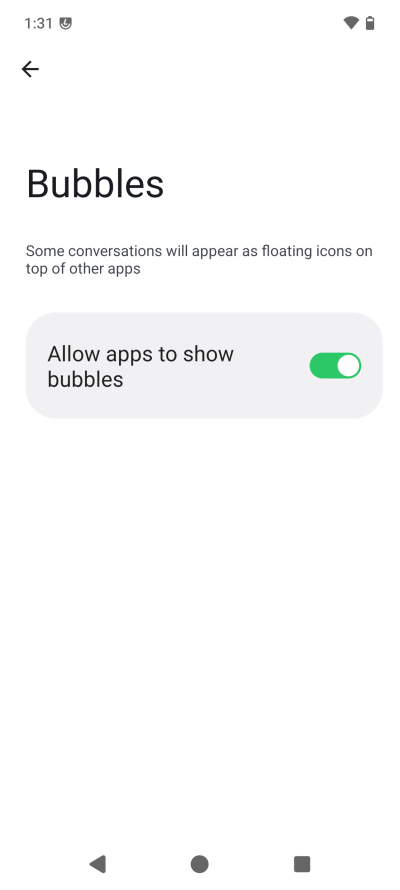
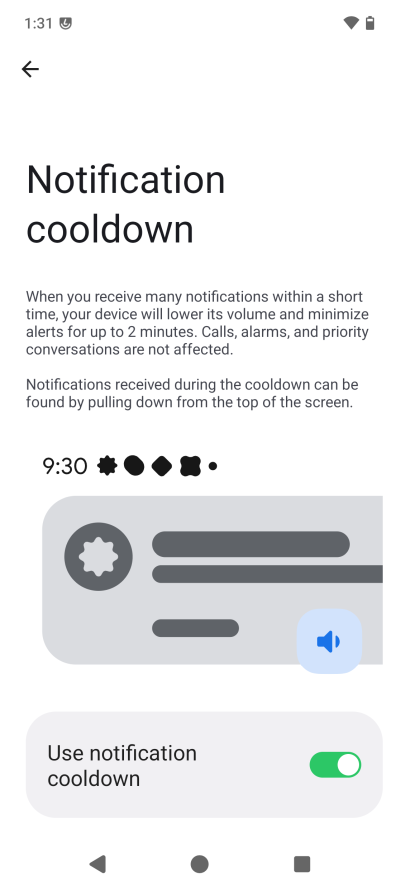
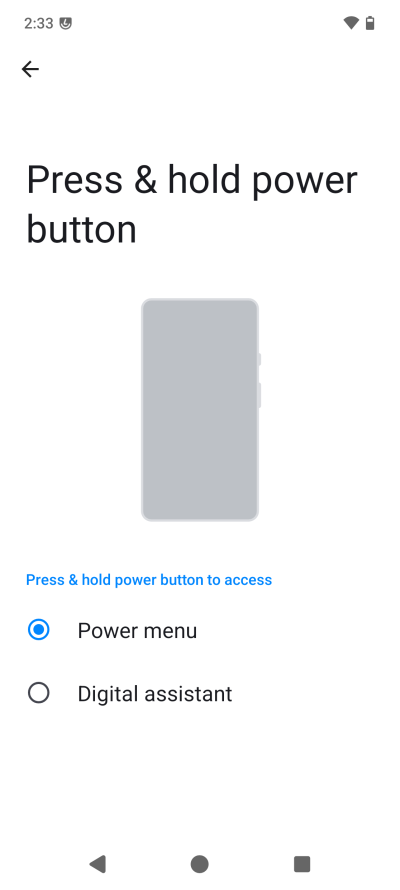
Soon enough, I discovered a bunch of annoying and pointless things. Like Bubbles. Floating app bubbles! Nope. Notification cooldown, as I noted in my Pixel 8 Pro review recently. Nope. At least the Wireless emergency alerts do not come with country-specific-but-irrelevant presidential announcements category. Then again, the Power button can be used to fire up the digital assistant, whatever that is. NOPE.
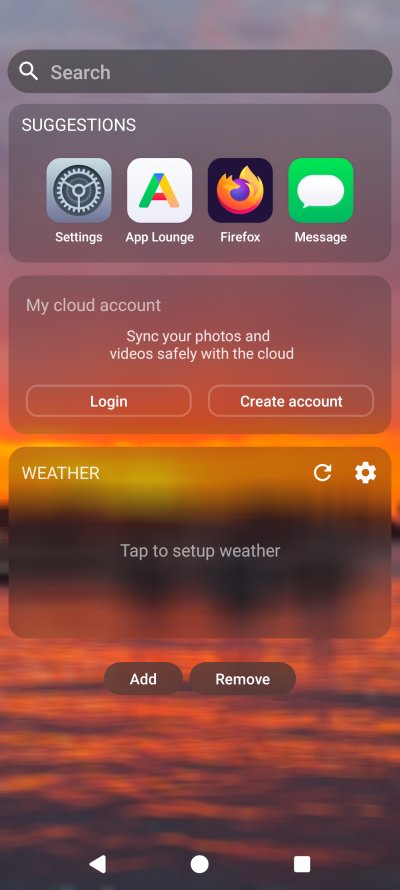
I was thoroughly disappointed by the first home screen, which is the one you swipe to on the left. A widgets screen, it seems. One, it can't be removed, from what I tested. Two, it contains Suggestions, which seemingly cannot be removed. Three, I tried to add a manual location to the BlissWeather app, and like on the Pixel, it didn't show anything. I guess that's because I disabled Location on my phone. Or it might just be buggy. But it's annoying, anyhow.
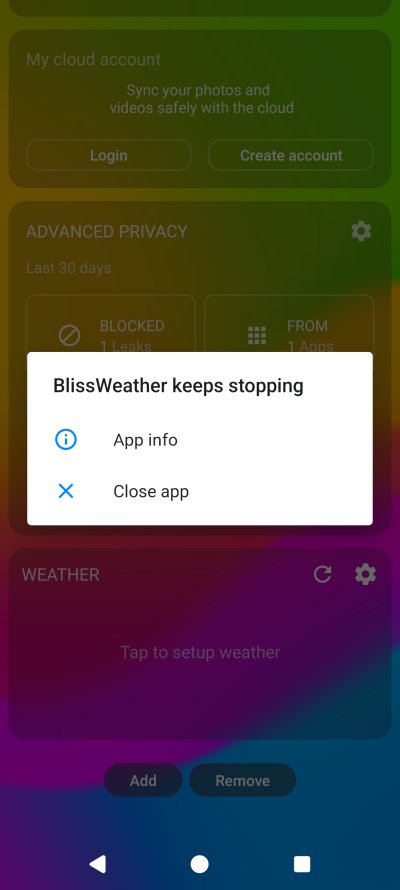
Anyway, Suggestions can't be removed. This pisses me off so much. My cloud account sounds okay, but
I'm not there yet. I do want to use the weather widget, but I guess I can't without location. I'm
hoping a future update will fix this, that much of an optimist I am. BTW, why do I need a separate
screen, effectively an extra gesture, to be able to see weather? Why not give this functionality on the
main one?
Back to usage ...
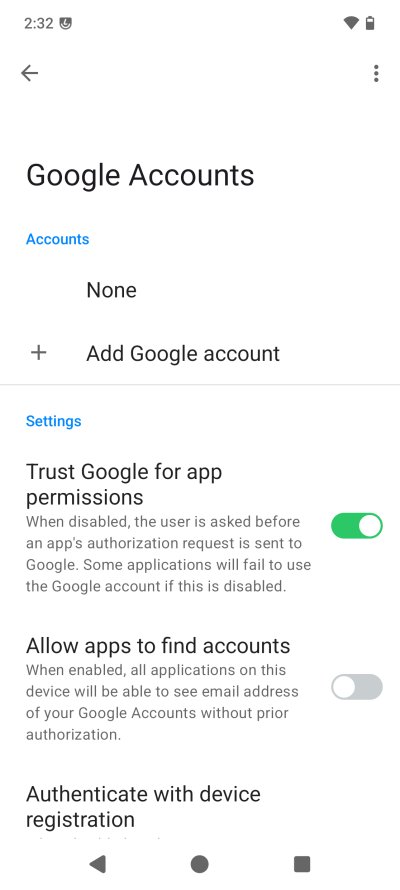
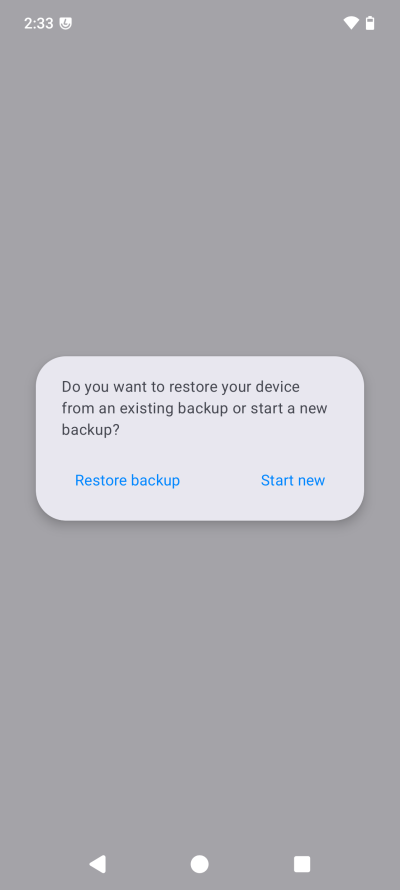
I wasn't using any Google account, because, what would be the point, if I want to do that, I can just use Android. Account setup comes with options that look nice, but they alarmed me because the provided information just isn't precise enough to help me decide what to do, and what the potential implications could be. The system backup functionality is a bit alarming, too. No explanations, no settings. Back up or restore, nothing else. Oh oh.
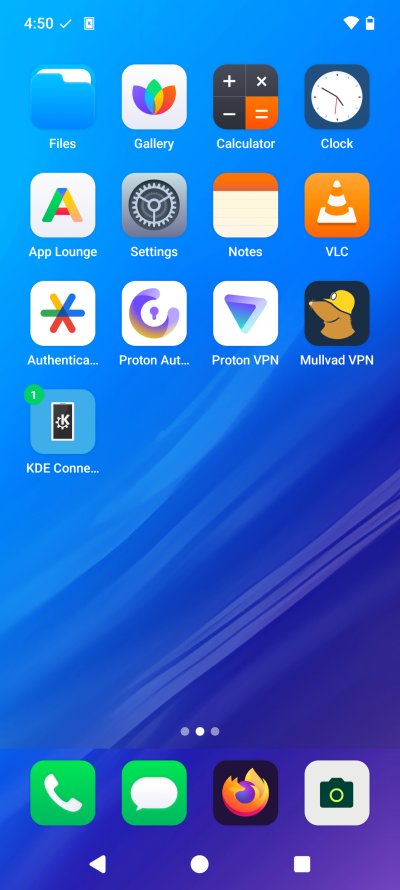
The Home screen has no "options", nor is there a separate all-apps screen. So if you want to rearrange icons, or anything of that sort, you need to do the iOS-like long-tap, and then the icons will jiggle, and you can move them around. If you move them to the right, this will create another screen. You can also stack them. Not bad, but cumbersome, to some extent.
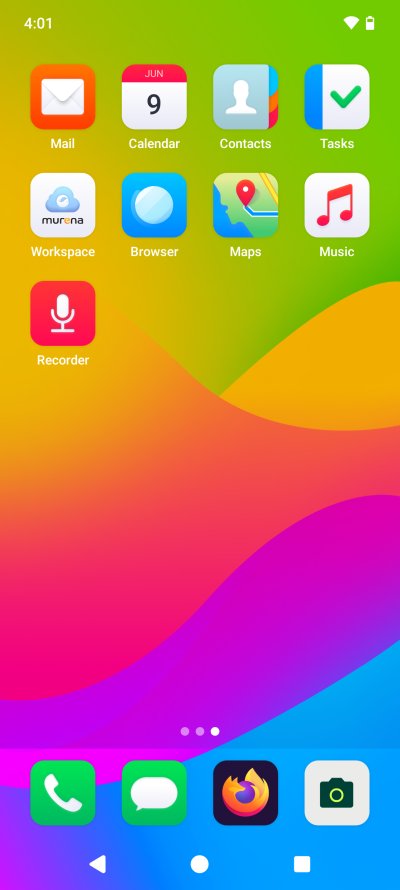
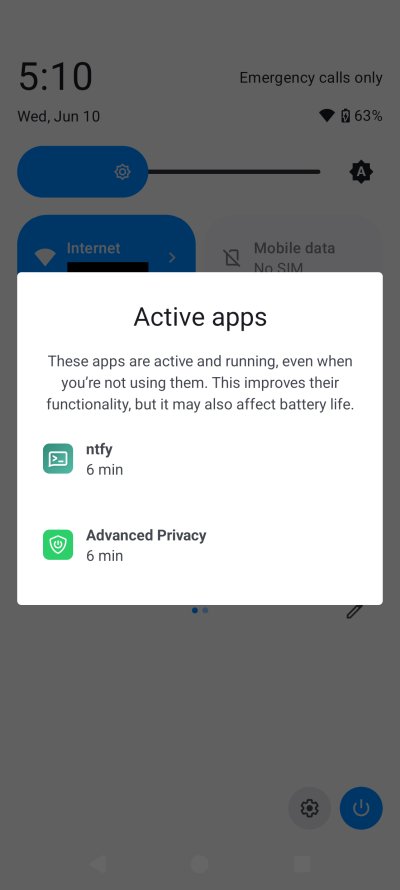
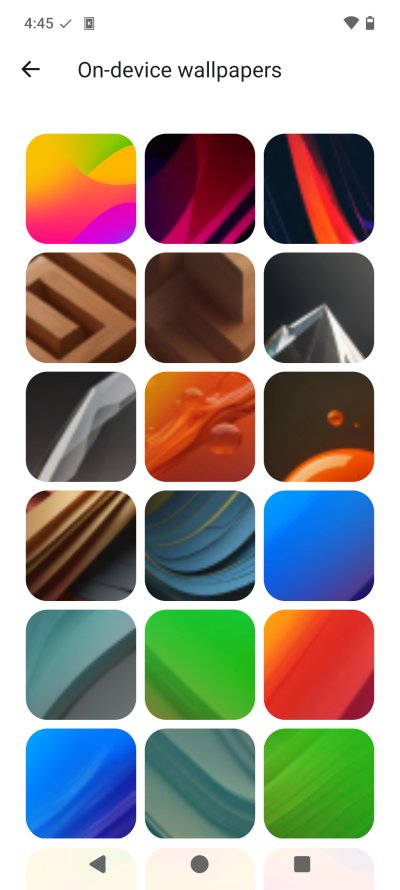
I also had to change the overlay screen, so that I get a better selection of icons. Not having Wi-Fi and Mobile data as one icon, nor have Bluetooth take space there. Eventually, I had a reasonable setup, but it's really amazing how annoying Android can be. Also, in the list of active tasks, it showed Advanced Privacy even though I had disabled all of the toggles, and turned its network data to off. Why would it be running then if it's not used? The on-device selection of wallpapers is decent, but not amazing. There doesn't seem to be an option for colors, a simple black background, no fancy stuff.
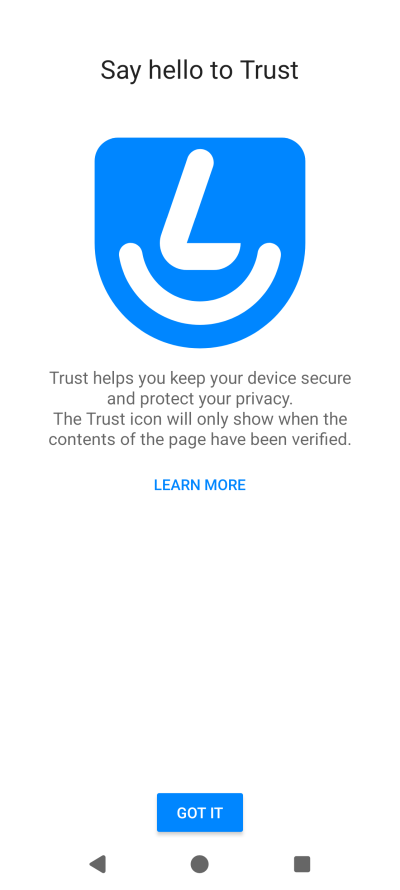
The system popped up an icon - try/use Trust. Hm, okay. What is this? Seems like some sort of security dashboard, which lets you tweak various options. You can change the SELinux mode, restrict USB, and then some. Interesting. Notice that the system is a few months out of date - the classic Android conundrum if you're not using Google's devices, or perhaps maybe Samsung. Is this a biggie? Nope. But it is potentially an important consideration.
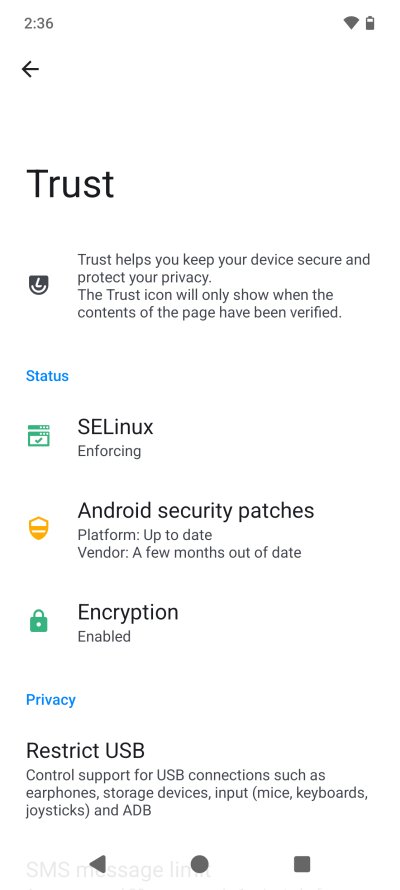
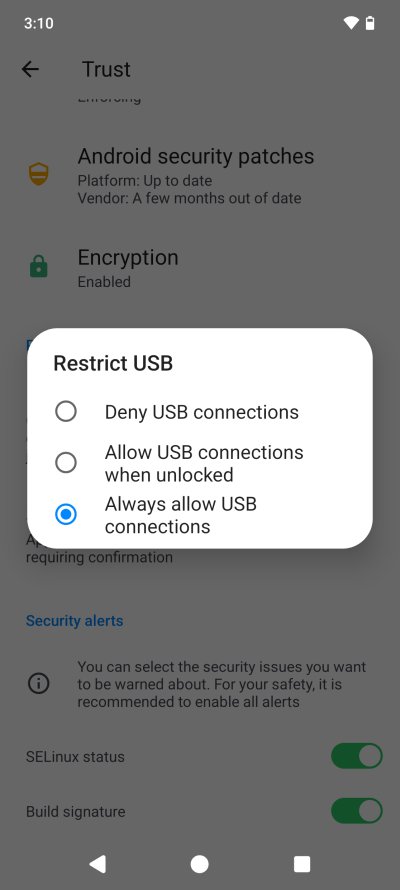
Notice the annoying menu transparency - the usual Android nonsense.
I tried the USB restriction feature, and it does not seem to work as intended. I was able to connect my device to my Linux laptop only with the third option selected - Always allow. If you try the second, Allow when unlocked, it doesn't work, at all. And you must reboot your phone in between the choices. That said, when you do allow USB, it seems to work better than any other phone I tried so far. My Kubuntu 24.04 and its Dolphin file manager mounted the phone correctly and without errors every single time. This has never been the case with any other device in the past, including my current endeavors with the Samsung A54. Why? I don't have a good answer to that.
Having fun, plus audio, camera and battery
Well, a Fairphone is a Fairphone. Everything is just as I showed you in my Fairphone 6 report. The camera works just as on the standard device with standard Android. The audio quality is not changed in /e/OS. My usual repertoire of grumpy dinosaur activities are there, unchanged. The battery seems to last nicely, which could be the effect of removing all sorts of cruft and telemetry and whatnot. But I will need more time using the phone to tell you about the battery, and the difference to the stock Android experience.

The camera works fine. Example above, mid-light conditions. Not bad. Some fisheye effect on 2x zoom from roughly 70 cm away. Not as impressive as what I shot with the Pixel 8 Pro, but hey.
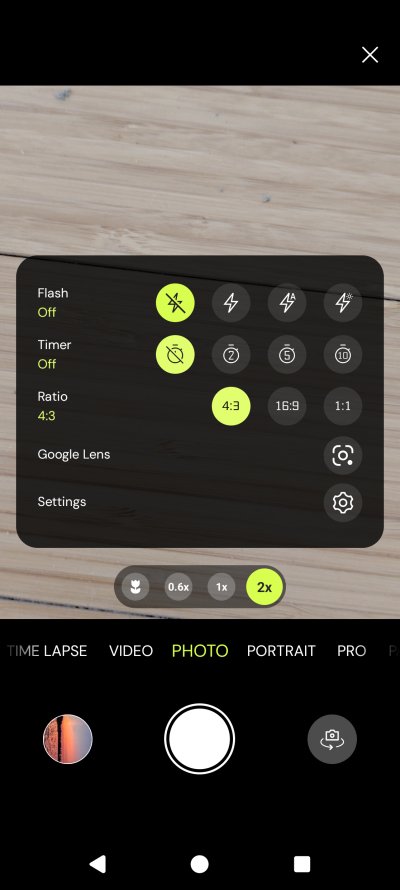
Oh, camera wise, 'tis the Android camera, and it has the Google Lens button, w00t, w00t. There's so much wrong with this concept. Also, the thumbnail preview of the image shown below is rotated incorrectly, plus it resides in the Wallpapers folder I created, so it shouldn't show in the camera DCIM gallery. Weird.
And I guess that's enough for one review.
Conclusion
This was a fairly long review, with lots of twists and turns, so let me summarize my findings. Overall, I am quite pleased and I like this approach. For me, /e/OS could really be the best possible smartphone choice, especially if it comes preconfigured by the vendor. But I do have concerns and many unanswered questions. One, I've been following de-Google Android stories since Cyanogenmod. What guarantees /e/OS will be around for another decade or two? I am very choosy about my software, and I don't want to be "distro hopping". I want my choices to stick, so I can rely on them for many many years. Two, I need clarity on the MicroG security model and Play Store compatibility. I don't want my apps to suddenly stop working tomorrow or lose updates for some arbitrary reason. Three, I want to know more about the Murena account. Four, I want to see how well this device handles long-term updates and such. Lots of stuff to do before I can say, yes, this is it.
So far, I like the simple, no-account, little-data setup. The default apps are a bit meh, most of them. I don't like Advanced Privacy, and I'm still angry that it started working before I had a chance to make a decision about the different toggles. I also don't like the widgets screen, or the fact I couldn't get a weather report with location turned off. There are some rough edges in the system, and lots of stock Android annoyances. It's not all clear cut. In many ways, this is very much like the Linux desktop. It works, mostly, but there's some hackery and wizardry under the hood, and the compatibility with the giants ain't guaranteed. You will also become a member of the 1% club, and stick out very brightly among the mindless drones. Not sure how good this is for your privacy. Or mine, for that matter.
If you think about it quite seriously, Google and Apple gateway the mobile world, unfortunately. There's no alternative platforms, no store with tons of amazing apps. The Linux story really. So if Google ever gets really angry, they might block MicroG and many other similar efforts. I mean, with sideloading and dev signing and all those extra restrictions coming into play soon, what do you think, the big companies are just gonna let small competition chip away at their kingdoms? Nope. Even if this usage model gets disrupted only temporarily, it's still something the user must consider. Would I want to commit to such a setup, knowing something could break easily, randomly? Luckily, I treat smartphones as a nice-to-have thing, and my needs are simple, but if I expand from my skeptical anti-tech baseline, would I want my banking app or my chat program set up in /e/OS? What if they suddenly stop working?
I have no good answers for you, because I've seen a dozen efforts of this nature come and go and stay or change, but without denting the duopoly that rules the world of phones. Even Microsoft failed in this space. More competition would be great. I would love if tens of millions of people suddenly embraced this model. People who like privacy would suddenly have clout, at least some. For now, I like /e/OS, and I want to keep testing it. I want to use it seriously. I hope I don't get disappointed. If you have any suggestions or answers to my questions above, feel free to send them. With these words of brittle optimism, I bid you farewell.
P.S. My phone just notified me there's /e/OS 4.0 available. Stay tuned for updates!
Cheers.